Image Trimmer problem
-
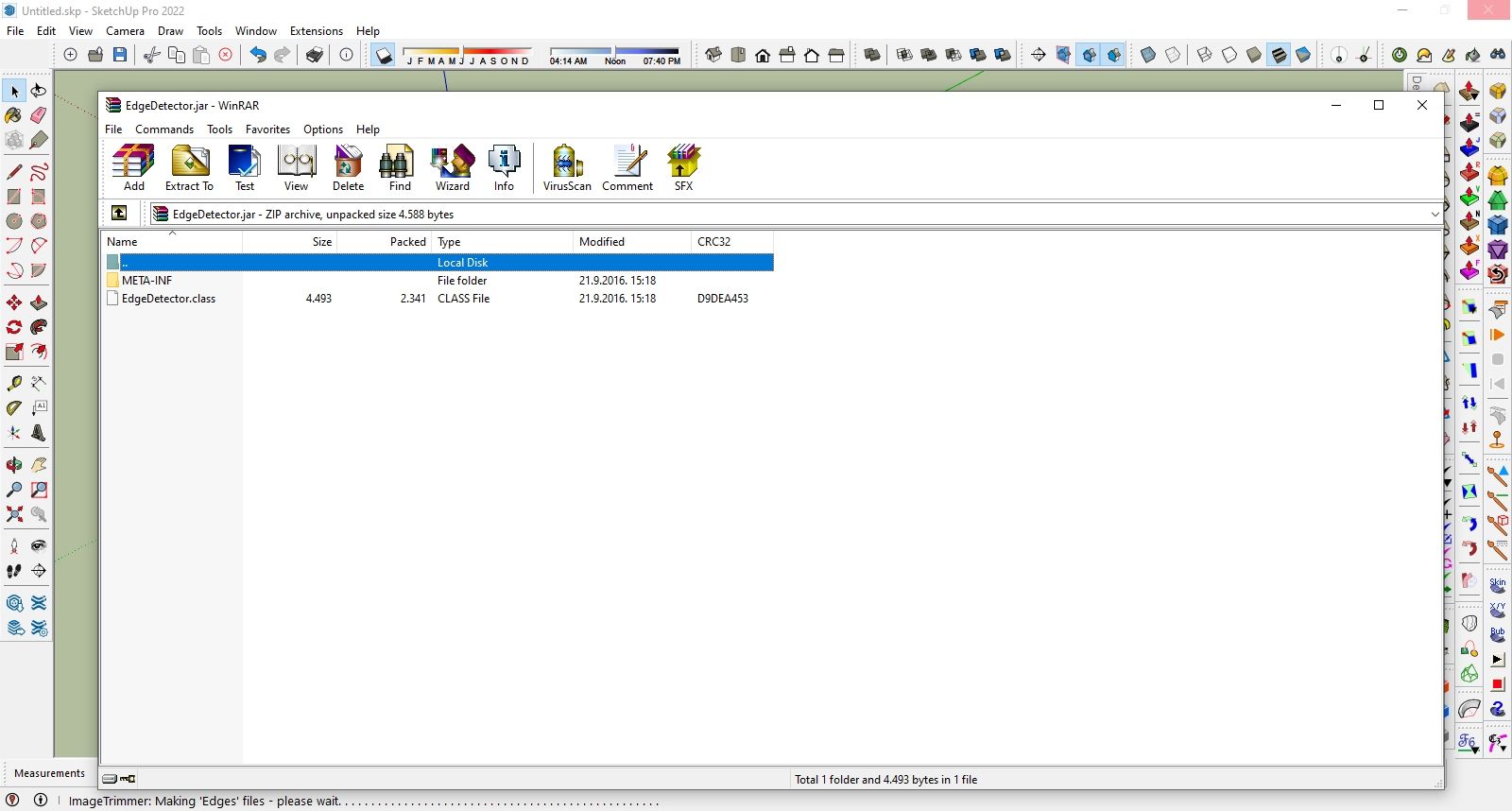
I have a problem with Image Trimmer. When I do everything right, including importing the image (png file) and saving it, when I start I,mage Trimmer , WinRar opens a window with EdgeDetector.jar. Image Trimer does nothing. What is the problem? Everything runs on an AMD Ryzen5 processor with 16 Gb of RAM. with Sketchup 2022.
-
@ZG53
If you read all of the thread and the guidance notes...
The JAR files that ImageTrimmer uses must run/open in Java.
So firstly you need to have Java installed [if you don't already have it, the it's freely available off the www...].
Next you must ensure that the JAR files are set to open with Java, many unZIP/decompression tools like WinRar hijack that file type and open it themselves [uselessly]. Go into the associated filetypes in WinRar and untick .JAR...
ImageTrimmer should now run as intended, although to do need to ensure it's working on a PNG file Image with fully solid and transparent areas...

Hello! It looks like you're interested in this conversation, but you don't have an account yet.
Getting fed up of having to scroll through the same posts each visit? When you register for an account, you'll always come back to exactly where you were before, and choose to be notified of new replies (either via email, or push notification). You'll also be able to save bookmarks and upvote posts to show your appreciation to other community members.
With your input, this post could be even better 💗
Register Login


Advertisement