Measures change after pushing enter
-
Hi all,
i just finished a crash course and i am now working on my first model. I noticed that when a make a rectangle and i change the dimensions by typing the numbers, the measurements change slightly. When i recheck with my tape measure, indeed the dimensions aren't as i typed.
How can i fix this (or what am i doing wrong?)
Thanks!
-
do you have length snapping activated in the preferences?
-
The order of operations would be...
- Select Rectangle
- Click start point
- Move mouse in desired direction
- Type 100m,100m
- Hit enter
A 100m x 100m plane is drawn from picked start point
-
Also make sure you've set Display Precision so it is suitable for the sort of dimensions you're working with. It could be that the dimensions you are measuring are rounded.
-
Thanks for the replies, but unfortunately I am still stuck.
See my attachment.I moved the walls with push/pull, entered 585 cm as height, entered and when i check with the tape measure it says 637,7 cm
Just to explain better: I drew the surface on scale. Maybe this has something to do with it?
For the moment I am still using the free SketchUp Pro 2022.
-
Did you click in the Measurements box? If so, don't do that. Pulling a face up to 585 is straightforward enough. Click on the picture.
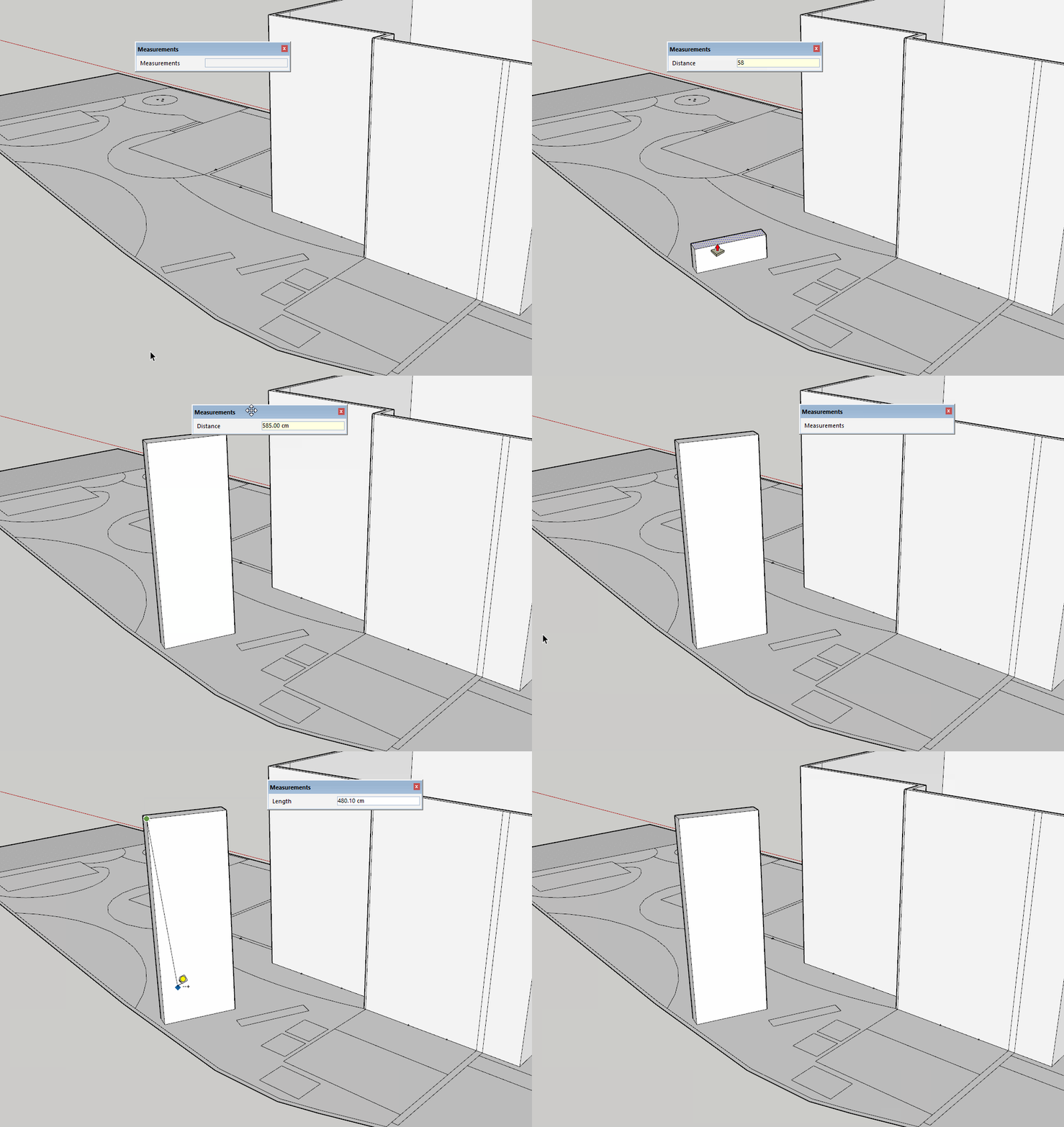
Turning off Length Snapping as cotty directed is still a good idea.
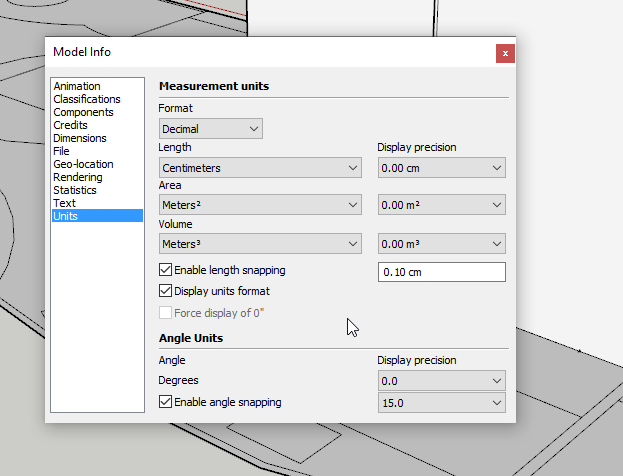
Your model indicates you should get to 3D earlier in your process and you should be using groups and components.
-
Thanks all for the help, i started with a new model and i rescaled at once. Now my house is standing, all measures are correct.




Hello! It looks like you're interested in this conversation, but you don't have an account yet.
Getting fed up of having to scroll through the same posts each visit? When you register for an account, you'll always come back to exactly where you were before, and choose to be notified of new replies (either via email, or push notification). You'll also be able to save bookmarks and upvote posts to show your appreciation to other community members.
With your input, this post could be even better 💗
Register Login


Advertisement