Scaling a component doesn't change identical components
-
Hi,
If I scale the star, defined as component, located outside the rectangle, it doesn't affect the identical ones inside the rectangle and I don't understand why.
The reason why I want to scale it: I want to mill it out with a 3mm cutter and the direction of the tips are narrower than 3mm, so the cutter can't get there and the star becomes too small.
Kind regards
AlohaaP.S.: I must correct myself: I have just tried again and now the changes are also transferred to the others! But why weren't they applied before?
-
You aren't opening the star component for editing and scaling the geometry inside. Do that so you are changing the component's definition.
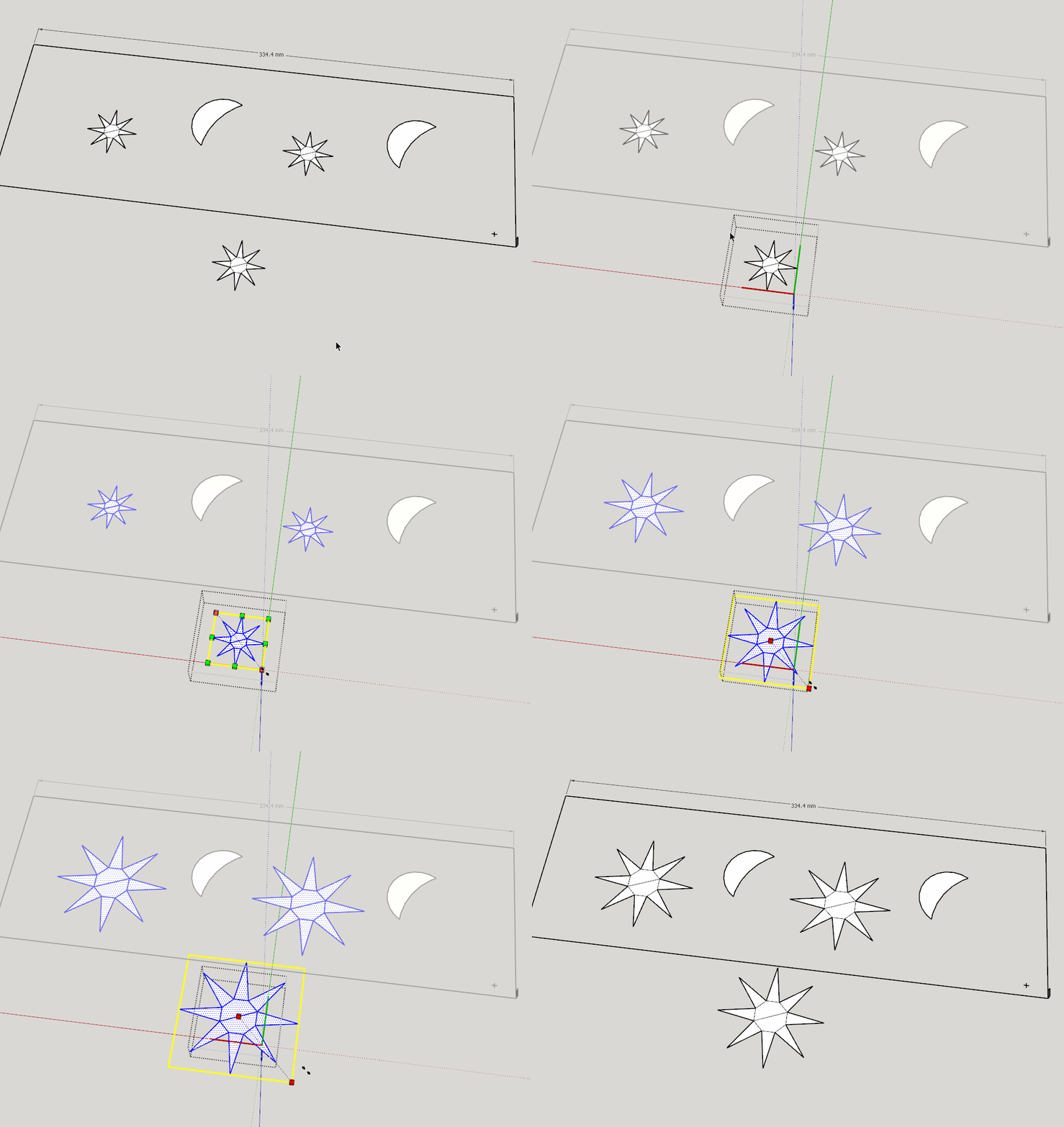
-
My postscript and your message overlapped!
I did edit the star outside the rectangle, otherwise I wouldn't have been able to change anything.
Or isn't it that what you mean? -
Did you click on the picture and watch the GIF?
-
Ok, I didn't notice that it was a GIF. So, everything is clear.
I just experienced that when I change something in the drawing, and have to open the component, the other ones are modified, too...because I have to open the component.

Hello! It looks like you're interested in this conversation, but you don't have an account yet.
Getting fed up of having to scroll through the same posts each visit? When you register for an account, you'll always come back to exactly where you were before, and choose to be notified of new replies (either via email, or push notification). You'll also be able to save bookmarks and upvote posts to show your appreciation to other community members.
With your input, this post could be even better 💗
Register Login


Advertisement