How to slide a slice of the object
-
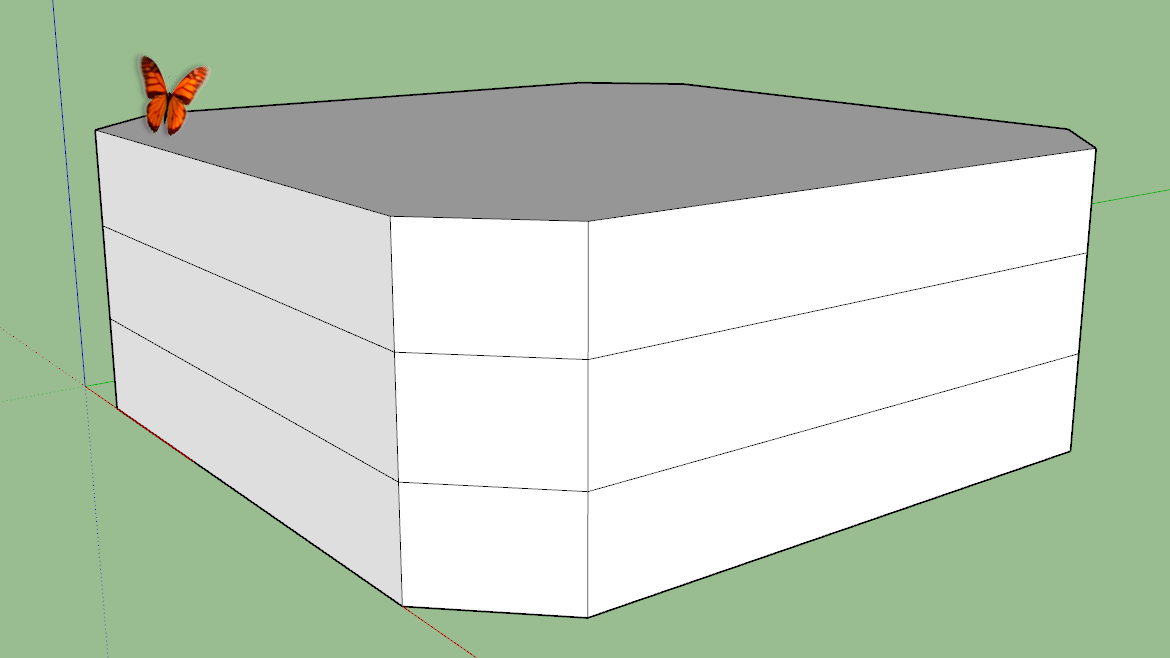
The block in the attached screenshot is divided into three slices.
How can i move the middle one sideways without tilting the wals of the top and bottom slices?
it should generate horizontal faces at the steps instead.
everything should stay one volume objectI think about something like the push-pull, but for all faces of the middle slice together the same time as one structure, at one side in and at another out.
I want to recreate the rail and gap structures of the little plastic pieces in a sliding puzzle, that make them slide, but not fall out.
-
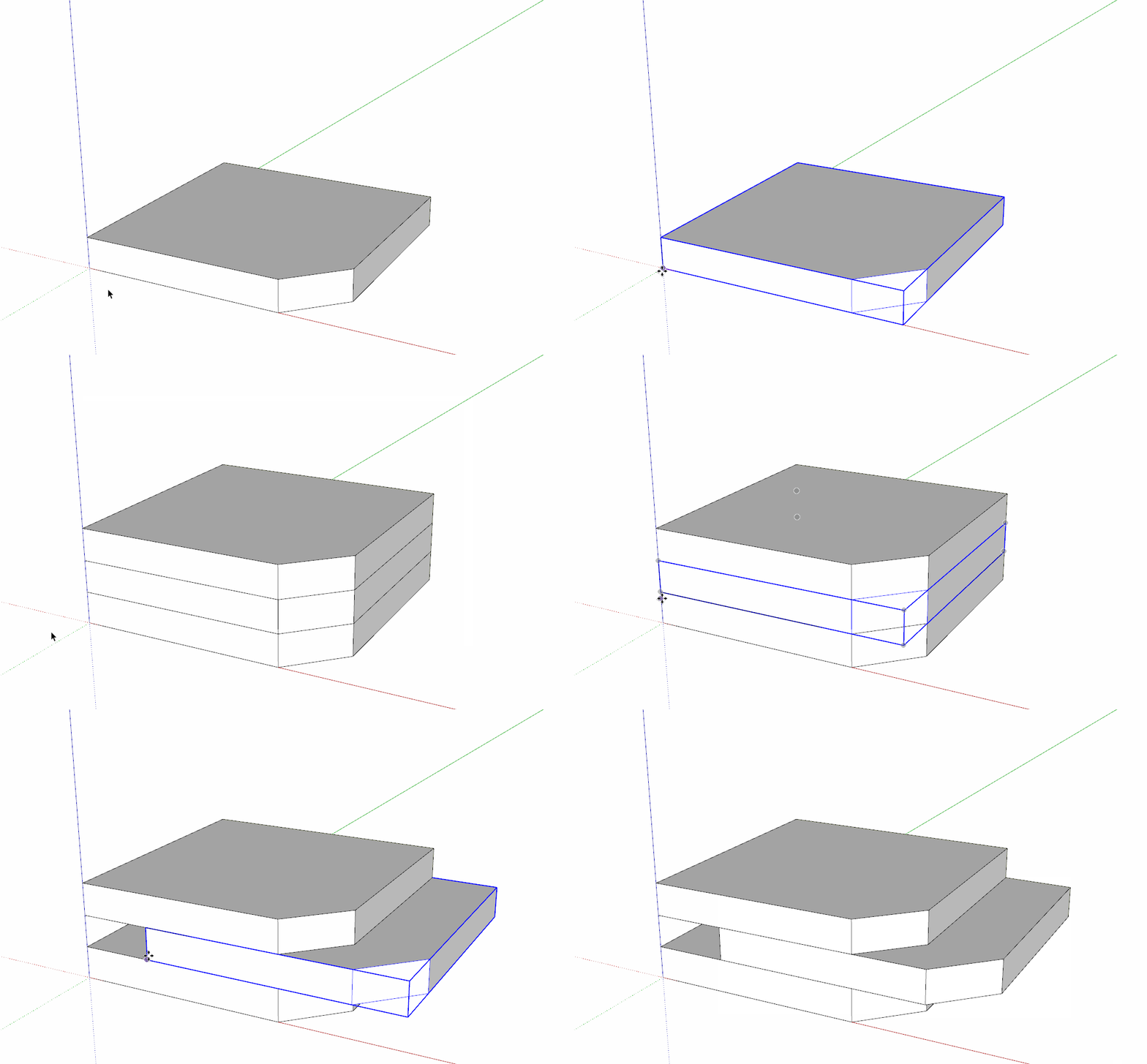
You need to make three separate objects so the geometry doesn't stick together. -
But i want it as a single solid group at the end of modeling.
Edit:
now i first grouped the middle slice, moved it, where i wanted it to stick out and exploded the group to reconnect it with the rest.
so i had just to do a few little fixes to turn it back into a solid. -
Explode the three objects afterward. Or use Outer shell to combine them into one. Or you could model it with the center shifted in the first place. Since the geometry sticks together, moving the faces will distort the other geometry.
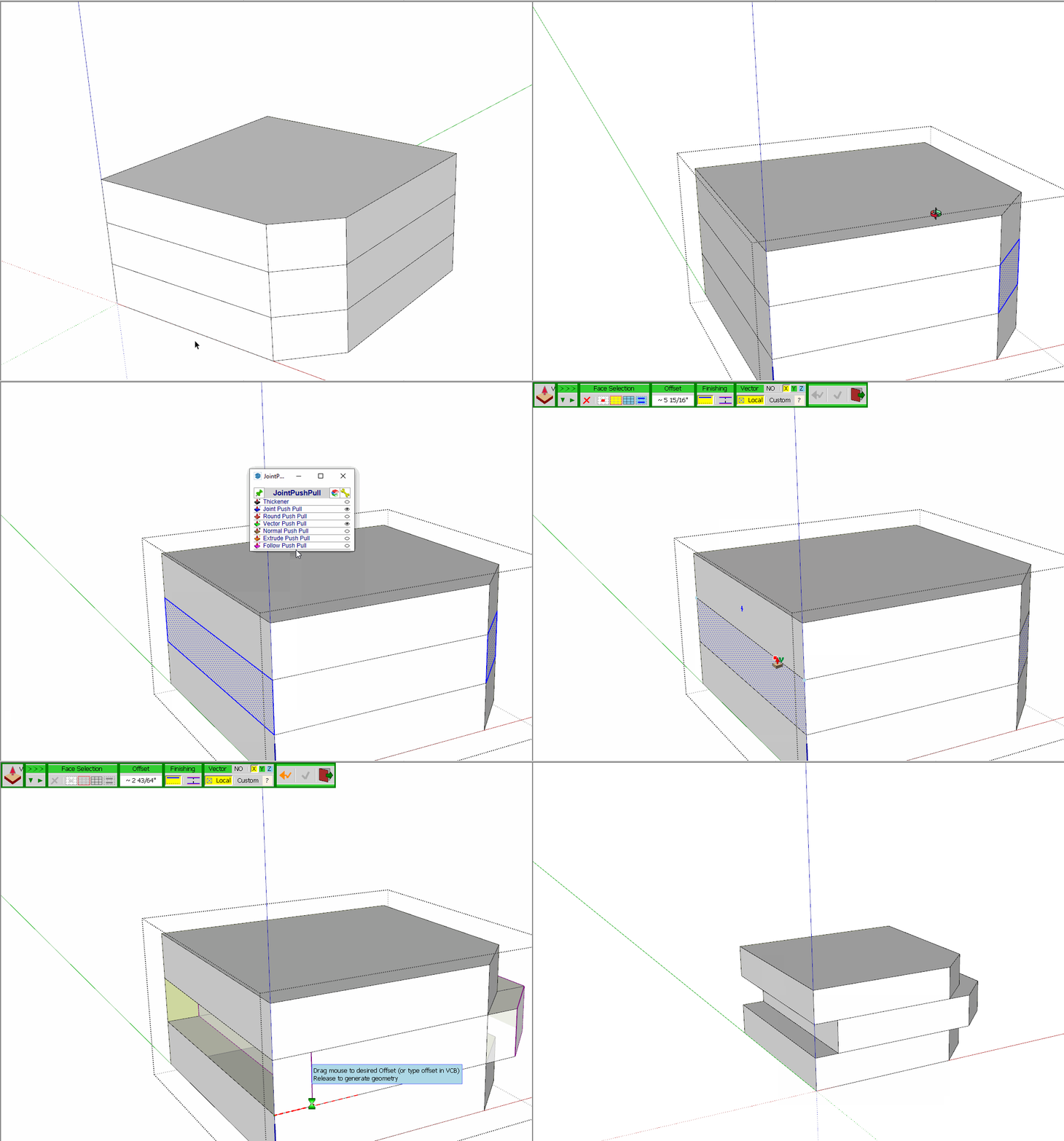
Another option would be to use Vector Push/Pull from Joint Push/Pull.
-
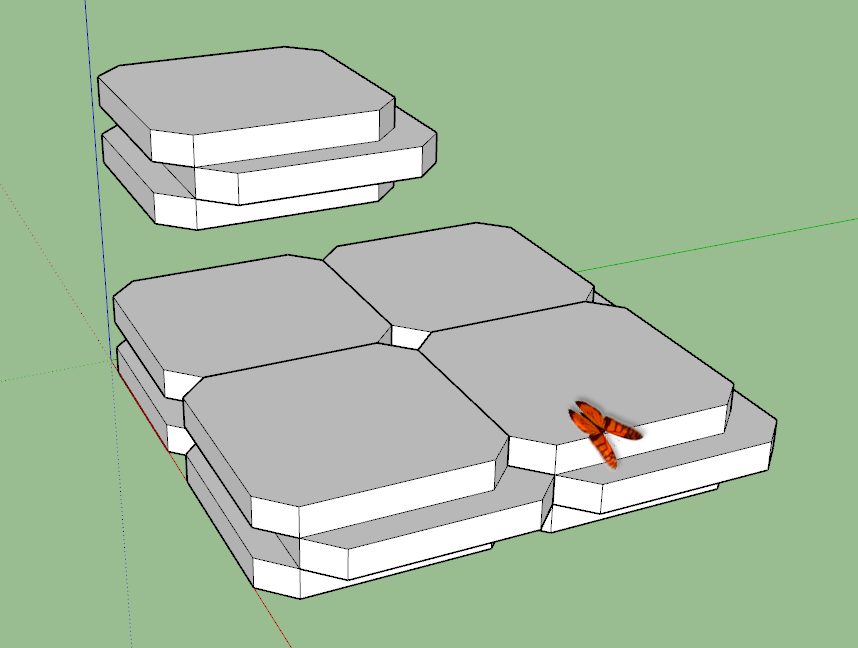
here is now my result.
I created a few more of them now to also show how they can interlock now.

Hello! It looks like you're interested in this conversation, but you don't have an account yet.
Getting fed up of having to scroll through the same posts each visit? When you register for an account, you'll always come back to exactly where you were before, and choose to be notified of new replies (either via email, or push notification). You'll also be able to save bookmarks and upvote posts to show your appreciation to other community members.
With your input, this post could be even better 💗
Register Login


Advertisement