Adding to a Mesh
-
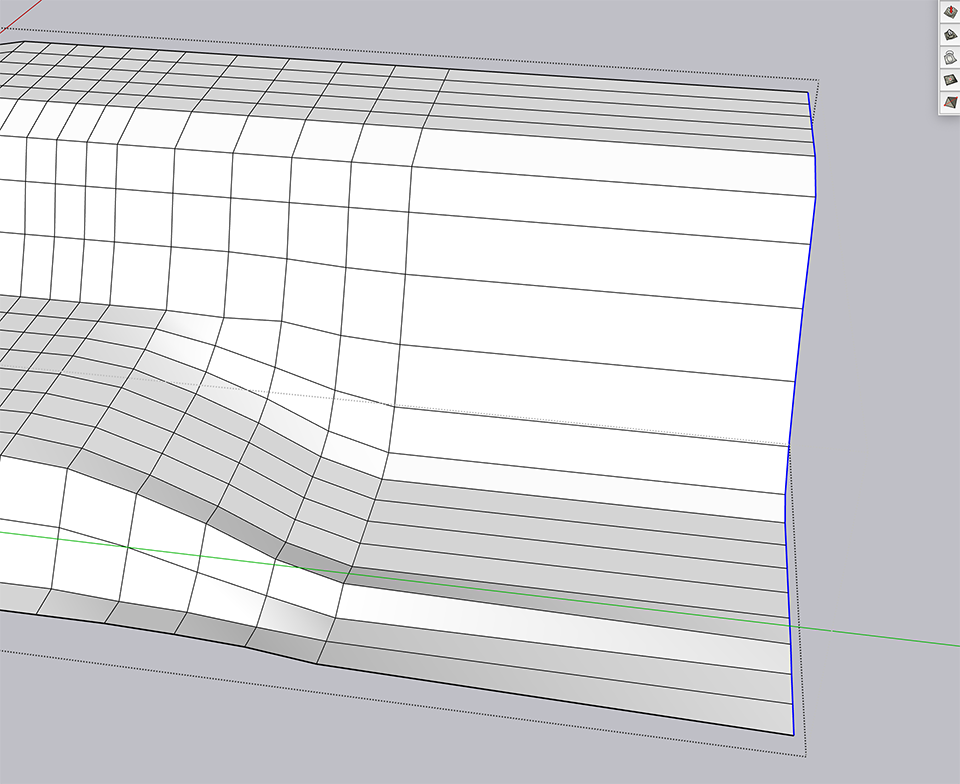
Hi! I'm relatively new to Sketchup and I'm working with a sandbox mesh grid. I've developed some hills with my mesh but I now realize that I need to add more "land area" to it and also manipulate the shape a bit more... I've made the area bigger with the move tool and now I'd like know if there's an easy way to add more mesh lines to the grid that I already started but can't seem to find any answers on how I would do that. Do I just need to add lines to it manually with the line tool or is there an easier, more automatic way to do this? I'm using Sketchup Pro 2020 by the way and have attached a screen capture. Thanks in advance!
-
If you select those faces you can use the Add Detail button.
-
...since you already have a quad related geometry, using Quad Face Tools in addition to automatically select, add etc. line-loops could be obvious too
http://sketchucation.com/pluginstore?pln=QuadFaceTools


Hello! It looks like you're interested in this conversation, but you don't have an account yet.
Getting fed up of having to scroll through the same posts each visit? When you register for an account, you'll always come back to exactly where you were before, and choose to be notified of new replies (either via email, or push notification). You'll also be able to save bookmarks and upvote posts to show your appreciation to other community members.
With your input, this post could be even better 💗
Register Login


Advertisement