Vray Material Editor
-
Hello,
I am fairly new to Vray Sketch Up 2018. I have a problem with the material editor and would be grateful for any help I get since I am on a time crunch.. My first showed the materials the same way it was on sketch up. But when I tried to render the same scene with the same materials again, the materials are coming out much darker. I have attached the first and second render and also the difference in material editors.
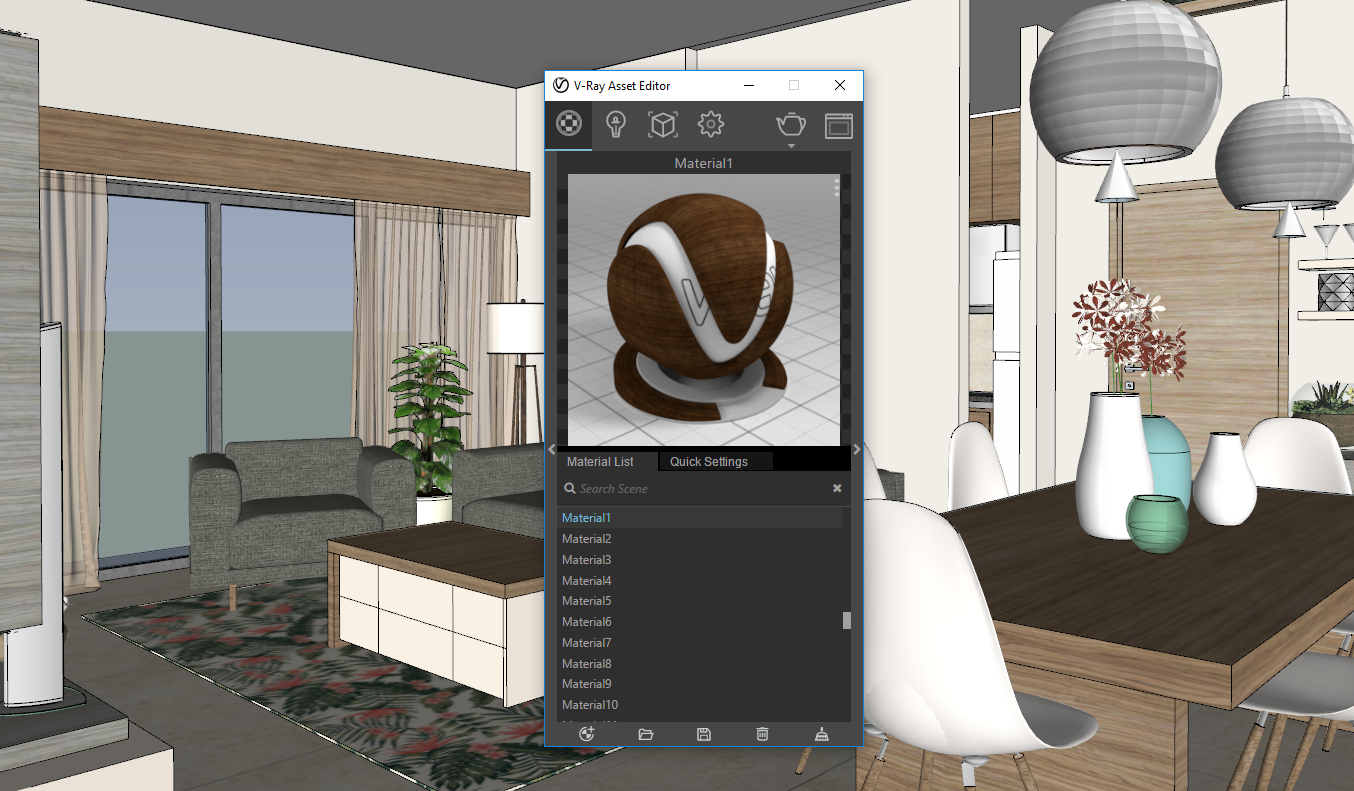
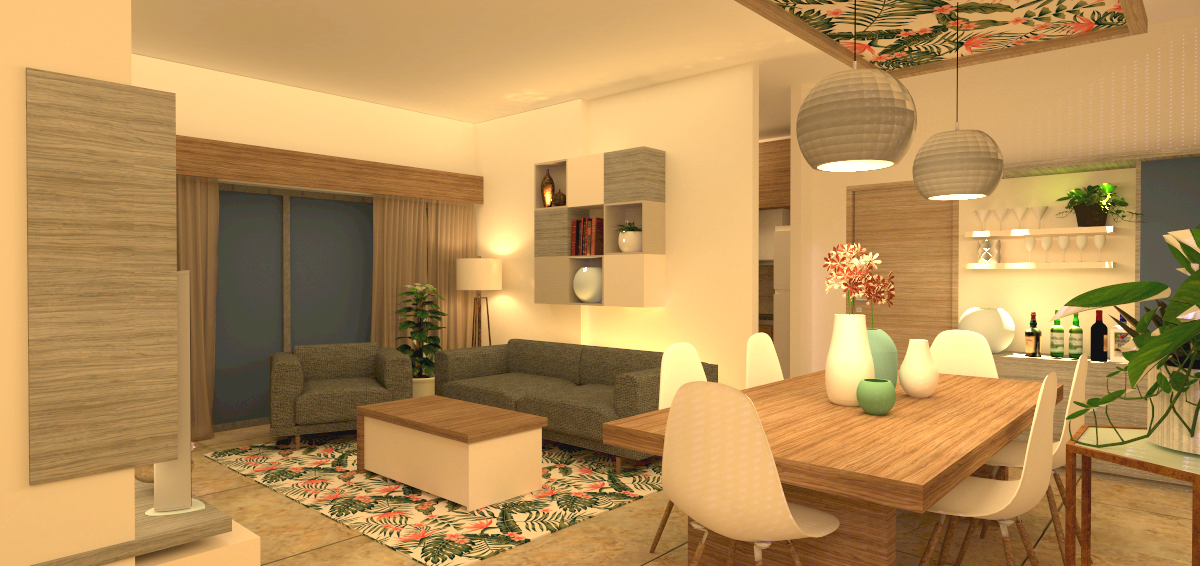
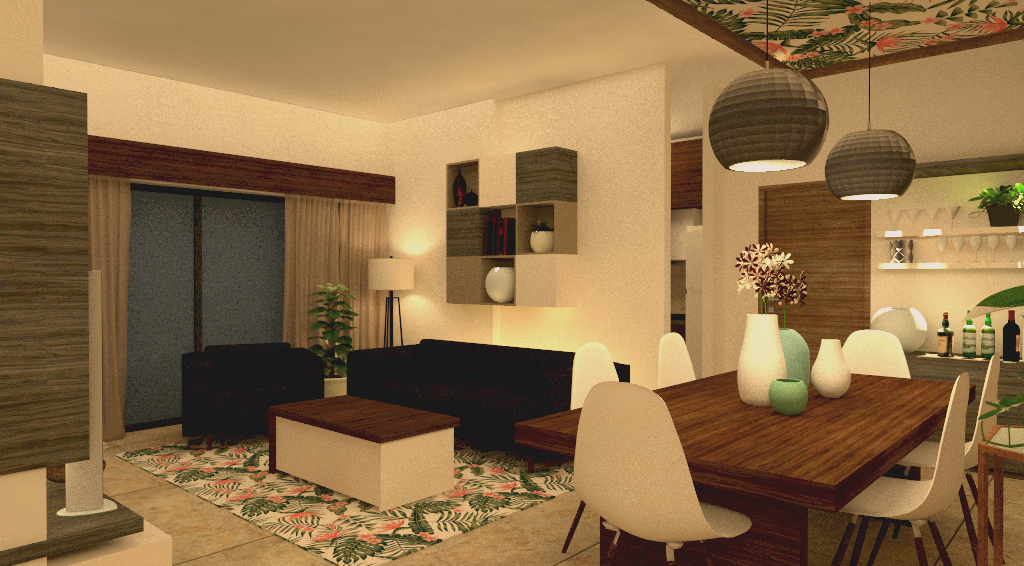
-
Looks like a 'color space' issue to me and not material. Make sure you enabled sRGB color space in the Vray Frame Buffer. Check this: V-Ray Frame Buffer | VFB
-
Thank you Filibis. But that did not fix it
 I checked the colour space and rgb colour space is enabled.
 -
the link to the image file has been broken. V-ray can no longer find the source file. the new version has a file path editor that will help you fix this. go to extensions/vray and look for file path editor.

Hello! It looks like you're interested in this conversation, but you don't have an account yet.
Getting fed up of having to scroll through the same posts each visit? When you register for an account, you'll always come back to exactly where you were before, and choose to be notified of new replies (either via email, or push notification). You'll also be able to save bookmarks and upvote posts to show your appreciation to other community members.
With your input, this post could be even better 💗
Register Login


Advertisement