Flowify Doesn't Work! Help!
-
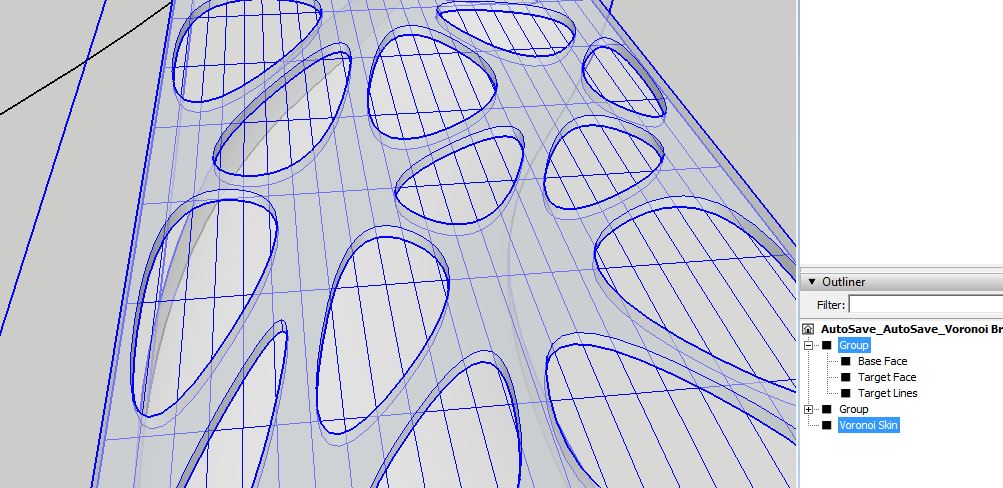
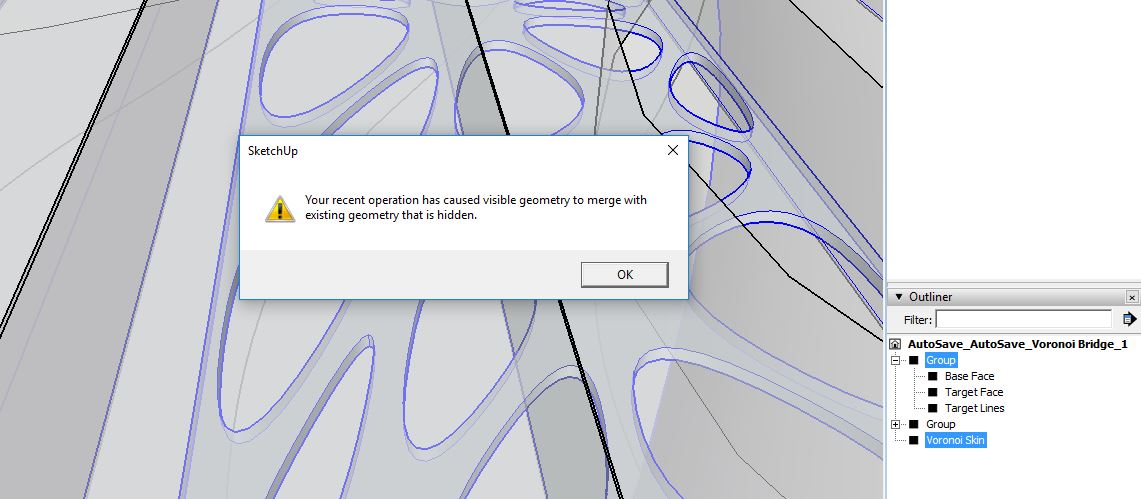
Why Flowify wouldn't work on my model of a Voronoi Bridge? I got the three groups and an independent one which is the voronoi skin that's supposed to be projected to my target face but somehow it keeps popping up alerts saying there's hidden geometry in my model that can't be merged with visible geometry. How can I find the hidden geometry as I don't see it on the Outliner...
-
Using layers to hide 'raw' geometry doesn't separate it from the still-visible geometry.
SketchUp is not CAD.
ALL SketchUp geometry should ALWAYS be assigned to Layer0 [which should almost always be the current layer].
Always make 'containers' - groups/component-instances - of your bits of related geometry, and assign layers to those.
Then use those layers to control visibility...I repeat: layers do not separate geometry, they simply 'hide' it when 'off'.

Hello! It looks like you're interested in this conversation, but you don't have an account yet.
Getting fed up of having to scroll through the same posts each visit? When you register for an account, you'll always come back to exactly where you were before, and choose to be notified of new replies (either via email, or push notification). You'll also be able to save bookmarks and upvote posts to show your appreciation to other community members.
With your input, this post could be even better 💗
Register Login


Advertisement