Grey bars!
-
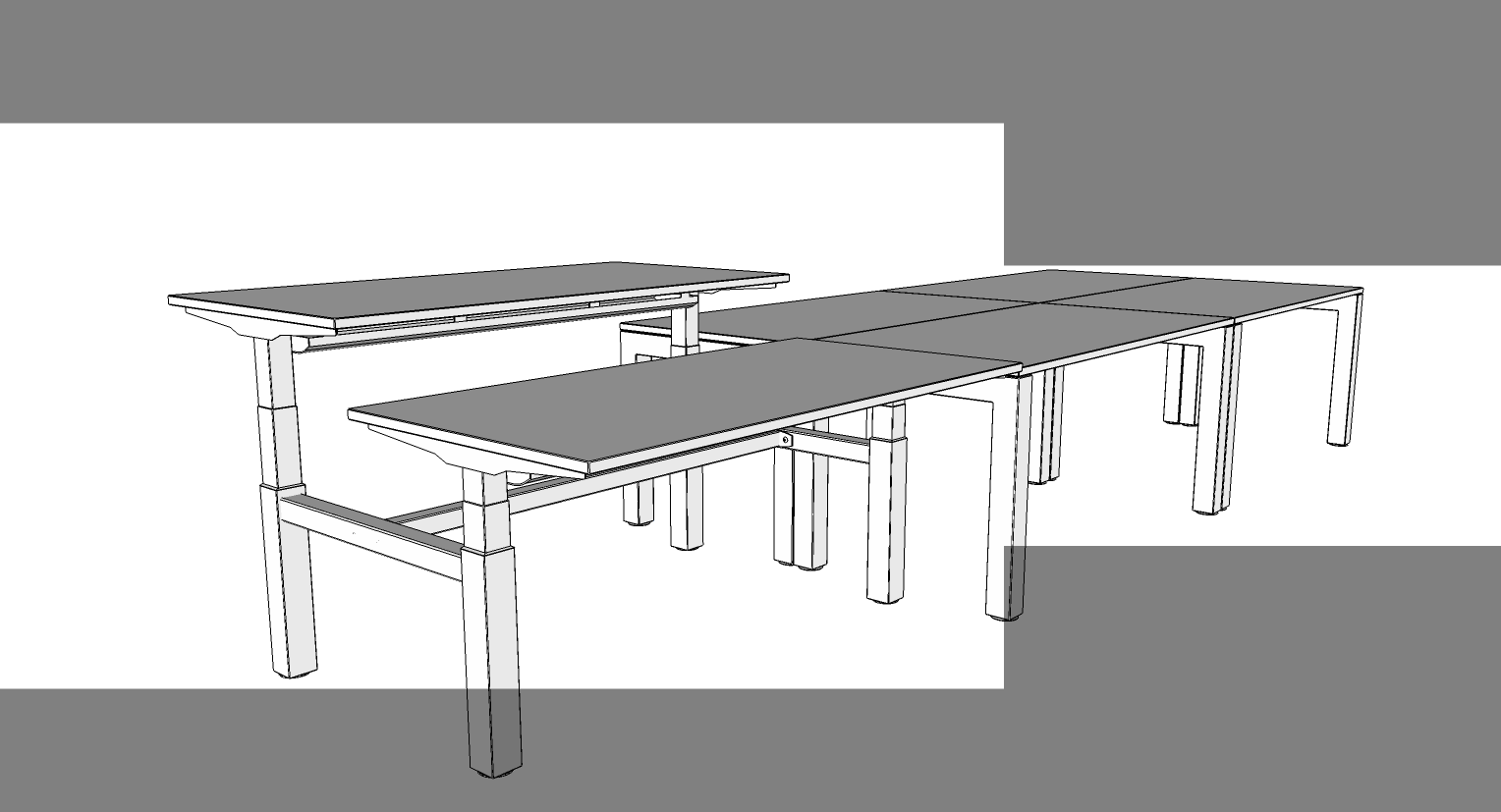
Hello, would anyone know why I'm getting grey bars across my image when I export it as a 2d graphic image and save it as png file?
I've uploaded an example of what I get.
Thanks in advance.
F
-
Ensure that your Graphics Card is up to date...
-
It's a problem of SketchUp 2017. Please look into this post:
https://sketchucation.com/forums/viewtopic.php?f=15&t=67431 -
It's not specifically a problem with SketchUp 2017. It's typically caused by Vray but it can be reset with Tools>Advanced Camera Tools>Reset Camera. See this thread.
-
In my case, it is caused when Indigo RT sets a different aspect ratio for rendering in the active scene (for example, for a resolution of 1920x1080 or multiples of that) and when I apply these settings to the scene.
In the viewport, the different aspect ratio is typically represented by vertical or horizontal gray bars.
SketchUp 2017 (Make) does not cope with these settings of the render program during normal image export from the same scene and produces grey areas of different widths depending on the image resolution. Up to version SketchUp 2016 (Pro) this was no problem for me.
I use version 2016 Pro for work and 2017 Make for hobby (Animation, because MSPhysics only runs with 64-bit SketchUp).
Indigo RT (plugin "Skindigo") has in the menu "Skindigo Render Settings" a "Reset Camera" button, which also fixes this problem.
"Advanced Camera Tools" are, I think, a pro feature.


Hello! It looks like you're interested in this conversation, but you don't have an account yet.
Getting fed up of having to scroll through the same posts each visit? When you register for an account, you'll always come back to exactly where you were before, and choose to be notified of new replies (either via email, or push notification). You'll also be able to save bookmarks and upvote posts to show your appreciation to other community members.
With your input, this post could be even better 💗
Register Login


Advertisement