Don't Panic, Fix a minor problem causes panic & major proble
-
I have a model that I have printed parts from, then I made some modifications (not in the problem area) but now when I save the model, Sketchup 17 wants to repair errors and opens some faces that I cannot close after the Sketchup fixes are applied.I have tried closing the faces with lines, ThomThom Cleanup2, and Microsoft 3D builder on the stl. None have worked. I would like to fix it within Sketchup. I would appreciate some advice. Thanks.
-
The right hand one fixes OK with SolidSolver...
http://sketchucation.com/pluginstore?pln=TIG_solidsolver
The left hand one fails - so it has difference that are too subtle to track-down.
Delete it.
Because the two parts appear to be mirror images, why not make a copy of the 'good' one, then move it to one side, and mirror it [using Scale > -1], and edit it to make it unique.
Now you have two solid groups.
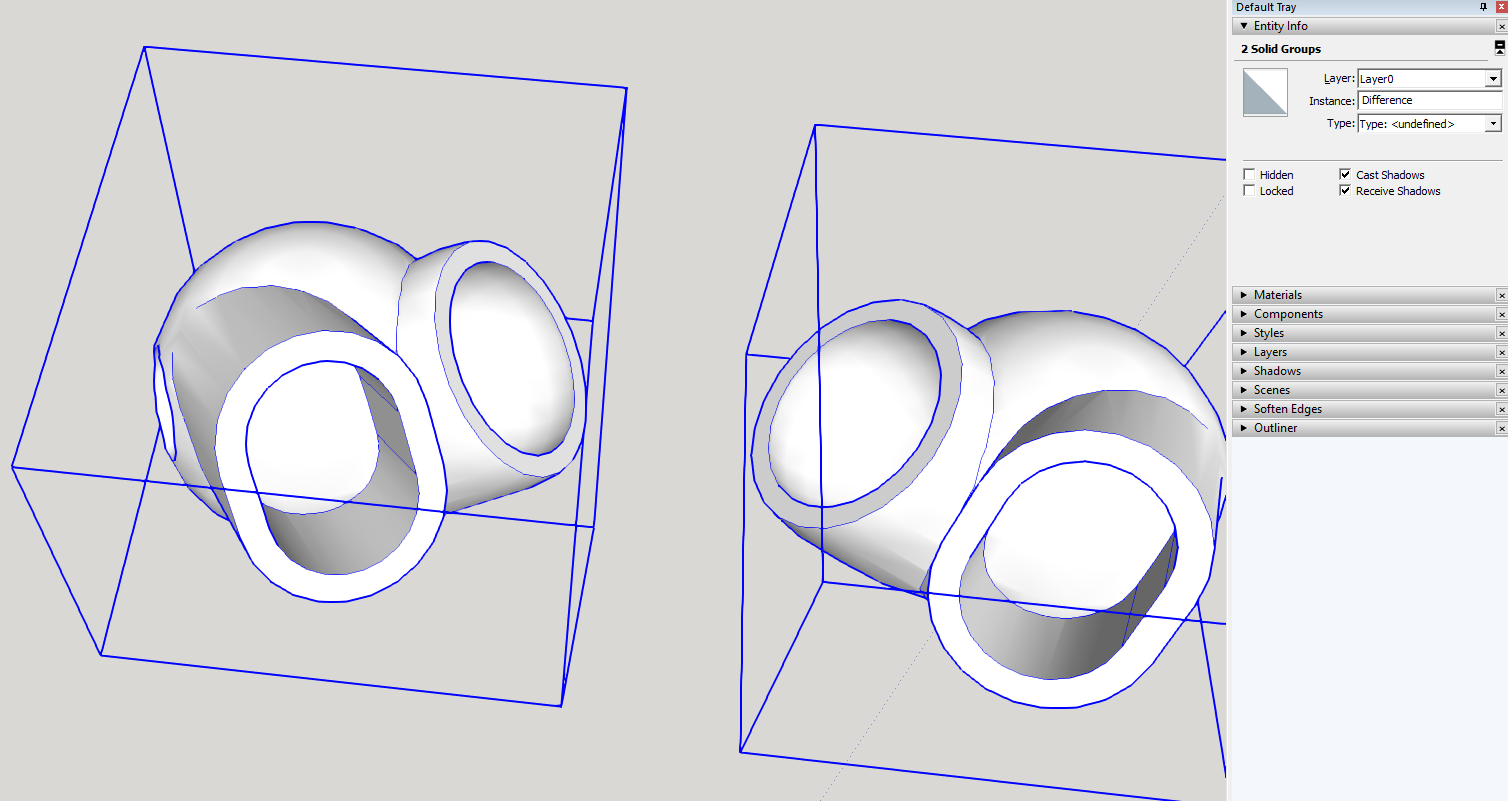
-
Your fix worked the first time through. I then saved each item as a component and then opened the component as a new file in order to have 2 part models. Now SolidSolver does not work on the component(I get the fix error again when trying to save. I also reopened a backup file to try and start over, this time SolidSolver blew up Sketchup and sent an error report. I am going backwards. [I did create the original 2 pieces by copying and mirroring (Flip along green, rotate blue]
-
You also seem to have scaled the instance by some large amount !
Here's a fixed version - using instances - scaled back...
-
The first image is what I see when I first open the model you attached. The model has open spaces. The 2nd image is the Sketchup crash report when I run Solid Solver on this model.
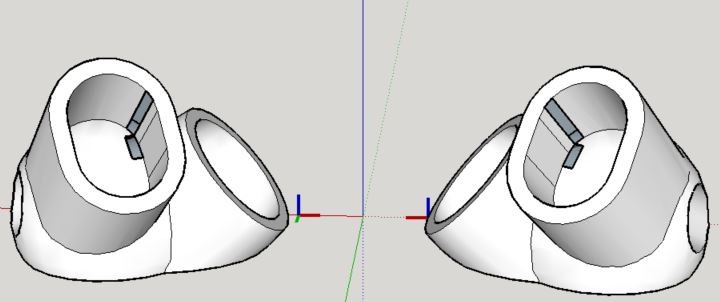

-
Where did those missing faces come from???
Why do you need to run SolidSolver ?
The component is already a solid as reported in Entity Info ???PS:
This is weird - when I get the SKP back it is faulty ! -
-
I get the same result as the first model. The only opened the file and the faces are missing.
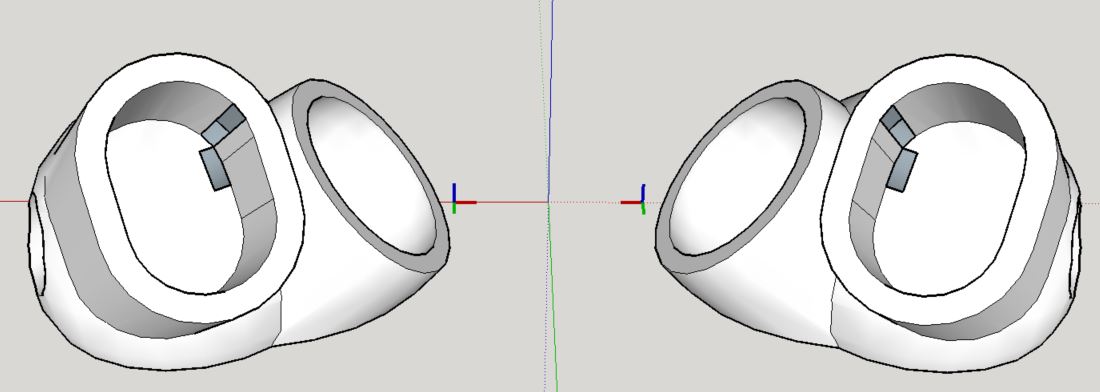
-
Yes, this is very strange.
When I get that 2nd SKP back it has holes.I didn't when I uploaded it !
-
I fixed the missing faces and some issues causing non-solidity...
This works fine for me...
Reopens from my copy without issues - remaining a solid !
-
Yes, This time the file opened properly. I saved the parts separately and they are still good solids. I would appreciate any details on how you fixed these parts.
THANKS!
-
I drew over some missing faces' edges and they healed up.
However, the one on the shallow-dome part cause a double face to form - it was only zillions of an inch apart - but stopping it being a solid.
Because the edges were supporting too many faces !
I selected one of those faces and deleted it.
Then it reported as a solid.I suspect that there is some incredibly tiny variance in these edges which SketchUp thinks can't support a face - or can - and then adds two faces !
Doh !
These overlaid faces can some times occur - SolidInspector will show them - but can't fix them...

Hello! It looks like you're interested in this conversation, but you don't have an account yet.
Getting fed up of having to scroll through the same posts each visit? When you register for an account, you'll always come back to exactly where you were before, and choose to be notified of new replies (either via email, or push notification). You'll also be able to save bookmarks and upvote posts to show your appreciation to other community members.
With your input, this post could be even better 💗
Register Login


Advertisement