Scenes with and without photomatch
-
I have a photomatched scene, which was primarily created for the camera position. I would like a scene without the photo, so I can present a before and after image with the same perspective. How do I save the camera position without the photo?
-
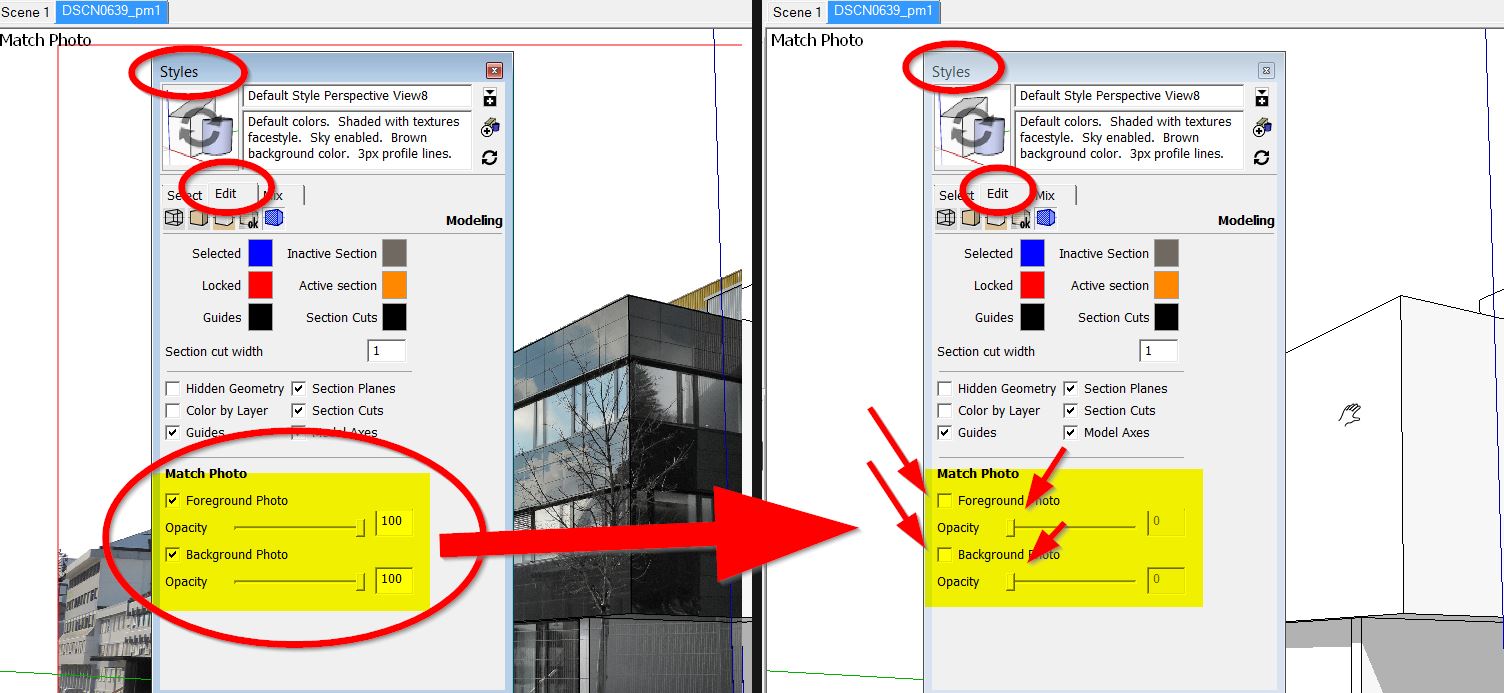
You can just turn off the foreground and/or background images in the Styles edit and create a new scene. If you create the new scene and then change the style, you'll need to update the scene.
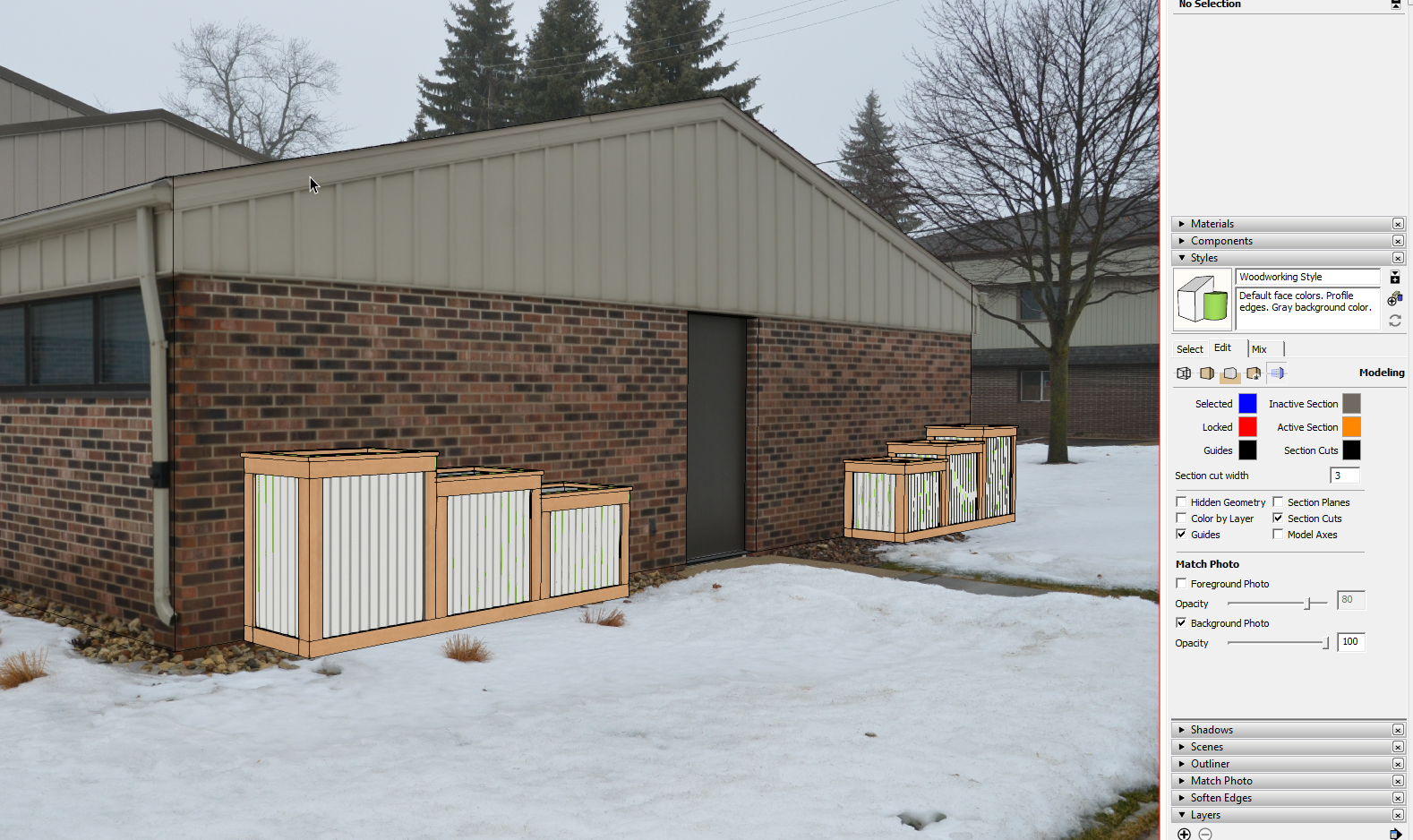
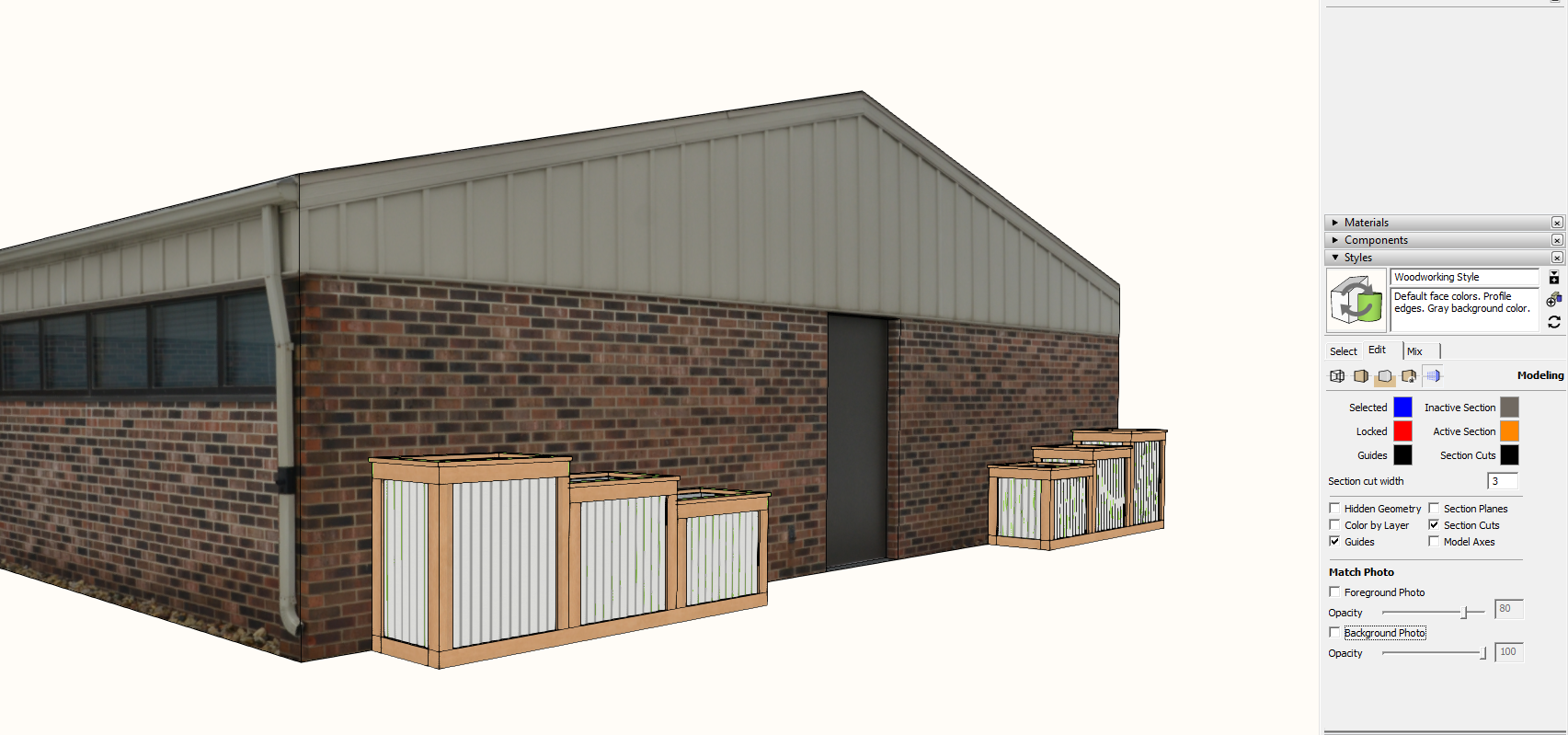
-
Hi - that´s the only way, I get it
 but it works
The photo match picture remains there but gets invisible with these styles settings.
If you want to leave your original photomatch scene as it is, you can copy this scene as a new
scene tab before changing the styles settings...
-
Thanks!!!!



Hello! It looks like you're interested in this conversation, but you don't have an account yet.
Getting fed up of having to scroll through the same posts each visit? When you register for an account, you'll always come back to exactly where you were before, and choose to be notified of new replies (either via email, or push notification). You'll also be able to save bookmarks and upvote posts to show your appreciation to other community members.
With your input, this post could be even better 💗
Register Login


Advertisement