Coloring components
-
I'm not sure how to frame this question.
I have colored individual faces in my component and would like to know if there is a way to undo this. It has created a problem when I try to color the entire component when selected as a group.
In other words, when I select the component and try to apply an overall color or material, it will only color some faces and what seems to me, not the individual faces I colored when I was in edit mode.
Thanks.
-
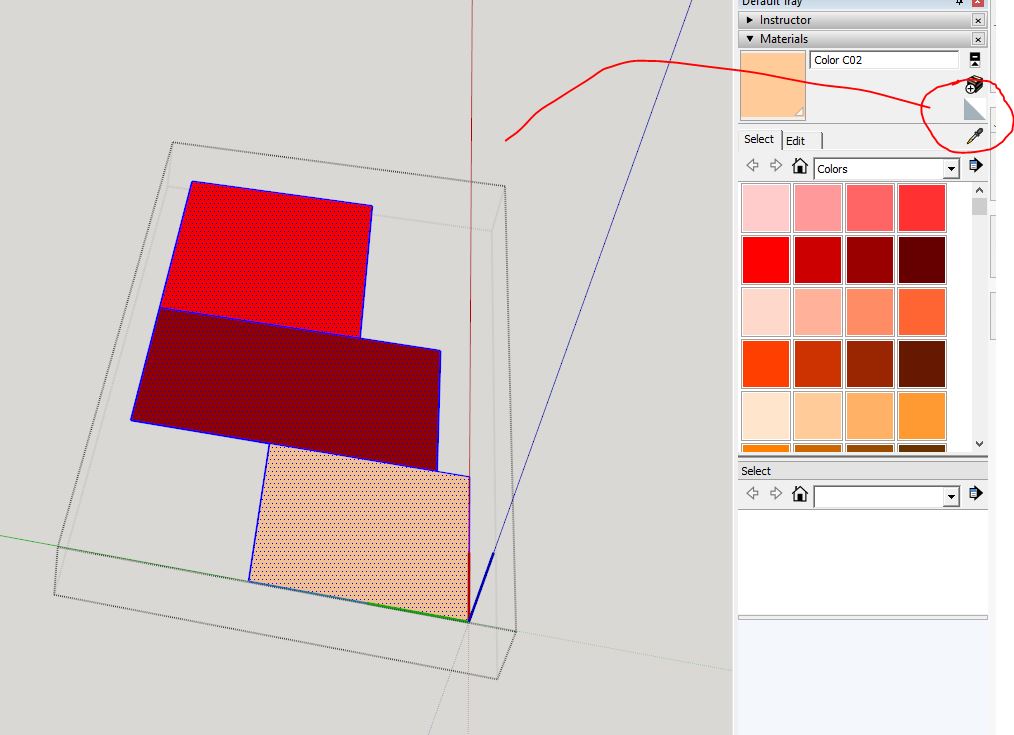
open the component, select all (control A) and choose the default (right side top) in the material browser and paint
-
Philip has shown one way. I think a lot of folks miss the "dive flag" in Materials as the default material. Another option that might be faster is to delete the colors from the In Model library. Switch to In Model, right click on the color swatch and choose Delete. You'll be asked if you want to replace the color with the default material.
Generally it is better to paint faces rather than component/group wrappers and, as you've discovered, materials on faces override materials on wrappers.
-
Thanks Phillip and Dave and sdmitch. That worked perfectly.
I thought it might me something simple I was overlooking. Geez, 5 years (wait. what? 8 years?) and I'm still learning the basics.
Thanks again.
-
Just to add to all that, Thomthom has an excellent Materials tool plugin that can help even after you've learned the Basics.

-
@box said:
Just to add to all that, Thomthom has an excellent Materials tool plugin that can help even after you've learned the Basics.
Interesting! Do you have more information on that? Thanks.
-
Does this help?
http://sketchucation.com/pluginstore?pln=tt_material_tools -
@box said:
Does this help?
http://sketchucation.com/pluginstore?pln=tt_material_toolsYes. Thanks! ThomThom does amazing work.
-
@bryan k said:
I'm not sure how to frame this question.
I have colored individual faces in my component and would like to know if there is a way to undo this. It has created a problem when I try to color the entire component when selected as a group.
In other words, when I select the component and try to apply an overall color or material, it will only color some faces and what seems to me, not the individual faces I colored when I was in edit mode.
Thanks.
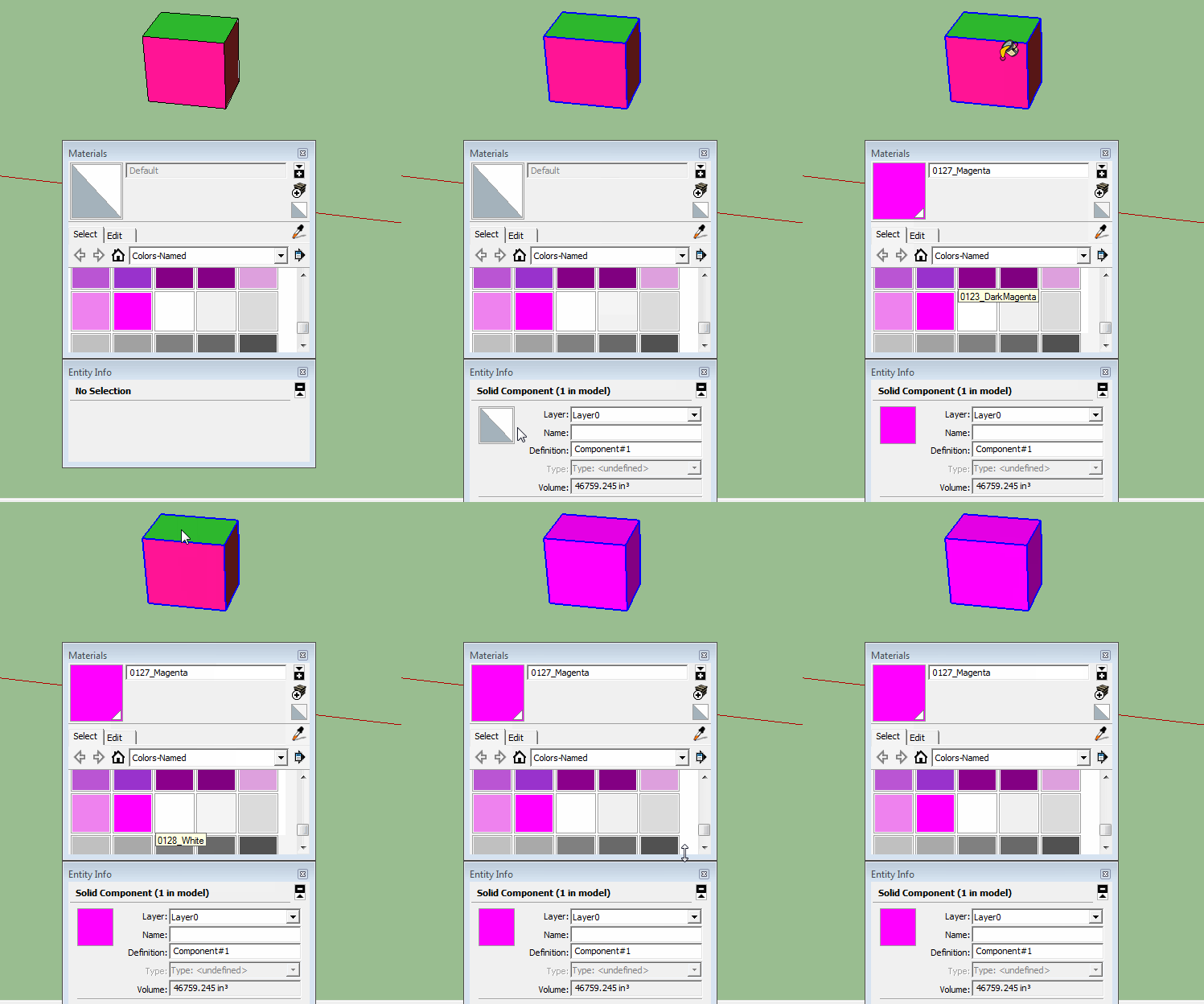
Something like this?




Hello! It looks like you're interested in this conversation, but you don't have an account yet.
Getting fed up of having to scroll through the same posts each visit? When you register for an account, you'll always come back to exactly where you were before, and choose to be notified of new replies (either via email, or push notification). You'll also be able to save bookmarks and upvote posts to show your appreciation to other community members.
With your input, this post could be even better 💗
Register Login


Advertisement