Drawing a Line Perpendicular to Another
-
Is there a quick way to draw a line perpendicular to another in Layout.
-
I am referring to drawing lines here in SU 2016.
-
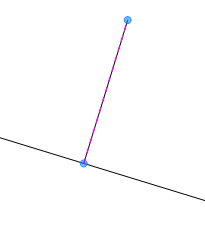 seasdes,
Without an example of what you are trying to do, I can just say it is very much the same as in Sketchup.Use your cursor to "show" Layout the line segment you wish to reference.
(let inference "see" by briefly running cursor on the line segment)After that your new line should highlight in purple/magenta when parallel and perpendicular.
Charlie
Edit:
please see attached image. -
@unknownuser said:
seasdes,
Without an example of what you are trying to do, I can just say it is very much the same as in Sketchup.Use your cursor to "show" Layout the line segment you wish to reference.
(let inference "see" by briefly running cursor on the line segment)After that your new line should highlight in purple/magenta when parallel and perpendicular.
Charlie
Thank you Charlie_V.
I think that I found the problem. The perpendicular (purple/magenta) will not show if trying to reference a SU model walls.
However, it will show if I draw a line over one of the SU walls.
Thanks again.
-
You can also force inferencing with the down arrow. This is very handy for both perpendicular and parallel lines.
-
@seasdes said:
@unknownuser said:
seasdes,
Without an example of what you are trying to do, I can just say it is very much the same as in Sketchup.Use your cursor to "show" Layout the line segment you wish to reference.
(let inference "see" by briefly running cursor on the line segment)After that your new line should highlight in purple/magenta when parallel and perpendicular.
Charlie
Thank you Charlie_V.
I think that I found the problem. The perpendicular (purple/magenta) will not show if trying to reference a SU model walls.
However, it will show if I draw a line over one of the SU walls.
Thanks again.
Maybe you don't have OBJECT SNAP turned on under the ARRANGE Menu as it does work fine to draw a perpendicular off the model for me (on a Mac). The indicator line is dim, but maybe because on a Mac it's too thin. Pressing the down arrow doesn't appear to make a difference for me.
-
It works on the PC, too.
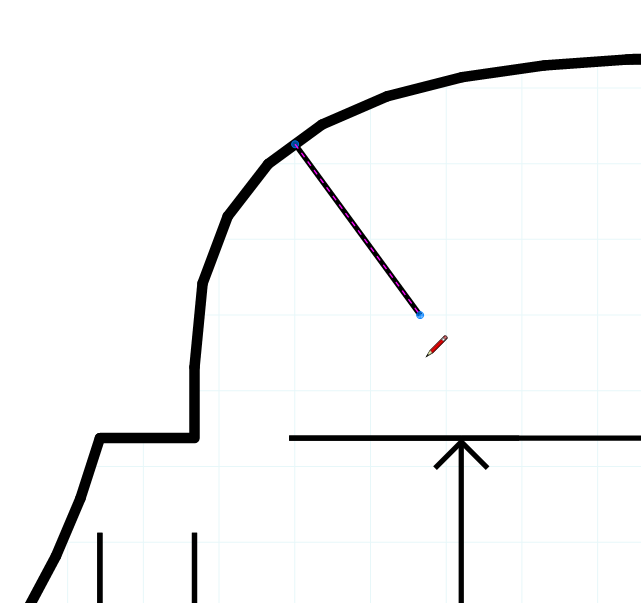
It's easier to see with the stroke color set to a light gray.

-
Option to ensure you get it correct is to draw a line over the SU model and rotate it with "snap to object" on! I do this as a matter of course as it quicker than trying to find the right inference.



Hello! It looks like you're interested in this conversation, but you don't have an account yet.
Getting fed up of having to scroll through the same posts each visit? When you register for an account, you'll always come back to exactly where you were before, and choose to be notified of new replies (either via email, or push notification). You'll also be able to save bookmarks and upvote posts to show your appreciation to other community members.
With your input, this post could be even better 💗
Register Login


Advertisement