How to reduce size of section plane??
-
I had assumed that section planes were sized by the extents of all entities of the context, but having just deleted and purged some expansive topos which I thought were causing section planes to be over-sized and unwieldy for working on the relatively small building, I'm finding them about as big as before. Exiting and restarting, reloading model had no discernible effect.
-
Hi, brookefox:
I assume you did the purging in Window> Model Info> Statistics> Purge Unused? Or is this not related?
If it is, then close and save and reopen, then look at the info again. Also check Model Info> File.
Just trying to help. -
Model Info > Statistics > Fix Problems... ?
If you have a component/group with an unexpected big bounding box edit it and select all. now deselect everything you want to keep [hold down Shift+Ctrl whilst making a fenced selection] - Entity Info should report what's still selected if anything -hit Delete.
The other likely problem is that an imported component has its origin set miles away from its geometry and thereby it has a disproportionately big bounding box - you can highlight an the component and right-click and pick 'Change Axes' and move the axes nearer/onto the geometry - this will shrink the component's bounds and thereby reduce the model's bounds [or perhaps the enclosing compo/group's] and thereby reduce the size of the section-plane to reflect that ???
-
@unknownuser said:
I assume you did the purging in Window> Model Info> Statistics> Purge Unused?
Yes, I purge there.
@unknownuser said:
If it is, then close and save and reopen..
I did. Extents are changed appropriately but section planes remain vast.
@unknownuser said:
If you have a component/group with an unexpected big bounding box edit it and select all. now deselect everything you want to keep [hold down Shift+Ctrl whilst making a fenced selection] - Entity Info should report what's still selected if anything -hit Delete.
I do this whenever I find it but may have missed some as the model is large-ish.
@unknownuser said:
The other likely problem is that an imported component has its origin set miles away from its geometry and thereby it has a disproportionately big bounding box - you can highlight an the component and right-click and pick 'Change Axes' and move the axes nearer/onto the geometry - this will shrink the component's bounds and thereby reduce the model's bounds [or perhaps the enclosing compo/group's] and thereby reduce the size of the section-plane to reflect that ???
A pretty likely culprit, given my inattentive (sloppy) component creation habits (my sloppiness in cases like this would be to accept the defaults offered). May be too many components to examine each one; I will try. Otherwise, I might have to live with this one.
@unknownuser said:
Model Info > Statistics > Fix Problems... ?
I'll also try this.
Thanks very much for your help, m & T.
-
You can change the viewing options in Model Info so you see Component Axes always - this might help spot the rogue instances ?
-
Very good. It was unchecked.
-
I see that though that 'show component axes' is a model info setting it is saved individually with scenes and so must be specifically updated with them if desired. I guess there's a spot for that in the scene dialogs. Another part, perhaps, of the scene machinery which I don't readily flow with, so to speak.
-
Now I'm not so optimistic. I'll try another exit. For now, the section plane limits act oblivious to the model extents. See screen shots; hidden geometry displayed, all layers on.
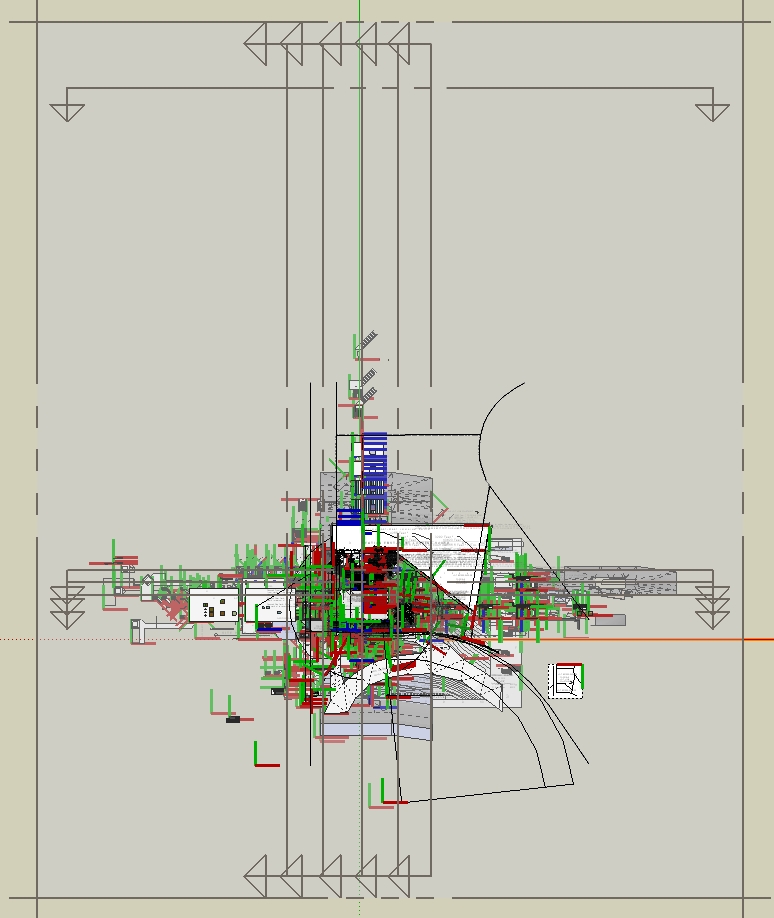
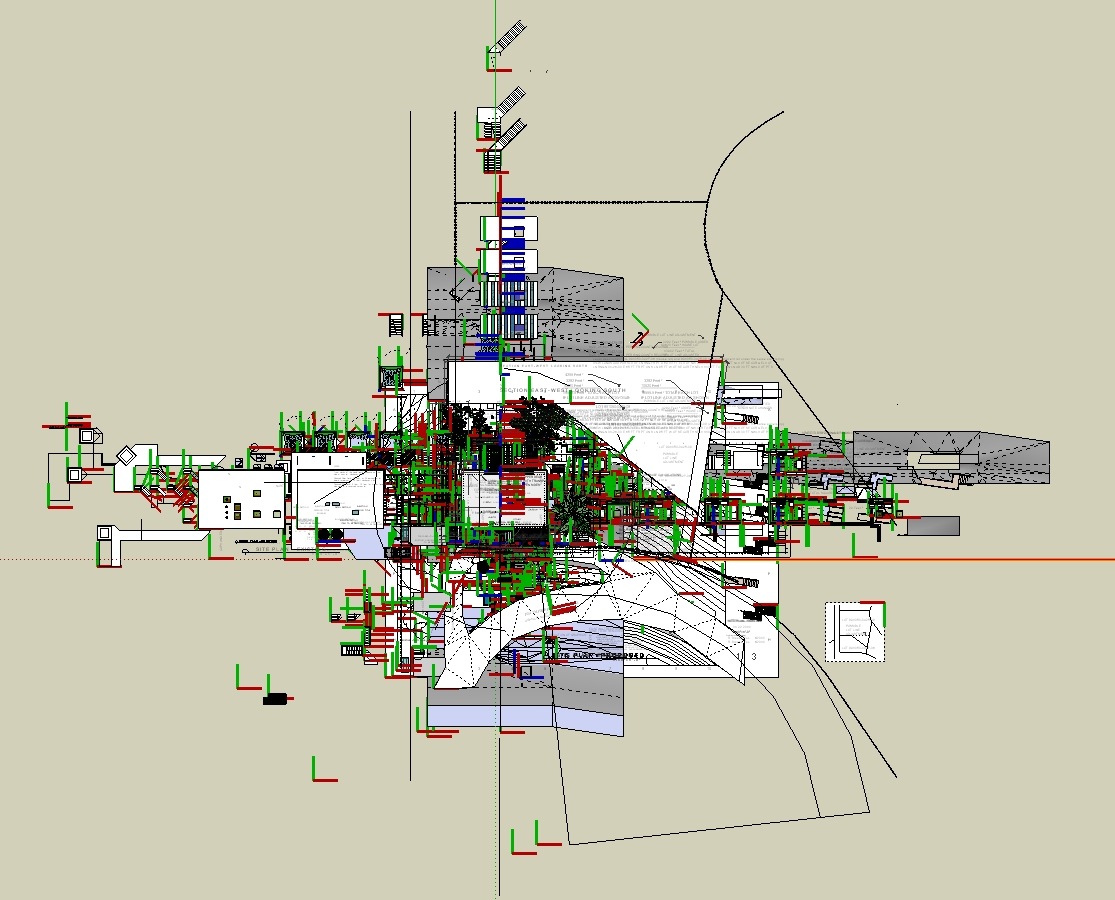
-
Exiting and reloading had no effect.
My last guess is that they are permanently sized at the max until they are all deleted (exit and reload before rebuilding), and then perhaps when created anew they may be right sized.
That's a drag.
Oops, I just noticed that section plane way at the top of the page. It was maybe used for an animation and can readily be deleted.
Yes, that helped a lot. So it seems that the location of any section plane may determine the size of all section planes, in that they are sized to include all others!
-
I just had a similar problem. The section plane will stretch out to the objects that are furthest away, if you zoom into where the arrows of the plane are pointing it is likely you will find some random line that didn't get deleted. In my case it was the Lisanne Sketchup model. Hope this helps.
-Cortney
-
Did this model contain any ACAD import?
-
Judging by your plan image you have a section plane on the top of the image that if you move closer to geometry will solve half the issue;
For the other half wich shows mainly on the bottom part of the image, you should try:
Turn on - View > Guides;
Turn on - View > Hidden geomtry.Probably you'll find something there (if you don't, make sure you have all layers turned on too).
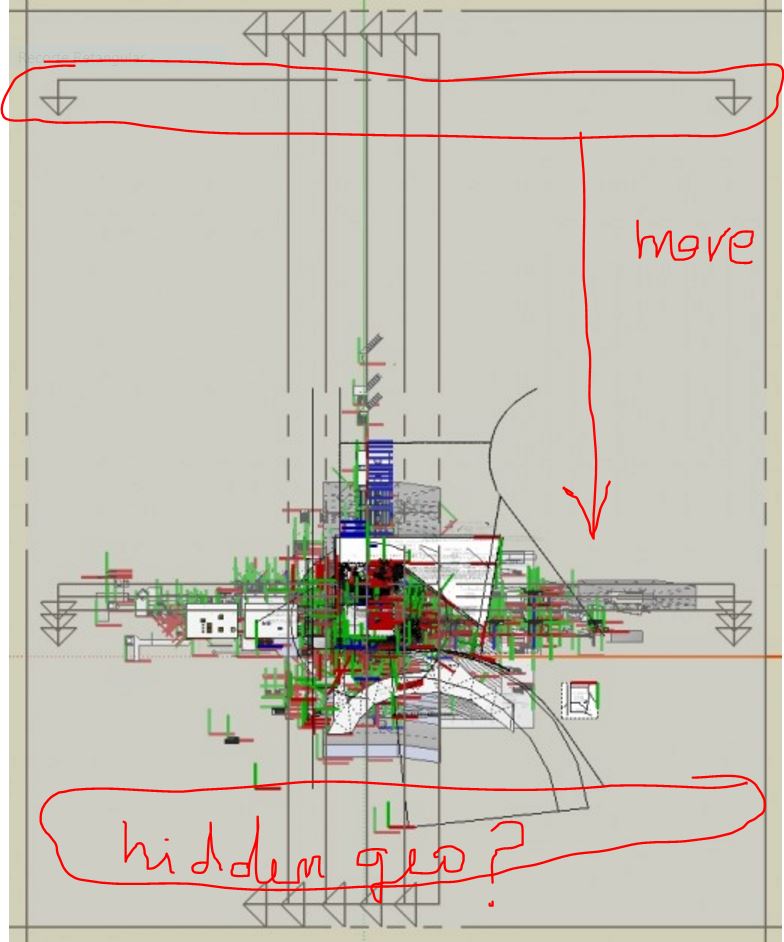
-
JQL. CourtneyRichards has revived this thread, but you've responded to a 2010 post.
-
Better late than sorry right?

-
@cortneyrichards said:
...In my case it was the Lisanne Sketchup model. Hope this helps.
-CortneyLisanne is at origin by default and if she was at the extremes of your model, it should be moved to origin after you delete her...
john





Hello! It looks like you're interested in this conversation, but you don't have an account yet.
Getting fed up of having to scroll through the same posts each visit? When you register for an account, you'll always come back to exactly where you were before, and choose to be notified of new replies (either via email, or push notification). You'll also be able to save bookmarks and upvote posts to show your appreciation to other community members.
With your input, this post could be even better 💗
Register Login


Advertisement