sketchucation logo sketchucation
    • Login
    Oops, your profile's looking a bit empty! To help us tailor your experience, please fill in key details like your SketchUp version, skill level, operating system, and more. Update and save your info on your profile page today!
    ⚠️ Important | Libfredo 15.6b introduces important bugfixes for Fredo's Extensions Update

    FollowAndRotate Not Closing The Circle Path?

    Scheduled Pinned Locked Moved SketchUp Discussions
    sketchup
    5 Posts 2 Posters 353 Views 2 Watching
    Loading More Posts
    • Oldest to Newest
    • Newest to Oldest
    • Most Votes
    Reply
    • Reply as topic
    Log in to reply
    This topic has been deleted. Only users with topic management privileges can see it.
    • B Offline
      BallBearing
      last edited by

      I can overcome this and cut the model to halves and make flips & join the "good" halves.
      I have 24S circle * 15 degrees = 360 deg. Perhaps I'm on a wrong way...
      The photo clarifies the question:
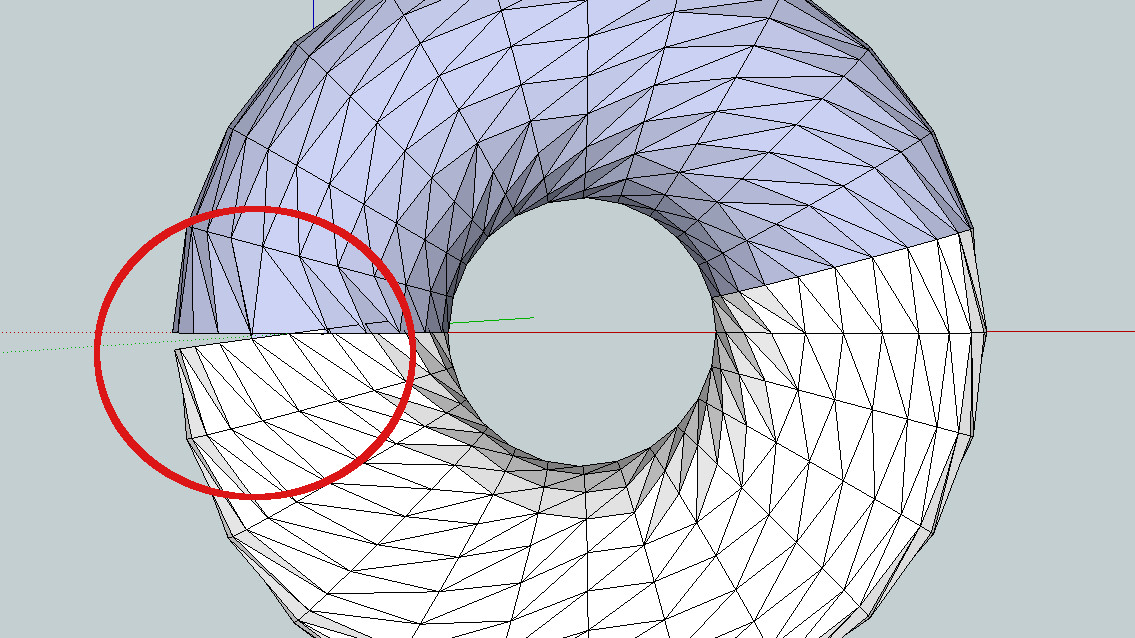
      FollowAndRotate

      SketchUp, 3D printing stuff and more:
      http://www.youtube.com/user/CinemaTablet

      1 Reply Last reply Reply Quote 0
      • Dave RD Offline
        Dave R
        last edited by

        Why are you using Follow and Rotate to make that shape? Native Follow Me would make it correctly.
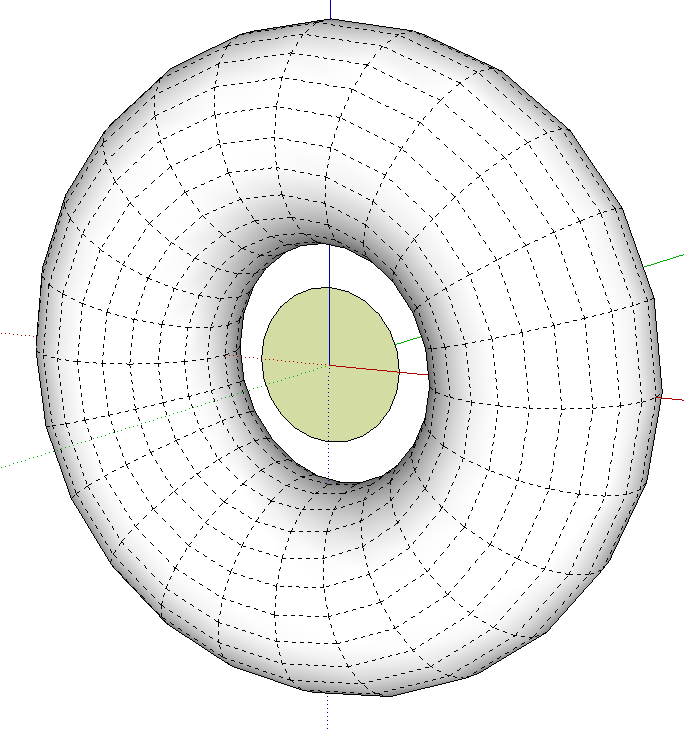
        Screenshot - 3_29_2016 , 4_55_42 AM.png

        Etaoin Shrdlu

        %

        (THERE'S NO PLACE LIKE)

        G28 X0.0 Y0.0 Z0.0

        M30

        %

        1 Reply Last reply Reply Quote 0
        • B Offline
          BallBearing
          last edited by

          Here is the reason. It has to rotate:

          TorusTwisted.jpg

          SketchUp, 3D printing stuff and more:
          http://www.youtube.com/user/CinemaTablet

          1 Reply Last reply Reply Quote 0
          • Dave RD Offline
            Dave R
            last edited by

            I see.

            Check to see what the angle is on that last section in your first screen shot. It doesn't look like 15°

            I can see a better way but I need to think about the numbers.

            Etaoin Shrdlu

            %

            (THERE'S NO PLACE LIKE)

            G28 X0.0 Y0.0 Z0.0

            M30

            %

            1 Reply Last reply Reply Quote 0
            • B Offline
              BallBearing
              last edited by

              The last section extrudes turning less. Overlapping etc. Well the plug-in is still very useful when I can cut and join the halves = solid object. This was (the last twisted torus) extruded from an involute gear. 12 tooth. A quite heavy task.

              SketchUp, 3D printing stuff and more:
              http://www.youtube.com/user/CinemaTablet

              1 Reply Last reply Reply Quote 0
              • 1 / 1
              • First post
                Last post
              Buy SketchPlus
              Buy SUbD
              Buy WrapR
              Buy eBook
              Buy Modelur
              Buy Vertex Tools
              Buy SketchCuisine
              Buy FormFonts

              Advertisement