Help! Need send line to face or Divide face array
-
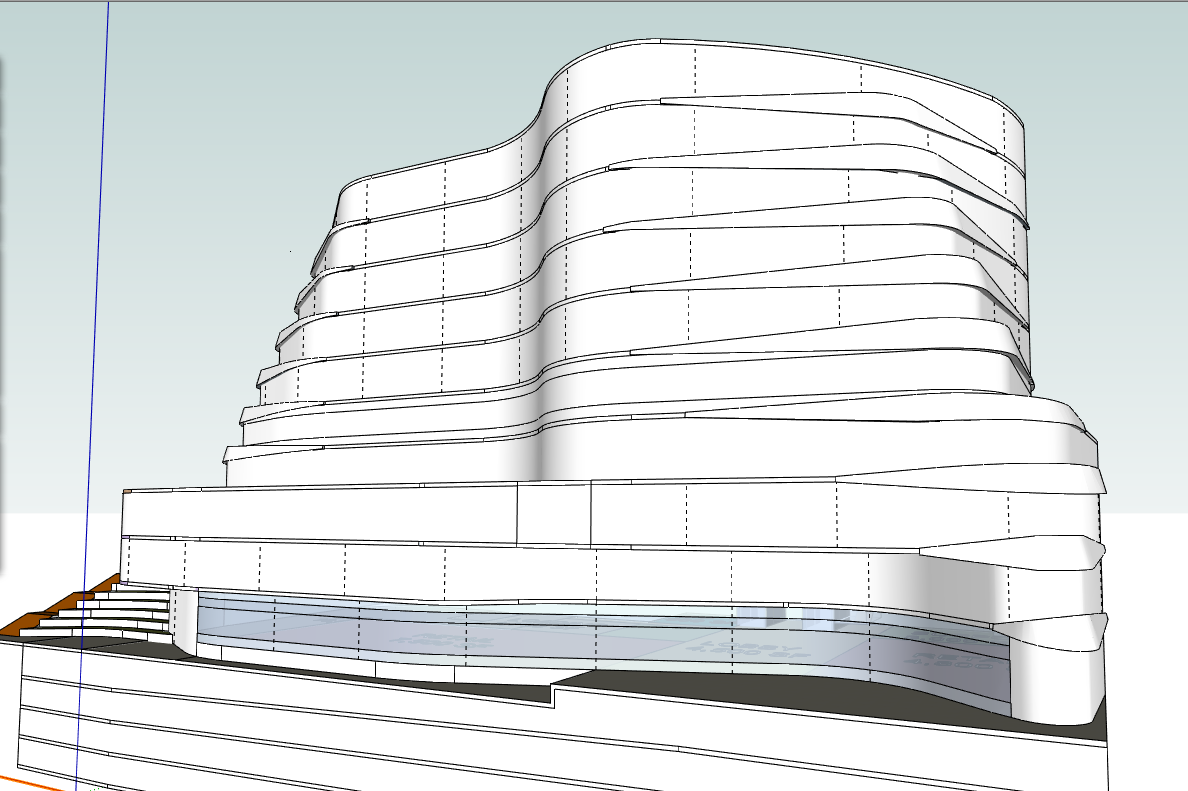 For god sake I hope someone can help me. I have a very complex building form that I need to articulate with mullion lines at approximately 5' on center. I can't for the life of me find an extension that will allow me to do this operation quickly, The closest I get so far is Thom Thoms edge tools>divide face, but that goes one at a time. Every floor is different on this building and I would spend hours doing them one at a time. Can anyone help?
 -
1001bits Extension ?
Or place a section cut and use Create Group from Slice
-
@aclark said:
[attachment=1:1umx0hur]<!-- ia1 -->divide face.PNG<!-- ia1 -->[/attachment:1umx0hur]For god sake I hope someone can help me. I have a very complex building form that I need to articulate with mullion lines at approximately 5' on center. I can't for the life of me find an extension that will allow me to do this operation quickly, The closest I get so far is Thom Thoms edge tools>divide face, but that goes one at a time. Every floor is different on this building and I would spend hours doing them one at a time. Can anyone help?
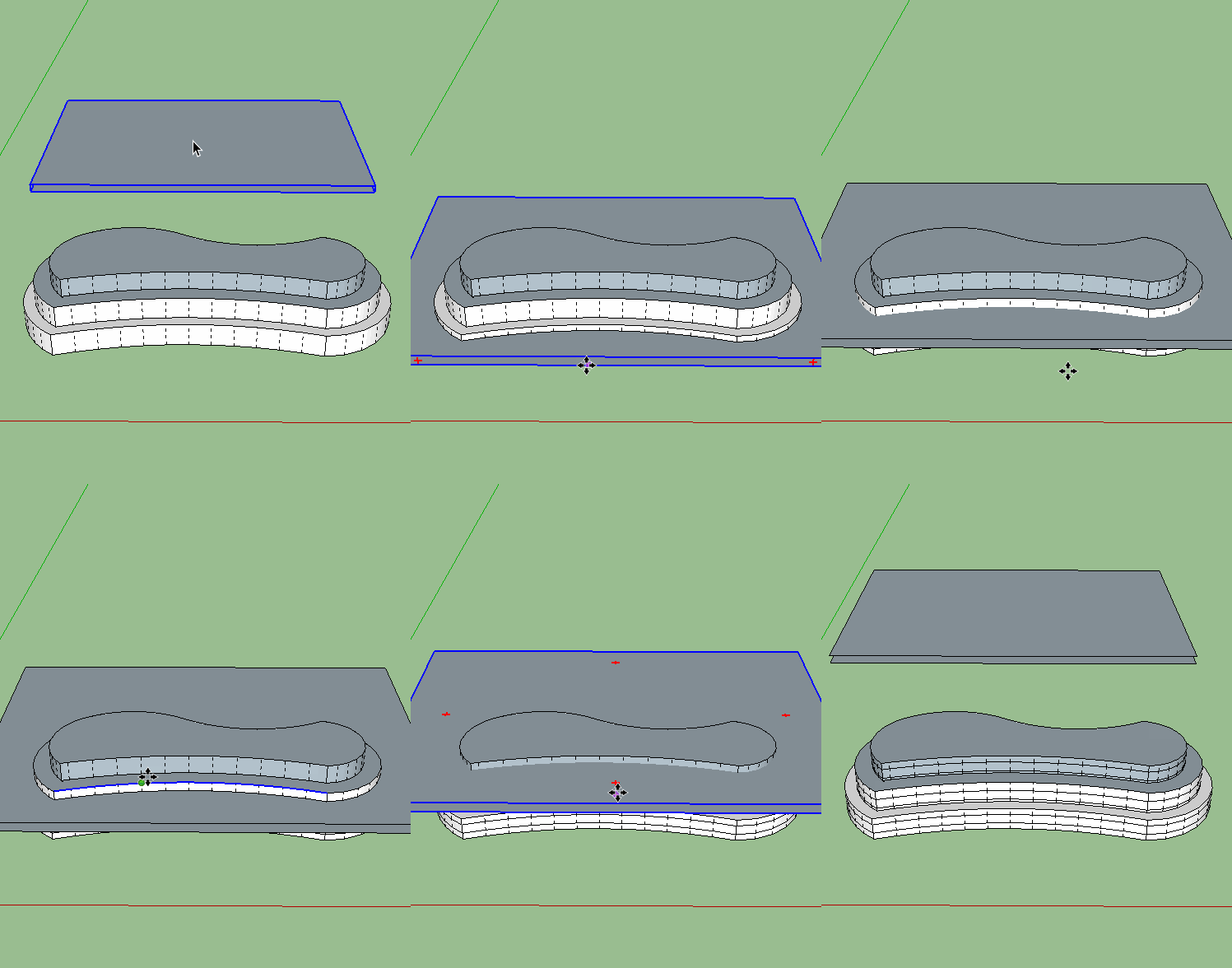
- Create a group from two horizontal faces that are spaced vertically the desired distance.* For each floor, position the group so that it intersects at the desired height then right click on the group and select Intersect Faces>With Model
-
What about vertical mullions--(that is if edges is all OP needs-- maybe some sort of component stringer could place actual shapes)
-
The horizontal lines are not the issue, but I think that same workflow could do for vertical mullions. I will just need to create lots of vertical faces.
My next problem will be when I actually have to model the mullions and place them in the same locations as the lines. Does anyone know of a tool that can generate mullions or extrusions using the line as a center point and the line length as the extrusion length?
-
I disagree that intersect faces will be helpful for your vertical mullions.
-
Yeah, this isn't working
-
Only tool I know of that places components evenly along a complex curve is ValiArchtects Instant Fence / rail. You might be able to place some sort of component with that. Or there may be a similar more generic plugin IDK.
-
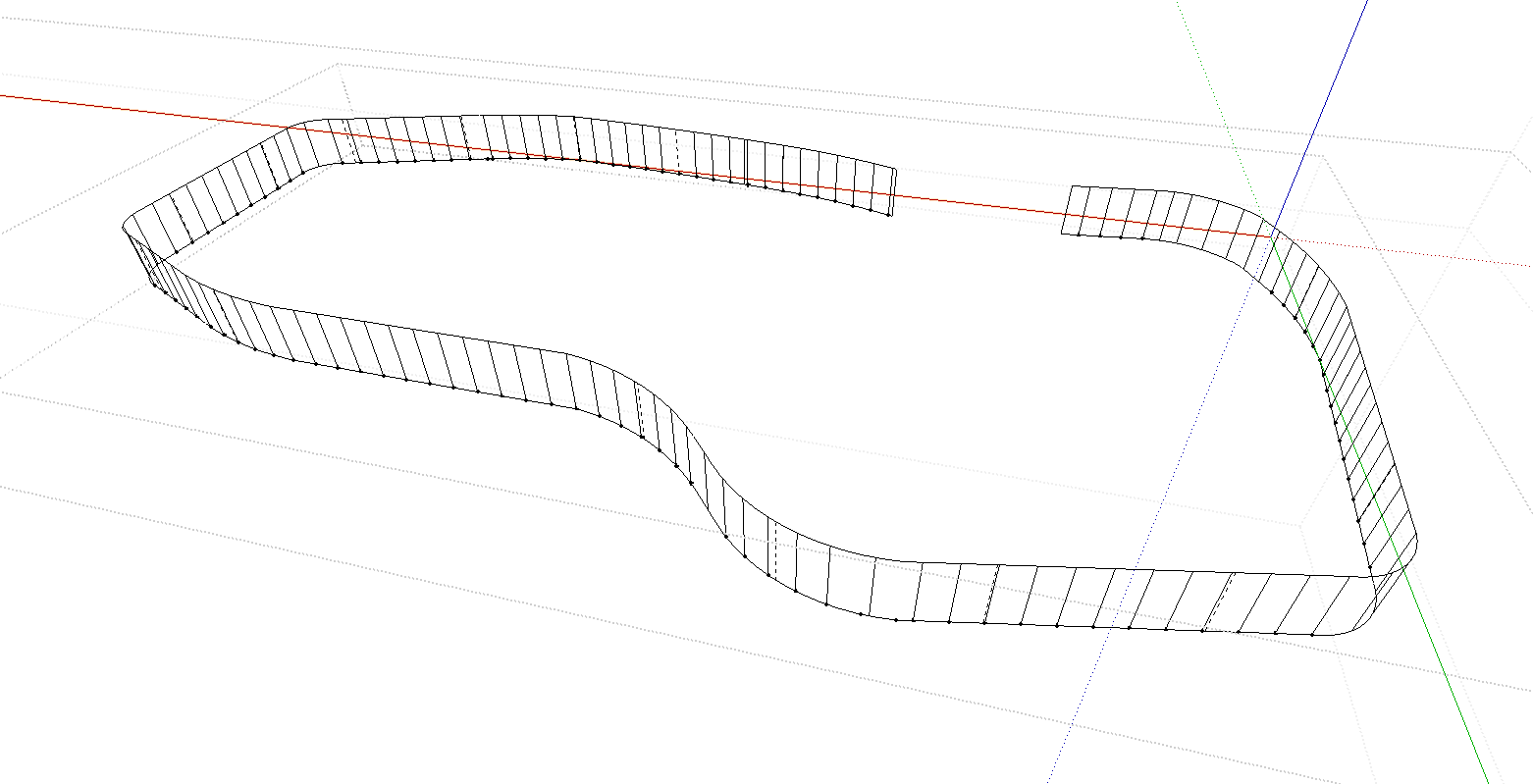 Ok, so for those who need to do this in the future, my best solution is as such.
Install two extension. 1 = 1001 points 2 = CLF Vertical Line tool
Use 1001 points to divide edge by a given length. It will place a construction point at those division. Then, use CLF line tool and define line height and pick the construction points as you go around. This is the fastest I could do it. 1 floor took about 5 minutes. Not bad.



Hello! It looks like you're interested in this conversation, but you don't have an account yet.
Getting fed up of having to scroll through the same posts each visit? When you register for an account, you'll always come back to exactly where you were before, and choose to be notified of new replies (either via email, or push notification). You'll also be able to save bookmarks and upvote posts to show your appreciation to other community members.
With your input, this post could be even better 💗
Register Login


Advertisement