How to adjust line thickness of particular objects?
-
Hello!
I hope I'm not that bad at googling but unfortunately I did not find any satisfying answer/solution.
Anyways, I would like to create a 2D floor plan and for this I need to adjust the thickness of some particular lines. I know that there is the possibility to make them all thicker (view -> Edge Stlye), however, I just need to make a few lines thicker.
Is there any possibility how to do this?
Thanks in advance!
-
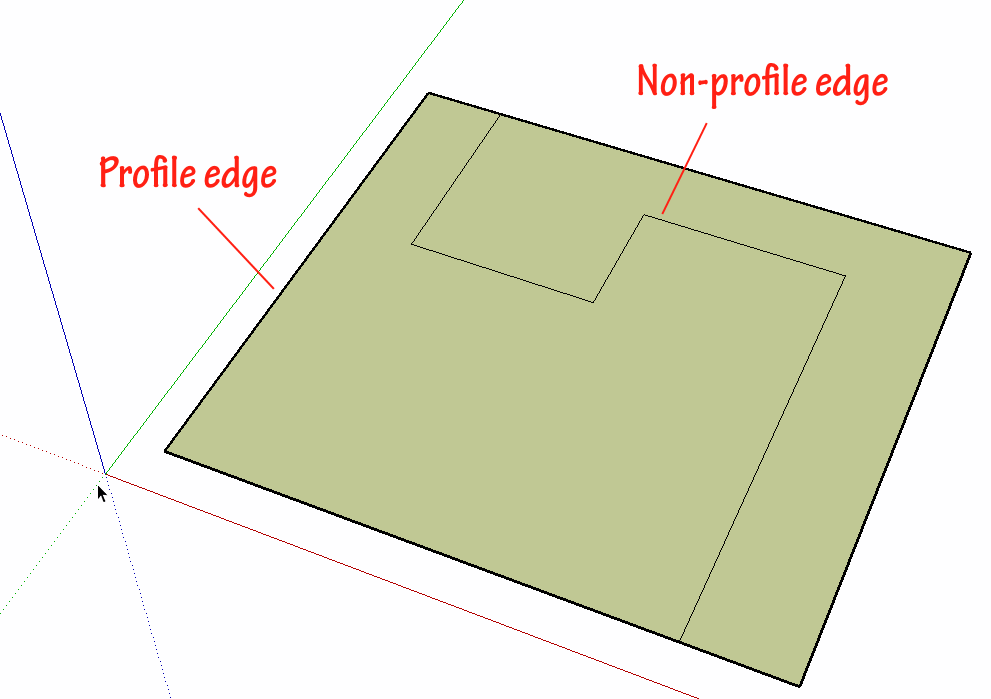
No. There are basically Profiles and other non-profile edges. Profiles can be made thicker in the Edit window for the edge style but there is no option in SketchUp to make only some lines thicker. Use LayOut for that.
-
How about something like TIG's 2D Tools?
-
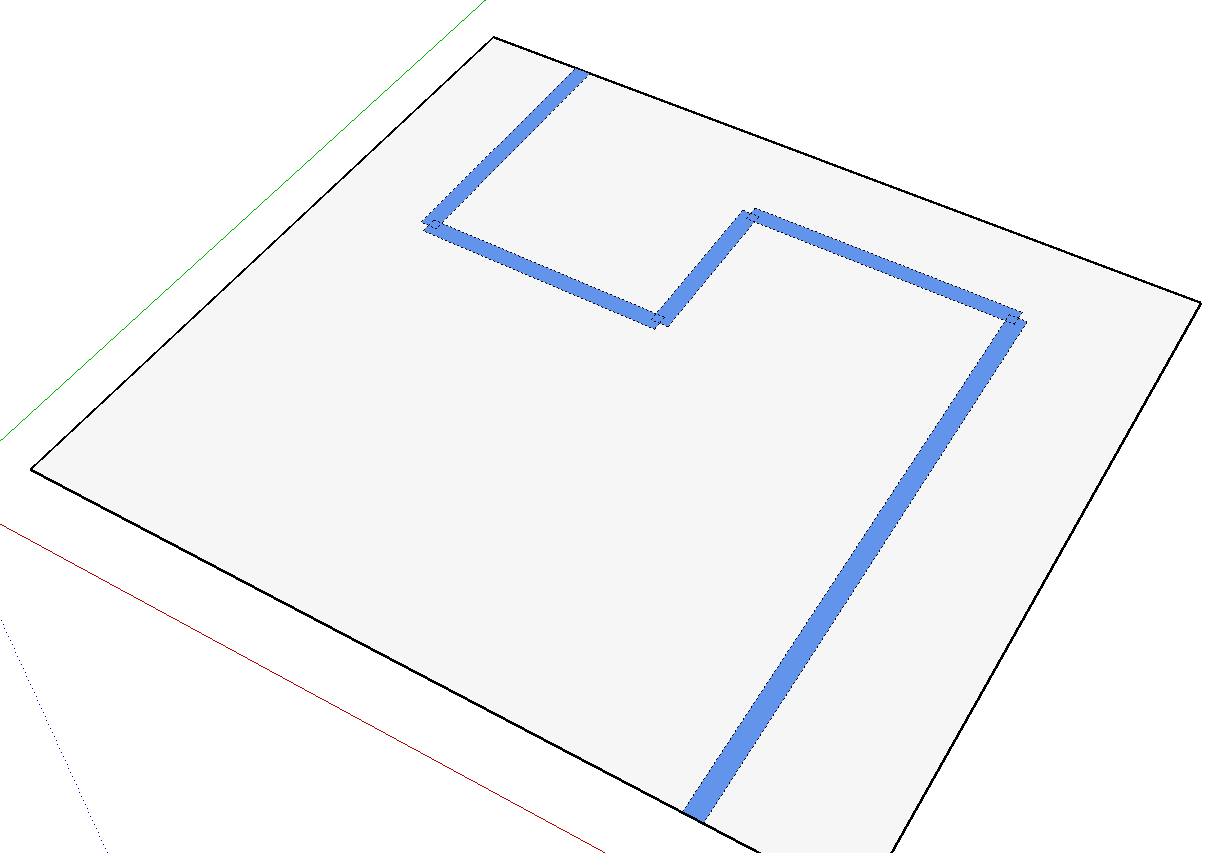
TIG's 2D tools can simulate different line weights but they are real edges. As long as you know that going in, that's alright.
TIG's Line Style tool creates shapes as groups centered on the selected edges. The edges of the shapes are hidden and the faces painted to give the desired color.
-
@dave r said:
TIG's 2D tools can simulate different line weights but they are real edges. As long as you know that going in, that's alright.
TIG's Line Style tool creates shapes as groups centered on the selected edges. The edges of the shapes are hidden and the faces painted to give the desired color.
Thanks for clarifying....I guess it partially depends on how you intend to use the lines.
-
True that.
-
it can be done if you use Layout though by stacking scenes (like layers) showing different elements that require different line thickness
-
Ok, people. I just figured it out. Instead of using SketchUp, I will go for LayOut (part of SketchUp) and there it is possible to change the thickness of the individual lines.
Anyway, thanks!


Hello! It looks like you're interested in this conversation, but you don't have an account yet.
Getting fed up of having to scroll through the same posts each visit? When you register for an account, you'll always come back to exactly where you were before, and choose to be notified of new replies (either via email, or push notification). You'll also be able to save bookmarks and upvote posts to show your appreciation to other community members.
With your input, this post could be even better 💗
Register Login


Advertisement