Hidden edges still visible in parallel projection.
-
Hi guys,
I'm trying to export some 2D isometric images from Sketchup.
I did hide the edges but in parallel projection they are still visible.Any workaround?
Thanks Eduard
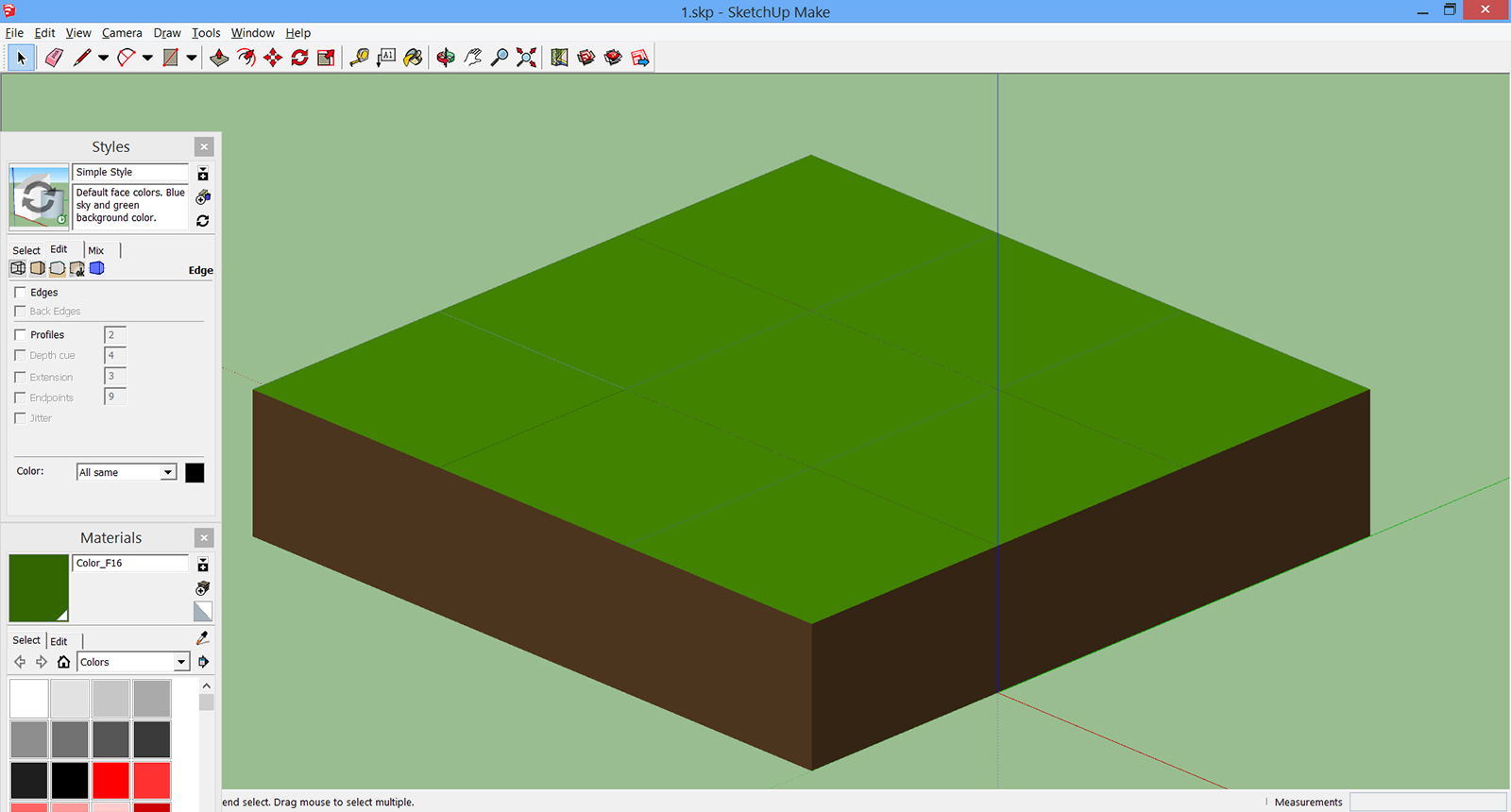
-
and whats your setting in the main menu bar: <view> - <hidden geometry>? That one should be disabled as well to really hide the edges.
-
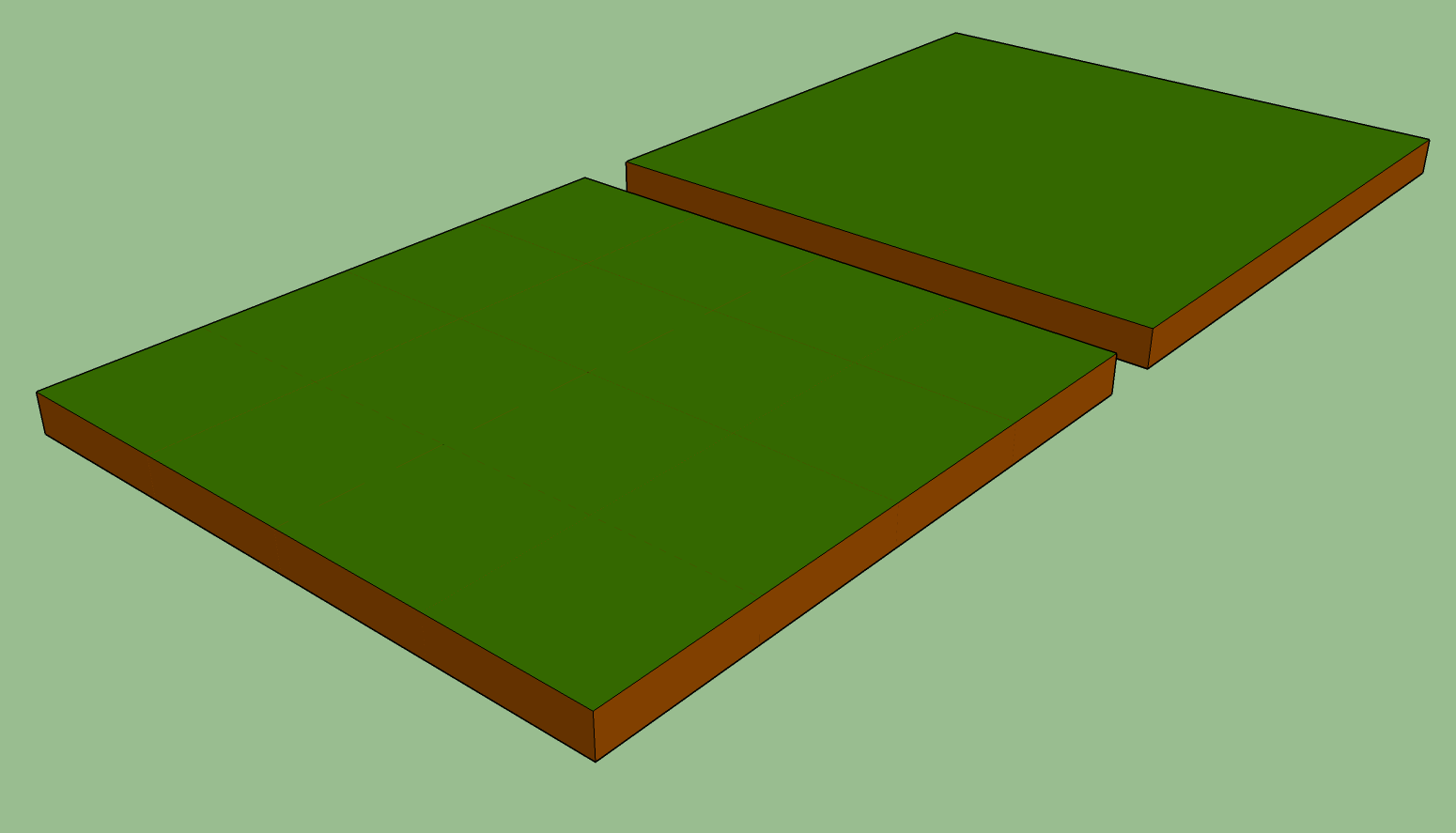
It's difficult to tell from that image but it looks to me as if you have internal faces. Delete or hide those as well and the lines on the surface would really be hidden.
In the front I'm getting what I think you're showing. The one in the back has had the internal faces deleted.


Hello! It looks like you're interested in this conversation, but you don't have an account yet.
Getting fed up of having to scroll through the same posts each visit? When you register for an account, you'll always come back to exactly where you were before, and choose to be notified of new replies (either via email, or push notification). You'll also be able to save bookmarks and upvote posts to show your appreciation to other community members.
With your input, this post could be even better 💗
Register Login


Advertisement