Scripting help. Where to start.....
-
@o0rico0o said:
Hi Guys, I'm working on a form finding project with a local community group. The project will be similar to the projects of Julian Wild (http://www.julianwild.com/making-the-connection/) in which members of the community come together and connect pieces of timber together to form a structure.
Do you think is possible?
Rico
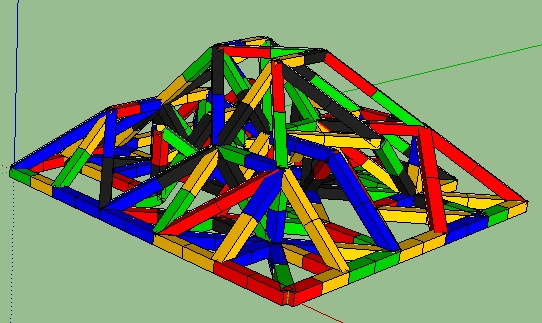
As is often said, "anything is possible". Here is the code I used to create the image
mod = Sketchup.active_model
ent = mod.active_entities
sel = mod.selection
# create a 3d node network
nodes = []
for z in 0..5
 for y in 0..5
  for x in 0..5
   nodes << Geom;;Point3d.new(x.to_s.to_l,y.to_s.to_l,z.to_s.to_l)
  end
 end
end
#randomly connect nodes
until nodes.empty?
 node = nodes[rand(nodes.length)]
 try = 0
 begin
  near = nodes[rand(nodes.length)]
  dist = node.distance near
  try += 1
 end until ((dist>0 && dist<='1.75'.to_l) || try==nodes.length)
 if try < nodes.length
  cdn = ['Black-Black','Blue-Blue','Green-Green','Yellow-Yellow','Red-Red']
  cd = mod.definitions[cdn[rand(cdn.length)]]
  ci = ent.add_instance(cd,Geom;;Transformation.new())
  tr = Geom;;Transformation.scaling('1'.to_l,'1'.to_l,dist)
  ci.transform! tr
  vector = node.vector_to(near).normalize
  xa,ya,za = vector.axes
  tr = Geom;;Transformation.axes(node,xa,ya,za)
  ci.transform! tr
 end
 nodes.delete(node)
end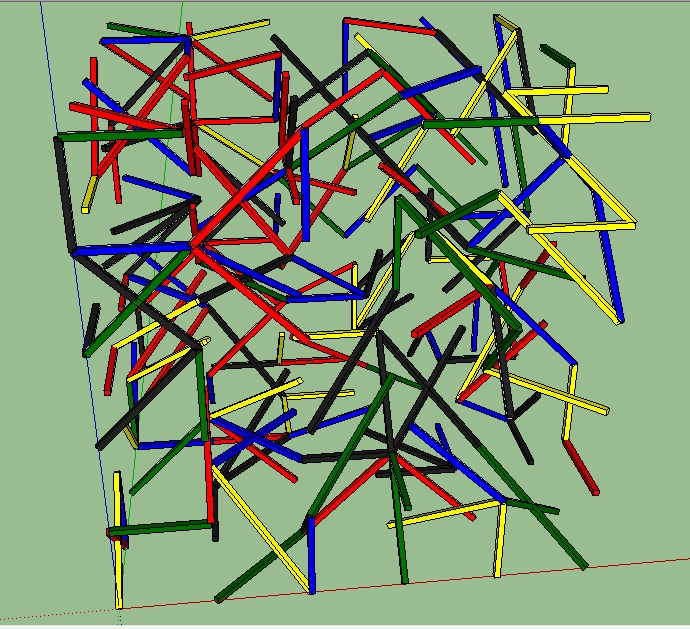
This is a strictly random placement but should give you an idea or two.
-
Wow, this is almost exactly what I am looking to do. How can I learn the basics to coding like this? Is there a way that this script could be edited to make that it produces something that is structurally sound?
-
@o0rico0o said:
Wow, this is almost exactly what I am looking to do. How can I learn the basics to coding like this? Is there a way that this script could be edited to make that it produces something that is structurally sound?
Get a Ruby programming reference book and study to code of every plugin you have for examples. This is what I did 3 years ago.
Edited to make it produce something that is structurally sound? Maybe someone could but not me.
-
Ok great, I may do just that. In the mean time would it be possible for you to send the skp file over so that I could see what you started with?
Thanks
-
Using your script this is what Im getting so far....
Initial Blocks....
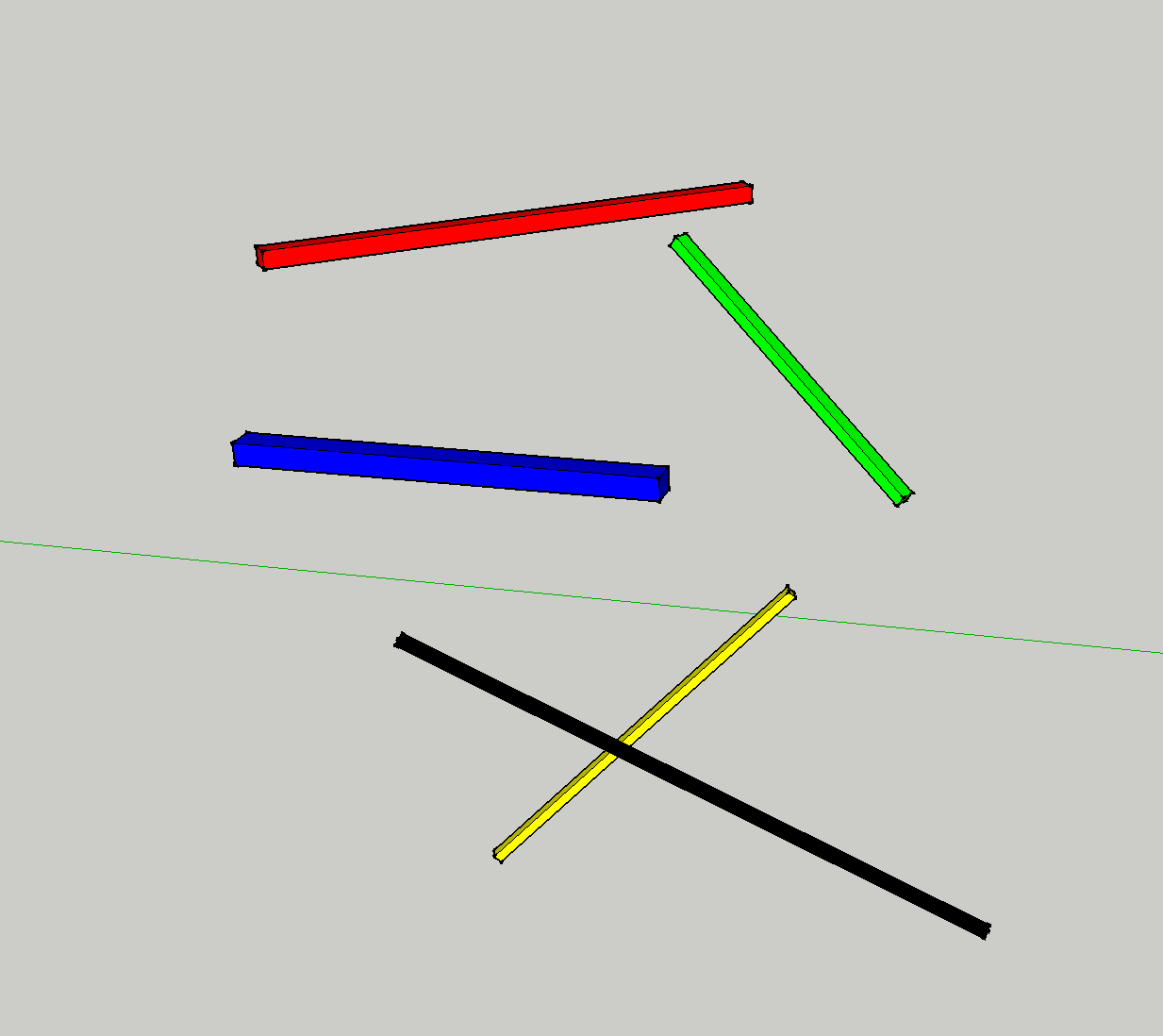
Result....
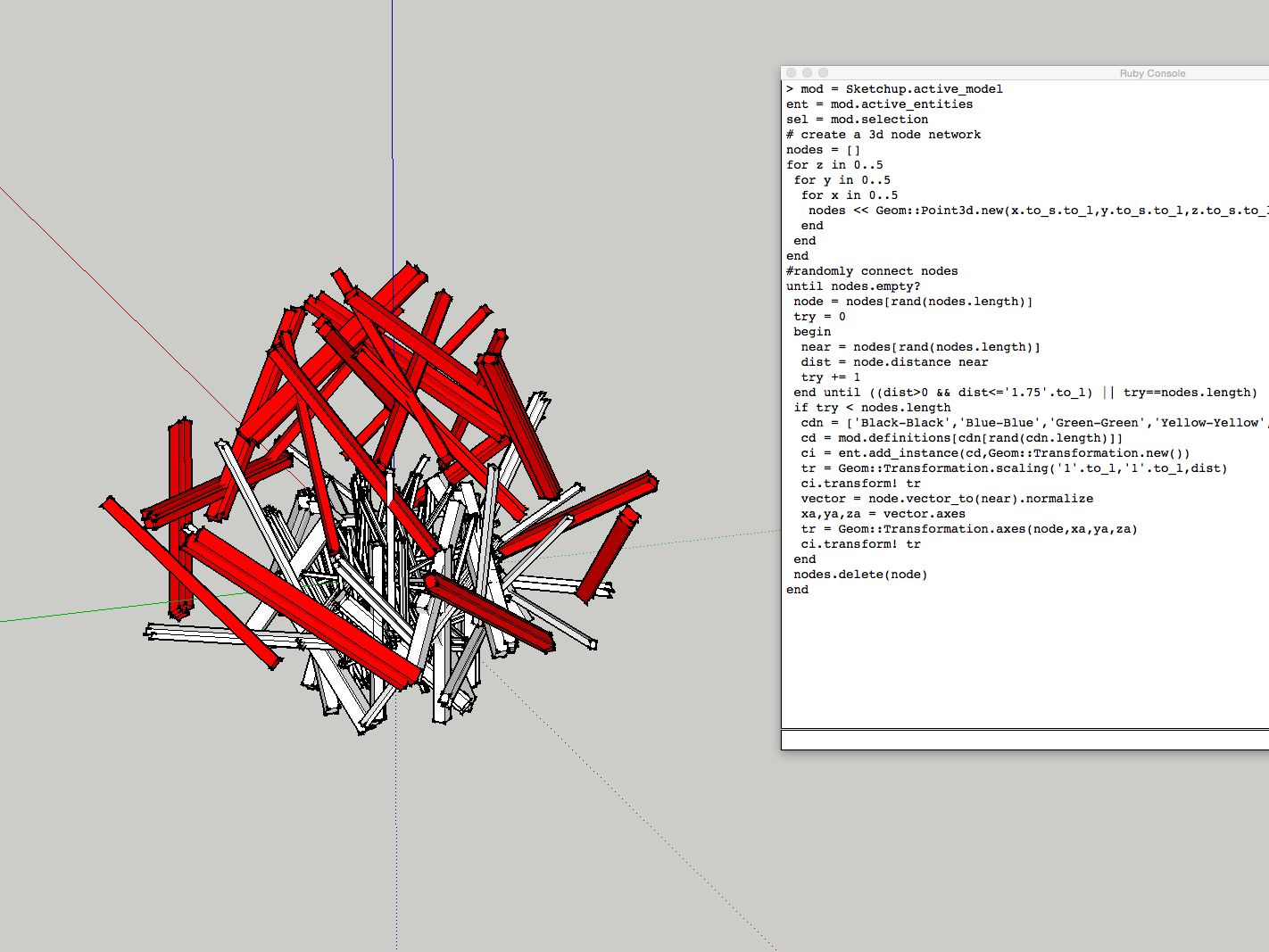
Do you know what I am doing wrong?
-
Model has been sent by Private Message.
-
Great thanks for the PM, I understand the process alot better now! Final question, do you know how I could edit the script to make sure that all elements have at least one connection and that there would be no dead ends?
-
@o0rico0o said:
Great thanks for the PM, I understand the process alot better now! Final question, do you know how I could edit the script to make sure that all elements have at least one connection and that there would be no dead ends?
This code should get close if not there.
mod = Sketchup.active_model ent = mod.active_entities sel = mod.selection # create a 3d node network nodes = []; nhsh = {} for z in 0..5 for y in 0..5 for x in 0..5 nodes << Geom;;Point3d.new(x.to_s.to_l,y.to_s.to_l,z.to_s.to_l) nhsh[nodes.last]=0 end end end #randomly connect nodes mps = []; loops = 0 until nodes.empty? loops += 1; break if loops>999 Sketchup.set_status_text "loop #{loops}" node = nodes[rand(nodes.length)] try = 0 begin try += 1; dist=0 near = nodes[rand(nodes.length)] unless node==near mp = Geom;;Point3d.linear_combination(0.5,node,0.5,near) unless mps.include?(mp) dist = node.distance near end end end until ((dist>0 && dist<='1.75'.to_l) || try>nodes.length) if (dist>0 && dist<='1.75'.to_l && try<=nodes.length) cdn = ['Black-Black','Blue-Blue','Blue-Black','Green-Green','Green-Blue', \ 'Green-Black','Yellow-Yellow','Yellow-Green','Yellow-Blue','Yellow-Black', \ 'Red-Red','Red-Yellow','Red-Green','Red-Blue','Red-Black'] cd = mod.definitions[cdn[rand(cdn.length)]] ci = ent.add_instance(cd,Geom;;Transformation.new()) tr = Geom;;Transformation.scaling('1'.to_l,'1'.to_l,dist) ci.transform! tr vector = node.vector_to(near).normalize xa,ya,za = vector.axes tr = Geom;;Transformation.axes(node,xa,ya,za) ci.transform! tr mod.active_view.refresh mps << mp nhsh[node] += 1 nodes.delete(node) if nhsh[node]>2# at least two connections end end -
Great, thank you for all of your help! I'm really sorry to keep asking you to push this further! I have two more questions.
-
Currently the script is locating each block at a random point within the predefined cube. Can this cube be removed so that the structure is free to grow in any direction ( on second thoughts maybe removing the ability to grow in the -z plane direction?
-
If this process was replicated in the physical word we would have to build from the bottom, securing the structure as we go. If we were to build it, the construction process would be similar to that of a growing tree (for every incremental increase in height there is an increase in the diameter), this helps the structure to retain its integrity. Could this process be replicated? So that the script builds from the bottom -up?
As always thanks again for your help, I really appreciate it!
-
-
@o0rico0o said:
Great, thank you for all of your help! I'm really sorry to keep asking you to push this further! I have two more questions.
-
Currently the script is locating each block at a random point within the predefined cube. Can this cube be removed so that the structure is free to grow in any direction ( on second thoughts maybe removing the ability to grow in the -z plane direction?
-
If this process was replicated in the physical word we would have to build from the bottom, securing the structure as we go. If we were to build it, the construction process would be similar to that of a growing tree (for every incremental increase in height there is an increase in the diameter), this helps the structure to retain its integrity. Could this process be replicated? So that the script builds from the bottom -up?
As always thanks again for your help, I really appreciate it!
-
I would assume so but probably produce some very weird results. Not sure what "-z plane direction" is.
-
Not sure why the order of creation would effect the construction. Varying the "diameter" of the pieces from level to level would be easy enough to do.
-
-
-
I'm all about the weird results! when I said '-z direction' I was referring to nothing below the ground plane.
-
I was thinking in terms of varying the diameter of the overall structure, to create an overall form that is similar to that of a truncated square pyramid.
-
my original image also allows for T connections. how easy would it be to integrate this into the script?
-
-
@o0rico0o said:
- I'm all about the weird results! when I said '-z direction' I was referring to nothing below the ground plane.
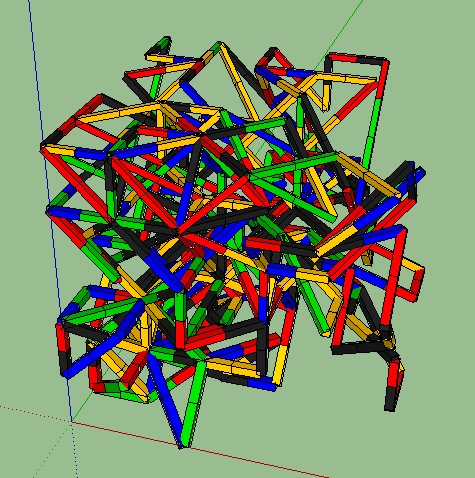
This code creates a path which can get a little weird. Plus it varies the "diameter" relative to the height.
mod = Sketchup.active_model
> ent = mod.active_entities
> sel = mod.selection
> # create a 3d node network
> nodes = []; nhsh = {}
> for z in 0..5
>  for y in 0..5
>   for x in 0..5
>    nodes << Geom;;Point3d.new(x.to_s.to_l,y.to_s.to_l,z.to_s.to_l)
>    nhsh[nodes.last]=0
>   end
>  end
> end
> #random connected path
> begin
>  node = nodes[rand(nodes.length)];#pick starting node
> end until node.z==0
> mps = []; loops = 0;
> loop do
>  try = 0;dist=0
>  begin
>   near = nodes[rand(nodes.length)]
>   try += 1
>   unless near==node
>    dist = node.distance(near)
>    mp = Geom;;Point3d.linear_combination(0.5,node,0.5,near)
>    unless (dist > '1.75'.to_l || mps.include?(mp))
>     mps << mp
>     break
>    end
>   end
>  end until try==nodes.length
>  if try < nodes.length
>   cdn = ['Black-Black','Blue-Blue','Blue-Black','Green-Green','Green-Blue','Green-Black','Yellow-Yellow','Yellow-Green','Yellow-Blue','Yellow-Black','Red-Red','Red-Yellow','Red-Green','Red-Blue','Red-Black']
>   cd = mod.definitions[cdn[rand(cdn.length)]]
>   ci = ent.add_instance(cd,Geom;;Transformation.new())
>   xys = '1'.to_l * (1.0 + (3.0-node.z)/10.0)#vary diameter relative to height
>   tr = Geom;;Transformation.scaling(xys,xys,dist)
>   ci.transform! tr
>   vector = node.vector_to(near).normalize
>   xa,ya,za = vector.axes
>   tr = Geom;;Transformation.axes(node,xa,ya,za)
>   ci.transform! tr
>   Sketchup.active_model.active_view.refresh
>  else
>   puts "trys exceeded nodes"; return
>  end
>  node = near
>  loops += 1; break if loops > 250
>  Sketchup.set_status_text "Segment #{loops}"
> end
>
- I was thinking in terms of varying the diameter of the overall structure, to create an overall form that is similar to that of a truncated square pyramid.
This code variation produces something like a pyramid.
for z in 0..3
>  for y in z..5-z
>   for x in z..5-z
>
- my original image also allows for T connections. how easy would it be to integrate this into the script?
Nothing I do prevents "T" connections.
-
Brilliant this is perfect! The only issue that I'm having is that the model is too small, How can I change the script to make the individual elements 50x50x800mm? Thanks again!
-
@o0rico0o said:
Brilliant this is perfect! The only issue that I'm having is that the model is too small, How can I change the script to make the individual elements 50x50x800mm? Thanks again!
Unless you eliminate all diagonal elements, they can't all be 800mm.
-
No thats fine, I don't mind variation, I was just wondering how to adapt the script to work at a larger scale. At the moment the elements are drawn at 0.2x0.2x3mm
-
@o0rico0o said:
No thats fine, I don't mind variation, I was just wondering how to adapt the script to work at a larger scale. At the moment the elements are drawn at 0.2x0.2x3mm
This variation produces 50X50X800mm elements.
mod = Sketchup.active_model ent = mod.active_entities sel = mod.selection # create a 3d node network nodes = []; nhsh = {} for z in 0..5 zz = (z*800.mm).to_s.to_l for y in 0..5 yy = (y*800.mm).to_s.to_l for x in 0..5 xx = (x*800.mm).to_s.to_l nodes << Geom;;Point3d.new(xx,yy,zz) nhsh[nodes.last]=0 end end end #random connected path begin node = nodes[rand(nodes.length)];#pick starting node end until node.z==0 mps = []; loops = 0; loop do try = 0;dist=0 begin near = nodes[rand(nodes.length)] try += 1 unless near==node dist = node.distance(near) mp = Geom;;Point3d.linear_combination(0.5,node,0.5,near) unless (dist > 1400.mm || mps.include?(mp)) mps << mp break end end end until try==nodes.length if try < nodes.length cdn = ['Black-Black','Blue-Blue','Blue-Black','Green-Green','Green-Blue','Green-Black','Yellow-Yellow','Yellow-Green','Yellow-Blue','Yellow-Black','Red-Red','Red-Yellow','Red-Green','Red-Blue','Red-Black'] cd = mod.definitions[cdn[rand(cdn.length)]] ci = ent.add_instance(cd,Geom;;Transformation.new()) # xys = '1'.to_l * (1.0 + (3.0-node.z)/10.0) tr = Geom;;Transformation.scaling(15.7480315,15.7480315,dist) ci.transform! tr vector = node.vector_to(near).normalize xa,ya,za = vector.axes tr = Geom;;Transformation.axes(node,xa,ya,za) ci.transform! tr Sketchup.active_model.active_view.refresh else puts "trys exceeded nodes. dist=#{dist}"; #return end node = near loops += 1; break if loops > 250 Sketchup.set_status_text "Segment #{loops}" end -
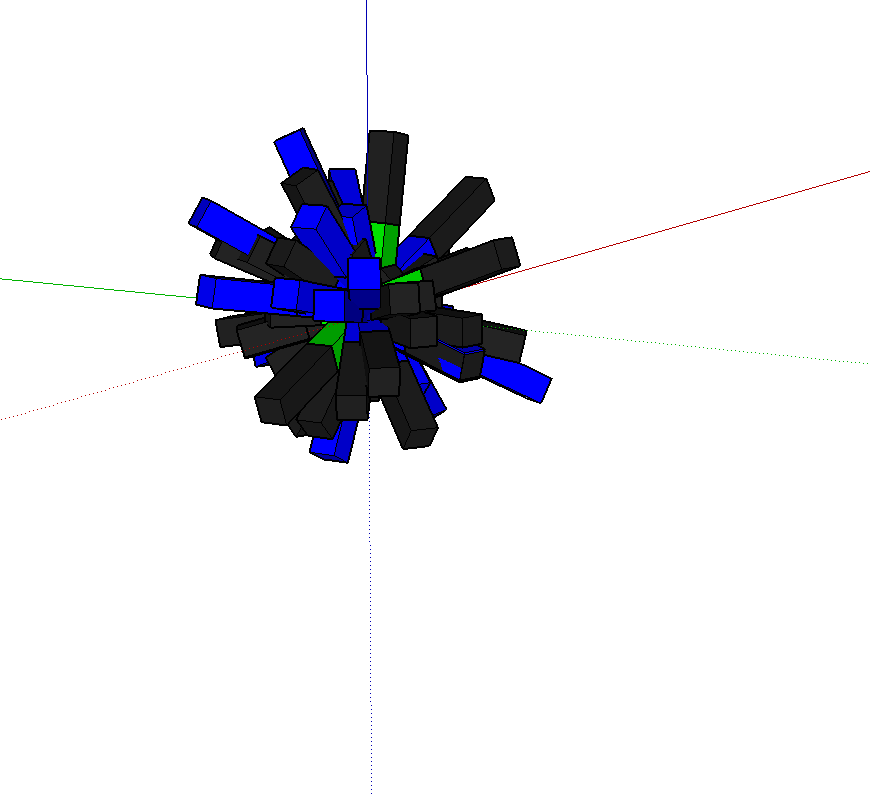
Hmmmm, did it work for you? Im getting this?
-
@o0rico0o said:
Hmmmm, did it work for you? Im getting this?
[attachment=0:12yqg6cm]<!-- ia0 -->Screen Shot 2014-12-01 at 17.17.10.png<!-- ia0 -->[/attachment:12yqg6cm]
Yes it works for me. Are you using the model I sent you? Have you created your own components? Have you changed the model units from inches?
-
Ahhh, yes, I changed It from inches to mm. That could be the issue, Thanks!

Hello! It looks like you're interested in this conversation, but you don't have an account yet.
Getting fed up of having to scroll through the same posts each visit? When you register for an account, you'll always come back to exactly where you were before, and choose to be notified of new replies (either via email, or push notification). You'll also be able to save bookmarks and upvote posts to show your appreciation to other community members.
With your input, this post could be even better 💗
Register Login


Advertisement