Guide lines
-
How do I insert the model in a post?
Jim
-
Scroll down when you are in the reply window and you will see an Upload attachment section.
-
-
There is no intersection at the opposite ends of the lines from the guide points which is why there's nothing to snap to there. Put in guide lines instead of points and you'll get an intersection.
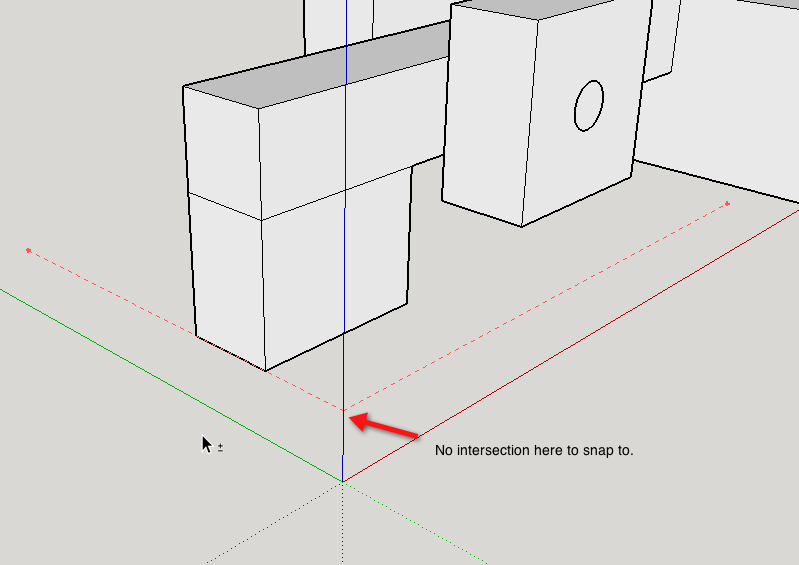
As as was mentioned earlier, you need to pay attention to how you are using Layers. Faces and edges should remain on Layer 0 while components/groups can be associated with other layers.
-
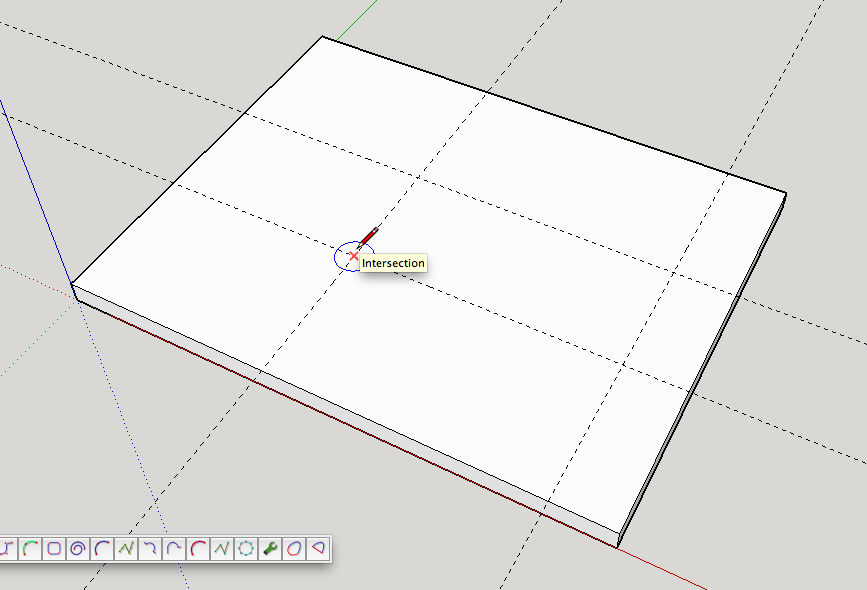
This is an example of what I'm trying to do. I want to put a circle at the intersection of the guide lines.
-
As I said, use guideLINES not guidepoints. There are no intersections created with the tails of the guidepoints.
-
See below.
-
Dave;
How do I get "guide lines".Jim
-
Use the Tape Measure tool and click on an axis line, an edge or an existing guideline.
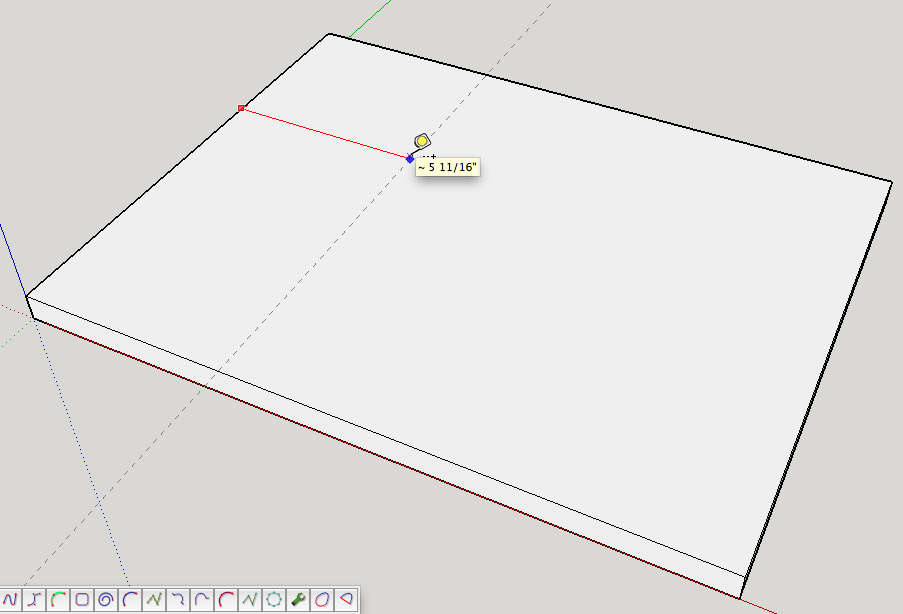
You get guide points if you start from a point such as the origin, an existing guide point or an intersection of edges and/or guidelines.
-
Dave;
Thank you so much. I've been fighting this thing for 2 days. Should have asked for help sooner.Jim


Hello! It looks like you're interested in this conversation, but you don't have an account yet.
Getting fed up of having to scroll through the same posts each visit? When you register for an account, you'll always come back to exactly where you were before, and choose to be notified of new replies (either via email, or push notification). You'll also be able to save bookmarks and upvote posts to show your appreciation to other community members.
With your input, this post could be even better 💗
Register Login


Advertisement