Create Face to PushPull along a curve
-
I have a project (furniture) that uses some curves and I need to pushpull along the curve and it took me a long time with many steps to draw a face Normal to a line extended from the curve. The curve is not a radius but curve drawn with belzerspline plugin.
I thought at one time I had seen a plugin to create such a face but I could not find it when I needed it.
Or is it simpler with the native tools if you follow a known procedure?
Keith
-
Try last and before last icon of Didier Bur Projection's Plugins
But without an example image maybe Joint Push Pull interactive by Fredo6 is more suitable ?
The French Ruby brothers!

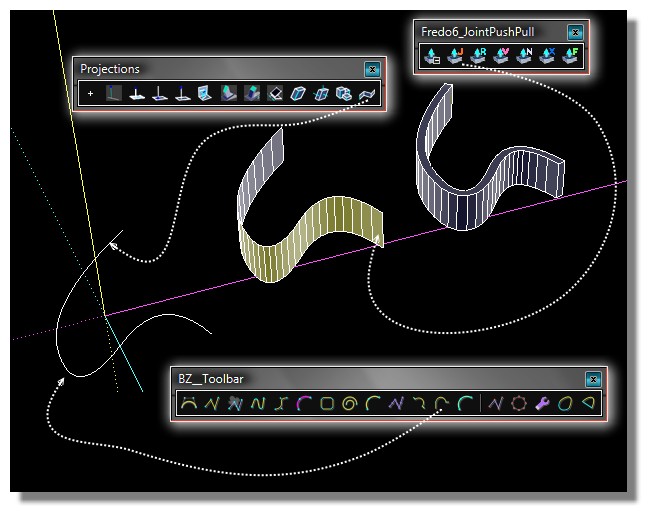
-
another interpretation of the original post is you are asking about Follow Me and Keep.
-
Here is an image of what I need. A face normal to the end of the curve on which I can draw a detail to pushpull along the curve.
[img]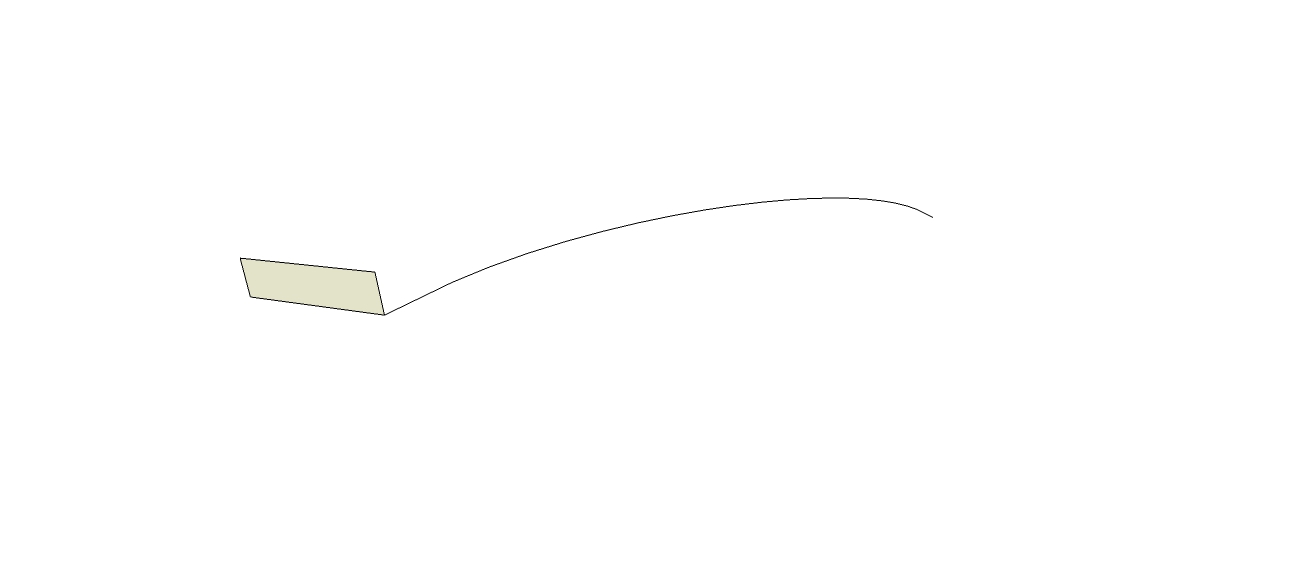 [/img]
 -
If I am understanding correctly you are having trouble drawing a face perpendicular to the end of the curve, on which you can then draw a profile for use with follow me. If that is the case try Chris Fullmer's Perpendicular Face tool.
http://sketchucation.com/forums/viewtopic.php?p=139064#p139064 -
So your main concern is to get the face on the end of the curve and have it normal to the end segment? Chris Fullmer's Perpendicular Face Tools would work. I often just construct them manually which isn't difficult.
-
If you see my example above that is exactly the result you want but with another method!





Hello! It looks like you're interested in this conversation, but you don't have an account yet.
Getting fed up of having to scroll through the same posts each visit? When you register for an account, you'll always come back to exactly where you were before, and choose to be notified of new replies (either via email, or push notification). You'll also be able to save bookmarks and upvote posts to show your appreciation to other community members.
With your input, this post could be even better 💗
Register Login


Advertisement