sketchucation logo sketchucation
    • Login
    Oops, your profile's looking a bit empty! To help us tailor your experience, please fill in key details like your SketchUp version, skill level, operating system, and more. Update and save your info on your profile page today!
    ⚠️ Update | Sketchucation Tools 5.0.8 released with licensing improvements and bugfixes Download

    Cleanest way to import FBX?

    Scheduled Pinned Locked Moved SketchUp Discussions
    sketchup
    13 Posts 7 Posters 7.7k Views 7 Watching
    Loading More Posts
    • Oldest to Newest
    • Newest to Oldest
    • Most Votes
    Reply
    • Reply as topic
    Log in to reply
    This topic has been deleted. Only users with topic management privileges can see it.
    • E
      Ecuadorian
      last edited by

      Thank you. I saw that, but didn't like the "machine locked license" part and the double-priced floating license option.

      Still, if it's good, I'll buy it. Anyone has any experience with it? Can't seem to find any reviews.

      -Miguel Lescano
      Subscribe to my house plans YouTube channel! (30K+ subs)

      1 Reply Last reply
      Reply Quote 0
      • FrederikF
        Frederik
        last edited by

        I have various SimLab plugins, but since I bought SimLab Composer Animation 2013 I haven't used any of the various importer plugins... 😐

        A lot of the models I use comes in a variety of formats (Step, FBX, Iges, 3ds, obj and some others) and with SimLab Composer I can easily export to Skp-format...
        Sometimes I can't - for whatever reason - import a DWG file to SU, but with SimLab Composer I don't have any issues...
        In addition I also get the option to export models ad 3D PDF... 😄

        If you only need it for FBX, then the plugin will be the sufficient...
        You can download the plugin, if I remember correct, you can use it with 5 models for free...

        Cheers
        Kim Frederik

        1 Reply Last reply
        Reply Quote 0
        • massimoM
          massimo Moderator
          last edited by

          This one (scroll a bit the page, it's called "FBX converter") works pretty well and it's free.

          1 Reply Last reply
          Reply Quote 0
          • srxS
            srx
            last edited by

            Autodesk FBX converter works: "The FBX Converter lets you convert files into different file formats and FBX versions. With the FBX Converter, you can convert 3DS, DXF, OBJ, & COLLADA files to FBX or FBX files to DXF, OBJ, DAE, or other versions of FBX. See FBX "

            www.saurus.rs

            1 Reply Last reply
            Reply Quote 0
            • Alan FraserA
              Alan Fraser
              last edited by

              As far as the Max files are concerned, there is no way of converting them unless you actually have Max installed. Even top of the range converters like Deep Exploration won't open them via its importer unless it can detect Max on your system.

              3D Figures
              Were you required to walk 500 miles? Were you advised to walk 500 more?
              You could be entitled to compensation. Call the Pro Claimers now!

              1 Reply Last reply
              Reply Quote 0
              • E
                Ecuadorian
                last edited by

                Thank you everyone. Autodesk seems to have killed the converter as I can't find it on that page.

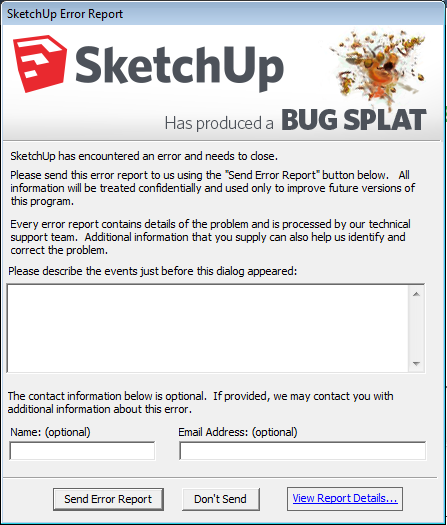
                So I installed the MAX trial, optimized the model, and exported as .3ds. It came complete, but all messed up. So I decided to purchase Simlab's plugin and try the FBX route. This is what happened...

                38759048.jpg

                Untitled.png

                Again and again when trying to open SU8 after the install. I guess I'll have to uninstall it just to be able to open SU again. 😡

                -Miguel Lescano
                Subscribe to my house plans YouTube channel! (30K+ subs)

                1 Reply Last reply
                Reply Quote 0
                • massimoM
                  massimo Moderator
                  last edited by

                  @ecuadorian said:

                  Thank you everyone. Autodesk seems to have killed the converter as I can't find it on that page.

                  Strange. I can download it from the link I posted.

                  1 Reply Last reply
                  Reply Quote 0
                  • E
                    Ecuadorian
                    last edited by

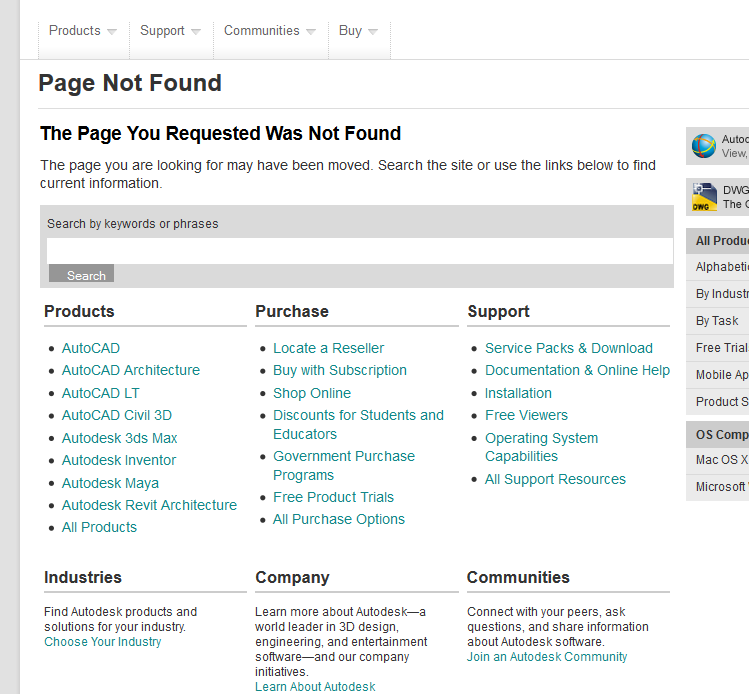
                    This is all I get when I follow the link:
                    Captura.PNG

                    Strange indeed.

                    Anyway, I solved the bugsplat problem by switching to SU2013, and now I have my model in SU. Thanks everyone!

                    -Miguel Lescano
                    Subscribe to my house plans YouTube channel! (30K+ subs)

                    1 Reply Last reply
                    Reply Quote 0
                    • TIGT
                      TIG Moderator
                      last edited by

                      http://usa.autodesk.com/adsk/servlet/pc/item?siteID=123112&id=20481519
                      ?

                      TIG

                      1 Reply Last reply
                      Reply Quote 0
                      • E
                        Ecuadorian
                        last edited by

                        Weird as it may sound, all I get is a "the page you requested was not found." Geo restrictions, maybe?

                        -Miguel Lescano
                        Subscribe to my house plans YouTube channel! (30K+ subs)

                        1 Reply Last reply
                        Reply Quote 0
                        • TIGT
                          TIG Moderator
                          last edited by

                          Try these direct download links:
                          http://images.autodesk.com/adsk/files/fbx20132_converter_win.exe
                          http://images.autodesk.com/adsk/files/fbx20132_converter_win_x64.exe
                          http://images.autodesk.com/adsk/files/fbx20132_converter_mac.pkg.tgz
                          Previous versions are at:
                          http://usa.autodesk.com/adsk/servlet/pc/item?siteID=123112&id=10775920

                          TIG

                          1 Reply Last reply
                          Reply Quote 0

                          Hello! It looks like you're interested in this conversation, but you don't have an account yet.

                          Getting fed up of having to scroll through the same posts each visit? When you register for an account, you'll always come back to exactly where you were before, and choose to be notified of new replies (either via email, or push notification). You'll also be able to save bookmarks and upvote posts to show your appreciation to other community members.

                          With your input, this post could be even better 💗

                          Register Login
                          • 1 / 1
                          • First post
                            Last post
                          Buy SketchPlus
                          Buy SUbD
                          Buy WrapR
                          Buy eBook
                          Buy Modelur
                          Buy Vertex Tools
                          Buy SketchCuisine
                          Buy FormFonts

                          Advertisement