Plugin toolbars issue
-
plugin toolbar issues,
OS: Mac OSX Mountain Lion
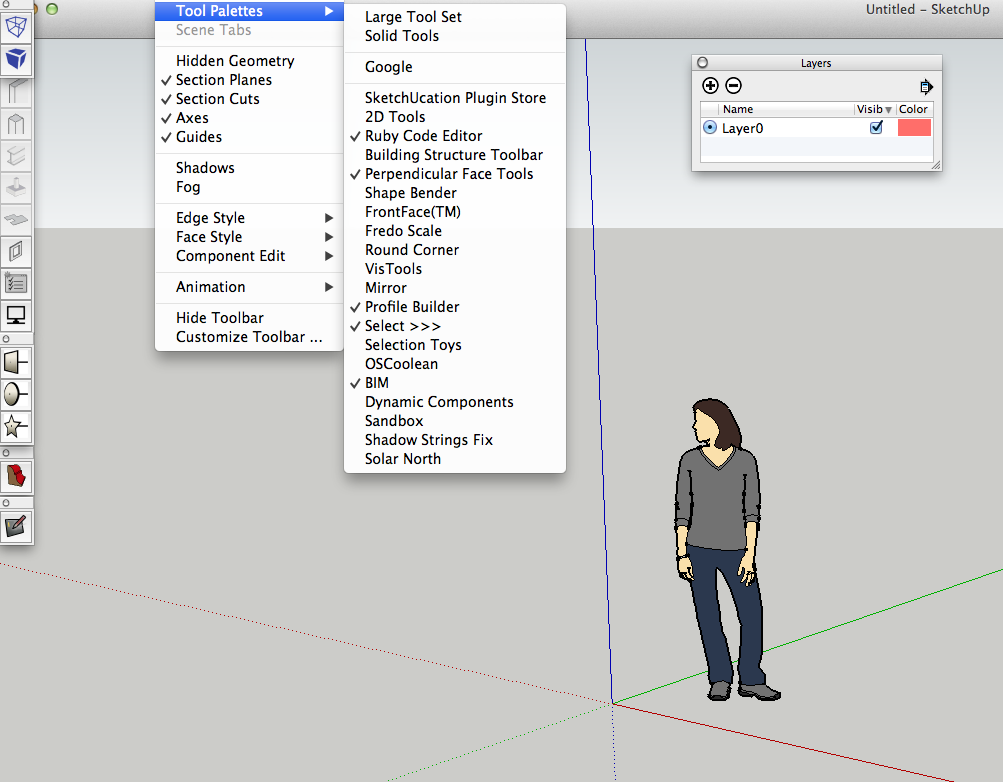
Sketchup 8Every time I open sketchup, some plugins show their toolbar automatically and some don't.
The more plugin I install, the more messy my startup screen is going to be.
Not only plugin toolbar, the Layer window also keep showing itself everytime.
I tried to update the style and make new stle but it doesn't save which toolbar window is closed, neither the Layer window.
But the position of those toolbars is saved automatically.
So now I move them all to the left hand side but still want to know how to keep them hidden.
I also tried to disable plugin but it is even more inconvenient.I have no idea what is going on, but it is incredibly annoying.
Any help would be appreciated.Thanks
-
The toolbars that you have 'active' when you close SketchUp should be the toolbars that are 'active' when you restart SketchUp.
Is this not the case ?

Hello! It looks like you're interested in this conversation, but you don't have an account yet.
Getting fed up of having to scroll through the same posts each visit? When you register for an account, you'll always come back to exactly where you were before, and choose to be notified of new replies (either via email, or push notification). You'll also be able to save bookmarks and upvote posts to show your appreciation to other community members.
With your input, this post could be even better 💗
Register Login


Advertisement