Help! i want to model a canal in a terrain
-
hello guys...am new here.....and also a beginner...i want to model a rectangular water channel of 10m wide and 1.5m deep in a terrain i imported from google earth......i need help!
-
If the SketchUp Sandbox Tool isn't already activated use Preferences > Extensions to do so.
If its Toolbar isn't open activate that from View > Toolbars.
Read its Help file entries...
There are also several threads about it and a Google search will provide even more - including movie tutorials...
So the existing terrain [group] can be modified using the Sandbox tools.
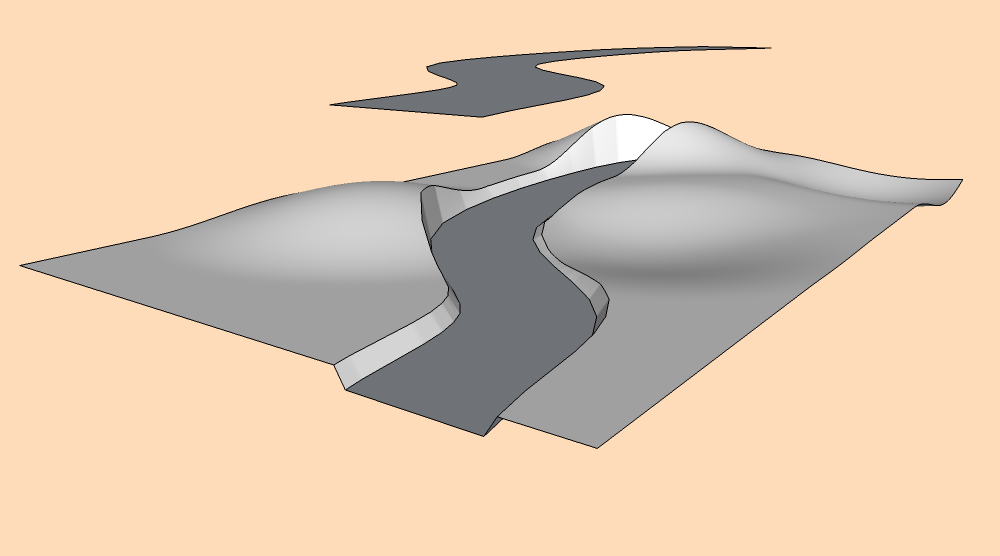
In the case of making a canal 'cutting', you would make a flat rectangular face representing the canal and group it. Locate it floating above the terrain in the correct place in plan. Then use the 'Stamp' tool to make a cutting - you can set the 'offset' of the sides to adjust the slope of the embankments...
With a little experimentation you can get what you want... -
-
funso, I've moved your last post in a new thread.



Hello! It looks like you're interested in this conversation, but you don't have an account yet.
Getting fed up of having to scroll through the same posts each visit? When you register for an account, you'll always come back to exactly where you were before, and choose to be notified of new replies (either via email, or push notification). You'll also be able to save bookmarks and upvote posts to show your appreciation to other community members.
With your input, this post could be even better 💗
Register Login


Advertisement