I need some Graphics Help / Advice Please
-
I need some graphics help please, for creating and setting up my SUp images to print. I export these plans pages as .jpg at 4000 pixels wide. I usually have 10 to 15 images which I need to email as a zipped file, so I batch resize them all using Picassa to 1000 pix wide, using the Normal image quality setting which gives an image size of 109 kb. Then I print them on 8 ½ x 11 paper using Landscape mode and they print out pretty well and fill the page size. They don’t need to be scaled as I usually mark them as Not to Scale.
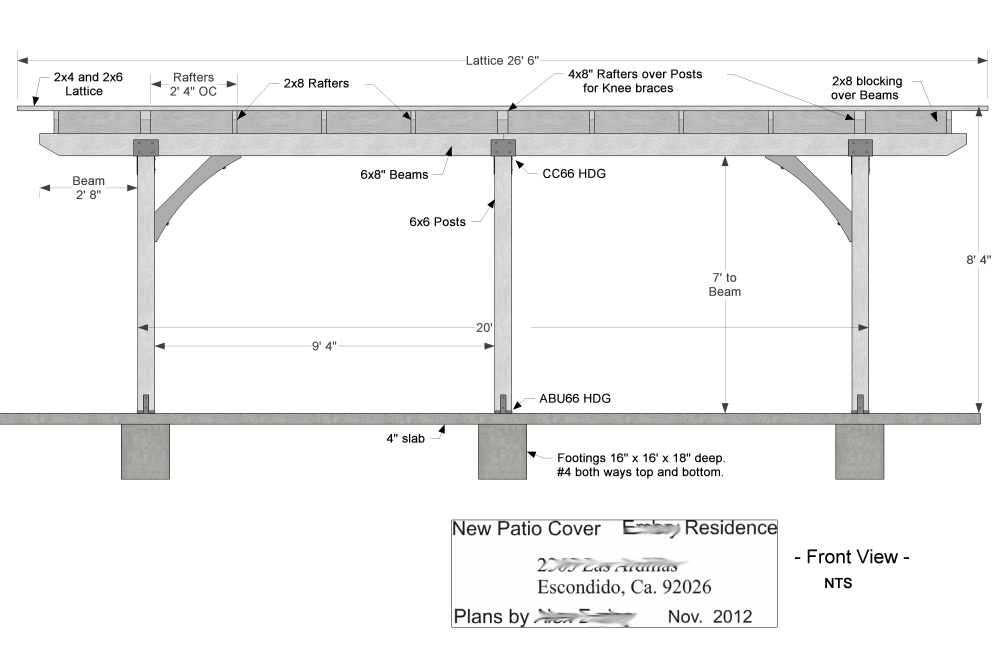
First question is, is there a better format for printing besides jpg, and what resolution / image quality should I use? Remember I need to email these so image size can’t be too large. If I use another format, what program can I use to batch resize them?
Second- What settings should I use if I want to have them printed on 11 x 17” paper, keeping the same image size / ratio? My printer doesn’t handle that size so I’ve never tried. I’ll have these printed at a printing place, will they just check Fit To Page, and have some blank spaces to the sides the image?
Third- Say I want to put all 10 images on a larger sheet, 24” x 36”. I have Corel Photo Paint and Corel Draw (two versions of each, Ver 7 and the newer X3), which should I use for this? I know how to set up a new page and define its size, but how should I prepare the images (what format, size and dpi) for bringing them in to the program?
That’s a good start for my questions, I’ll have more when I begin setting up that larger 24 x 36” page size, bringing in / importing and arranging the images on the page.
Really appreciate any help on this, my webmaster and graphics guy passed away last year and I have no one else to ask.
-
Joe Wood, (if that's your real naame
 ). I have been admiring your work! Great stuff!
I am using a Mac and I know the export choices are different. I use png. for graphics that I am going to process further and if I am going to export from SU and wish to improve the quality of the line work.
I use pdf for many direct outputs from LO and SU and especially files to send out. Or I might save-as pdf from png file in another program. I can use the Mac print to pdf option most of the time. So using Windows, this isn't too helpful, but my point is can you use pdf either as your SU output or a later translation?
Also are you using Layout? Shouldn't you be able to do the large sheets in Layout?
Regards, Peter
-
Yep .. Wood's my name and wood's my game
 Joe Wood, just don't put an S at the end!
I use SUp Ver 5 so have never used layout.
-
When I say "save as V6", now I will say "Save as V5"
-
@joe wood said:
and what resolution / image quality should I use?
i'm on my way out so i have to be quick but i feel you're resizing your images too small to print at that size..
if you're printing at 11" wide and using 1000px wide images, you're getting about 90ppi (pixels per inch)
(1000px ÷ 11" = ~90 ppi)
for printing these types of pictures onto standard paper, i'd say use at least 200 pixels per inch..
so, if you want to print 11" wide at 200ppi, you'd need the image to be 2200px wide
(11" * 200ppi = 2200px)
....
and even more if you're printing, say, renderings onto photo paper.. use around 300ppi for that.. -
-
Sorry folks, been away with computer and browser problems .. still using a pretty old win xp machine that's starting to act up on me.
Thanks for that tip Jeff! So if I want to put 10 images on one 2' x 3' sheet (using Corel), what size should they be, and what image format?
-
@joe wood said:
So if I want to put 10 images on one 2' x 3' sheet (using Corel), what size should they be, and what image format?
i can't help you with corel.. sketchup can help you figure out the layout though if you like (or at least that's what i used in this example).. but you'd basically do this same thing in any suitable app.. just a matter of figuring out how to get that app to accomplish it..
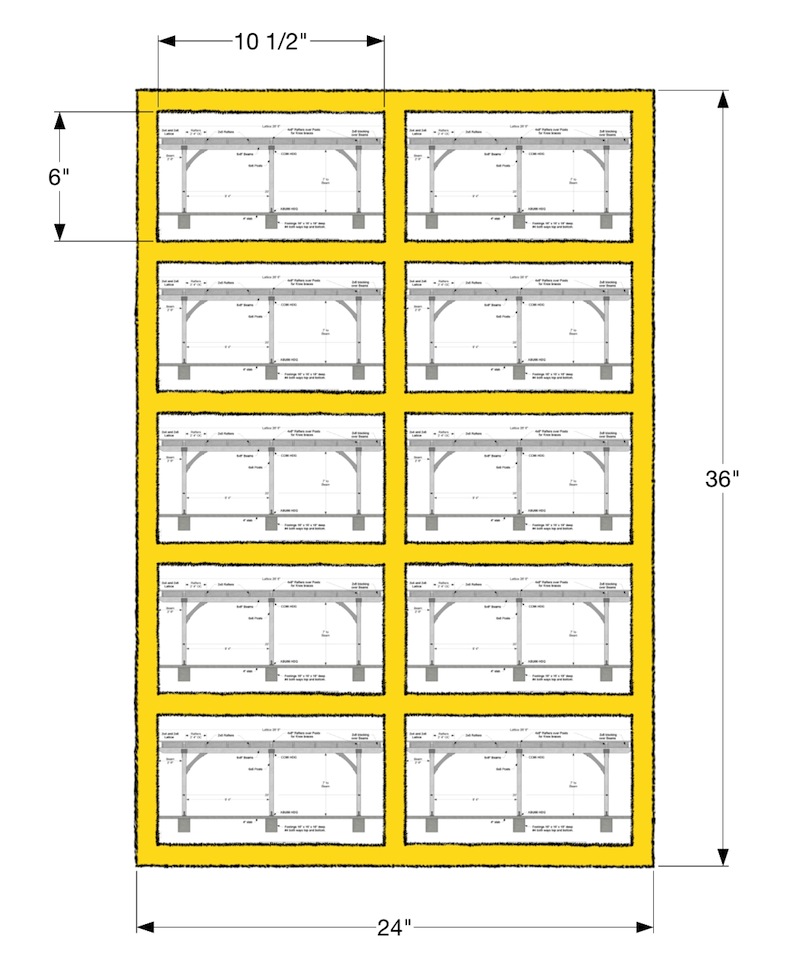
(i'm possibly in the wrong orientation here and you'd like a landscape view.. or maybe you want some extra space somewhere for logo/contacts/notes/etc but the same idea applies)..
the orange represents a 1" border between the sides,bottom,in_betweens.. (an actual graphic designer may want this weighted differently but just use your best judgement)
the su drawing is showing that 10- 6"x10½" will fit in this layout.. in this scenario, you can drop your ppi some because it's a larger image and viewing distance will tend to be further away.. let's do 150 ppi
6" x 150 ppi = 900px
&
10½" x 150ppi = 1575pxso, if you wanted the layout shown above, i'd recommend each of the 10 images at 900x1575px
(or-- each of the 10 at 6"x10½" and a resolution of 150... different apps have different ways of showing this.. many apps are capable of showing both.. regardless, they mean the same thing)
note*.. in the above example, the final flattened image ready for print will have a resolution of 3600 x 5400.. (24" & 36" multiplied by 150ppi)
oh.. and the format.. me personally, id use .TIF
but jpgs or pngs will be fine too..bringing pdf into play such as peter recommended above can be really nice because you'll get the cleanest lines vector as opposed to raster.. that's how the typical powerhouse graphic design apps function (illustrator etal)..and vector lines aren't affected by scaling in the same way raster lines are.. but your images have textures on them therefore you have to (within reason) use a raster format such as tiff,jpg,png
that aside, layout (the app layout-- which comes with sketchup pro) would really be a great choice here.. with layout, each of those 10 pictures ive shown above would be your actual sketchup models.. you can adjust them individually if need be (as in-- orbit and zoom etc the same way you would in sketchup.. or update the geometry in sketchup and have the update transfer to your layout sheet)..
you could also utilize it's hybrid mode in which your sketchup textures would be treated as raster BUT the line work is treated as vector (which, amongst other things, you can adjust the line weight etc.. during the layout process. you're not stuck with locked in 2D outputs.. the models are still interactive this far along in the printing procedure)
[/salesman]likewise, you wouldn't have to worry about figure out these resolution dimensions.. you'd pick your 24x36 paper size and quality but layout.app will handle everything else.. just scale and move the models/frames the same as you would in sketchup.. when it's time to print, the app handles all that other stuff under the hood..
[/salesman pt2] -
Hi Joe,
Jpg is a lossy format. That is, if you mess about with it...especially resizing it...it will start to lose definition and get blurry, especially the fine lines and text. It's okay for digital photographs, when you tend not to notice these things, but not good for line drawings.
Personally, I'd think about using Tif format. Tiffs can be very large compared to jpgs when in full colour, but a simple black and white or greyscale is usually much smaller It is also the standard image format for the publishing industry because it is lossless...lines and text will stay sharp. Png files are lossless too.
If you're bringing them into Corel, I'd also consider not bothering to resize them beforehand. just bring them in full size (if your PC can stand it). Just import them one on top of the other, then select and resize them all in one go before arranging them on the sheet.
Whatever size page you are contemplating, if you have to resize them, I'd work on the basis of having images of 300 dpi (dots per inch) for best quality. Therefore, whether you are having them on an 11" page or two across a 2ft sheet, either way they are going to be the best part of a foot wide and therefore would need to be approaching 3600 pixels. Maybe you could consider exporting at 3000-3500 pixels wide and not bothering to resize at all. -
[alan- yes.. i agree with your methods and definitely overcook these numbers when i'm doing my own stuff.. 600ppi? sure, why not
 ]
]it's just that joe says things like "still using a pretty old win xp machine that's starting to act up on me." and "trying to keep the file size down.."
so what i'm going for up there is minimums for an acceptable print..
-
Yes Jeff, Joe's machine is getting pretty long in the tooth now. Joe, are you still using a CRT monitor, or have you got a flatscreen yet?
I'm very sceptical (British spelling) that it would take to kindly to being asked to handle 10 pics in a lossless format that were each over 6000 pixels wide, which is why I suggested 300 ppi. If it's good enough for book covers and glossy magazines, it's probably ok for CDs. -
@alan fraser said:
I'm very sceptical (British spelling) .
well, being the sceptic that i am.. i had to check


but it almost looks as if it would be pronounced 'septical' (septic) when written that way.. surely not i hope
-
-
What a place, huh? Start out with woodwork design, and end up with etymology. All kinds of help.
-
Darn, so sorry for not replying sooner, really appreciate all the help, I'm just preoccupied with other matters now. I'll be trying this out later and will post back if I run into any problems.
thanks Folks!
-
Boy, forum is very slow again today, this will take awhile.
OK, I’m all ready, got it all figured out about what I’d like to do
now with a little help from my friends I can create a nice set of plans on two sheets of 2’ x 3’ paper.I have 15 Plans Pages, plus a site plan, and the title block, to put on two sheets. I’ve been experimenting with making these plans using Corel Draw, and Corel Photo Paint. Which one should I use for this?
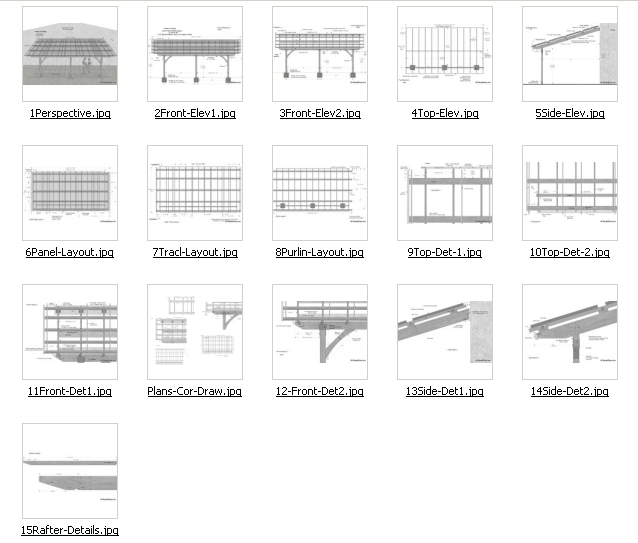
These are the Plans Pages I’ve been experimenting with, exported as jpg images at 4,000 pix wide, and resized in Picasa to 1,000 pix wide at maximum quality. I know not proper image size or type.
In Sup I’ve arranged my layout on a 2’ x 3’ paper, I’ve scaled all the images to 10 x 6 ½” and fit them on the paper.
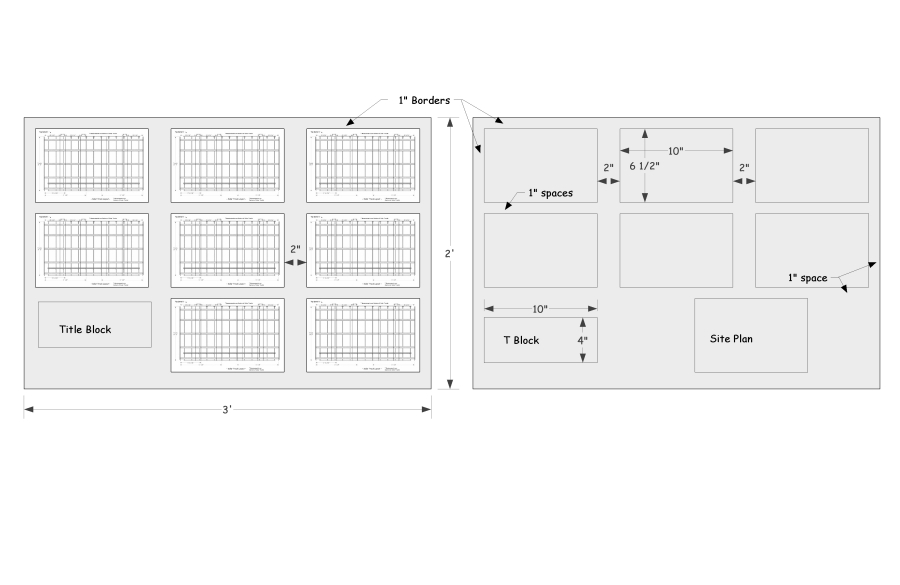
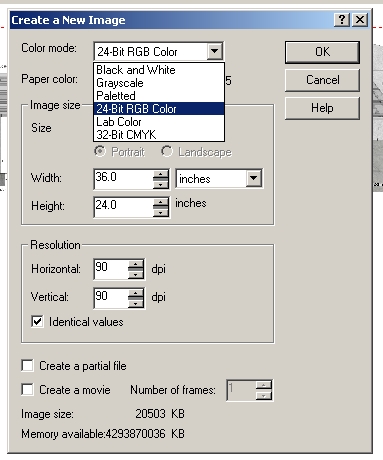
I’ve been messing with Corel Paint. First I created a 2’ x 3’ paper size (I choose RGB), but which should I choose? B& White, Greyscale?
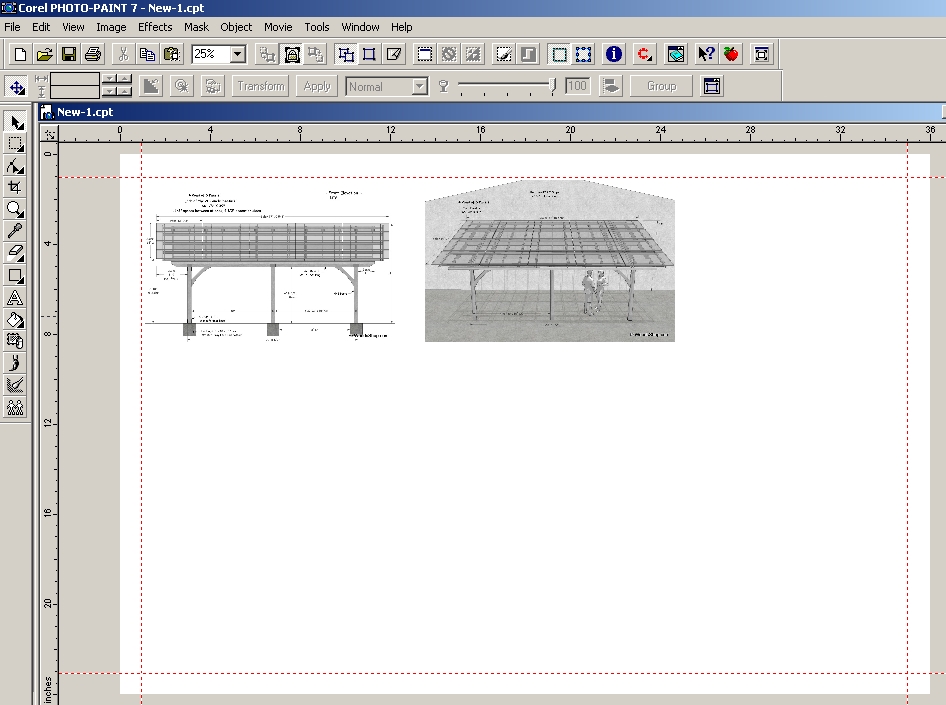
Then I used the Ruler tool to make 1” borders around the edges. I brought in a few of the resized images. I can position them fairly well, and have been grabbing corners to resize them, not quite sure what I’m doing, it would be nice to bring them in at correct size?
So to do this properly, from SUp how do I export and create an image at correct resolution and DPI to end up with a 10” wide image I can bring in to Corel without having to resize it in Corel?
How do I put a border around each image?
After I’ve arranged them, do I do, Object > Combine > All objects with background? What settings do I use when exporting the 2’ x 3’ image? What type image should I export to send to the local print shop?
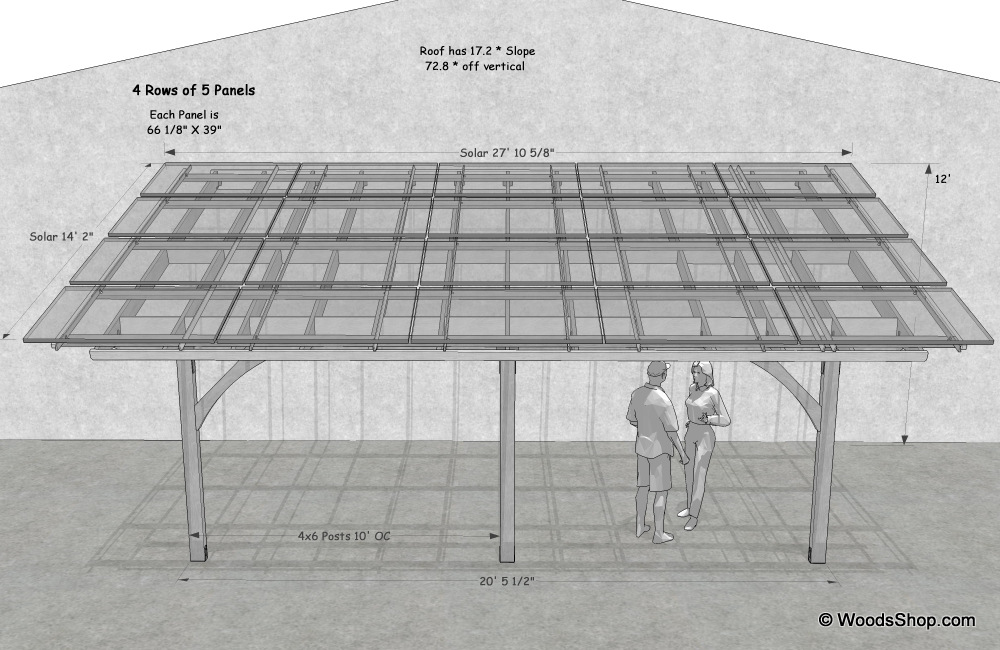
This is for a local solar patio cover design, hopefully I’ll get to build it too!
-
Been to your site Joe. Found it in a search for patio roofs awhile back.
Real nice stuff. Clean drawings & nice layout.
Someone of your talent needs a proper machine. -
Well JP it does what I ask it to, just like trusty 'ol @Last SUp Ver 5, it does what I need it to do
sorry bout my last post, I came back here after a month and a half and didn't read what had been posted, sorry about that. All the image size Info I need!
so I'm experimenting with tifs, exported some at 975 x 1500 for a 6.5 x 10" , made a greyscale 2' x 3' paper size in Corel PPaint, brought in those tifs and we'll see how far I get with this!
-
allright, I do think I almost have it!
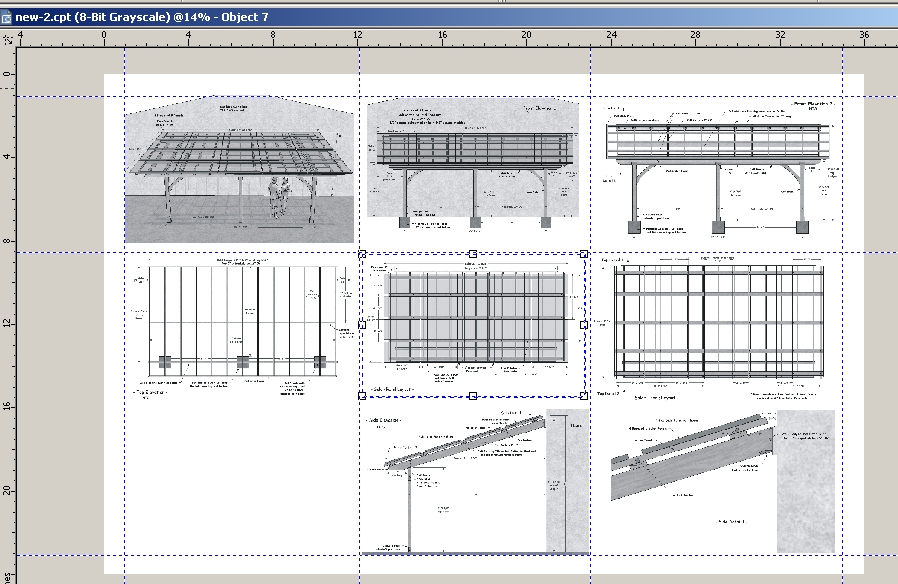
resized those tifs at 150 dpi, brought them into a greyscale 2x3'at 150 dpi paper,
and I've got them all arranged it looks like. I can't figure out how to make the image borders, then I'll Combine all objects with background,
then Publish > PDF ?
-
Should I be using Corel Draw or Photo Paint for something like this?
I have it all set up in P Paint but have a nagging thought that I should be using Draw ..






Hello! It looks like you're interested in this conversation, but you don't have an account yet.
Getting fed up of having to scroll through the same posts each visit? When you register for an account, you'll always come back to exactly where you were before, and choose to be notified of new replies (either via email, or push notification). You'll also be able to save bookmarks and upvote posts to show your appreciation to other community members.
With your input, this post could be even better 💗
Register Login


Advertisement