Thickness Ruby to make shell?
-
I've been doing a lot of 3d printing lately. Mostly the volumes have been a modification of something or simple volume.
I understand that in order to get the object to print properly it needs to have a completely closed volume.
The question I have for you guys after searching and not finding a solution...
Is there a ruby out there that will create an offset or "shell". I have a car shell that I am working on that I want to print as a 1/6" thick lightweight shell to attach to something else...similar to an RC car shell. The problem is that I have created the shape of the shell I want, but the programs won't simply print along a plane with zero thickness.Any ideas?
Thanks
antoine -
Fredo's Joint Push Pull?
-
@rich o brien said:
Fredo's Joint Push Pull?
I have that installed...will try it at lunch...initial attempt crashed the program, but maybe if I am more selective it might work.
Thanks Rich
-
My plugin will make a shell
[Plugin] scaleGroupFloat_dj Ver 1.6.5 Feb 15, 2013 by dukejazz » May 11th, 2012, 3:36 pm
scaleGroupFloat_dj Ver 1.6.5
Copyright Feb 15, 2013
DukeJazz: by James Cochran
has a tool call
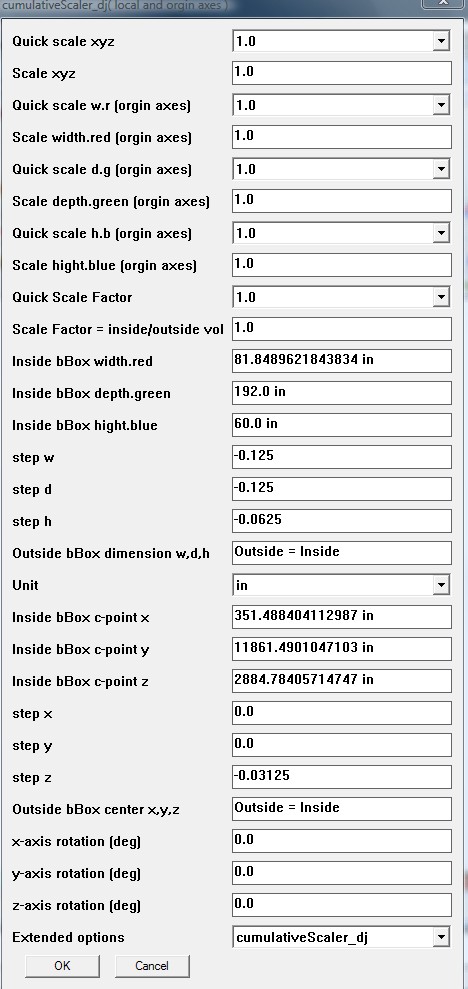
cumulativeScaler_dj (now dose xyz x y z scale,step and rotation)
http://sketchucation.com/forums/viewtopic.php?f=323&t=45254&start=15 -
And there is Thomthoms shell plugin.
-
@dukejazz said:
My plugin will make a shell
[Plugin] scaleGroupFloat_dj Ver 1.6.5 Feb 15, 2013 by dukejazz » May 11th, 2012, 3:36 pm
scaleGroupFloat_dj Ver 1.6.5
Copyright Feb 15, 2013
DukeJazz: by James Cochran
has a tool call
cumulativeScaler_dj (now dose xyz x y z scale,step and rotation)
[attachment=0:24ybdmor]<!-- ia0 -->pic_0127.jpg<!-- ia0 -->[/attachment:24ybdmor]
http://sketchucation.com/forums/viewtopic.php?f=323&t=45254&start=15I can't figure it out...all I have been able to do is an offset.
Looking to basically create a 1/16" shell.Thanks
-
-
@marvins_dad said:
@rich o brien said:
Fredo's Joint Push Pull?
I have that installed...will try it at lunch...initial attempt crashed the program, but maybe if I am more selective it might work.
Thanks Rich
did it crash or appear to hang?
if you're doing a processor intensive operation in sketchup, it may appear as if its not working.. but it is.
(for reference, I once did a jpp operation that took 4 hrs to calculate) -
works with groups or components, did you try on raw geometries?
-
@unknownuser said:
@marvins_dad said:
@rich o brien said:
Fredo's Joint Push Pull?
I have that installed...will try it at lunch...initial attempt crashed the program, but maybe if I am more selective it might work.
Thanks Rich
did it crash or appear to hang?
if you're doing a processor intensive operation in sketchup, it may appear as if its not working.. but it is.
(for reference, I once did a jpp operation that took 4 hrs to calculate)I get a "SketchUp Application has stopped working" dialog box...only options are check online and close or close program. Problem signature:...APPCRASH
-
@gilles said:
works with groups or components, did you try on raw geometries?
I was trying with raw geometries...I'll try with a group...are you talking about "Shell"?
-
Shell seems to preview when I select a group and I can see the offset and adjust it. When I double click it doesn't stay...when I hit enter nothing happens. When I double click then click outside the group the offset disappears.
What am I doing wrong?
-
I do.
-
Adjust the fitness, then Enter, then double click.
-
@gilles said:
Adjust the fitness, then Enter, then double click.
Okay - I tried on a portion that wasn't as complex and it worked.
Looks like I need to simplify my model a bit (clean it up) and try again.Thanks!
-
scaleGroupFloat_dj Ver 1.6.5
Copyright Feb 15, 2013
DukeJazz: by James Cochran
I have a tool call cumulativeScaler_dj
it's part of scaleGroupFloat_dj package (doses cumulative xyz, x, y, z, scale,step,move and rotation)@unknownuser said:
by marvins_dad » Yesterday, 12:08 pm
I can't figure it out...all I have been able to do is an offset.
Looking to basically create a 1/16" shell.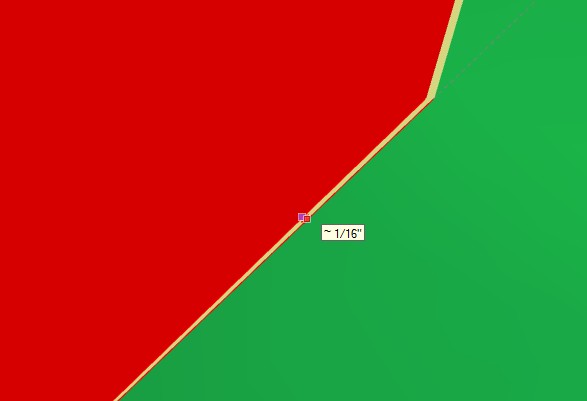
I figure it for you.
I found a car body on 3d warehouse
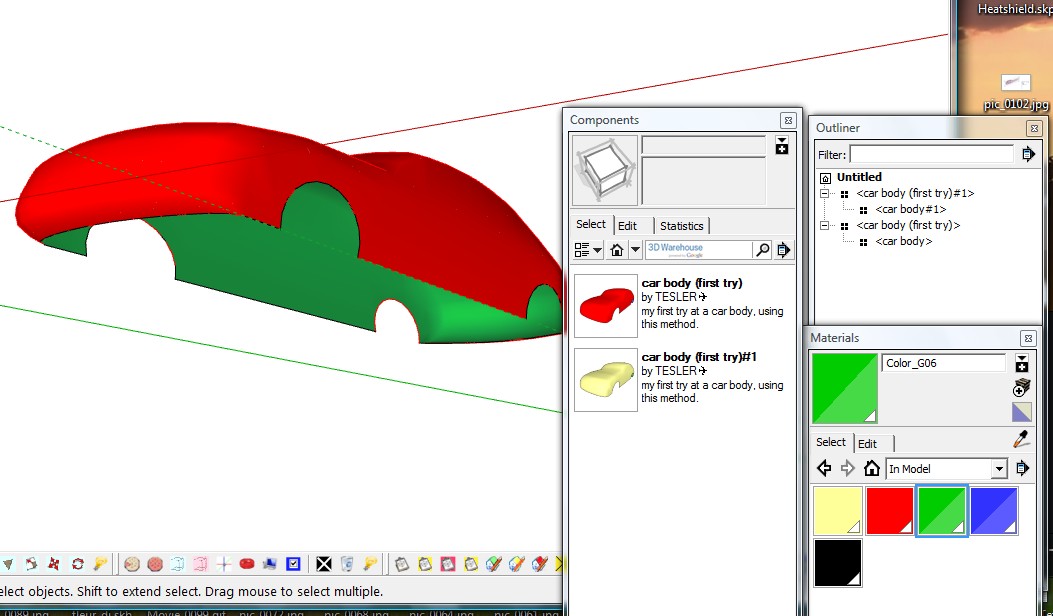
and I work it 1/16 but it's not close yet for a volume
-
I rework it and now it's a closed shell volume:
by these steps
-
I started wuth the car body
-
draw with line tool and close the volume
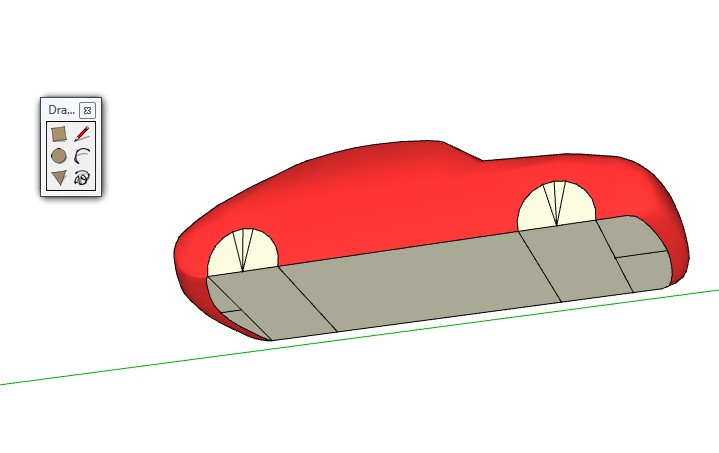
-
I copy and offset scaled by 1/16 inch as before with scaleGroupFloat_dj
scaleGroupFloat_dj will create an offset call "shell". the settings shown ealier above
4 ) I then vector push-pull the wheels acoss
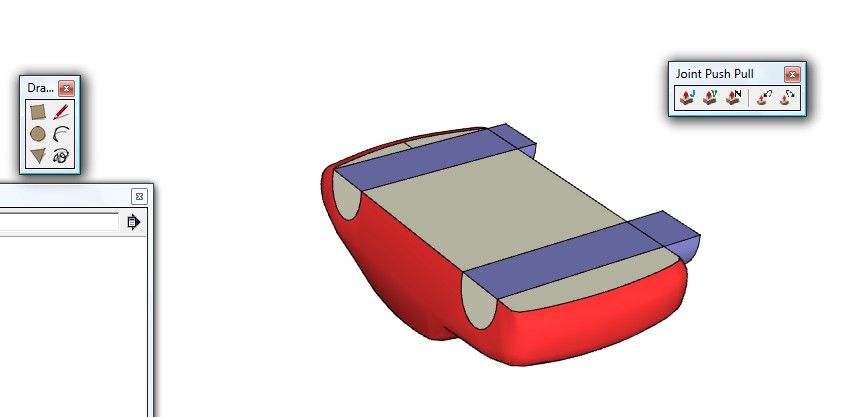
5) right click and used context intersect face to model- cut away
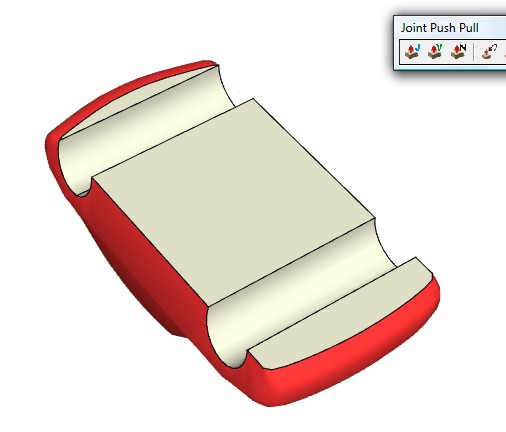
and then cut the bottom interial face of the car
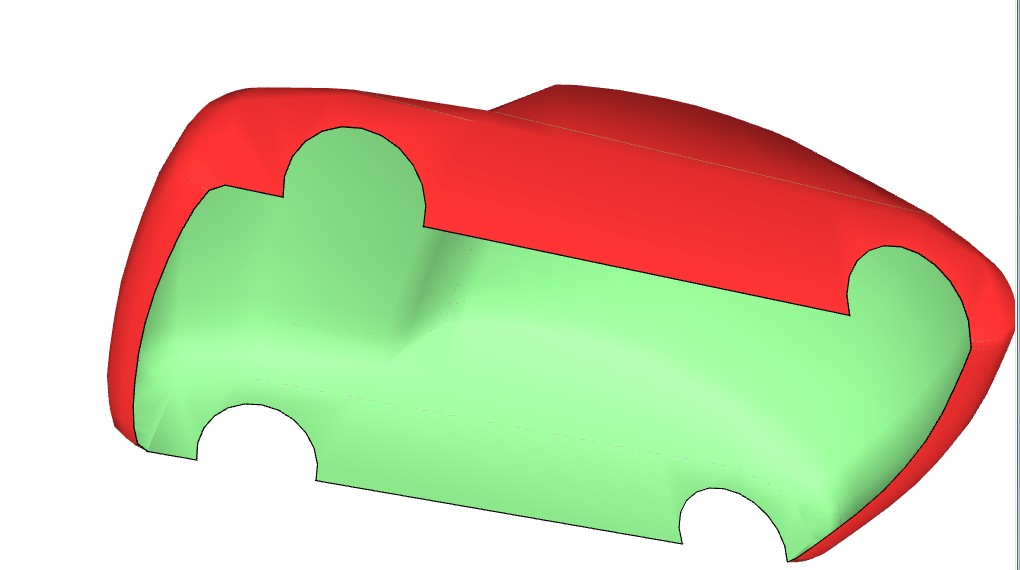
@unknownuser said:
by marvins_dad » February 27th, 2013, 9:36 am
Is there a ruby out there that will create an offset or "shell". I have a car shell... 1/6" thick lightweight ... The problem is ... the programs won't simply print along a plane with zero thickness.and now marvins
The Answer:
yes- Use scaleGroupFloat_dj.rb
and a vector push-pull tool
(=to SU push-pull then one end exploded face move by the move tool)
by the process above you get this
car+body16_dj.skp -







Hello! It looks like you're interested in this conversation, but you don't have an account yet.
Getting fed up of having to scroll through the same posts each visit? When you register for an account, you'll always come back to exactly where you were before, and choose to be notified of new replies (either via email, or push notification). You'll also be able to save bookmarks and upvote posts to show your appreciation to other community members.
With your input, this post could be even better 💗
Register Login


Advertisement