What's wrong with these polygons?
-
Dear all, I need your help. Why some polygons/edges in this model look like this?
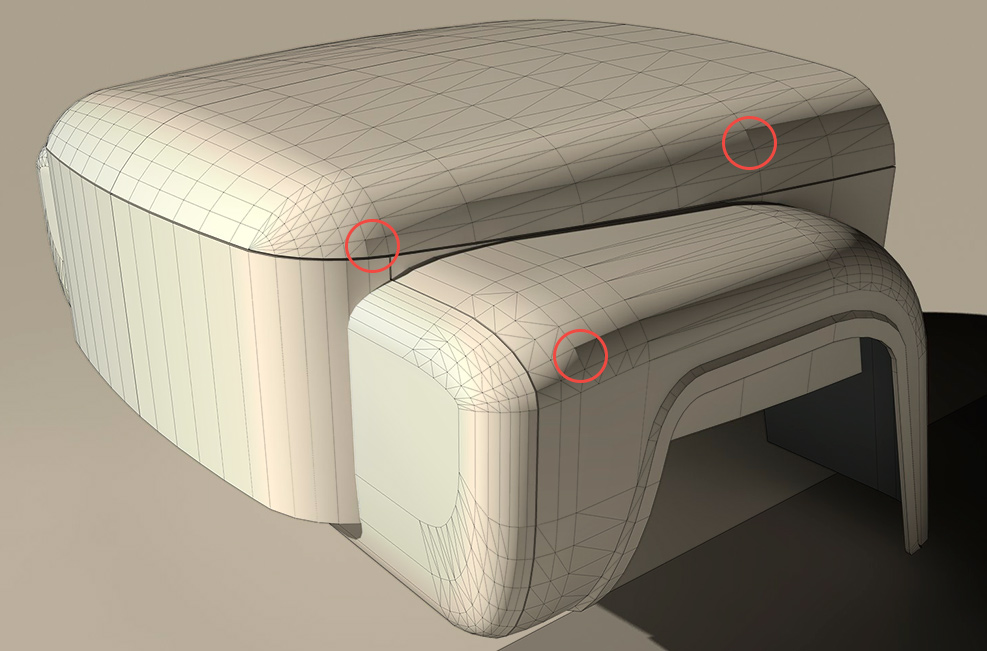
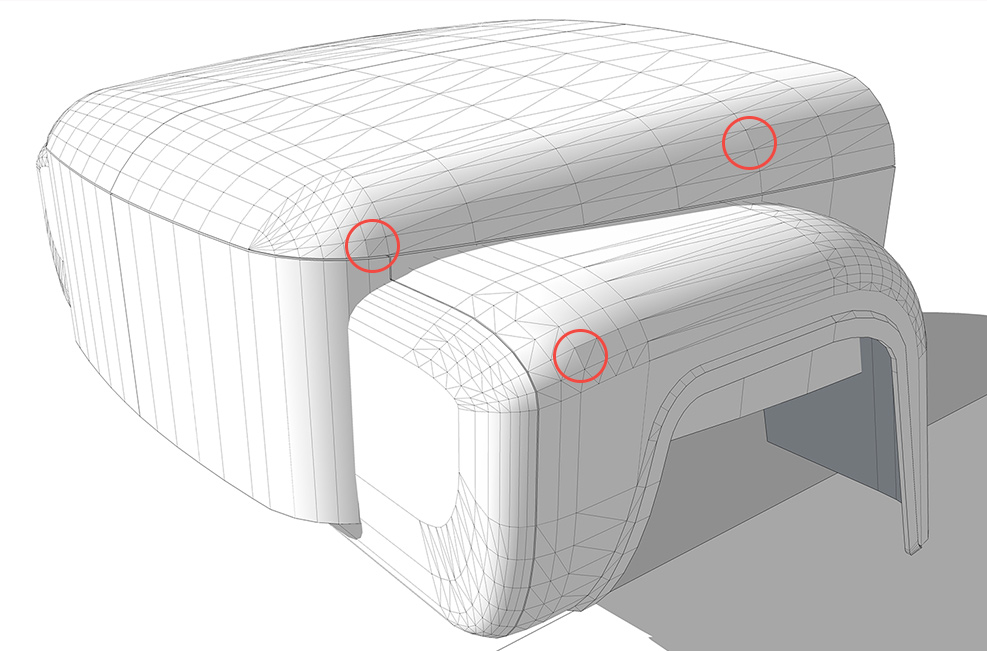
-
It's hard to tell without seeing the SKP file but it looks to me as if either those edges are hidden instead of softened and/or there are internal faces connected to those edges.
-
I think Dave's got some good intuition on that -
 . Could you upload the model?
 -
@dave r said:
It's hard to tell without seeing the SKP file but it looks to me as if either those edges are hidden instead of softened and/or there are internal faces connected to those edges.
Here is closeup view of the top-right poly.
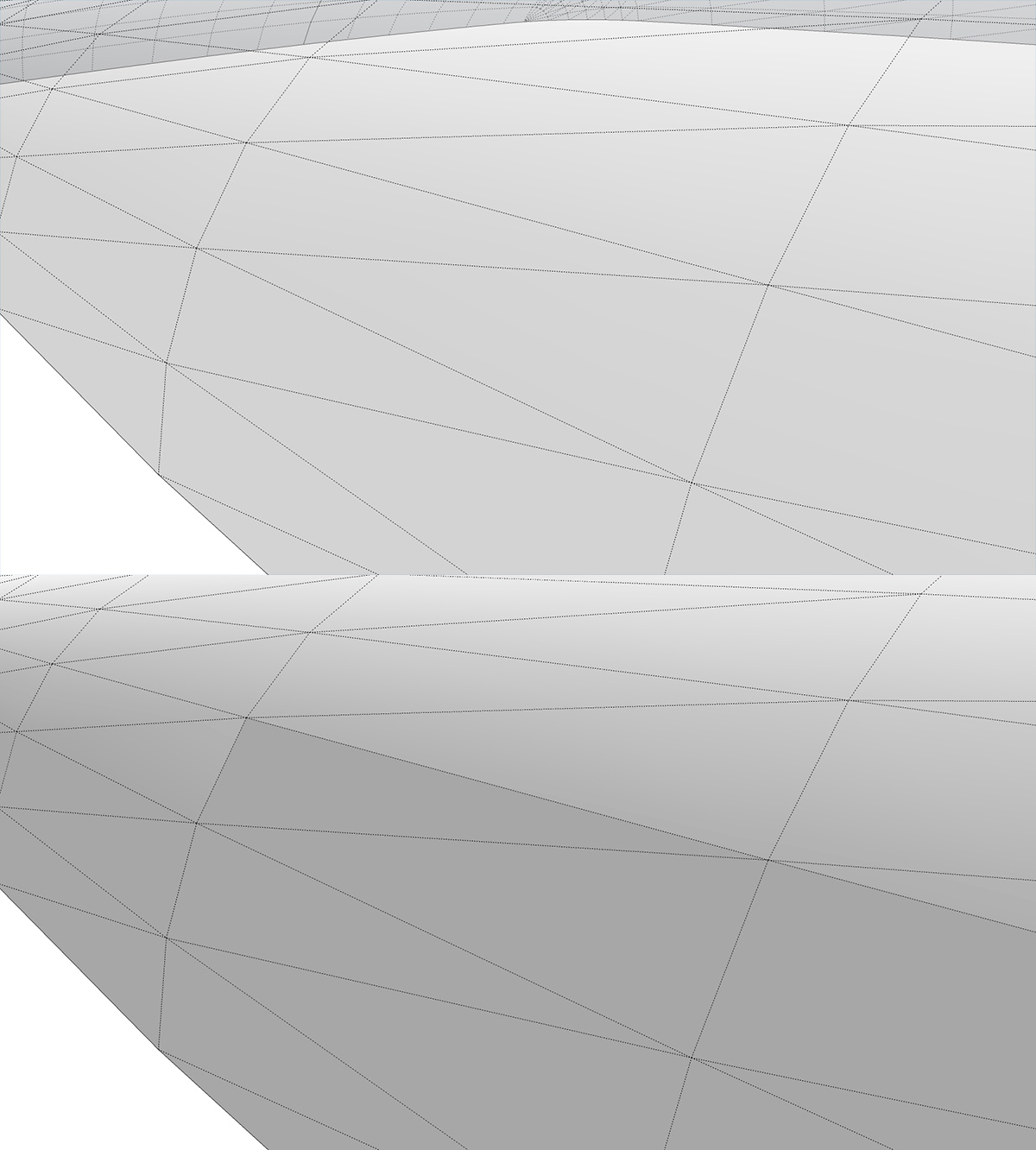
I manually deleted all 3 lines, then made them again with "Line" tool, and erased with Ctrl pressed. Nothing changed. This put me into a dead end.
-
my guess.. nothing is wrong with them.. ?
(edit) i mean- why are you saying something is wrong? the shading?
[edit2] well, actually.. along with what dave is saying, are you sure you know the difference between hidden lines and softened lines? the dashes are hard to see in the screenshots but they're looking hidden.. but that's shift-eraser)
-
@chris fullmer said:
I think Dave's got some good intuition on that -
. Could you upload the model?Allright, here it is:
-
its just something to see with shadows, if you change a little the hour or the month everything goes ok.
-
yeah.. thats the way the flat surfaces are shading (you can't have a truly gradual shade on a curved object being represented by flat facets.. not inside of sketchup itself..)
here's your model with the sun position changed.. now you have 'problem' polygons in other locations.. see?
[edit- yeah.. what gilles is saying]
-
@gilles said:
its just something to see with shadows, if you change a little the hour or the month everything goes ok.
Do you think so? They look very hard-edged on a render. I don't like it at all ))
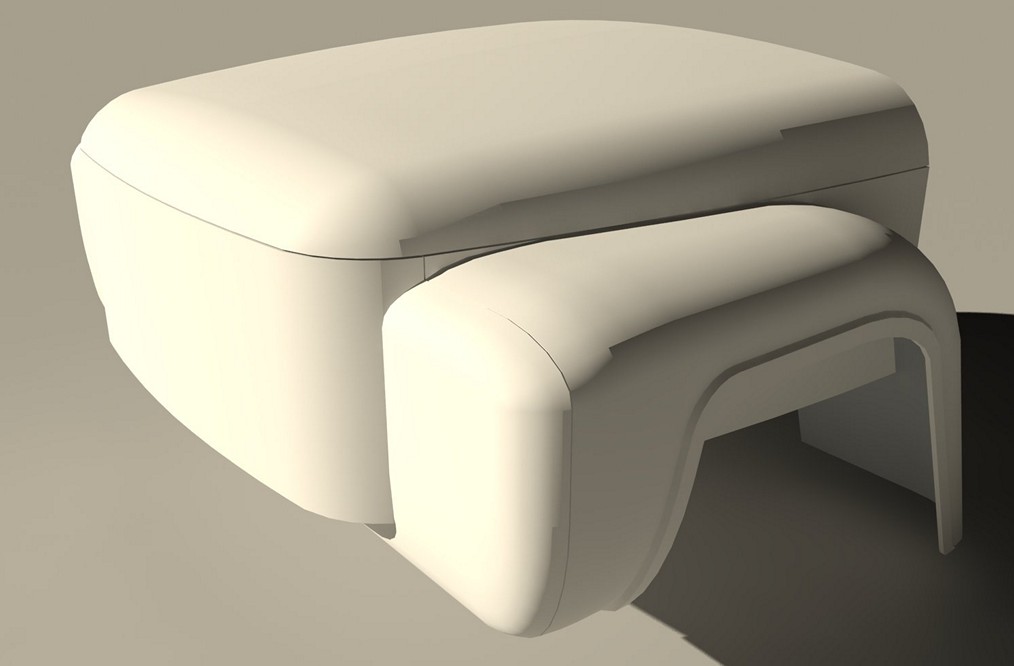
-
@gilles said:
its just something to see with shadows, if you change a little the hour or the month everything goes ok.
@unknownuser said:
yeah.. thats the way the flat surfaces are shading (you can't have a truly gradual shade on a curved object being represented by flat facets.. not inside of sketchup itself..)
here's your model with the sun position changed.. now you have 'problem' polygons in other locations.. see?
[attachment=0:1f7woi5z]<!-- ia0 -->zil_debug.skp<!-- ia0 -->[/attachment:1f7woi5z]
[edit- yeah.. what gilles is saying]
Now i understand. I made a render with another sun position and yes, hard edges appeared in the some new positions. And how it can be avoided? I need to make more hi-poly model?
-
I am not very aware with render, but you must have option in them to soft edges without increasing geometry.
-
What software are you using to render with?
-
-
In SketchUp you'll see that those faces that are extra dark are in a shadow from the sun. Try this, turn off shadows and turn on "Use Sun for Shading". You see you get a smooth shading, but no hard shadow lines. I know that doesn't help with V-Ray though.
Maybe in v-ray do something to help diffuse your sunlight. I'm not sure how V-Ray works, but can you make you sun physically larger? I think it would help if you didn't have a small point of light casting the shadows, but if you had instead a large light that would create softer shadows. That might be something to try.
-
@chris fullmer said:
In SketchUp you'll see that those faces that are extra dark are in a shadow from the sun. Try this, turn off shadows and turn on "Use Sun for Shading". You see you get a smooth shading, but no hard shadow lines. I know that doesn't help with V-Ray though.
Maybe in v-ray do something to help diffuse your sunlight. I'm not sure how V-Ray works, but can you make you sun physically larger? I think it would help if you didn't have a small point of light casting the shadows, but if you had instead a large light that would create softer shadows. That might be something to try.
Thank you very much for bringing me to a couple of ideas!
1.Increase the size of the sun (1 to 24):
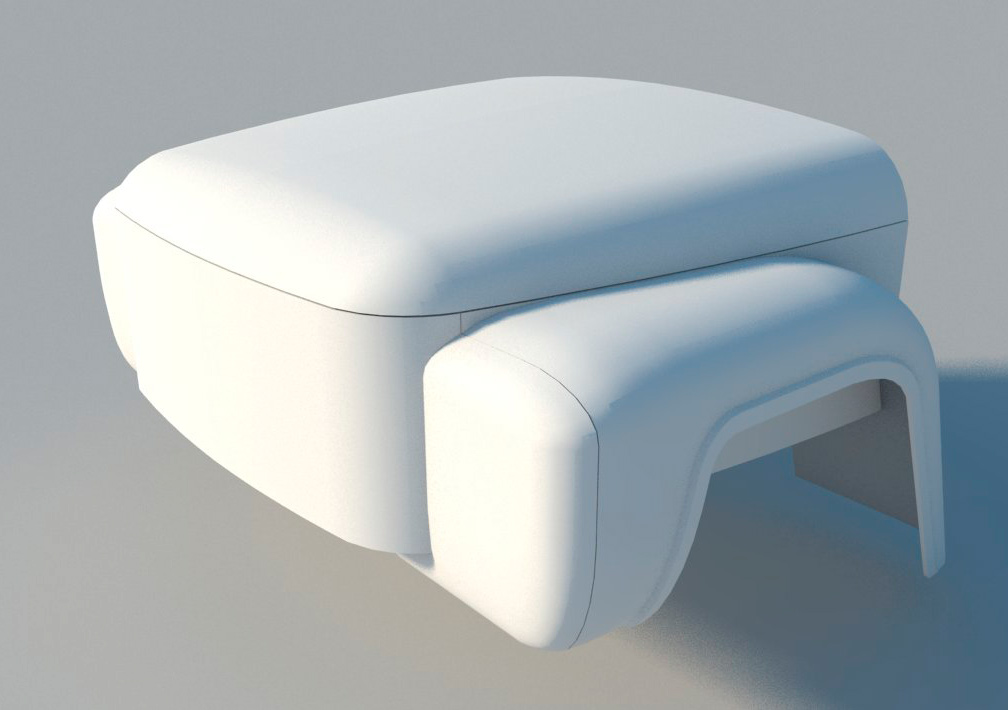
- Do not use the sunlight at all. I tried a rectalgular light instead:
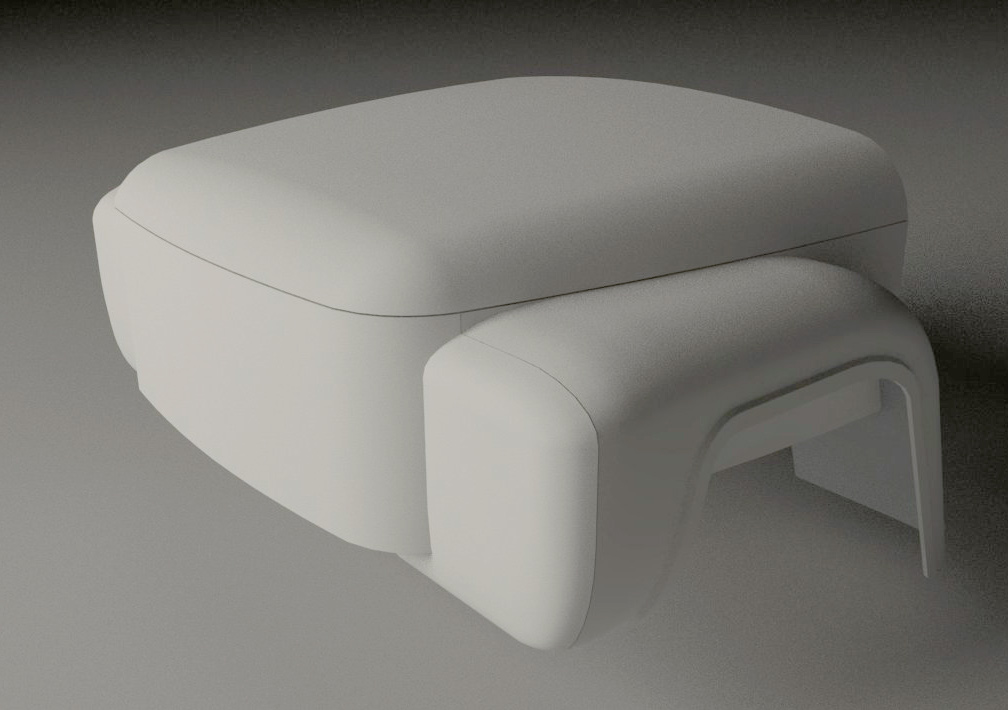
I think I shall not use sunlight with this model.
And thanks to all for suggestions! - Do not use the sunlight at all. I tried a rectalgular light instead:





Hello! It looks like you're interested in this conversation, but you don't have an account yet.
Getting fed up of having to scroll through the same posts each visit? When you register for an account, you'll always come back to exactly where you were before, and choose to be notified of new replies (either via email, or push notification). You'll also be able to save bookmarks and upvote posts to show your appreciation to other community members.
With your input, this post could be even better 💗
Register Login


Advertisement