Kerkythea Masking and Maintaing Color Question
-
I am trying to do something very basic in the material editor. I want to put a logo over a color while maintaining the colors of th logo. I have a red color on one layer and the logo png on another. But when I click on "use alpha" the transparency kicks in but the logo turns solid white with no color. I even tried using a jpeg of the logo in the diffuse channel and the png in the clip mapping but I keep getting a white logo. Does anyone know what I am missing?
-
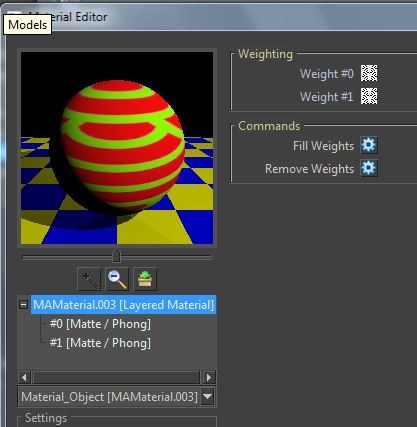
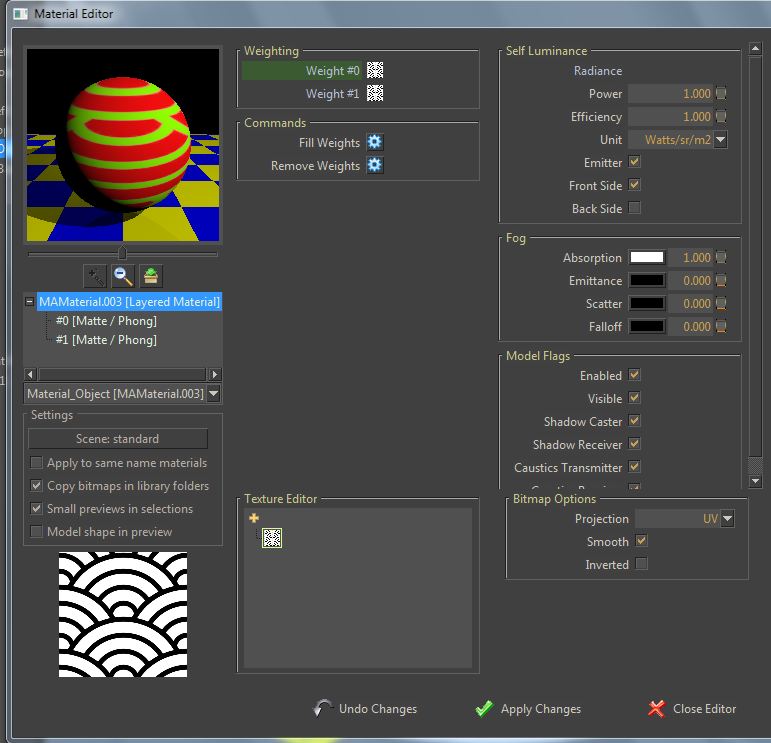
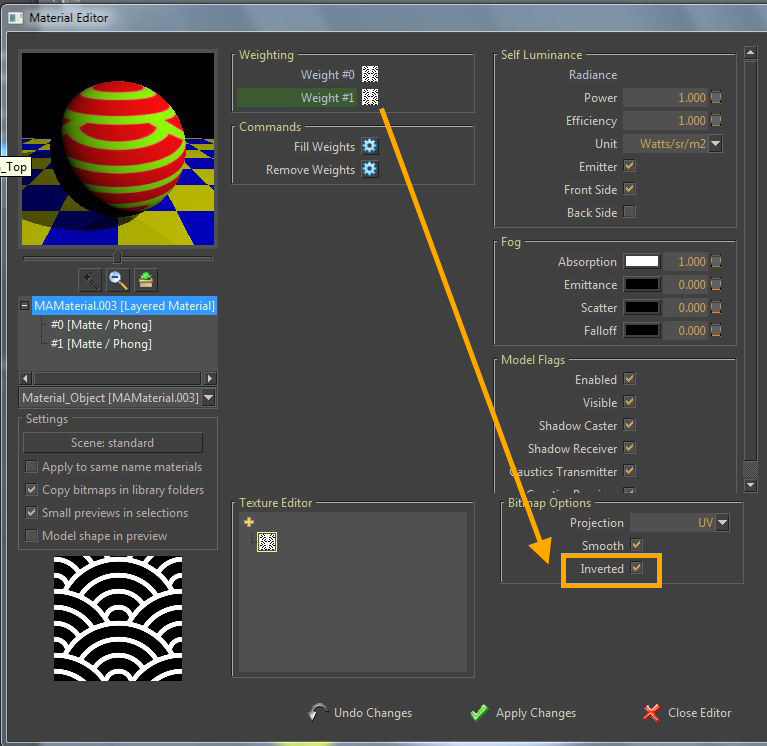
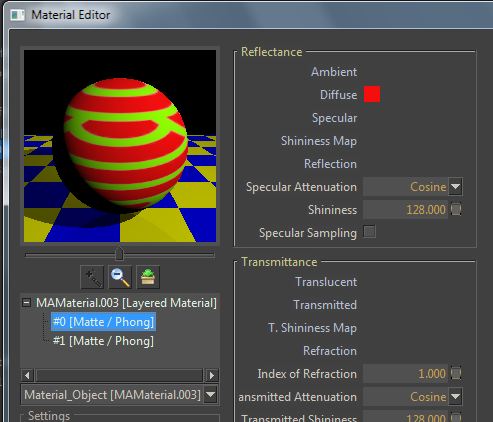
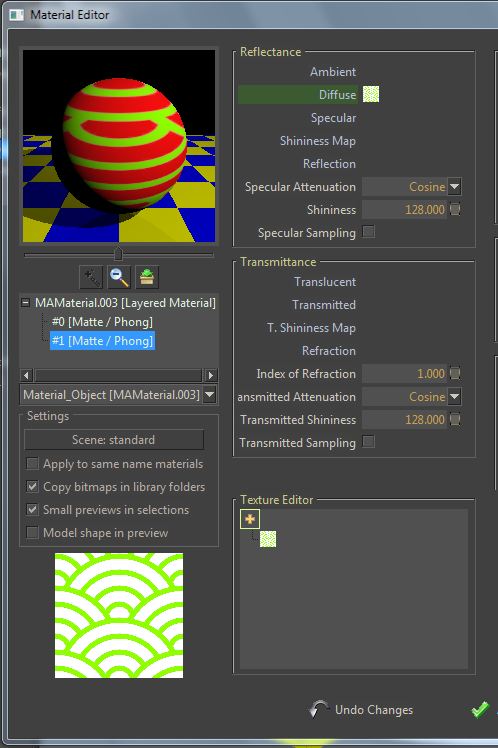
If you want something like the attached picture (supposing that the green pattern is your logo and your background is red) follow the steps below.


-
Thank you so much! Your tutorial worked for me.
Now there is just one other mystery I want to solve. I want to experiment with existing materials from the library as backgrounds. When I click on "Material Instance" the words are added to the list but nothing happens. If I right click, nothing happens. How can I get the bronze material as a background layer?
EDIT: Mystery solved. I did a search and found out that in KT2008 I have to select the existing materials from the preview screen. I'm good to go. Thanks again.
-
You're welcome.


Hello! It looks like you're interested in this conversation, but you don't have an account yet.
Getting fed up of having to scroll through the same posts each visit? When you register for an account, you'll always come back to exactly where you were before, and choose to be notified of new replies (either via email, or push notification). You'll also be able to save bookmarks and upvote posts to show your appreciation to other community members.
With your input, this post could be even better 💗
Register Login


Advertisement