Have I dreamt this .... ?
-
Hi,
Can you tell where I could have seen a little tutorial that showed the user how to reinstate shadows onto photoshopped surfaces, and then bring it into PS for a little bit of jiggery pokery.
Was that on here? Does it even exist?
Thanks.
-
hmmm, try looking on youtube for Sketchup and Photoshop, if it's still there...
-
I don't think it was a video.

-
I did a tutorial awhile back showing how I make soft shadows and the appearance of multiple light sources. Could that be what you're looking for?
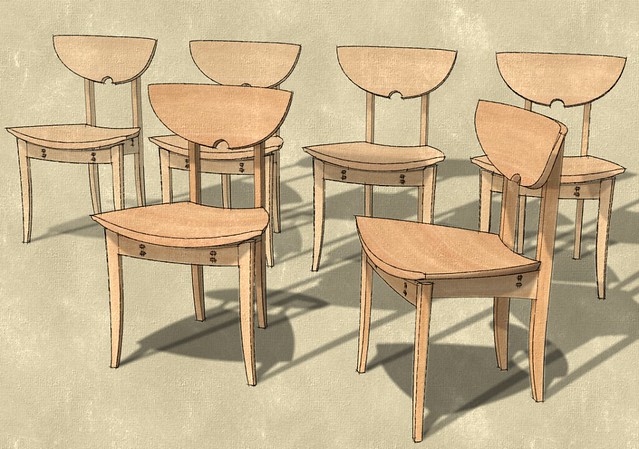
{url=http://forums.sketchucation.com/viewtopic.php?f=18&t=37662&p=375114&hilit=soft+shadows+[tut]#p375114]-[/url] -
Thanks Dave, this is great but it wasn't this one.

-
@unknownuser said:
how to reinstate shadows onto photoshopped surfaces, and then bring it into PS for a little bit of jiggery pokery.
can you expand a little on the 'reinstate shadows' part? From where? SU Output
@unknownuser said:
little bit of jiggery pokery
also here needs some work too

-
Sorry Rich, it's no big deal really, hence the limited information.
But, the tutorial I was after told you how to take a textured surface which has shadows on it, change the surface to white, export the rendered SU image with the shadows on, bring into photoshop, add grass/surfacing in PP, then import the previoulsy rendered shadow into photoshop and then use a blending option (multiply?) so that an realistic shadow now appears on your photoshopped surfaces.
I may have just answered my own question there!

-
Case closed.
Nice tut thanks for sharing

-
It may have been on another forum? Like Twilight or something (I also remember...)





Hello! It looks like you're interested in this conversation, but you don't have an account yet.
Getting fed up of having to scroll through the same posts each visit? When you register for an account, you'll always come back to exactly where you were before, and choose to be notified of new replies (either via email, or push notification). You'll also be able to save bookmarks and upvote posts to show your appreciation to other community members.
With your input, this post could be even better 💗
Register Login


Advertisement