Making a curved pole
-
Hi

I am newbie SketchUp user. Started about a week ago.
I made a model of a swimming pool using the basic line, rectangle, circle tools.
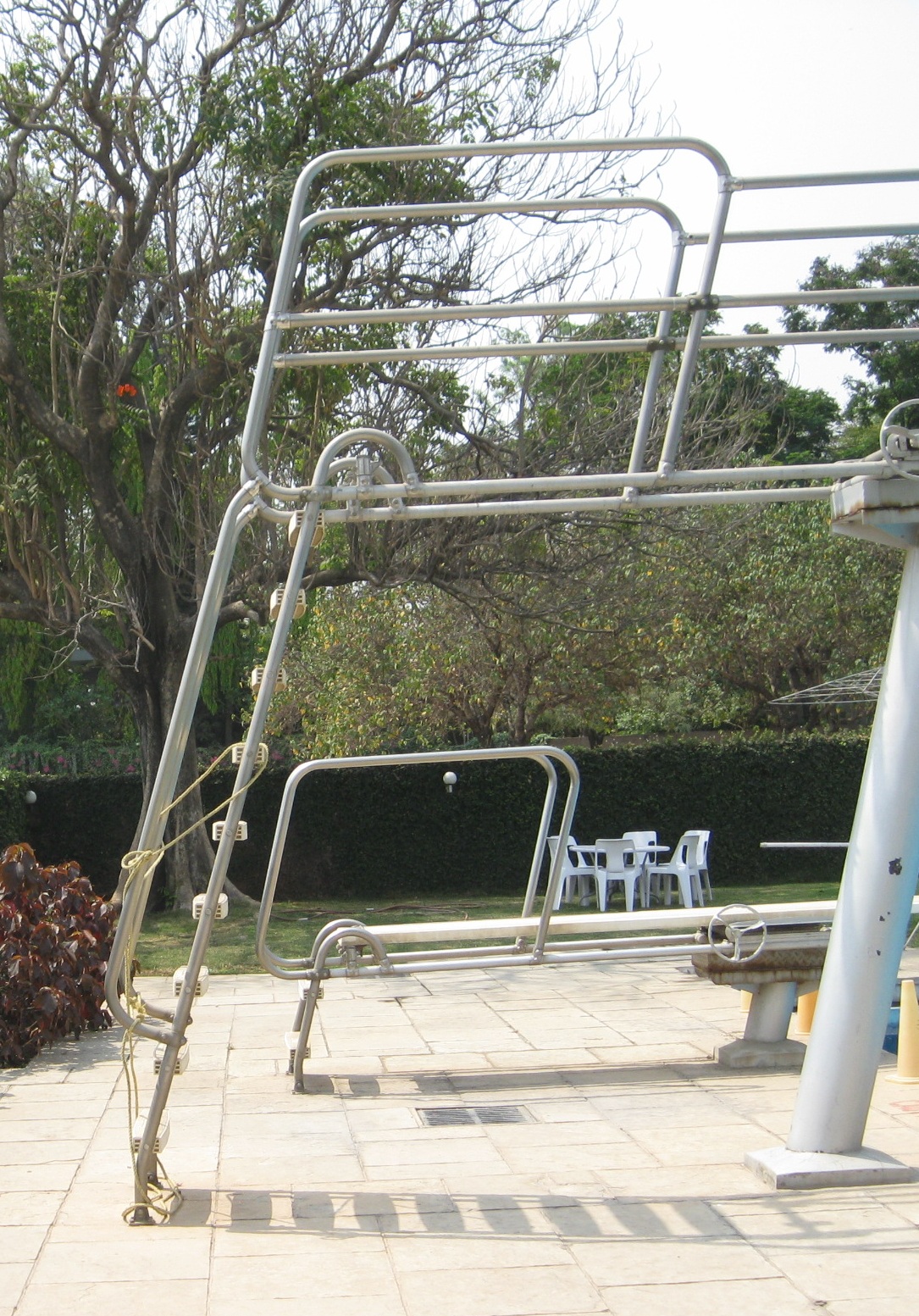
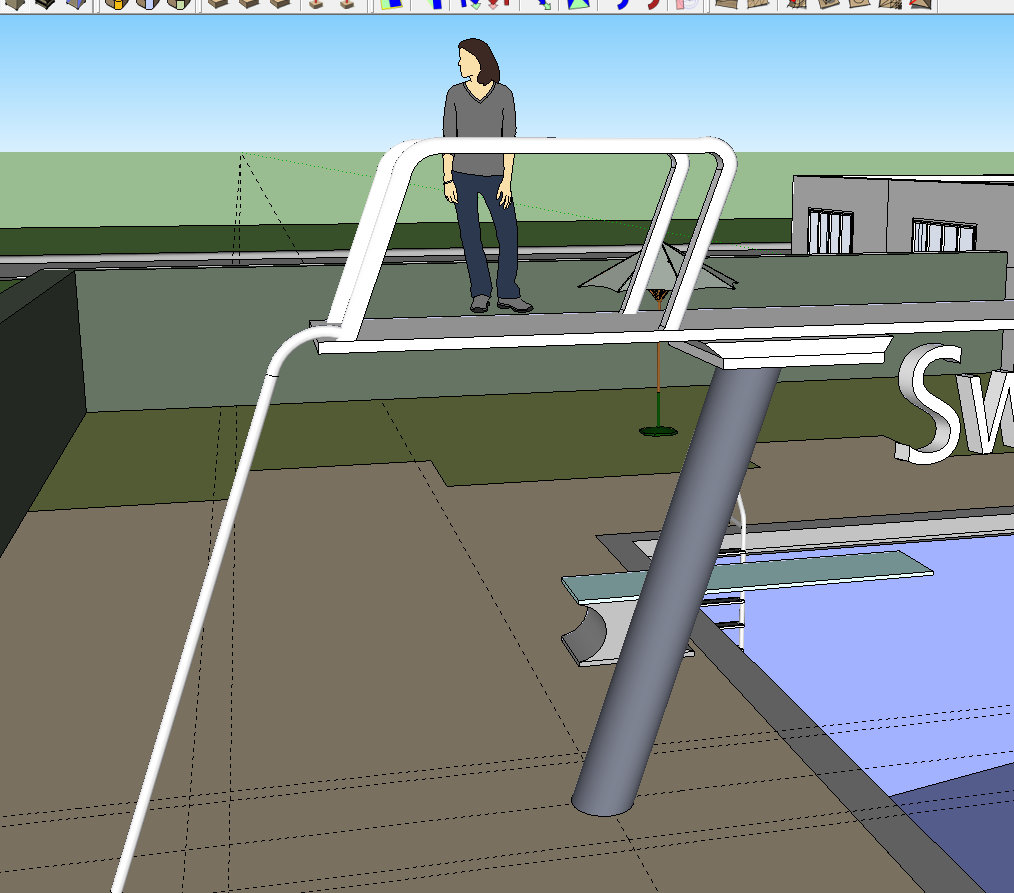
Now, I am trying to model the diving board in the pool. I searched for it in Google warehouse but couldn't find any.The problem is with the guard-rail thingy. Its curved and I'm unable to figure out how to model the thing.
I've attached a picture of what I'm trying to make.I made the pole by using the shear option in FredoScale plugin. However the top 'arch' of the pole is where I'm getting stuck. I tried using the follow-me tool to get the curve, but it didn't work.
Any suggestions how I can get it done?
Thanks!

-
Maybe try with Followme and Keep ?
-
Also have look at "lines to tubes".
http://forums.sketchucation.com/viewtopic.php?t=12354#p88592 -
Since it is all round tubing, native Follow Me will do the trick. Or, if you need another plugin option, Tube Along Path, an oldie but goodie, will work.
-
[off:1nswdh8e]Dave beat me but still...[/off:1nswdh8e]
Guys I do not think any plugin would be needed here (not even fredo's shear). The whole thing could be done with a simple follow me operation. The curves only curve on a single, vertical plane so there is no difficulty in it at all.The matter is to plan all the paths for the follow me tool ahead.
-
@unknownuser said:
The matter is to plan all the paths for the follow me tool ahead.
That's why I'd use Lines to tubes: select all the lines then Tools/ convert lines to tubes.
-
Have you the Gaieus file in V6 ?
-
-
Thanks for your replies!
As I said, I'm very new to Sketchup. I'd be grateful if you could tell me about the following:
-
@Gaieus: How did you make the curve? I tried recreating what you made in the 'slide.skp' file. I made a slanting line. Then a horizontal one. And then using the arc tool I joined the end-point of the first line and the start-point of the second to draw the arc. This left me with 3 segments and I couldn't use the follow-me tool.
-
How would you draw the above curve in a 'crowded' file. I mean, in my file there are lots of objects. I tried to draw the curve by going into 'parallel projection' camera mode and then going to 'Front' view to draw the curve. But then too I had problems with snapping.
-
-
Hi Lionrock, hi folks.
@unknownuser said:
- @Gaieus: How did you make the curve? I tried recreating what you made in the 'slide.skp' file. I made a slanting line. Then a horizontal one. And then using the arc tool I joined the end-point of the first line and the start-point of the second to draw the arc. This left me with 3 segments and I couldn't use the follow-me tool.
Click in sequence on the scenes tabs of attached SU file for ideas.
Arc tangent to two intersecting edges.skp
@unknownuser said:
- How would you draw the above curve in a 'crowded' file. I mean, in my file there are lots of objects. I tried to draw the curve by going into 'parallel projection' camera mode and then going to 'Front' view to draw the curve. But then too I had problems with snapping.
Create a component (or a group) with your object. Then, use View Menu --> Component Edit --> Hide rest of model. This will allow you to see only the object being edited. When done, right click in the void and click on the pop-up close groupor close componentor simply click outside the component/group bounding box. The rest of the model will reapears.
Just ideas.
-
Seems there is no viewer version for V8 only for V7 !
So if someone can transform the V8 of Jean in V6
-
Jean's tutorial sums it up. Here are two screenshots as well. When done with the arc, just delete the corner. I also used a plugin called Weld to make the two, straight edges and the arc one, continuous polyline but that is not necessary.
[off:39w7z7lh]Pilou: upgrade to v8 [/off:39w7z7lh]
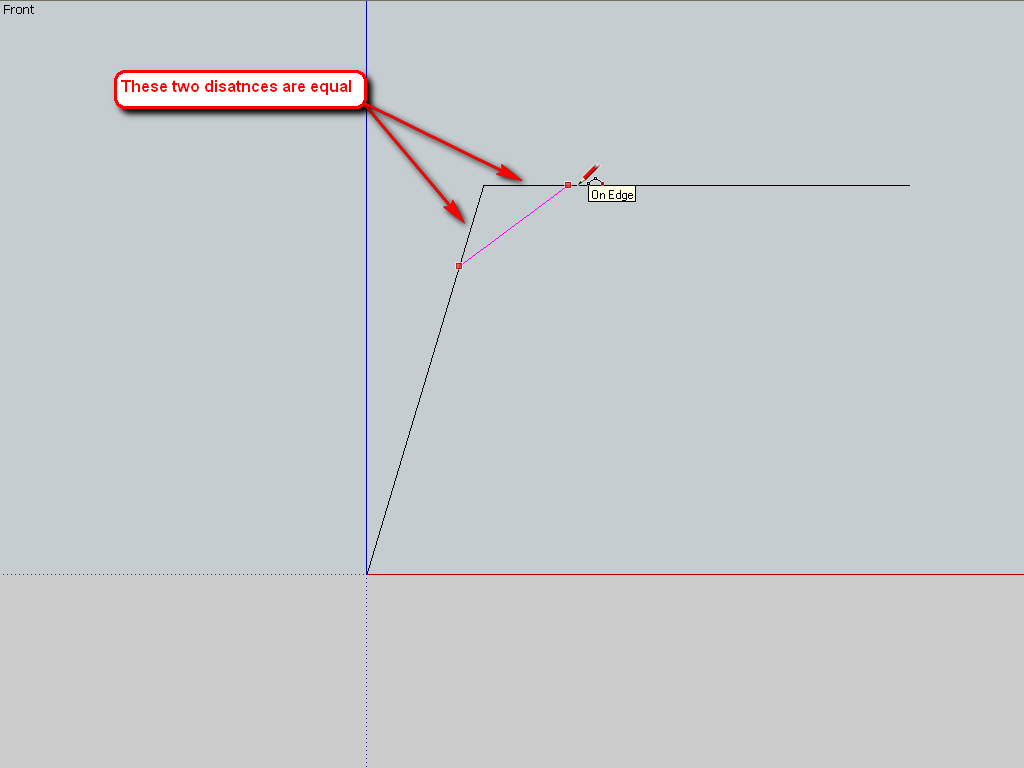
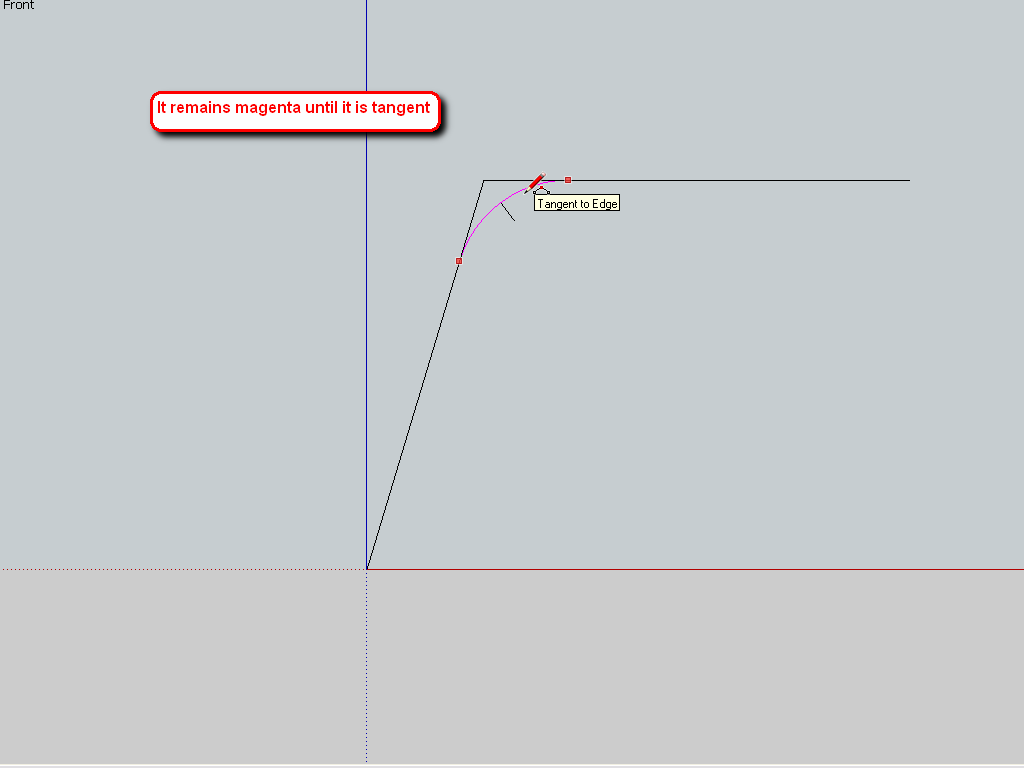
-
In your photograph the structure appears to be symmetrical down the center of the ladder and diving board. I would only draw one half of the structure, copy it and flip the copy to create a mirror image. This will help with the "crowded drawing and also save you work and time.
-
The problem of all plugins on path, is they have problems to be stay // on the surfaces!
So path must be extended or other little tricky hand modifications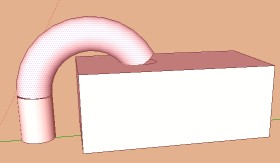
-
Thank You Jean.
The skp file you provided was very helpful. I have the concepts cleared now. Thanks a lot!
I made one pole using the regular follow me tool.
Another one I made using the Lines2Tubes plugin.The 'Hide Rest of the Model' option is awesome! Just what I was looking for. This is one option I'm going to keep using from now on.
Thanks Gaieus. The weld plugin seems interesting. I will check it out.
Yes, Dave. I'm making one pole and then I will copy it and flip it to create the mirror copy.
Pilou: I understand what you're saying. In your screenshot, to remove the gap between the end of the pole and the top of the box, you'd have to extend the path into the box, yes?
In my case, I merged the pole with the handle bars on the dive board.
Thanks everyone for your prompt replies
-
[off:2dowdugd]you know… just trying out this off thing… carry on..[/off:2dowdugd]
-
@unknownuser said:
you'd have to extend the path into the box, yes?
Yes and intersect... erase... etc or Boolean Diff if V8 pro...






Hello! It looks like you're interested in this conversation, but you don't have an account yet.
Getting fed up of having to scroll through the same posts each visit? When you register for an account, you'll always come back to exactly where you were before, and choose to be notified of new replies (either via email, or push notification). You'll also be able to save bookmarks and upvote posts to show your appreciation to other community members.
With your input, this post could be even better 💗
Register Login


Advertisement