Hi from italy---problems with skp on mac
-
hi everyone,
compliment to this great website and forum.
i'm Mauro from italy and i'm an architect
i've used skp since 2005 but only for windows, it was a great period,...also with vray plugin
but now...with my new mac, i can't really use it anymore...imac i7 16gb ram ati 2gb
when i open my file (between 7mb and 50mb) it is going in "loop" and i can't do anything
my mac works and works but doesn't open the file...the same file (original from mac) hasn't problem opening with my old pc (ram3giga)....
i can't belive this thing!
i've just tried to take my mac to mac center (they test for 3weeks) but my problem doesn't resolved!
could be the Ati graphic? Any Ideas? plz help your new italian follower!!!
greetings from Milan
Mauro -
Most likely it is the ATI graphic card, but we don't know enough about it to say for sure. Sometimes a card that is considered inadequate for use with Sketchup turns out to do just fine. Actually, Sketchup doesn't require a high end card. It is the rendering applications that demand upper end cards. This is what I understand from being around here and reading a lot.
-
this morning i will try on a macbook with nvidia the same files...
stay tunedmauro
-
@archlopane said:
hi everyone,
compliment to this great website and forum.
i'm Mauro from italy and i'm an architect
i've used skp since 2005 but only for windows, it was a great period,...also with vray plugin
but now...with my new mac, i can't really use it anymore...imac i7 16gb ram ati 2gb
when i open my file (between 7mb and 50mb) it is going in "loop" and i can't do anything
my mac works and works but doesn't open the file...the same file (original from mac) hasn't problem opening with my old pc (ram3giga)....
i can't belive this thing!
i've just tried to take my mac to mac center (they test for 3weeks) but my problem doesn't resolved!
could be the Ati graphic? Any Ideas? plz help your new italian follower!!!
greetings from Milan
MauroI suppose it is either the GPU or the file. you have a superb machine and it should not give you any trouble.
-
My friend didn't come unfortunately,
I've tested some files on other pc (my vaio and another hp desktop 3giga di RAM) they all work with absolute no no problem!!!
I really dont understand what's going on !!! -
On a macbook with nvidia 512 RAM all my files work pretty good
I'm really going crazy now!!!Did anyone had esperience like this ??,?????
-
Is your problem MAC's ATI graphics card configured properly in its 'Control Panel' ?
Have you tried adjusting the related various OpenGL settings in the Sketchup > Window > Preferences ? -
There are no settings for the graphics cards inside the OSX least there aren't on mine with NVIDIA GeForce 8800 GT 512 MB. So I would suggest opening up SU new file go to Preferences and on OpenGL make sure Hardware Acceleration is checked and check Fast Feedback, could be when you installed SU on your new MAC they weren't on by default. just a thought hope it helps.
-
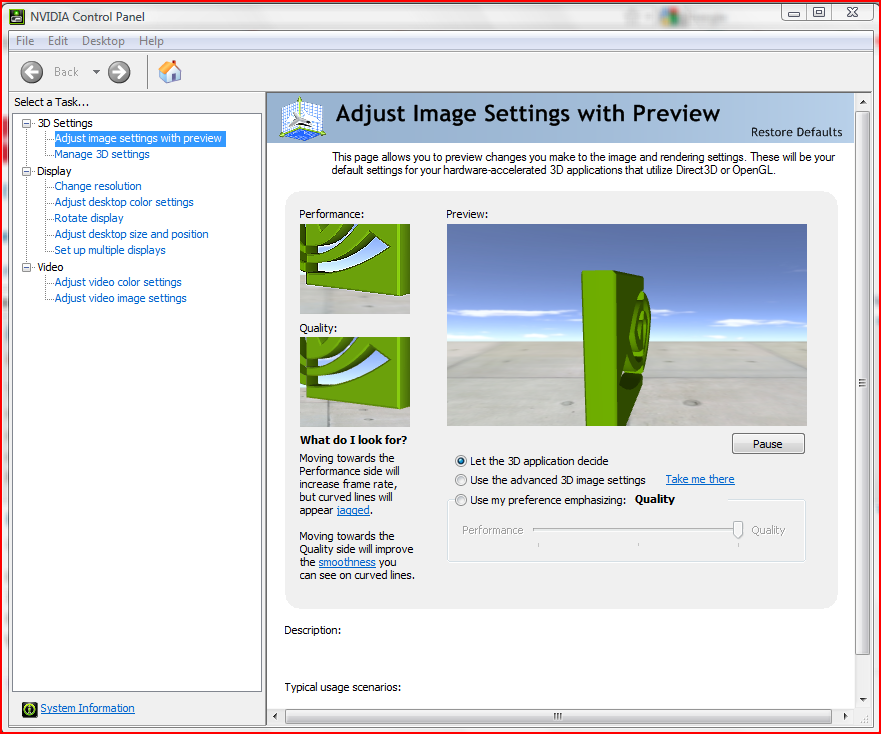
This is my PC's NVIDIA Control Panel - surely you have an equivalent on a MAC ?
-
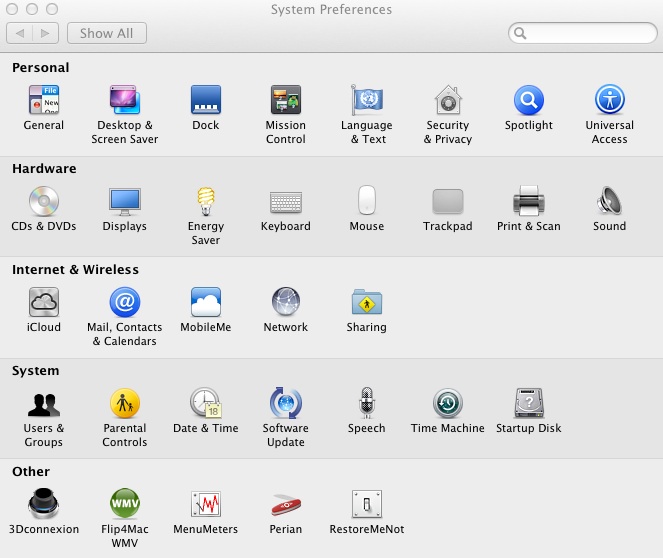
I was a little disappointed to find that I had no control panel for graphics card on Mac when I started using it I did on XP and I think the enhancements actually came from NVIDA drivers so prevalent for Windows but not so for Mac I've searched my computer, NVIDA website still came up empty handed only way to update driver is if Apple updates.
Screen shot of System Pref equivalent of Control Panel Win
-
I Made an experiment on my Mac .
Bootcamp with Windows
On this partition i installed skp free and vray demo win version.
Incredible!!!! All my fail files opening!! And go really Well!!!Returning on Mac they stil don't work!
N
And now????? -
So... something on the MAC side is not set correctly...




Hello! It looks like you're interested in this conversation, but you don't have an account yet.
Getting fed up of having to scroll through the same posts each visit? When you register for an account, you'll always come back to exactly where you were before, and choose to be notified of new replies (either via email, or push notification). You'll also be able to save bookmarks and upvote posts to show your appreciation to other community members.
With your input, this post could be even better 💗
Register Login


Advertisement