24 Hour time for Shadows?
-
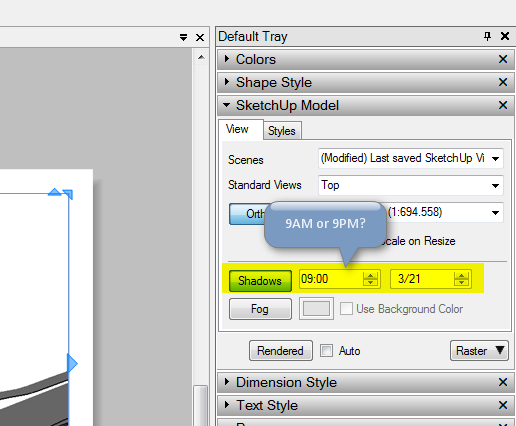
The shadow time in Layout seem to be 12 hour only. With no indication of AM/PM.
Ideally I'd like to have 24 hour time - but as it is now it's just plain confusing what the time is.Anyone?
-
I'm not sure that I follow you.

How are you 'seeing' the 'shadow-time' in Layout ?
Isn't it a property that you should access in the SKP itself ?? -
-
I'm using layout to set up a Sun / Shadow study. Wish it was easier to set up. Also which I could adjust for DST. (timezone)
But that's just candy - not being able to see difference between AM/PM is silly. (AM/PM is silly anyway - 24hour for the win!)
-
My PC Layout shows it fine under that dialog - as AM or PM, using the arrows up/down to change between the times.
Are you typing in times rather than using the arrows ?
Is that a MAC screenshot ?
Looks like another one you the bug-reports
-
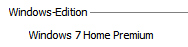
It's Windows 7...
-
OK on my Vista
-
Just verified on my home computer, Windows 7. ( First one was office computer. )
-
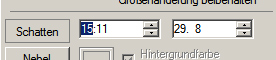
I can change the shadow time from 00:00 to 23:59 on my windows 7 computer...
-
So in your Win7 [looks like a XP display
] you can get a 24hr clock 0.0-20.59In my Vista [24hr system clock set] I get AM / PM suffix...
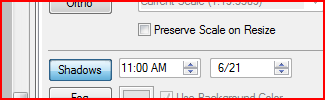
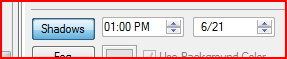
Thomthom gets NO AM/PM and he is limited to 0.00-12.59 - the worst of both worlds... -
I can type value between 00-24 - but I can't tell what it is. And when I do type a 13-24 number it doesn't seem to set it right all the time... erratic...
-
-
Heavy model, so I disabled automatic refreshing. Took too long.




Hello! It looks like you're interested in this conversation, but you don't have an account yet.
Getting fed up of having to scroll through the same posts each visit? When you register for an account, you'll always come back to exactly where you were before, and choose to be notified of new replies (either via email, or push notification). You'll also be able to save bookmarks and upvote posts to show your appreciation to other community members.
With your input, this post could be even better 💗
Register Login


Advertisement