Blending rounded corners of different radii
-
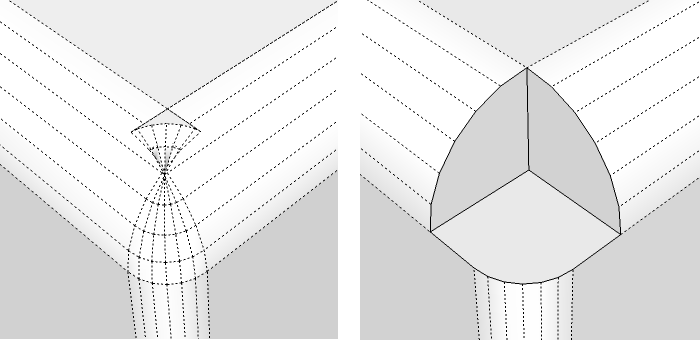
I'm making a box with rounded corners on the vertical edges using a 3" radius, but I want to put a rounded corner around the top surface at a 6" radius. When I try to do this using Fredo6's rounded corners tool, I get the result shown in the picture on the left. I'm trying to figure out how to fill the void shown in the picture on the right. I have a feeling that there is a simple solution but I'm stumped...can anyone help? Thanks!
-
What should it look like? Have you figured out a way to make that work manually?
-
Chris - I want the missing corner shown in the right hand picture to be filled with a surface that is blending between top surface and the sides. I haven't figured out a way to do it manually yet!
-
use curviloft by fredo
(you may have to swap rails/profiles until you get the proper orientation)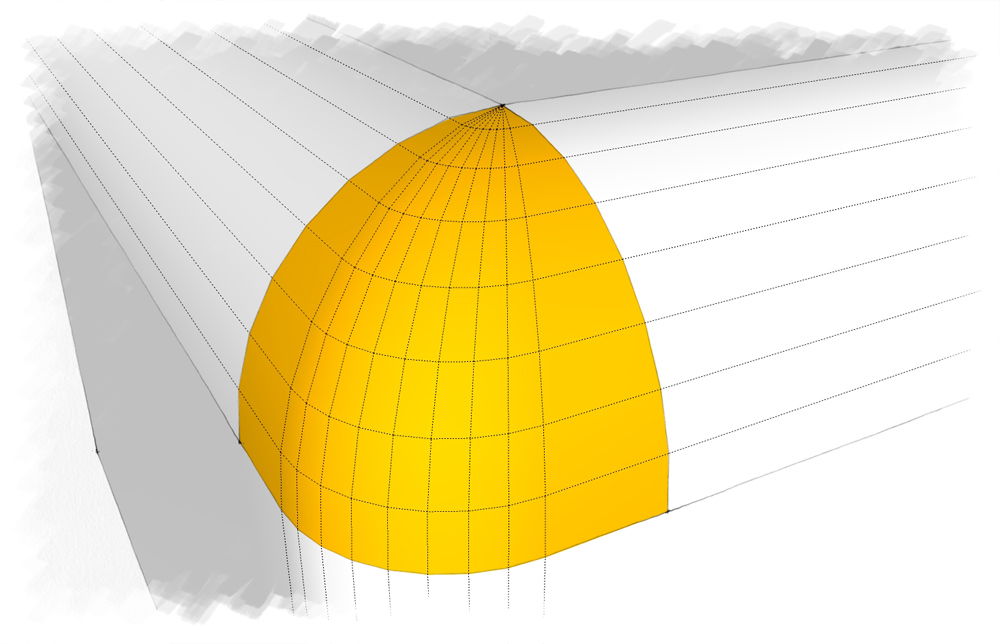
-
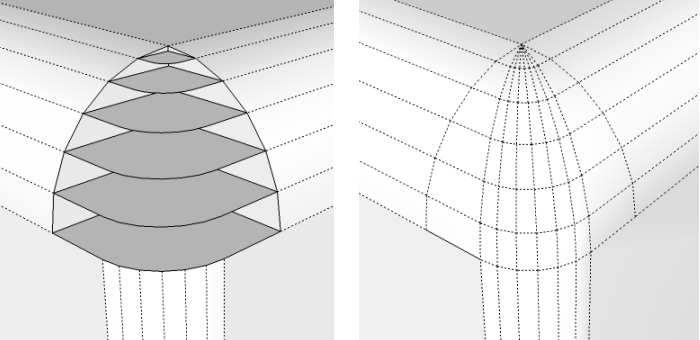
THANKS! I figured out how to do it manually like this, but I would much rather use the plug-in! Many thanks Jeff!!!!
-
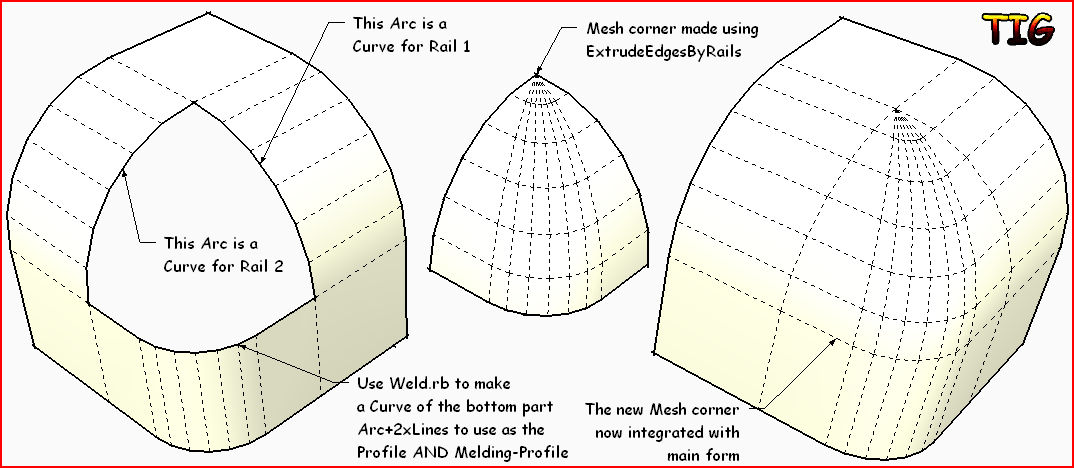
Or try my ExtrudeEdgesByRails tool...
-
@tig said:
Or try my ExtrudeEdgesByRails tool...[attachment=0:3fyeuj77]<!-- ia0 -->Capture.PNG<!-- ia0 -->[/attachment:3fyeuj77]
Thanks TIG!




Hello! It looks like you're interested in this conversation, but you don't have an account yet.
Getting fed up of having to scroll through the same posts each visit? When you register for an account, you'll always come back to exactly where you were before, and choose to be notified of new replies (either via email, or push notification). You'll also be able to save bookmarks and upvote posts to show your appreciation to other community members.
With your input, this post could be even better 💗
Register Login


Advertisement