First work - House
-
Hey all,
New to sketchup since about a month.
After completing lots of tutorials, I started working on my house I bought a few months ago (the initial reason I started with Sketchup).
Because a lot of renovation needs to be done, I'm using the model to get an idea of how all the possibilities will look in real life.It's still a work in progress, but the first floor does start to get some shape:
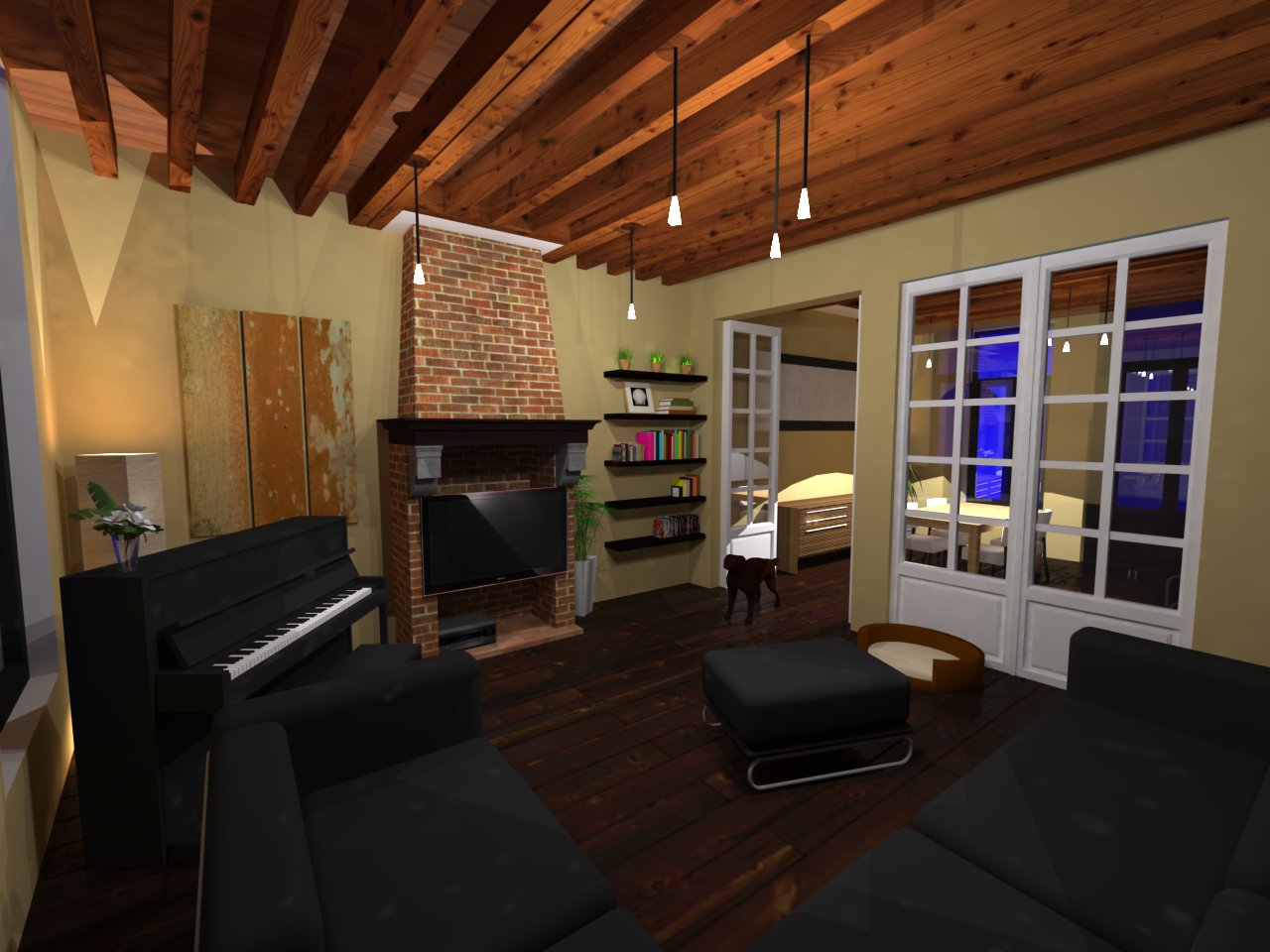
Work that is planned for this floor:
- Update textures to higher quality ... I think it will improve the overall quality of the image a lot!
- Replace some models from 3D warehouse with my own models: TV, couch (probably only the aluminium bars and the texture), chairs, ... I am quite happy with the piano, although I should give it a shiny look
- Update the lights ... they are a bit too 'cheap' at the moment.
- Reduce reflectivity in the door glass.
- Use an HDRI map
However, I do have some questions:
-
I get some weird spots when rendered in Vray (which is a pain in the *ss, but gives such nice results !). Look at the couch for examples, but it's in fact all over the image. The lights are made of a simple shape with a glass material I downloaded from the ASGVIS. Then I include an omnidirectional light within that shape. Anyone has any ideas of how to resolve the spots ? When I increase the transparancy of the material, the spots disappear and they get worse when decreased. Also, when using a standard Sketchup color, it's worse.
-
Should I use an emissive layer in vray to create realistic glow around the lights ?
Still lots of work to do, but this is the house itself
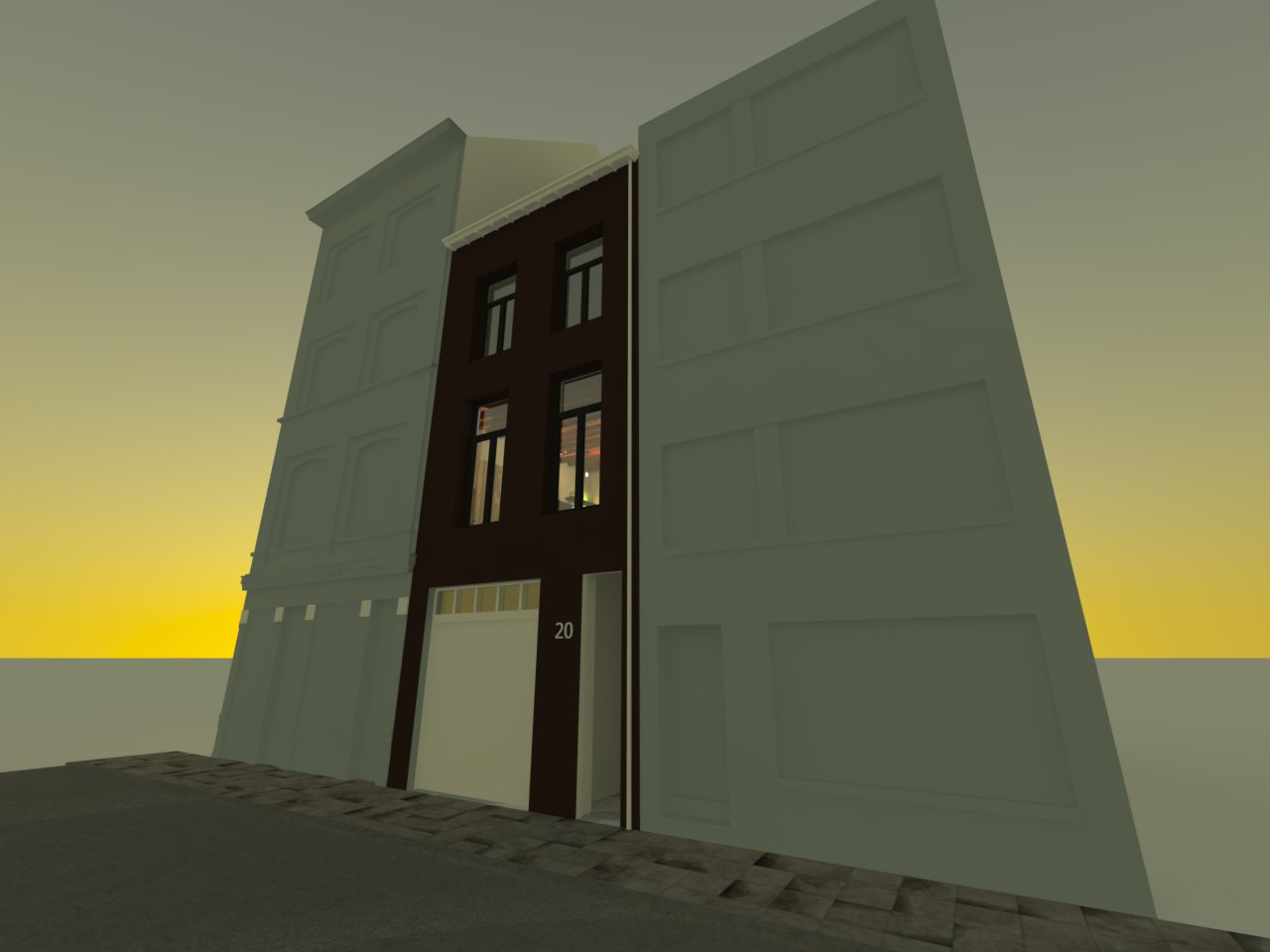
Thanks

-
Models aren't completely finished yet, but I get the same (irritating) spots on the outside also.
What could possibly be the reason for this ?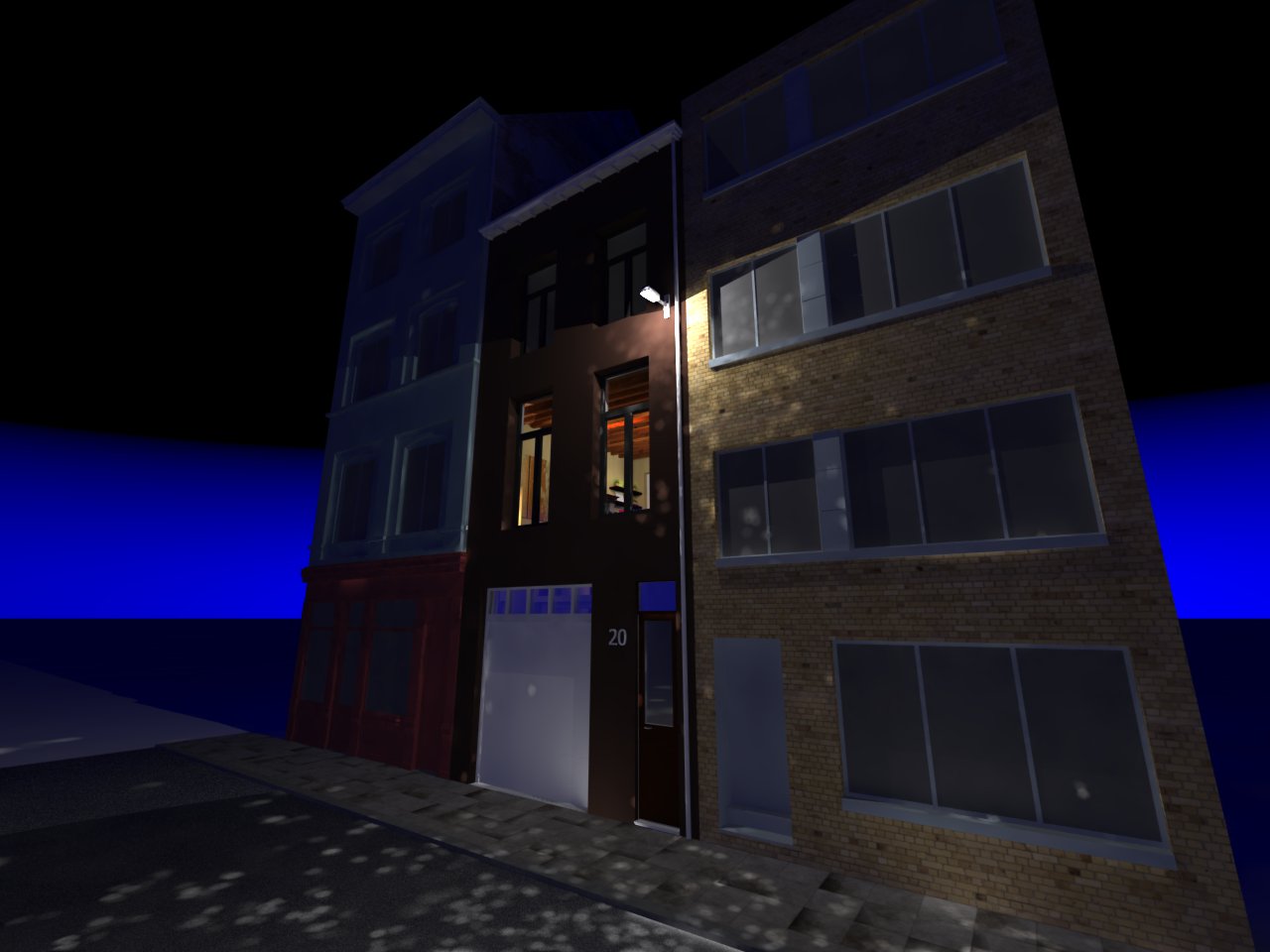
Next is a closeup of the street lamp.
In fact, I tried to reduce the size of the VRAY light so it would fit completely in the glass 'bowl' of the lamp.
But no matter what I try to do, I always get the spots.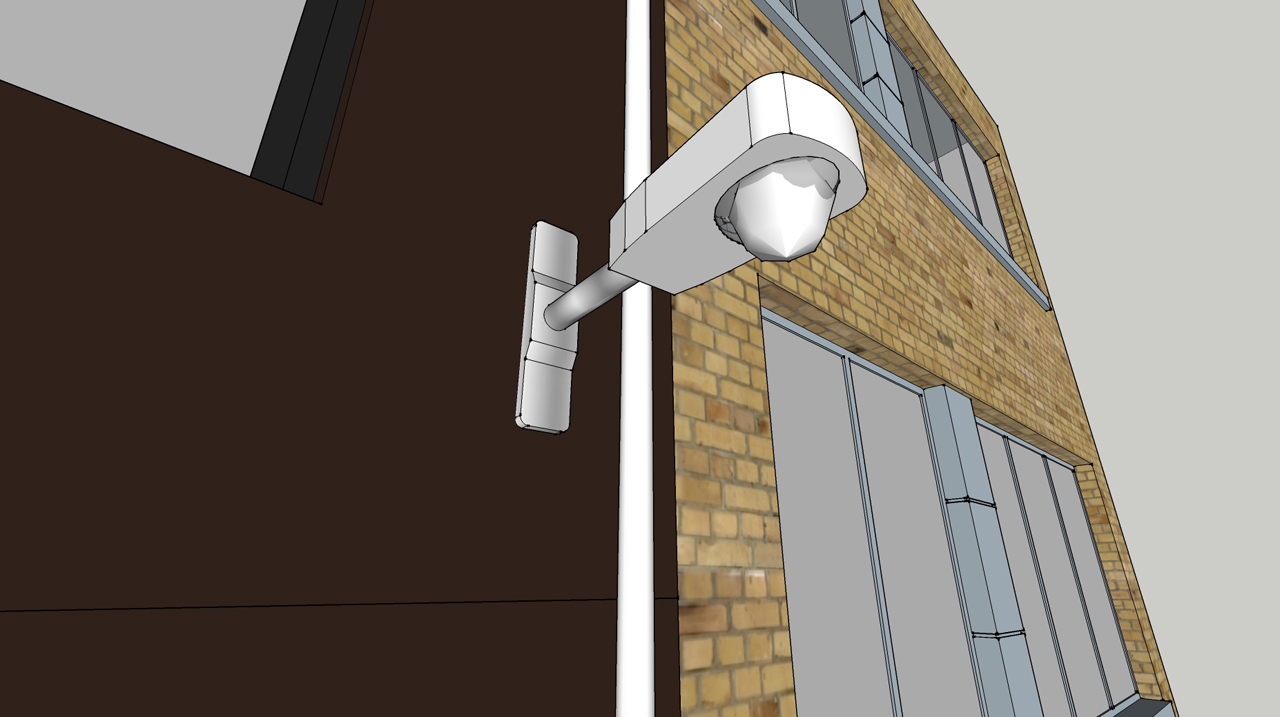
Any suggestions are welcome.
Maybe It's because of the low quality materials or something ?Thanks in advance !
-
Increasing the samples in the Vray light should help the splotchiness. I think it's called Photon samples in VfSU. If that doesn't help, try upping the subdivision in the Light Cache rollout.
-
@earthmover said:
Increasing the samples in the Vray light should help the splotchiness. I think it's called Photon samples in VfSU. If that doesn't help, try upping the subdivision in the Light Cache rollout.
I'll try to re-render with new settings this evening.
Thanks ! -
@nullius said:
@earthmover said:
Increasing the samples in the Vray light should help the splotchiness. I think it's called Photon samples in VfSU. If that doesn't help, try upping the subdivision in the Light Cache rollout.
I'll try to re-render with new settings this evening.
Thanks !Also uncheck causatics option
-
I tried to rerender with different options you guys suggested, but nothing seems to work (except increasing render time
 ).
).
I think it's the material of the lamp or something.
When I move the lightsource down about 1 meter, I don't get the spots (but the light isn't coming from the lamp ofcourse).
If I change the color of the lamp housing to black, the spots also disappear.Next, I tried to use a VRay material (plastic) but that didn't help neither.
It seems that whenever I change the lamp material to something bright, It shows me the spots. When I use a dark material, the spots disappear.I'm at work now, so I can't show you the results right now.
Tnx


Hello! It looks like you're interested in this conversation, but you don't have an account yet.
Getting fed up of having to scroll through the same posts each visit? When you register for an account, you'll always come back to exactly where you were before, and choose to be notified of new replies (either via email, or push notification). You'll also be able to save bookmarks and upvote posts to show your appreciation to other community members.
With your input, this post could be even better 💗
Register Login


Advertisement