TEXT SIZE?
-
Is there a way to force text created with the Text/leader tool to not re-size when zooming in & out?
Drives me crazy!
Thanks
pmo
-
You can give text a 'fixed height' instead of a 'points size'...
The first way gives it a fixed height in inches/mm etc; the second adjusts the text dynamically as you zoom etc so it's always the same size 'on-screen'... which is what I think you are fed-up with...
You set this in the Model Info Text / Change Font section or later using the similar tools in Entity Info...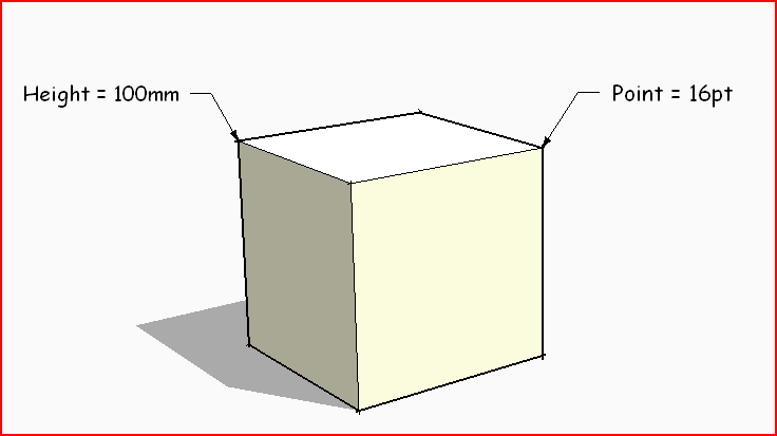 Both about the same.
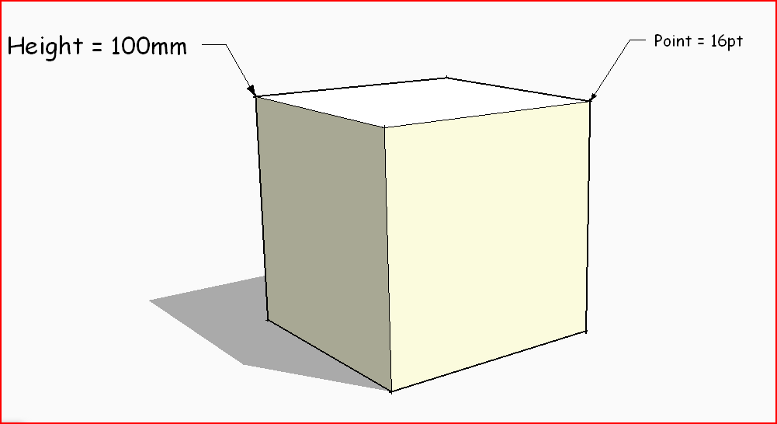 Zoomed in... points text adjusts so it's the same size on screen - here the 2 images are the same size so only the relative heights become apparent...
 -
Thank you Tig.
p


Hello! It looks like you're interested in this conversation, but you don't have an account yet.
Getting fed up of having to scroll through the same posts each visit? When you register for an account, you'll always come back to exactly where you were before, and choose to be notified of new replies (either via email, or push notification). You'll also be able to save bookmarks and upvote posts to show your appreciation to other community members.
With your input, this post could be even better 💗
Register Login


Advertisement