Creating staircase on a curved form
-
Hi all, Just wondering if anyone can help me with the following;
I have designed a house with the staircase being the focal point, however, I am new to sketchup and I have made the wall that the staircase will use, a curved wall.
So when I try to draw a box on the wall and pull it out (to give the idea of a floating step) It wont let me.
Any ideas on what I could do?
Also, great website! Cheers.
-
You can't usually pushpull faces on a curved surface - unless you use a script like JointPushPull.
BUT there are way to do this manually - make a new group for you stairs [you can easily make a new group by drawing a face and using Group on it - later when you have some good geometry made you can erase that unwanted 'starter' face] - now make it with more regular 'orthogonal' shapes using pushpull, rotate/copy, move/copy etc - projecting the ends of each of the treads into the wall somewhat - as they are inside a group they won't stick to the wall's geometry. Then when you are happy with your design you can select all of the stairs geometry inside the group and right-click context-menu 'intersect with model' to make 'cut lines' around the treads etc - then you can erase the bits that will be inside the wall that you don't want [use View, component/group edit, hide rest of model so you can see what you are doing]...
Hope that helps...
-
Cheers for the reply buddy.
I have found that tool you just said and I have installed it etc.
But I have found that when I try to draw the shape on the curve (I.e. a simple box for a stair), the lines dont follow the curve, consequently meaning that I can't create a face?
-
If you are using JointPushPull you also need ToolsOnSurface that lets you draw first - I still think my manual fix using 'intersect' is your easiest route for now

-
@azz00 said:
But I have found that when I try to draw the shape on the curve (I.e. a simple box for a stair), the lines dont follow the curve, consequently meaning that I can't create a face?
if you want to be using plugins then you will need 'toolsonsurface' for drawing that part, or you can turn on hidden geometry and draw on your surface one segment at a time which may be the better way to go for now.

-
on second thought you might copy the 2D wall profile to an empty area in your model, draw the stair profile, push/pull it, group it then move it back and copy accordingly.
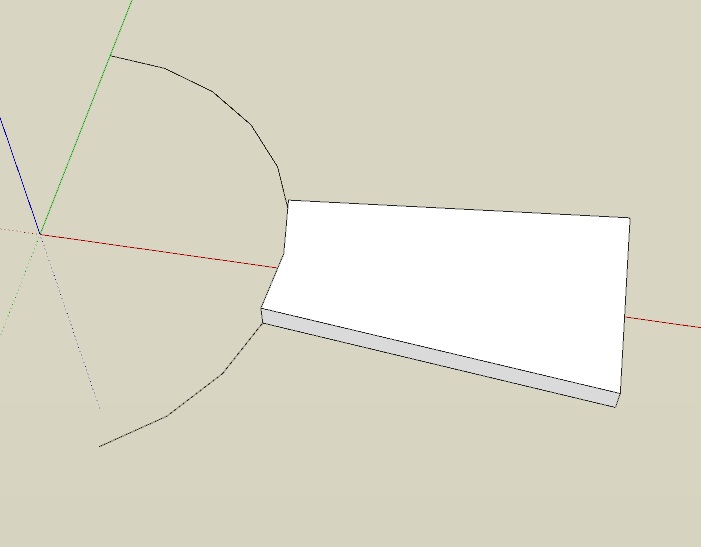
-
or better yet offset your copied wall profile by the length your stairs will be, then you have a template.
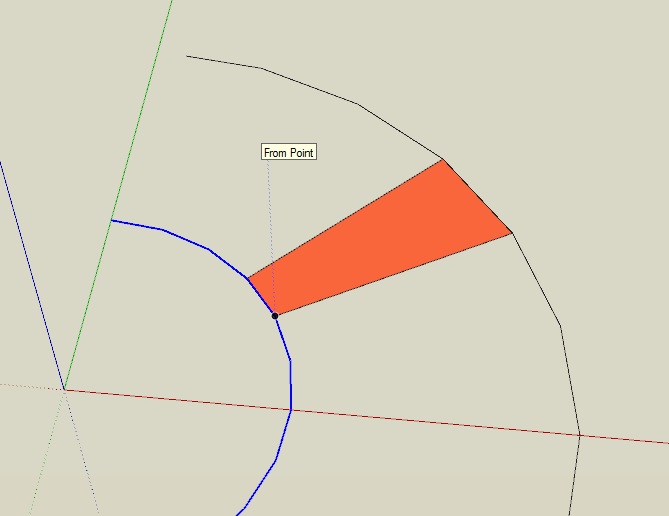
-
Once upon a time I was investigating 'winders' as a space saving device, and so I investigated a curved staircase also. I used the same idea as 'xrok1' but, unfortunately I no longer have the skp files to send you so that you might disect them for a better understanding. However, I do have one screen shot available of a serpentine study, if I can figure out how to get it to you - here goes!
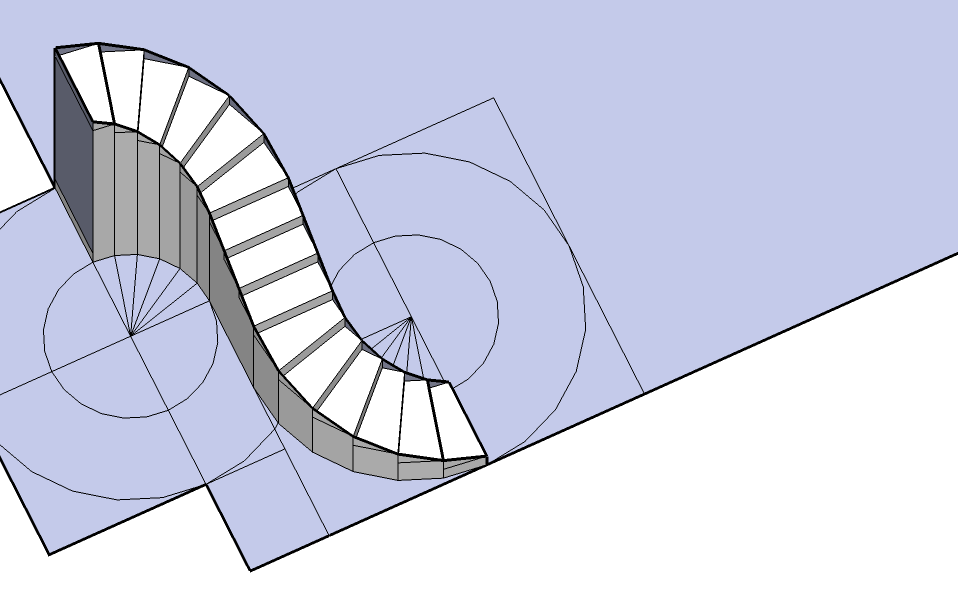
-
Hey, as it turns out, I doo have one file left that you can disect. This was my first attempt at a curved staircase. Although I was modeling as a free standing staircase, this could easily be changed into a floater. This is the full skp file.First Curved Stairs.skp
-
Thanks for all of the replies.
I had a play with some of the plugins and I managed to get it to do what I wanted so thank you for the suggestions.
CubeSqaure, thanks for the stairs mate, I will check them out now.
Thanks again all!

Hello! It looks like you're interested in this conversation, but you don't have an account yet.
Getting fed up of having to scroll through the same posts each visit? When you register for an account, you'll always come back to exactly where you were before, and choose to be notified of new replies (either via email, or push notification). You'll also be able to save bookmarks and upvote posts to show your appreciation to other community members.
With your input, this post could be even better 💗
Register Login


Advertisement