Colors of texture lost with vray4SU = HELP
-
hi all
this texture:
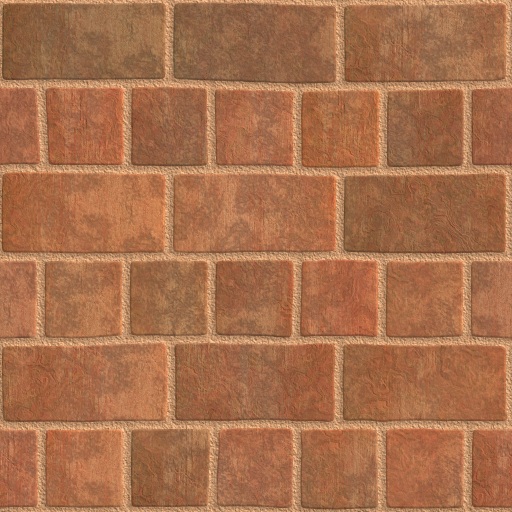
with this bump_texture:
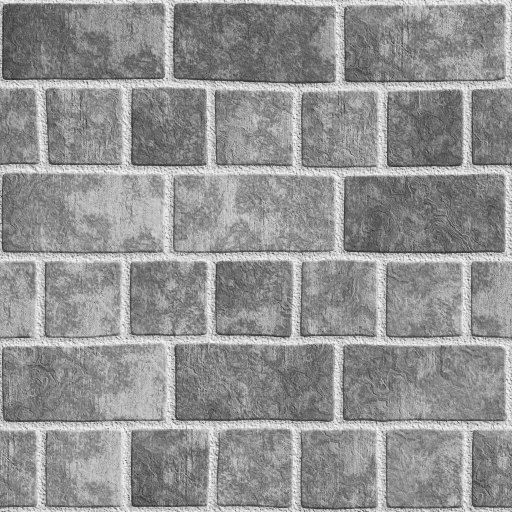
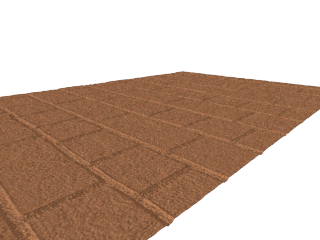
results in:
Processing step:
- made normal surface
- create new material with "alternating mudbrick" and color the surface
- ctr+a and made a group
- vray materialeditor: checkt displacement, bitmap, file "alternating mudbrick_b"
- multiplier "1"
- render
question:
why have the result only one texturecolor? Where is the bright and dark brown?thanks for help
-
okey, sorry.
The error found! One must dye the group and not in the group the individual surface. -
Did you change the texture's colours using SU's material editor?
Currently, VfSU doesn't match these types of materials well.
-
@fbo_bern said:
okey, sorry.
The error found! One must dye the group and not in the group the individual surface.That sounds very odd. Never seen that.
But note: with the current version of VffSU, it will take for ever to process your scene before it starts to render if you apply materials to groups/components. So badly, that it's a big no-no to do so.but that has been fixed in the new beta.

Hello! It looks like you're interested in this conversation, but you don't have an account yet.
Getting fed up of having to scroll through the same posts each visit? When you register for an account, you'll always come back to exactly where you were before, and choose to be notified of new replies (either via email, or push notification). You'll also be able to save bookmarks and upvote posts to show your appreciation to other community members.
With your input, this post could be even better 💗
Register Login


Advertisement