AutoCAD import problem
-
Hi!
I'm trying to import dwg/dxf model into Sketchup
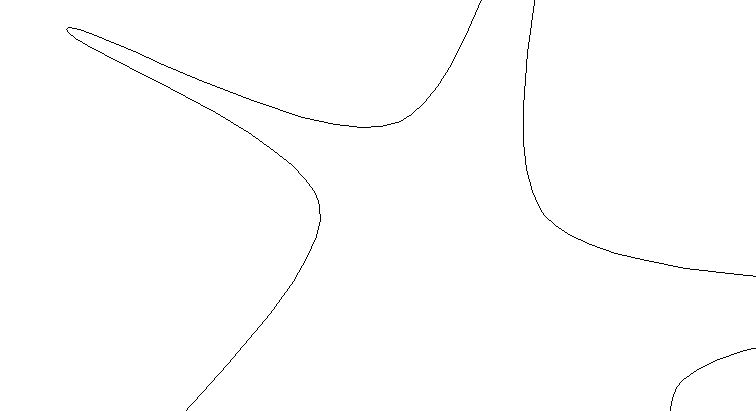
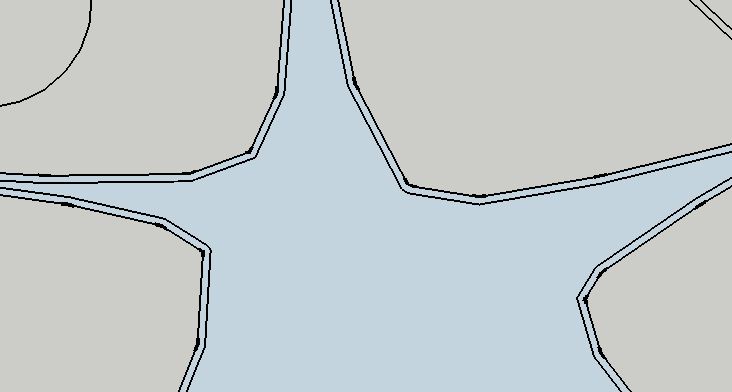
But i get double line instead one line
How can solve this?
-
A CAD polyline is imported into SUp with a 'width' that will give double lines if it is >0, e.g. the polyline is 50mm wide in CAD so it comes into SUp as a 50mm wide 'ribbon'...
To stop this use CAD to edit the file and filter, and set all polylines width=0, OR explode all polylines into ordinary lines before importing - If you don't have AutoCAD then apps like DoubleCAD are freeware that can edit dwg/dxf files and works with skp too...

Hello! It looks like you're interested in this conversation, but you don't have an account yet.
Getting fed up of having to scroll through the same posts each visit? When you register for an account, you'll always come back to exactly where you were before, and choose to be notified of new replies (either via email, or push notification). You'll also be able to save bookmarks and upvote posts to show your appreciation to other community members.
With your input, this post could be even better 💗
Register Login


Advertisement