Good Job Pete...! you are an inspiration...
Oops, your profile's looking a bit empty! To help us tailor your experience, please fill in key details like your SketchUp version, skill level, operating system, and more. Update and save your info on your profile page today!
🔌 Smart Spline | Fluid way to handle splines for furniture design and complex structures. Download
M
Offline
Posts
-
RE: Tent modeling
@robert111 said:
Curviloft Look in that first post for instructions...
this is the best way to go about it... (and if i may add the easiest) all you need to do is make the lines (or curves) along which you want the surface and then simply use this wonderful plugin to create the surface for you.
-
RE: [Plugin] Sketchup Ivy
This is just a workaround IMHO. There are 3 skp files in the rubies folder these are the 3 leaves each... you can save your own png textures instead of these leaves, but i'd recommend you place them on the same position as the existing leaf as it might affect leaf position otherwise. (you can save these in the skp format you use)
As solo and a few others have also said it would be definitely great to have some control as to what components to use as "instances" for the leaves like we have in the make fur plugin. It would add more control as to the kind of things we can make with this wonderful plugin... ( FRUIT LADEN TREES is definitely something i might play with
) -
RE: [Plugin] Sketchup Ivy
0.6.3 is the version I'm using now... The ivy is not closing on shift + click. Was playing with 0.5.4 earlier and it worked perfectly. I've playing trying it out on sketchup 8. (yes i deleted the previous version) Just reporting... No complaints..
great work on the plugin mate..! -
RE: [Plugin] Sketchup Ivy
@ Pixero: the leaves are materials applied to rectangular components. I believe you can select a new material (your leaf) and change it in one component (will change in all). But it might have limitations as to the position of the texture of the leaves. (or not)
how did you go about solving the thea issue?
-
RE: [Plugin] Sketchup Ivy
I've uploaded a *Rar file of the sketchup file of the above image. In case anyone wants to look into it... will try and see if its a one off incident or happens again...
great plugin by the way!!
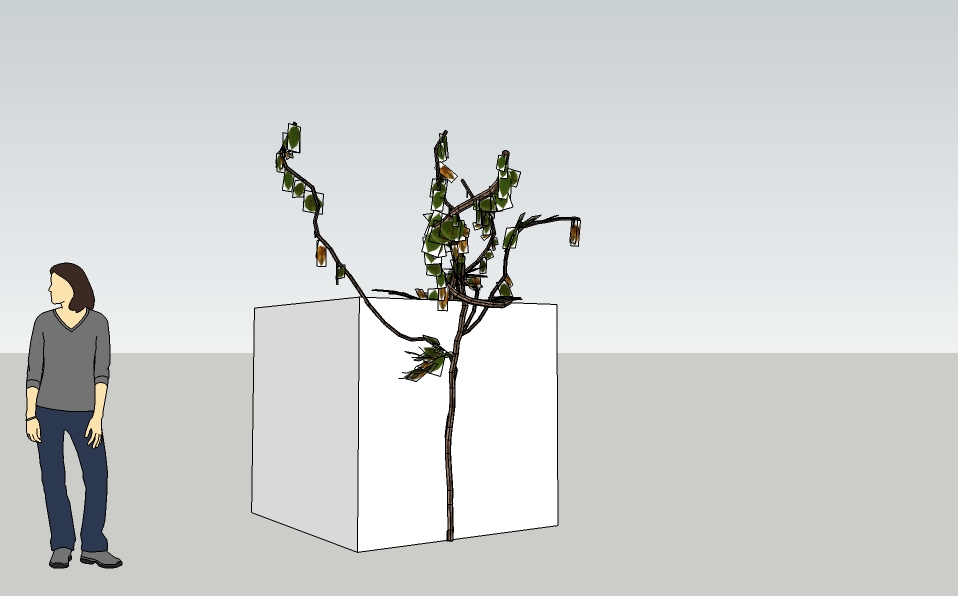
*EDIT: definitely something going on here... the problem persits.. leaves are scattering around in thea. Its probably due to the way the pivot points might be getting relocated or twisted somehow in the sketchup to thea interface or maybe something totally unrelated..
-
RE: [Plugin] Sketchup Ivy
I don't know if its just me or some other thea user, probably solo can confirm... I get more leaves in thea than the ones visible in sketchup.. this may be a sketchup to thea issue, maybe not.. just thought of sharing it here.

-
RE: [Plugin] Sketchup Ivy
Have you tried sending a PM to Pierreden...? he is best suited to answer your queries... Be a little patient...
-
RE: [Plugin] Sketchup Ivy
This seems like the beginning of something big... glad to have caught on early..
will definitely follow this post... all the best..! -
RE: Mech Fish [Video] - UPDATED AGAIN!
Phew!! that was nauseating!!AWESOME MATE! Great job done..!! Still can't believe what i saw...! The way you've used Artisan is amazing. knowing exactly where to draw lines, which lines to move to get just the right kind of structure for bones... And was that the Curviloft plugin used for modelling the mouth of the fish? Great job and great video... and the music was very in sync with the vid..
-
RE: 3D Warehouse
Probably this is the way to go about it... I'm at work at the moment. Would start uploading and give the link of my Speed modelling competition entries (atleast) and any other stuff i can...
Great Stuff by the way...!

-
RE: 3D Warehouse
@gaieus said:
Practically you can share any models, materials and styles there - "embedded" into the uploaded model.
I did not understand embedded into the uploaded model...
-
RE: 3D Warehouse
Well from what i understood, I would love it if we could have a repository of all the Skp models posted here on sketchucation, as in a single thread where we could see and download or upload models done by the community members. 3d warehouse is really huge... it can be really daunting to find good stuff there... Plus i really liked the idea of a more serious take on the speed modelling competition. This thread has some really good ideas... But maybe just wishful thinking... have just recently started reading up and brushing up my sketchup knowledge.
@Gaieus: My heartfelt apologies on misspelling your name.
-
RE: 3D Warehouse
Where Did this Thread die out!!? Bump! PLease do something someone... Eric? Gaeius?