sketchucation logo sketchucation
    • Login
    1. Home
    2. jason_maranto
    3. Posts
    Oops, your profile's looking a bit empty! To help us tailor your experience, please fill in key details like your SketchUp version, skill level, operating system, and more. Update and save your info on your profile page today!
    ⚠️ Important | Libfredo 15.6b introduces important bugfixes for Fredo's Extensions Update
    Offline
    • Profile
    • Following 0
    • Followers 0
    • Topics 21
    • Posts 1,011
    • Groups 1

    Posts

    Recent Best Controversial
    • RE: Struggling to learn about rendering.

      There is a free version of the Maxwell Render plugin available (which works with the free version of SketchUp), which I have already done many video tutorials for (some of them are free as well).

      But most importantly for you, I have also created the entire Arroway veneer library as MXM materials ready-to-go... you don't need to know anything about the Maxwell material system at all to use these, and they will give very nice results for a wide variety of woodworking renders.

      You would need to buy the Arroway veneer textures to use these, but everything else would be absolutely free.

      You can get the free MXM materials
      here:http://www.maxwellrender.com/forum/viewtopic.php?f=49&t=38473

      You can get the free SketchUp materials that link to the MXMs here: http://www.maxwellrender.com/forum/viewtopic.php?f=107&t=38528

      You can buy the Arroway Textures here: http://www.arroway-textures.com/en/products

      The free Maxwell plugin can be downloaded here: http://www.maxwellrender.com/index.php/maxwell_for_google_sketchup/download_buy

      And you can find some video tutorials here:
      http://www.youtube.com/playlist?list=PLC6E0E0B6921A94E5
      and here:
      http://www.vtc.com/products/Google-SketchUp-to-Maxwell-Render-Workflow-Tutorials.htm

      Best,
      Jason.

      posted in Extensions & Applications Discussions
      jason_marantoJ
      jason_maranto
    • RE: FREE Maxwell Render for Sketchup (free version).

      Not particularly -- it's more of the fundamentals of the material system (in relationship to the rendered output) and the SketchUp to Maxwell series expands on those ideas to talk about the embedded character-type materials and what their strengths and weaknesses are.

      The idea is to get a solid foundation in what the various materials settings do in Maxwell and how you can bend them to your desired purpose with the least amount of trial and error possible.

      If I've seen any one area where more people are confused than any other (in regards to Maxwell) it is definitely materials -- it is really important to understand the fundamentals of the system to avoid wasting your time... I would just start with the free videos and I bet that would be enough to answer many questions already for you.

      Do bear in mind that I recommend anybody using the stand-alone plugin to download the trial version of the full Maxwell Render Suite to have access to MXED (allowing you to create your own custom MXM files for use in the plugin).

      Best,
      Jason.

      posted in Extensions & Applications Discussions
      jason_marantoJ
      jason_maranto
    • RE: I'VE ALMOST HAD IT WITH TRYING TO UNDERSTAND DC's!!!!

      @solo said:

      DC's, a great way to waste a lot of time figuring out only to realise the original method of actually modeling it in the first place is ten times faster.

      If all you are doing is modeling with DC's then maybe I could agree with that sentiment -- although that ignores the fact that DC's can be very powerful for adding randomization to your models that would be very time consuming to actually model.

      Really DC's are only minorly about modeling at all -- their strengths are really in areas that have very little to do with modeling... to understand DC's it is really helpful to think like a website designer, where you are not so worried about modeling per se but how the end user is going to interact with the model.

      If your goal is to make DC's for your own use then it's probably not worthwhile.

      Best,
      Jason.

      posted in Dynamic Components
      jason_marantoJ
      jason_maranto
    • RE: I'VE ALMOST HAD IT WITH TRYING TO UNDERSTAND DC's!!!!

      I spent something like a month (making 4 hours of video training) teaching most of the ins and outs of DC's in my SketchUp Pro training series -- which got very little traction (almost non-existent)... I think both DC's and Layout are very cool things (and I thought I taught them very clearly) but the demand for that information seems to be so small as to not justify any future tutorials on the subjects.

      Don't get me wrong I think they need to be re-worked and I've made my fair share of suggestions about them (and Layout)-- but they are much more useful than they are given credit for...

      I'd rather spend my time teaching things that people actually want to learn -- I make these things to get paid, but I also really want the information to be used... it's kind of like that old saw about "if a tree falls in the forest and nobody is around to hear it, does it still make a sound?".

      If nobody watches these things then I'm just some guy who spends alot of time talking to myself.

      Best,
      Jason.

      posted in Dynamic Components
      jason_marantoJ
      jason_maranto
    • RE: What is topology????

      "Good topology" is a relative concept -- good for what exactly? You would have different requirements for character animation than you would for sculpting... but both approaches generally want to avoid poles (because they do not subdivide well, among other issues).

      Best,
      Jason.

      posted in SketchUp Discussions
      jason_marantoJ
      jason_maranto
    • RE: FREE Maxwell Render for Sketchup (free version).

      This thread has more info about using displacement based materials in SketchUp: http://www.maxwellrender.com/forum/viewtopic.php?f=107&t=38223

      However I would avoid displacement based materials whenever possible if you are rendering within SketchUp since you are limited in RAM.

      Materials are a very complex topic (possibly the most complex issue when dealing with Maxwell) and if you really want to learn more about them in depth then it might be worthwhile watching these series I made:

      Link Preview Image
      Maxwell Render 2 Training Videos

      This VTC online course on Maxwell Render 2 is designed to get you up & running with Maxwell Render quickly & effectively. Sign-up today to learn more.

      favicon

      vtc (www.vtc.com)

      favicon

      (www.vtc.com)

      They are both a little dated (mostly in the fact that they pre-date FIRE) -- but the materials related content is still valid and it would likely save you many hours of trial and error.

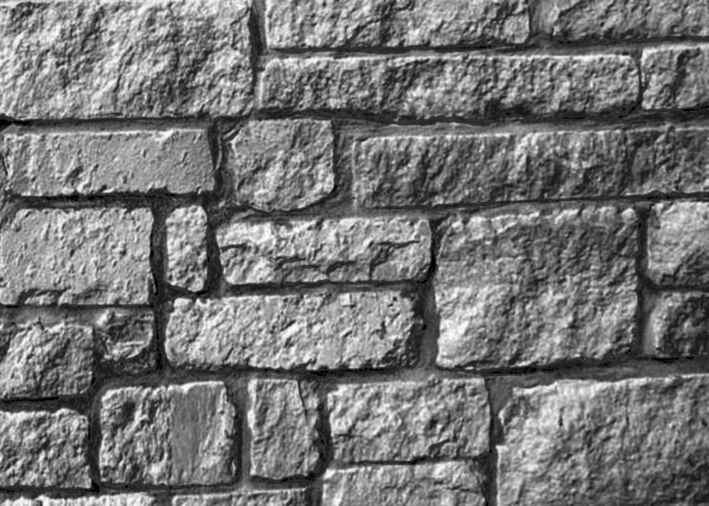
      For instance, what you have here is not likely to make a good bump map because the contrast is too low -- which is perfectly natural considering it is white rock. So you would want to increase the contrast (and possibly modify the brightness as well) so that you get dark "darks" and light "whites" in the texture for the bump map, which will significantly improve your resulting detail (this can be done much better in Photoshop using levels if you know how). Here's a quick example of a what a better bump would look like:Flagstone_chop_crop.png
      When you start getting into textures you often come up against the issue of "baked in lighting" (as you have in this texture) which can be a real problem -- better quality textures are photographed in such a way as to reduce "baked in lighting"... which will make the resulting material render much better.

      Best,
      Jason.


      an example sketchup file.

      posted in Extensions & Applications Discussions
      jason_marantoJ
      jason_maranto
    • RE: Maxwell - not rendering ortho view totally parallel?

      Maxwell is not capable of rendering true ortho views -- the Maxwell camera always exists in perspective so the plugin tries it's best to "mimic" the ortho input, but cannot recreate it with absolute fidelity.

      Best,
      Jason.

      posted in Extensions & Applications Discussions
      jason_marantoJ
      jason_maranto
    • RE: How to use emitters in Maxwell Standalone for Sketchup

      @carloh said:

      are there MXM files with IES in the maxwell material gallery? this far i haven't figuered out how to create a spot light with the maxwell standalone sketchup plugin 😢

      The newest version of the plugin supports creating IES materials directly within SketchUp (as an embedded character type material) -- I would re-download the plugin (from the Maxwell website) to get the new features. Also, I would check the Maxwell forum regularly for the latest pre-release version (which right now is 2.6.11) because often they will be newer than what is available from the Maxwell website: http://www.maxwellrender.com/forum/viewforum.php?f=107

      Best,
      Jason.

      posted in Extensions & Applications Discussions
      jason_marantoJ
      jason_maranto
    • RE: What Industries use SketchUp?

      Illustration/Artist -- I use it to generate 1, 2 and 3 point perspective reference imagery (for drawings and paintings)... often in conjunction with Maxwell (for photographic-type lighting reference).

      Best,
      Jason.

      posted in SketchUp Discussions
      jason_marantoJ
      jason_maranto
    • RE: FREE Maxwell Render for Sketchup (free version).

      I'm probably not the right person to ask about that -- I paid full price for the Maxwell Render Suite, so to me the stand-alone plugin is a great deal.

      Best,
      Jason.

      posted in Extensions & Applications Discussions
      jason_marantoJ
      jason_maranto
    • RE: FREE Maxwell Render for Sketchup (free version).

      Components are not an issue, Maxwell handles them very nicely.

      Likewise working in metric is really not as much of an issue since you are staying within SketchUp -- you can generally just hit render and tweak until you get what you need (materials being the place where you will likely spend the most time).

      Best,
      Jason.

      posted in Extensions & Applications Discussions
      jason_marantoJ
      jason_maranto
    • RE: Maxwell - use non .hdr image as background?

      Yeah, there's no way to easily do this in Maxwell -- my best suggestion is to open the image in Photoshop and save it out as a HDR... which would then allow you to load it in the background channel.

      Best,
      Jason.

      posted in Extensions & Applications Discussions
      jason_marantoJ
      jason_maranto
    • RE: Maxwell - use non .hdr image as background?

      If you have an image that you want to use as a background, but not have it interact with the lighting from the scene then set it for "hidden from GI".

      I'm not near my copy of Maxwell right now so I can't test the ability to use 8-bit images in the background channel of IBL... if you have the full render suite I would check in Maxwell Studio as well (I've never needed to do this, so I don't know off hand).

      Best,
      Jason.

      posted in Extensions & Applications Discussions
      jason_marantoJ
      jason_maranto
    • RE: A new home for SketchUp

      A bit off topic, but I love this chair (which I use at my studio) for this very reason -- in encourages a ton of movement and keeps muscles working all day.

      Best,
      Jason.

      posted in SketchUp Discussions
      jason_marantoJ
      jason_maranto
    • RE: What do people use SketchUp for?

      Set, prop, and vehicle design -- with an eye towards rendering said elements into a fictitious scene as concept/pre-viz imagery.

      Best,
      Jason.

      posted in SketchUp Discussions
      jason_marantoJ
      jason_maranto
    • RE: Forums' Future ?

      I don't think it is a cost thing at all -- I think it comes down more to the idea that the current staff would have to become employees (in some form) of Trimble... this I think presents alot of issues.

      First off, they would be expected to represent corporate interests in their public discourse... something I'm not sure everybody would be interested in.

      Conflicts of interest would have to be strictly avoided to keep Trimble legal happy.

      It's also possible that some staff may be not considered for hire by Trimble at all.

      It's really not the ideal solution... for either side. That said, I cannot fathom SketchUcation ever getting a "cease and desist" order from Tirmble either.

      Best,
      Jason.

      posted in SketchUp Discussions
      jason_marantoJ
      jason_maranto
    • RE: A new home for SketchUp

      @ BIMMER

      That all sounds like typical corporate to me -- even "good" corporate seems to be run in similar ways. I generally attribute this to the stock market. Stock owners do not care about employee morale or any such thing... they care only for profit (so the stock attains more value). 🤢

      If your owners (stock holders) only care for profit, then small wonder the managers of said entities are profit-centric in their focus. 🤢

      Ladder climbing middle-management style is also well known and generally thoroughly rewarded, so again I see no surprises here. 🤢

      Best,
      Jason.

      posted in SketchUp Discussions
      jason_marantoJ
      jason_maranto
    • RE: A new home for SketchUp

      Yes, please understand I'm not talking about the need for customer service or good taste/design to go away -- just the need for alot of the manual labor of model building. Lets face it, the world is very much a pre-fab place these days, with a limited amount of options for virtually anything.

      Best,
      Jason.

      posted in SketchUp Discussions
      jason_marantoJ
      jason_maranto
    • RE: A new home for SketchUp

      @unknownuser said:

      i think you're cutting out a huge swath of 3D world.. it's not just for creating 3D imagery.. it enables you to completely 'build' something prior to actually building it... sort out problems, develop a sequence/schedule, finer material orders, etc..

      I think this is fairly well covered under item #3 (parametric modeling). At some point in the future anybody (as in layman) will be able to tell a computer exactly what type of buildings, rooms, furnishings, etc. they envision -- the computer will just adapt the design in realtime, and most likely be able to run complex simulations from this data that we can only dream of. Manual modeling will be redundant (for the most part). Obviously we are some ways off from this, but it is coming... there are already many primitive parts of this in place.

      For example, as primitive as they are, Dynamic Components were a step for SketchUp in this direction.

      Best,
      Jason.

      posted in SketchUp Discussions
      jason_marantoJ
      jason_maranto
    • RE: A new home for SketchUp

      I was gone for most of the day yesterday so I missed the comments on my post until now -- but here's the reality (as I see it) about the future of 3D:

      1. Infinitely re-usable assets gradually building up in large quantities

      I'm not taking about the 3DW here -- although with some effort it could morph into such a place... but I mean more like FF/Turbosquid/Dosch/etc.

      1. Increased utility of 3D scanning of real world objects

      For instance imagine Google street view, but scanned in 3D -- obviously the technology is not to that place yet in terms of affordability/ease of use/accessibility... but it is coming. Tools like this will become the new norm: http://www.photosculpt.net/.

      1. Parametric Modeling becoming more and more commonplace

      Not much to say here... this seems like a good thing, and it is in-terms of efficiency and quality control -- but the side effect is it lowers the entry level for people to produce reasonable quality 3D.

      Taking those things into consideration you have to say that for the most part direct 3D modeling will eventually become minority concern. With the wide availability of creating a huge range of 3D images without learning any real modeling skills already a very real phenomena at places like DAZ/Poser.

      I've watch several very large workforces, in diverse creative fields, be completely displaced by the steady march of technology -- the majority usually do not see it coming or do not adequately prepare... the time will eventually come for the 3D modeler as well.

      That said, this is likely 15-20 years off at this point... so it's not a terribly pressing issue right now. But the one thing you can count on with the march of technology is that manual work (by humans) will be replaced at some point... automation is always the ultimate goal.

      Creativity and adaptability are the only things that can keep a person or software from becoming a victim of the steady march of technology. Here at SketchUp we have the Ruby developers -- essentially a huge extension of the dev team that can take the software in any given direction it might need to go (to keep up), and in ways the SketchUp dev team is either unwilling or unable (and I'm not sure which is more damning) to do.

      Extensibility is the key -- Photoshop is another great example, a big part of why Photoshop thrived over the years was plugins... take that away and Photoshop would/could have been replaced by now.

      Building Maker is limited by design -- there is no extensibility that I know of, so it is doomed to fail(eventually) when its designed purpose is no longer relevant.

      Best,
      Jason.

      posted in SketchUp Discussions
      jason_marantoJ
      jason_maranto
    • 1 / 1