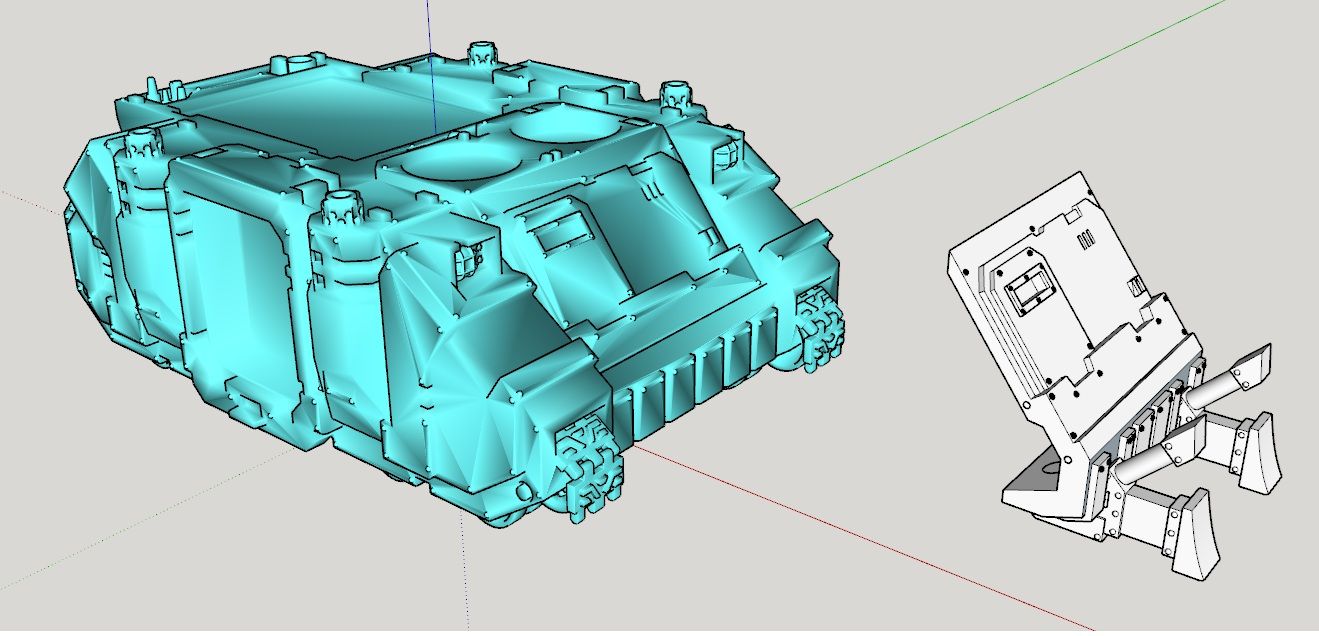
@Dave-R No, i kept them to millimeters. I will try that now.
Oops, your profile's looking a bit empty! To help us tailor your experience, please fill in key details like your SketchUp version, skill level, operating system, and more. Update and save your info on your profile page today!
Check out Febhouse | New extensions for Shadow Analysis in SketchUp Download
G
Offline
Posts
-
RE: Sketchup and Miniature Modelling STLs
-
RE: Sketchup and Miniature Modelling STLs
So, the importing of a STL in meters definetly helped the editing process, however i have found that when i exported the new model as a STL in stayed in its new scaled up version.
I tried this with chitubox, importing the newly created STL and the object was enormous.
-
RE: Sketchup and Miniature Modelling STLs
@Dave-R Thanks for that. For some reason the edge softening option is greyed out, so probably why i hadnt try to adjust it before.
-
RE: Sketchup and Miniature Modelling STLs
@Dave-R Yeah, found the options not long after posting that reply, so bit of a face palm there.
Skimp is bloody expensive though, for what it does, $299usd for a lifetime. Bit steep
Will upload the .skp file here
-
RE: Sketchup and Miniature Modelling STLs
Ok, so i have got the 5 day trial version of Skimp, much faster importing STLs and no geomertry issues, just the 5 day limit is annoying.
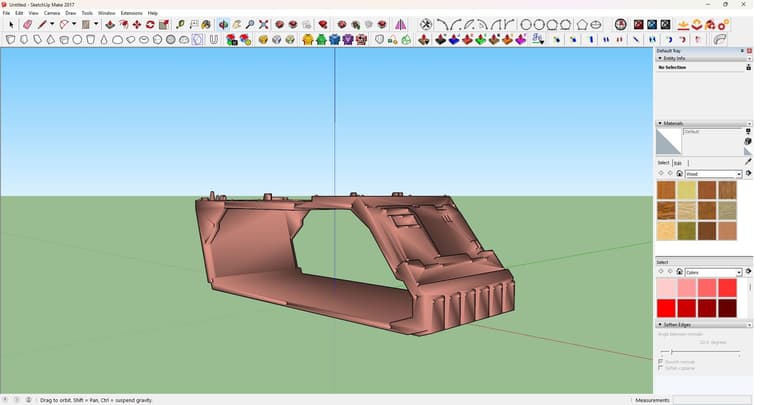
For some reason, when importing the STL via SKIMP, it comes out like this (see image). I cant figure why i cant find which settings to turn of to bring it back to normal.Tried the "set the import units to meters the model will import as if millimeters are meters.". Problem is, it doesnt give me an option to set the import unit when doing so. I just click File-Import-Select File-Import. I never get the option to set import units. Is this a limit of Sketchup 2017?
-
RE: Sketchup and Miniature Modelling STLs
@Rich-O-Brien No, I am not familiar with that.
-
Sketchup and Miniature Modelling STLs
Hi All
New here, but long time sketchup user.
Using Sketchup 2017 because its free.I am hoping ya'll can help me, I am using sketchup to edit some STLs files for 3D printable miniatures (WH40K to be specific). Now i know sketchup probably isnt the best software for this and that it inherently can handle very small geometry, but i am wondering if you may be able to suggest some workarounds for my specific issue.
When i import STLs into sketchup, it takes a very long time to process as it is drawing all the polygon lines onto the model. It also struggles to fill in curved areas some as corners, domed rivets and other curved edges. I have tried the daves method of upscaling the model, but this seems to have little effect.
Is there some plugins or other tricks you can reccomend to help a brother out.