[quote="ely862me"]
Most likely as Box said it is about the style you are using, in that case you could go to Window/Styles/Default styles and pick Simple style, and check the shadows back on. It should work.
Didn't help.
[quote="ely862me"]
Most likely as Box said it is about the style you are using, in that case you could go to Window/Styles/Default styles and pick Simple style, and check the shadows back on. It should work.
Didn't help.
One way to fix the problem is to copy and paste as a new file - the shadows are on the objects too.
I tried to upload the model, but it says that it's too big to upload. How can I share it with you?
Still doesn't receive shadows.
@ely862me said:
If those are groups or components make sure in the entity info they have the "Receive shadows" option checked. Right click on the group/component/Entity info/Check Receive shadows

How can one display the shadows on objects as well as on the ground?

Is there any difference between "exporting" a model as a jpg to "rendering" the model with Thea or Podium?
http://support.google.com/sketchup/bin/
I found it very helpful.
Window/Preferences/System Preferences/Extensions
I disabled all of the extensions except Utilities Tools and it still "splats".

Thanks, Dave and Rich, for your help.
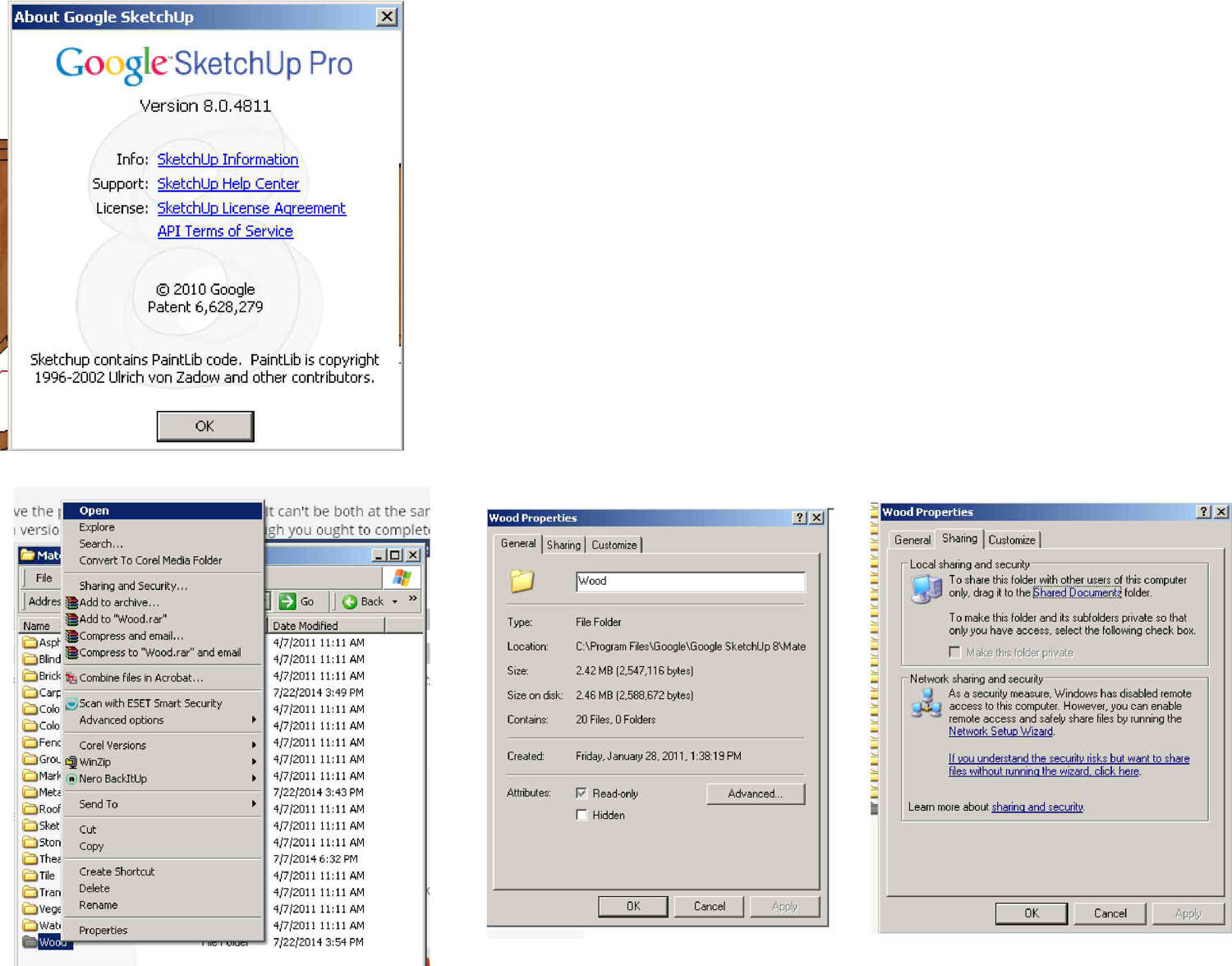
"That's contradictory. Either you have the pro version or the free version. It can't be both at the same time. Rich wasn't asking you which version of SketchUp you have. (Although you ought to complete your profile to include it and your OS since it is likely to come up again) He was asking if you have a program for rendering installed.
See attached. I've installed Thea, Twilight, Maxwell, and Podium, but it crashes before rendering.
"I'm not sure what article you are referring to." http://sketchucation.com/resources/tutorials/811-setting-security-permissions-in-sketchup
Perhaps you need to find someone knowledgeable about computers to help you with this."
See attached.
Downloaded zip file and extracted to C:\Program Files\Google\Google SketchUp 8\Materials\Wood.
"Are there sufficient permissions set for the folder you installed them in?" I am not sure.

3D SketchUp Community for Design and Engineering Professionals.
(sketchucation.com)
Sketch Up crashes every time I use a new material (*.skm) that I just downloaded and added to C:\Program Files\Google\Google SketchUp 8\Materials\Wood. Perhaps these new materials are not compatible with Sketch Up 8?
Dave R,
Thank you very much. I'm getting the hang of it. Each scene, using the same perspective, has different layers that one hides or unhides its geometry.
Scene 3
: The door open. Using the same camera, perceptive, shadows, etc.