sketchucation logo sketchucation
    • 登入
    Oops, your profile's looking a bit empty! To help us tailor your experience, please fill in key details like your SketchUp version, skill level, operating system, and more. Update and save your info on your profile page today!
    🔌 Smart Spline | Fluid way to handle splines for furniture design and complex structures. Download

    Lighting Plugin for Sketchup

    已排程 已置頂 已鎖定 已移動 Developers' Forum
    232 貼文 67 Posters 64.3k 瀏覽 67 Watching
    正在載入更多貼文
    • 從舊到新
    • 從新到舊
    • 最多點贊
    回覆
    • 在新貼文中回覆
    登入後回覆
    此主題已被刪除。只有擁有主題管理權限的使用者可以查看。
    • AdamBA 離線
      AdamB
      最後由 編輯

      I've put the LightUp Demo for PC and Macintosh on the website. http://www.light-up.co.uk

      With great trepidation, I invite you all to give it a whirl. Please read the GettingStarted.pdf

      Now where the hell is that corkscrew!

      Adam

      Developer of LightUp Click for website

      1 條回覆 最後回覆 回覆 引用 0
      • R 離線
        remus
        最後由 編輯

        Just installing it now...cant wait!

        http://remusrendering.wordpress.com/

        1 條回覆 最後回覆 回覆 引用 0
        • I 離線
          ilay7k
          最後由 編輯

          Thank you Adam!
          (small...different definitions in getting started and tips of tool...Query Tool and lightsource)...

          i have first crash..i try to replicate tutorial...but appear bugsplat
          i will try to get normally....

          what about light sources in components-in-components?
          sorry i missed Known Issues

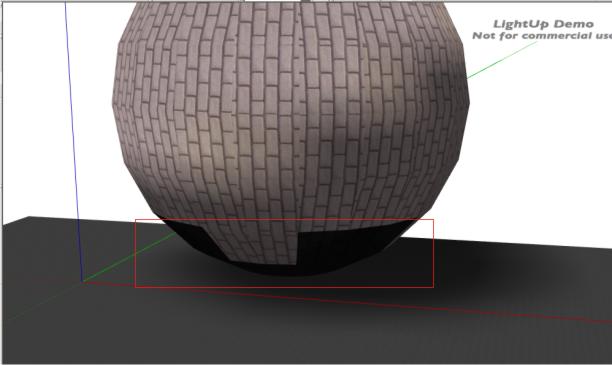
          get it and small test at sphere...
          Thanks again!!!!

          ltt.jpg

          1 條回覆 最後回覆 回覆 引用 0
          • D 離線
            Daniel S
            最後由 編輯

            😕 😕
            I must be doing something wrong..
            can you post a .skp example like the ones you use to make the images on your web Adam? 😒

            Daniel S

            1 條回覆 最後回覆 回覆 引用 0
            • JClementsJ 離線
              JClements
              最後由 編輯

              I downloaded the zip file, went to its properties and unblocked it, but still couldn't extract the contents without the Windows Block Content dialog.

              John | Illustrator | Beaverton, Oregon

              1 條回覆 最後回覆 回覆 引用 0
              • I 離線
                ilay7k
                最後由 編輯

                Daniel, try this

                1. create any mesh(with any mat)
                2. Add sketchup shadow
                3. Select all(geometry) and push Ambient Occlusion, then Direct Illumination
                4. TourTool

                John extract by free 7-zip ...or winzip, WinRar
                i unpacked normally...

                1 條回覆 最後回覆 回覆 引用 0
                • AdamBA 離線
                  AdamB
                  最後由 編輯

                  @daniel s said:

                  :? 😕
                  I must be doing something wrong..
                  can you post a .skp example like the ones you use to make the images on your web Adam? 😒

                  Daniel S

                  There you go.


                  studio2.skp

                  Developer of LightUp Click for website

                  1 條回覆 最後回覆 回覆 引用 0
                  • AdamBA 離線
                    AdamB
                    最後由 編輯

                    @jclements said:

                    I downloaded the zip file, went to its properties and unblocked it, but still couldn't extract the contents without the Windows Block Content dialog.

                    Sounds like you have a virus-checker stopping the installation. Perhaps you should install elsewhere and move the files manually.

                    Developer of LightUp Click for website

                    1 條回覆 最後回覆 回覆 引用 0
                    • R 離線
                      RonanR
                      最後由 編輯

                      @jclements said:

                      I downloaded the zip file, went to its properties and unblocked it, but still couldn't extract the contents without the Windows Block Content dialog.

                      Same thing here... couldn't extract using WinZip. Ended up extracting using Stuffit instead, which I discovered was on my machine (1627 days of evaluation... woops).

                      %(#BF00FF)[Please keep signatures minimal.
                      Oh, and ditch incandescent light bulbs.]

                      1 條回覆 最後回覆 回覆 引用 0
                      • R 離線
                        RonanR
                        最後由 編輯

                        @adamb said:

                        @jclements said:

                        I downloaded the zip file, went to its properties and unblocked it, but still couldn't extract the contents without the Windows Block Content dialog.

                        Sounds like you have a virus-checker stopping the installation. Perhaps you should install elsewhere and move the files manually.

                        No, its Windows 'deciding' the content can be harmful... my Norton AV passes your zip file as clean... Perhaps the ability to download the installer Unzipped from Light-up.co.uk would help some people with the same problem? Just a thought.

                        %(#BF00FF)[Please keep signatures minimal.
                        Oh, and ditch incandescent light bulbs.]

                        1 條回覆 最後回覆 回覆 引用 0
                        • I 離線
                          ilay7k
                          最後由 編輯

                          Adam maybe using of sfx(self-extracted exe...in your archive-tool's options) package for 2 files...

                          Adam what about if somebody made scene and configured lightUp's options, and remotely sent to other...how to start rendering?
                          for example your studio-file, i open and what i do to start simulation? when i push TourTool and there is no actions...then add AO and push TT, it works fine

                          I forget to add that i register at lightUp's forum

                          Sorry for my English 😞

                          1 條回覆 最後回覆 回覆 引用 0
                          • P 離線
                            pmiller
                            最後由 編輯

                            Will not unzip on my computer either -- even after unchecking "unblock" in file properties and turning off anti-virus and firewall.

                            1 條回覆 最後回覆 回覆 引用 0
                            • Mike LuceyM 離線
                              Mike Lucey
                              最後由 編輯

                              Thanks Adam, everything opened fine. I've printed the instructions
                              and will read and have go tomorrow.

                              I really like the icons and way you have presented the package. Do
                              you use a Mac by any chance?

                              Mike

                              PS: Maybe you have done this already, I haven't checked on the forum.
                              Is there a Video Tutorial available showing a step by step approach?

                              Support us so we can support you! Upgrade to Premium Membership!

                              1 條回覆 最後回覆 回覆 引用 0
                              • AdamBA 離線
                                AdamB
                                最後由 編輯

                                @ilay7k said:

                                Adam what about if somebody made scene and configured lightUp's options, and remotely sent to other...how to start rendering?
                                for example your studio-file, i open and what i do to start simulation? when i push TourTool and there is no actions...then add AO and push TT, it works fine

                                The lighting options etc are all stored with the .skp file so sending it to somebody else will retain that info. The lighting data is created locally and NOT currently saved with the skp file.

                                The TourTool checks to see whether you've created lighting data and only starts if you have. So creating either Ambient Occlusion or Direct lighting (or both!) will then allow TourToool to start.

                                Adam

                                Developer of LightUp Click for website

                                1 條回覆 最後回覆 回覆 引用 0
                                • AdamBA 離線
                                  AdamB
                                  最後由 編輯

                                  @mike lucey said:

                                  Thanks Adam, everything opened fine. I've printed the instructions
                                  and will read and have go tomorrow.

                                  I really like the icons and way you have presented the package. Do
                                  you use a Mac by any chance?

                                  Mike

                                  PS: Maybe you have done this already, I haven't checked on the forum.
                                  Is there a Video Tutorial available showing a step by step approach?

                                  Thank you. Yes, I regularly use Macs and PCs though my main machine is a G5 Mac.

                                  I will be posting some video tutorials. Any suggestions as to areas that would benefit most, would be much appreciated.

                                  AdamB

                                  Developer of LightUp Click for website

                                  1 條回覆 最後回覆 回覆 引用 0
                                  • I 離線
                                    ilay7k
                                    最後由 編輯

                                    Thank you for explanation

                                    and when i modify geometry and some features in my scene, can i reset previous setting: remove LU-layer or something?

                                    Thanks,
                                    i move to LU's forum...is it open?

                                    1 條回覆 最後回覆 回覆 引用 0
                                    • AdamBA 離線
                                      AdamB
                                      最後由 編輯

                                      @ronanr said:

                                      @adamb said:

                                      @jclements said:

                                      I downloaded the zip file, went to its properties and unblocked it, but still couldn't extract the contents without the Windows Block Content dialog.

                                      Sounds like you have a virus-checker stopping the installation. Perhaps you should install elsewhere and move the files manually.

                                      No, its Windows 'deciding' the content can be harmful... my Norton AV passes your zip file as clean... Perhaps the ability to download the installer Unzipped from Light-up.co.uk would help some people with the same problem? Just a thought.

                                      Its the .msi file that is causing problems for JClements I believe so I'm not sure that would help.

                                      I think there is bound to be a "learning experience" for me about the best way of packaging and downloading this stuff for minimal aggravation over the coming weeks!

                                      Developer of LightUp Click for website

                                      1 條回覆 最後回覆 回覆 引用 0
                                      • EdsonE 離線
                                        Edson
                                        最後由 編輯

                                        @adamb said:

                                        @mike lucey said:

                                        I will be posting some video tutorials. Any suggestions as to areas that would benefit most, would be much appreciated.

                                        AdamB

                                        adam,

                                        no problems whatsoever downloading and installing LightUp in my mac.

                                        i have started playing with it but, being a novice at rendering in general, it would be great to have a couple of tutorials or videos demonstrating a typical workflow. this will certainly allow us to make the best of LightUp.

                                        a question: the time limit of 30 minutes means that everytime i open SU i have 30 min to use LU? what if a render takes more than that? if i am misunderstanding this please enlighten me.

                                        it is difficult to navigate within the studio skippy you posted as there are no scenes set up. if one makes any false move the only way to get back to the scene is close and reopen the file.

                                        congratulations on your effort.

                                        edson mahfuz, architect| porto alegre • brasil
                                        http://www.mahfuz.arq.br

                                        1 條回覆 最後回覆 回覆 引用 0
                                        • tbdT 離線
                                          tbd
                                          最後由 編輯

                                          feedback:

                                          • model that is in the manual should be added to get on track easily
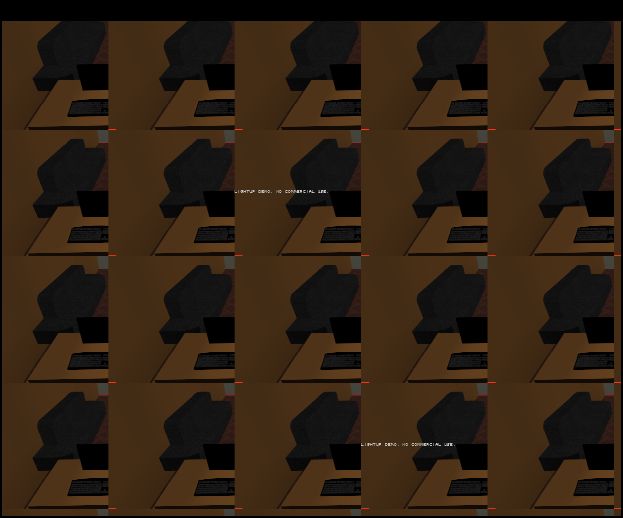
                                          • output bug: see attached (happened several times, cannot duplicate)
                                          • better icons 💚 (too much antialias when Larg Icons is set)
                                          • a way to disable the debug text from Ruby console
                                          • in direct lighting do not apply sun if it is not selected

                                          ideas:

                                          • overlay on top of SU output with custom opacity - to have the lines visible

                                          nice work Adam 👍


                                          lightup save image output

                                          SketchUp Ruby Consultant | Podium 1.x developer
                                          http://plugins.ro

                                          1 條回覆 最後回覆 回覆 引用 0
                                          • tbdT 離線
                                            tbd
                                            最後由 編輯

                                            Juju: supersampling is not available in this version

                                            SketchUp Ruby Consultant | Podium 1.x developer
                                            http://plugins.ro

                                            1 條回覆 最後回覆 回覆 引用 0
                                            • 1
                                            • 2
                                            • 6
                                            • 7
                                            • 8
                                            • 9
                                            • 10
                                            • 11
                                            • 12
                                            • 8 / 12
                                            • 第一個貼文
                                              最後的貼文
                                            Buy SketchPlus
                                            Buy SUbD
                                            Buy WrapR
                                            Buy eBook
                                            Buy Modelur
                                            Buy Vertex Tools
                                            Buy SketchCuisine
                                            Buy FormFonts

                                            Advertisement