sketchucation logo sketchucation
    • Login
    Oops, your profile's looking a bit empty! To help us tailor your experience, please fill in key details like your SketchUp version, skill level, operating system, and more. Update and save your info on your profile page today!
    Mac User? | Join the Rayscaper Beta for Mac Learn More

    New script: Projection toolbar update

    Scheduled Pinned Locked Moved Plugins
    25 Posts 12 Posters 7.3k Views 12 Watching
    Loading More Posts
    • Oldest to Newest
    • Newest to Oldest
    • Most Votes
    Reply
    • Reply as topic
    Log in to reply
    This topic has been deleted. Only users with topic management privileges can see it.
    • GaieusG
      Gaieus
      last edited by

      @didier bur said:

      Probably a "board migration issue" 😲 ?
      The link has been fixed. You can also download all latest versions of free scripts at my site 😄
      Regards,

      😳
      Sorry...

      Gai...

      1 Reply Last reply
      Reply Quote 0
      • P
        pallamand
        last edited by

        Hi:
        Is there any required file to work with Projection?

        I can't make it work !!!
        I'm receiving from the ruby console:

        Error: #<NameError: uninitialized constant AddCpointTool>
        C:/Archivos de programa/Google/Google SketchUp 6/Plugins/projection_extension.rb:32
        C:/Archivos de programa/Google/Google SketchUp 6/Plugins/projection_extension.rb:32:in `call'

        when trying to place a construction point...

        Thank you

        Pablo

        1 Reply Last reply
        Reply Quote 0
        • Didier BurD
          Didier Bur
          last edited by

          @ Pallamand,
          This looks like an installation issue. Check for required subfolders an required files as well (see user guide). If everything is OK, tell me.

          DB

          1 Reply Last reply
          Reply Quote 0
          • P
            pallamand
            last edited by

            Hi Didier:

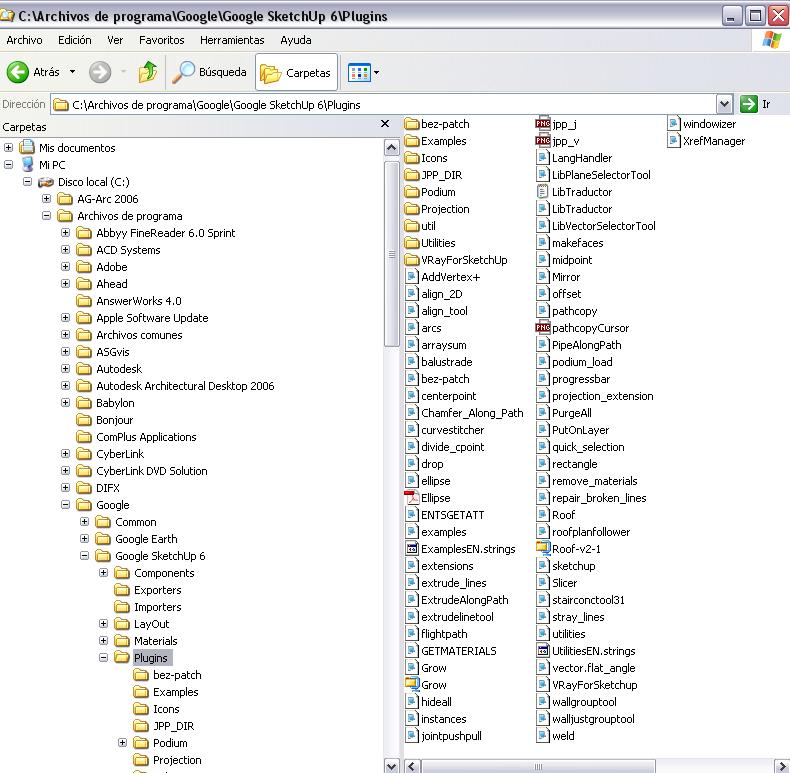
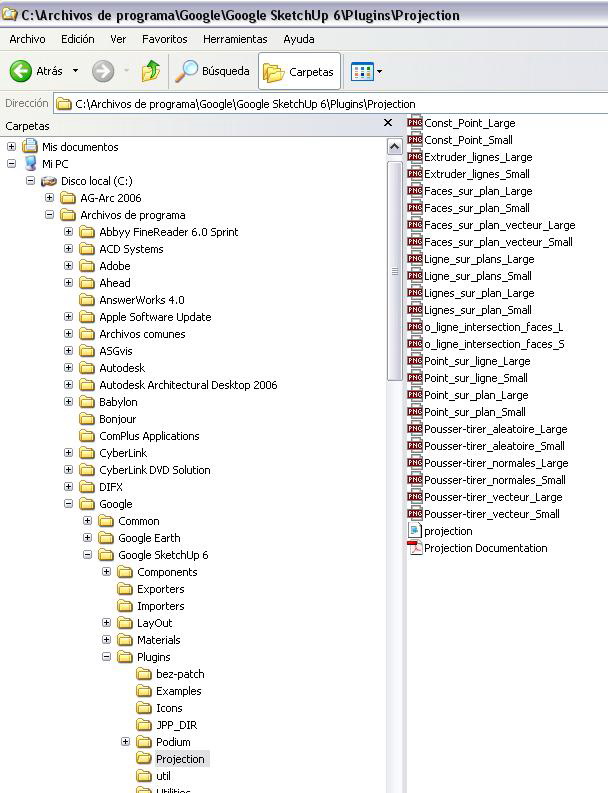
            Here are snaps of my directories...
            Thank you once again for your help

            Pablo


            Su dir.jpg


            Su dir 02.jpg

            1 Reply Last reply
            Reply Quote 0
            • Didier BurD
              Didier Bur
              last edited by

              Everything seems correct 😲

              Error; #<NameError; uninitialized constant AddCpointTool>
              

              means that the AddCpointTool class is unknown to SketchUp, and that the projection.rb file has not been loaded.

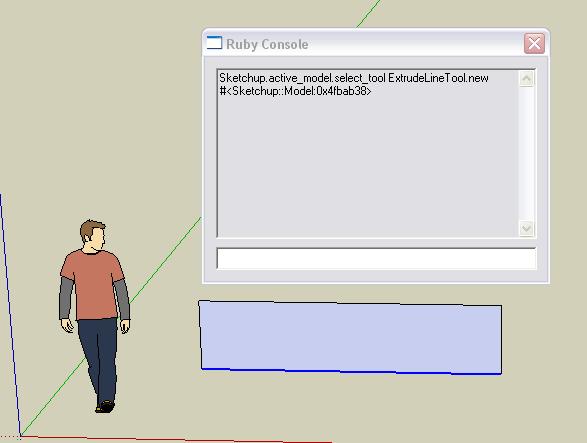
              Let's try something. Open the Ruby console, select a line in your model and click with the cursor in the white field at the bottom of the ruby console and type:

              Sketchup.active_model.select_tool ExtrudeLineTool.new (and hit Enter)

              This launches the "extrudeline" tool. If you get an error message, be sure the script is not loaded. If it works, this is another problem (that I can't figure out for now...)

              Hope this helps,

              DB

              1 Reply Last reply
              Reply Quote 0
              • P
                pallamand
                last edited by

                Hi:
                It seems it's working...

                BTW, did I tell you that I can't use the "construction point" neither?
                Thank you again for your help !!!!
                Pablo

                Projection test 01.jpg

                1 Reply Last reply
                Reply Quote 0
                • simon le bonS
                  simon le bon
                  last edited by

                  Dear Didier,

                  Un très grand bravo et un merci de la même taille pour ce "Projection Pack". I keep it as a permanent basic tools pack of SU.( And i haven't yet tapped quarter of its possibilities.)

                  One question:
                  Construction point is a very handy tool i am using daily. How can we do to erase them after the drawing is finished???

                  slb

                  1 Reply Last reply
                  Reply Quote 0
                  • A
                    a4chitect
                    last edited by

                    edit>delete guides

                    1 Reply Last reply
                    Reply Quote 0
                    • simon le bonS
                      simon le bon
                      last edited by

                      "Bon sang mais c'est bien sûr"
                      (good blood but it's for sure)(does it mean something in english?) ;-)slb

                      1 Reply Last reply
                      Reply Quote 0
                      • TIGT
                        TIG Moderator
                        last edited by

                        @simon le bon said:

                        "Bon sang mais c'est bien sûr"
                        (good blood but it's for sure)(does it mean something in english?) 😉slb

                        Damn me ! But it's obvious ! is nearest ? ...

                        TIG

                        1 Reply Last reply
                        Reply Quote 0
                        • pilouP
                          pilou
                          last edited by

                          Dear Didier
                          Does it possible for the N°13 (extrude selected lines along a vector) to have automatic new lines result "selected" for a new extrusion and so one... ☀
                          So user has just to draw a line of vectors click after click 😉

                          or such plug yet exist?

                          Frenchy Pilou
                          Is beautiful that please without concept!
                          My Little site :)

                          1 Reply Last reply
                          Reply Quote 0
                          • pilouP
                            pilou
                            last edited by

                            @Tig
                            Yes that is very nearest 😄

                            From an old french TV Serial "5 dernières minutes" (Last five minutes) (like Colombo)
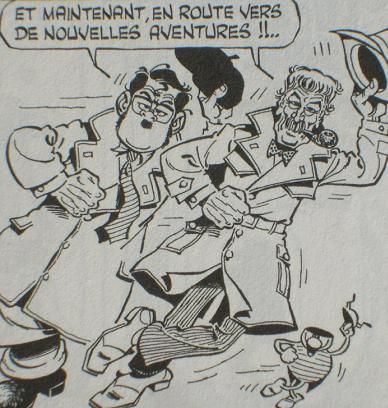
                            And the gimmik was at the end "Mais bon sang, c'est bien sûr" when the Police superintendants Bourrel and his loyal Cabrol has found the solution of the crime! (It's Cabrol who said the gimmick 😄

                            http://membres.lycos.fr/jchsaunier/hpbimg/BOURREL.jpg

                            remake in comics by Gotlib : Bougret & Chabrol 💚

                            http://img.over-blog.com/388x408/0/31/92/83/images16/RAB-Bougret-Charolles-bye.jpg

                            And for my little suggestion above no idea?

                            Frenchy Pilou
                            Is beautiful that please without concept!
                            My Little site :)

                            1 Reply Last reply
                            Reply Quote 0

                            Hello! It looks like you're interested in this conversation, but you don't have an account yet.

                            Getting fed up of having to scroll through the same posts each visit? When you register for an account, you'll always come back to exactly where you were before, and choose to be notified of new replies (either via email, or push notification). You'll also be able to save bookmarks and upvote posts to show your appreciation to other community members.

                            With your input, this post could be even better 💗

                            Register Login
                            • 1
                            • 2
                            • 2 / 2
                            • First post
                              Last post
                            Buy SketchPlus
                            Buy SUbD
                            Buy WrapR
                            Buy eBook
                            Buy Modelur
                            Buy Vertex Tools
                            Buy SketchCuisine
                            Buy FormFonts

                            Advertisement