SU 2027 Update with Non-Working Fredo Collection
-
Whenever I upgrade SU (Studio Version) something doesn't work. In this case it's Fredo. I have Curviloft, Corner, Scale, Tools and Library. The icons are on the screen, but do nothing. I uninstalled them all and then did a fresh reload from Sketchucation. Same situation! When I try to activate them, I get this error.
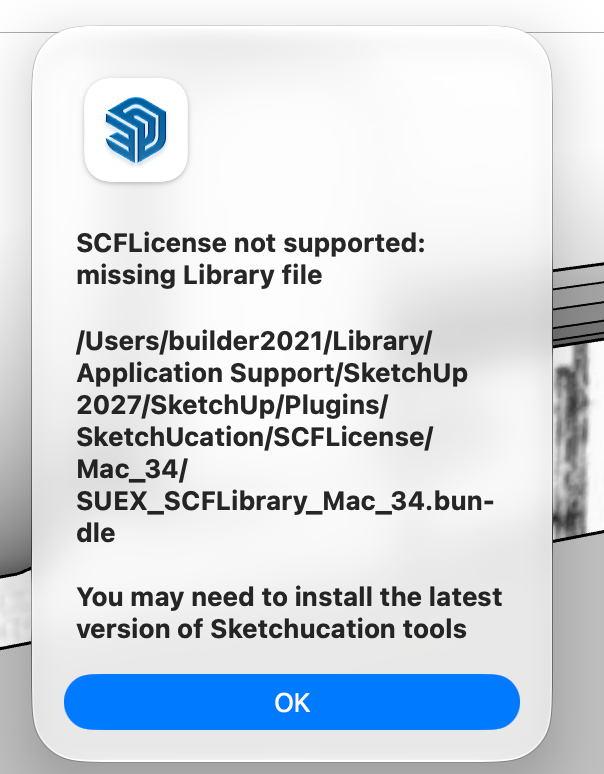
And I have absolutely no idea of what to do with this. I could use some help.
-
What OS are you using ?
How did you install and then run SketchUp ?
Do you have the latest version of the SketchUcation tools installed ?
This contains the newest licensing files.
Do you also have the latest versions of LibFredo6 and the extensions,
AND have you restarted SketchUp after the installations to sync everything ?Open Window > LibFredo6 Settings... > Fredo6 Plugins Information for SketchUcation Support
And a report appears in the Ruby Console.
Select all [Cmd+A ?] and Copy it, then Paste it into a reply in this thread...

Hello! It looks like you're interested in this conversation, but you don't have an account yet.
Getting fed up of having to scroll through the same posts each visit? When you register for an account, you'll always come back to exactly where you were before, and choose to be notified of new replies (either via email, or push notification). You'll also be able to save bookmarks and upvote posts to show your appreciation to other community members.
With your input, this post could be even better 💗
Register Login


Advertisement