Ford Model A Coupe 1934
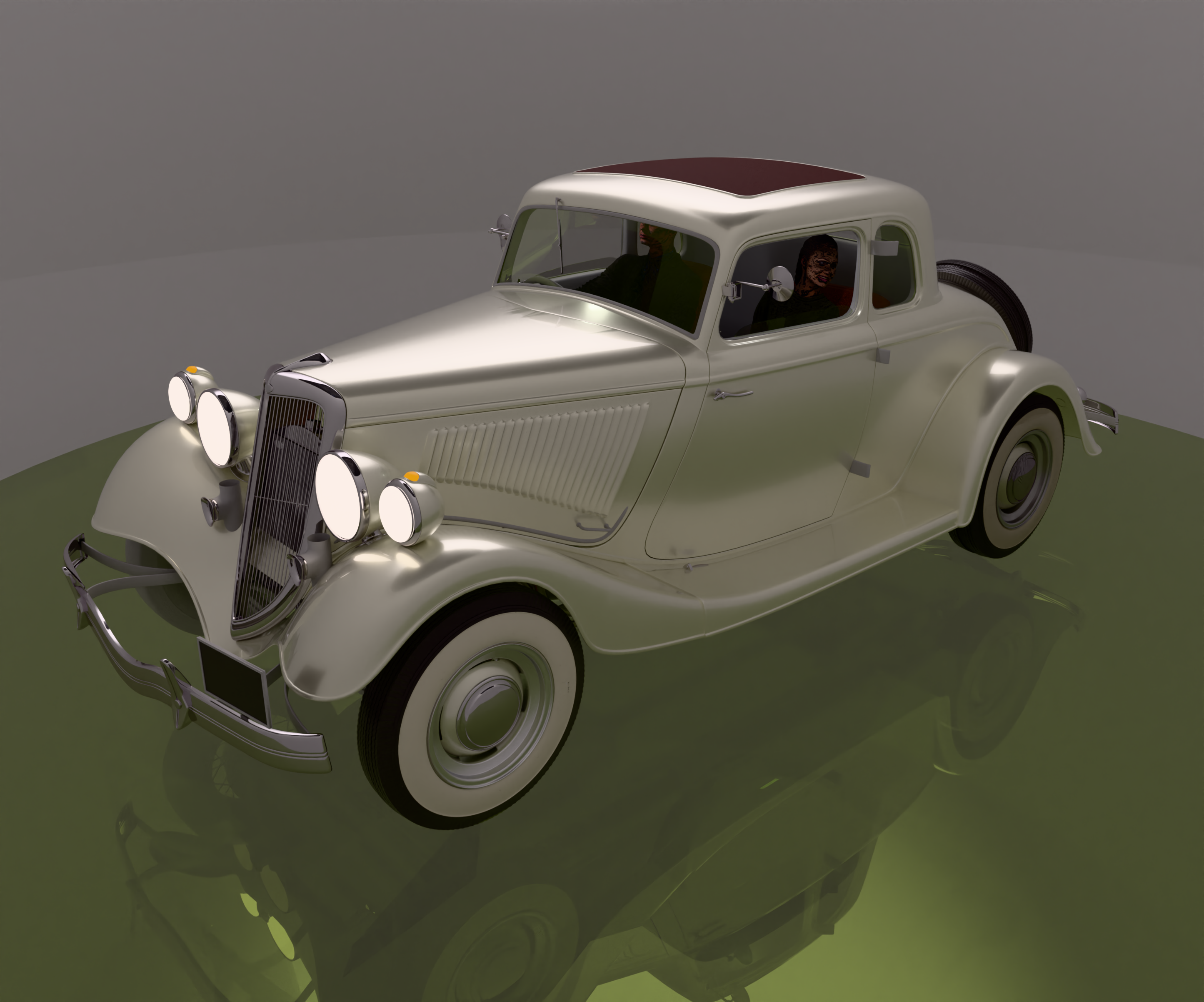
-
Something I am having issues with is a true red or orange light for indicators and brake lights.
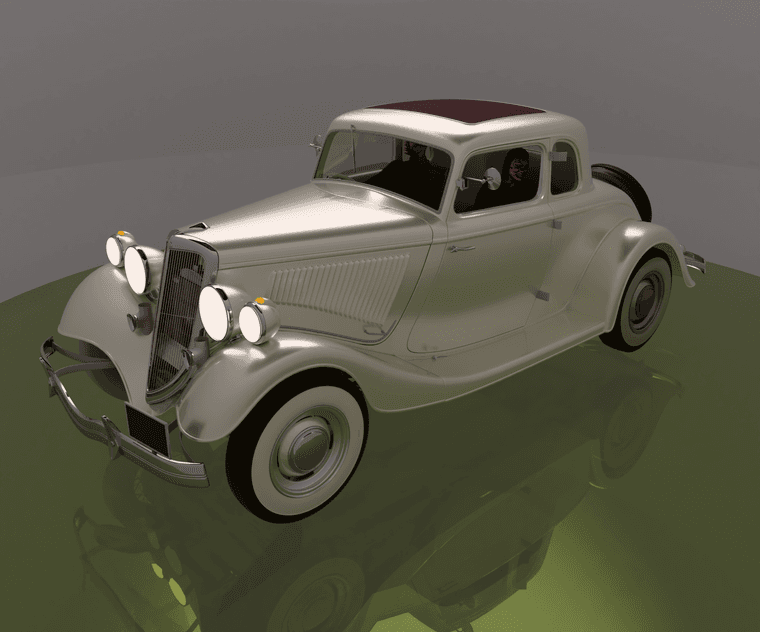
-
Another view.
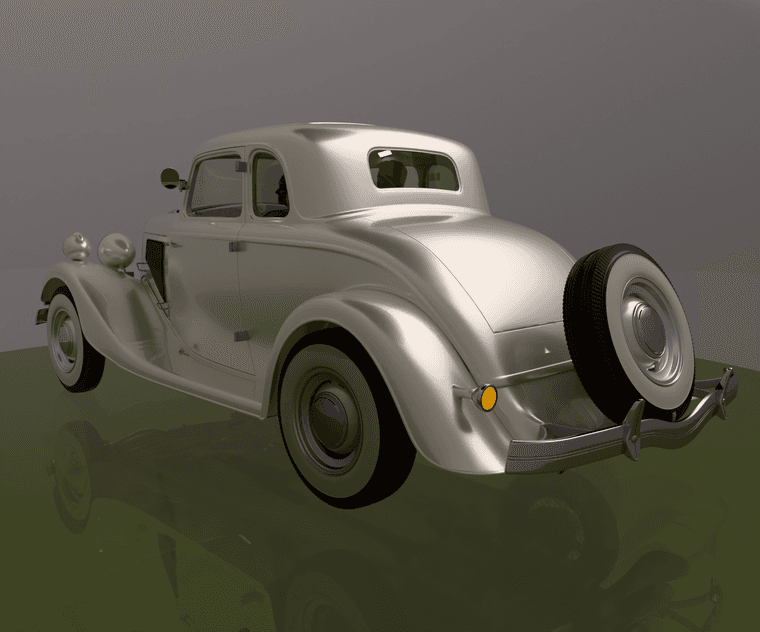
-
Now make it a hot rod! Drop a coyote in it, drop it and give it some cool wheels! Nice work
-
Ta, done a few hotrods so thought something a little more street would be a change. There is a 'rod' V8 in there.
-
@Mike-Amos Lovely coupe! Your tail light question fits nicely with something we've been working on for a while now: a car rendering tutorial. It's all by my friend Ben, who does all the graphics stuff, I'm just the programmer
 He's really a C4D + Redshift guy, but he's cool enough to help out with SketchUp + Rayscaper (for a lot of beers
  ).
).Here are some shots from it.
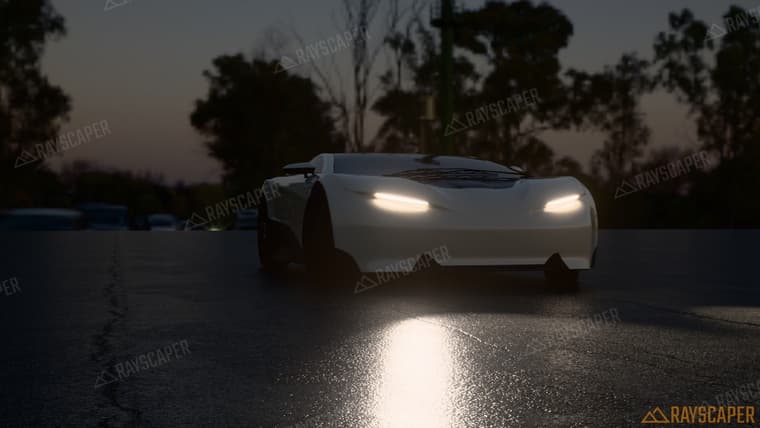
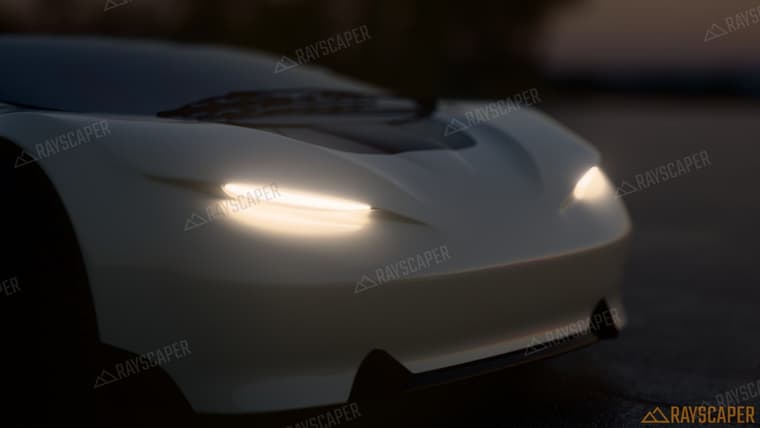
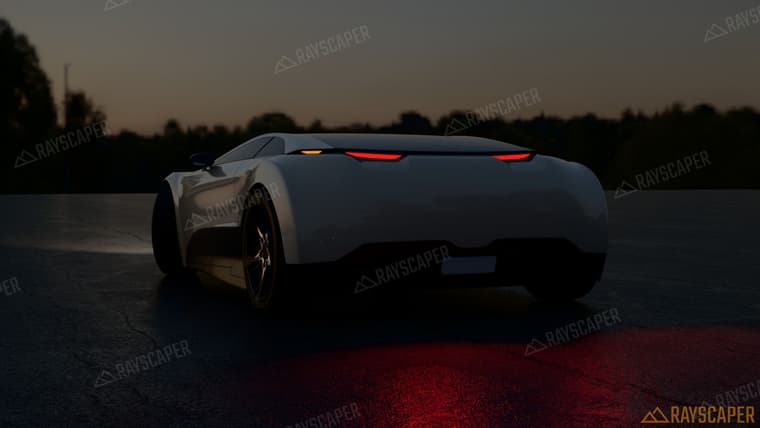
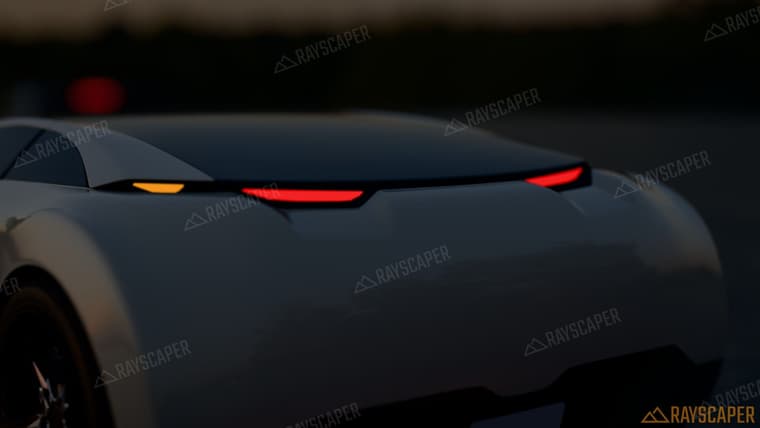
The red going pink/white is the tone mapping, not your color. Very bright pixels get pulled towards white, so the more power you give a red lens, the paler it gets. Here's the same red lens with more and more power:
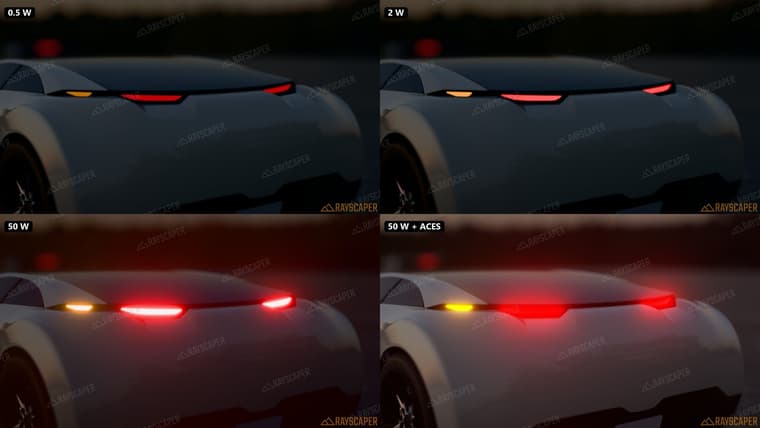
What works on the lenses:
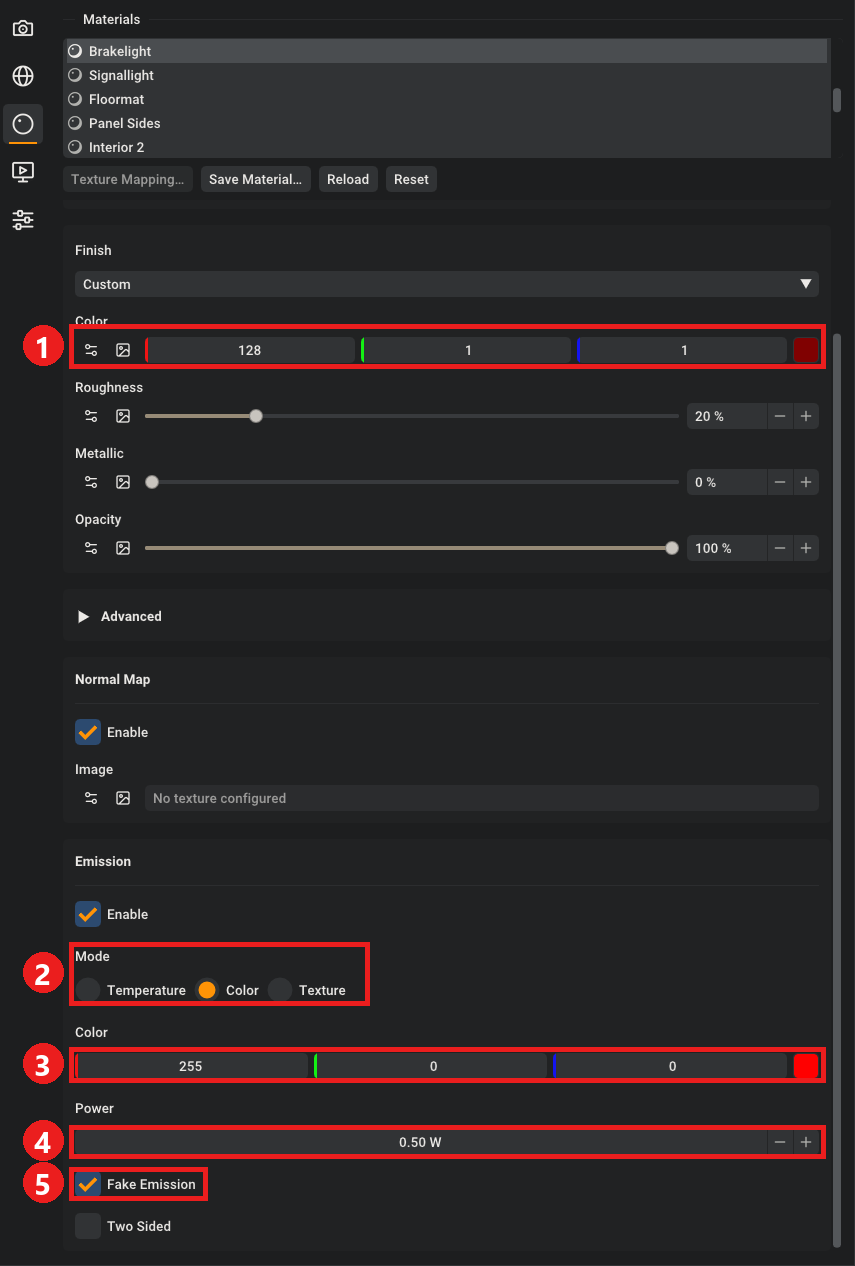
- Give the lens a dark red base color, like real tail light plastic.
- Emission mode on Color, not Temperature (even the lowest Kelvin is still orange).
- Pure red, 255 0 0. For the indicators something like 255 90 0.
- Keep the power low, Ben used about 0.5 to 1 W. Just bright enough to glow.
- Fake Emission on. The lens doesn't need to light the scene, so it renders faster and cleaner.
And in Post Processing:
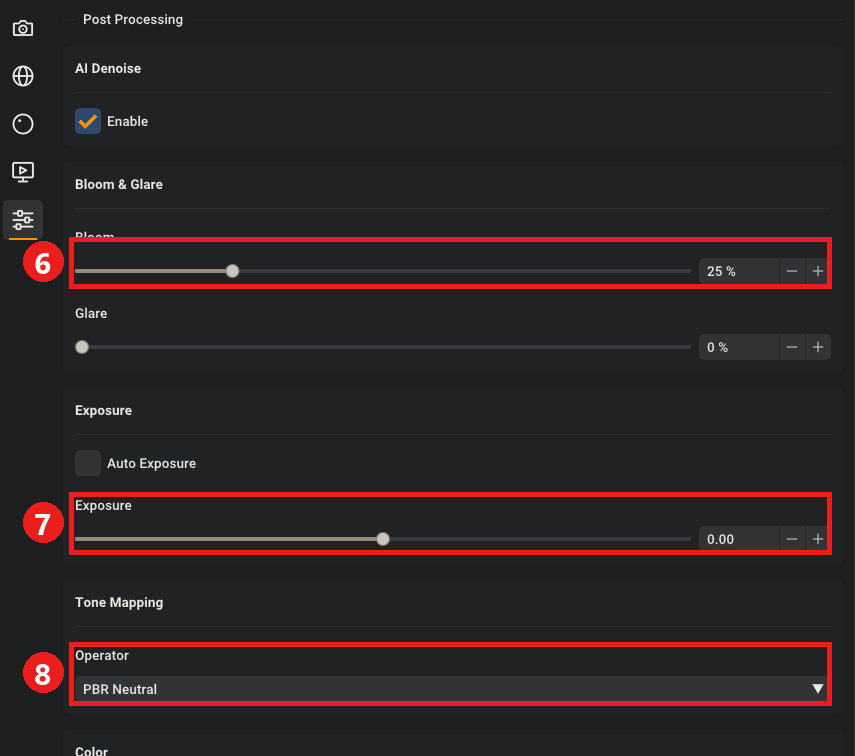
- A bit of Bloom gives you the glow around the lamps.
- Set the exposure by hand for a night shot, so auto exposure doesn't push everything up.
- If you really want blazing lamps, try ACES. It keeps the red better than PBR Neutral, but it turns orange into yellow (bottom right of the comparison).
The trick behind the light on the road: the lamps themselves are too small to light much, so Ben put a spotlight just in front of each headlight, aimed down the road, and two red ones behind the tail lights pointing down at the ground. Then he made the asphalt wet by dropping its roughness to about 0.1, so all of it reflects. The sky is the "highway bridge sunset" HDRI from Poly Haven, turned way down.
We plan to put up the full tutorial on how to do awesome car renders soon, so stay tuned. In the meantime, would love to see the coupe with this treatment!
Cheers,
Thomas -
Cheers Thomas, I shall look into those points, worked some of them out myself.
Landlord management team interviewed me again today and it will take a couple of daze to get over that privilege.....


Hello! It looks like you're interested in this conversation, but you don't have an account yet.
Getting fed up of having to scroll through the same posts each visit? When you register for an account, you'll always come back to exactly where you were before, and choose to be notified of new replies (either via email, or push notification). You'll also be able to save bookmarks and upvote posts to show your appreciation to other community members.
With your input, this post could be even better 💗
Register Login


Advertisement