sketchucation logo sketchucation
    • Login
    Oops, your profile's looking a bit empty! To help us tailor your experience, please fill in key details like your SketchUp version, skill level, operating system, and more. Update and save your info on your profile page today!
    Mac User? | Join the Rayscaper Beta for Mac Learn More

    Modlumi - Easy 3D modelling


    Scheduled Pinned Locked Moved Corner Bar
    308 Posts 9 Posters 28.0k Views 7 Watching
    Loading More Posts
    • Oldest to Newest
    • Newest to Oldest
    • Most Votes
    Reply
    • Reply as topic
    Log in to reply
    This topic has been deleted. Only users with topic management privileges can see it.
    • pilouP
      pilou
      last edited by

      @pixelcruncher
      About guide Line and Point LIne
      I believe a simple togle Line / Point will be sufficient and more clear!
      All be drawn from segments, lines...

      Frenchy Pilou
      Is beautiful that please without concept!
      My Little site :)

      1 Reply Last reply
      Reply Quote 0
      • ntxdaveN
        ntxdave @pilou
        last edited by

        @pilou said:

        I believe than Scenes functions are not yet finished... !

        @pixelcruncher
        And more than you describe above possibility to have an object A scène 1 , then object A modified scene 2 will be ultra fine!
        So we must see transformation between scene 1 to scene 2 !

        I just tried creating a file that was almost exactly as I described in my image. After updating the layer visibility in each of the scenes, I clicked the scene Update button but the settings were not saved. It applied the same layer visibility control in every scene. So at least I have shared a document/image that describes what I was trying to achieve. My memory might be wrong but I think that is the way things work in SketchUp. πŸ™‚

        Press F1...thank me later

        1 Reply Last reply
        Reply Quote 0
        • ntxdaveN
          ntxdave
          last edited by

          When you click on the Feedback button in the Modlumi app, I would like the ability to also attach the Modlimi file.

          Press F1...thank me later

          1 Reply Last reply
          Reply Quote 0
          • pilouP
            pilou
            last edited by

            Request : possibility to hide Edges !

            Frenchy Pilou
            Is beautiful that please without concept!
            My Little site :)

            1 Reply Last reply
            Reply Quote 0
            • pilouP
              pilou
              last edited by pilou

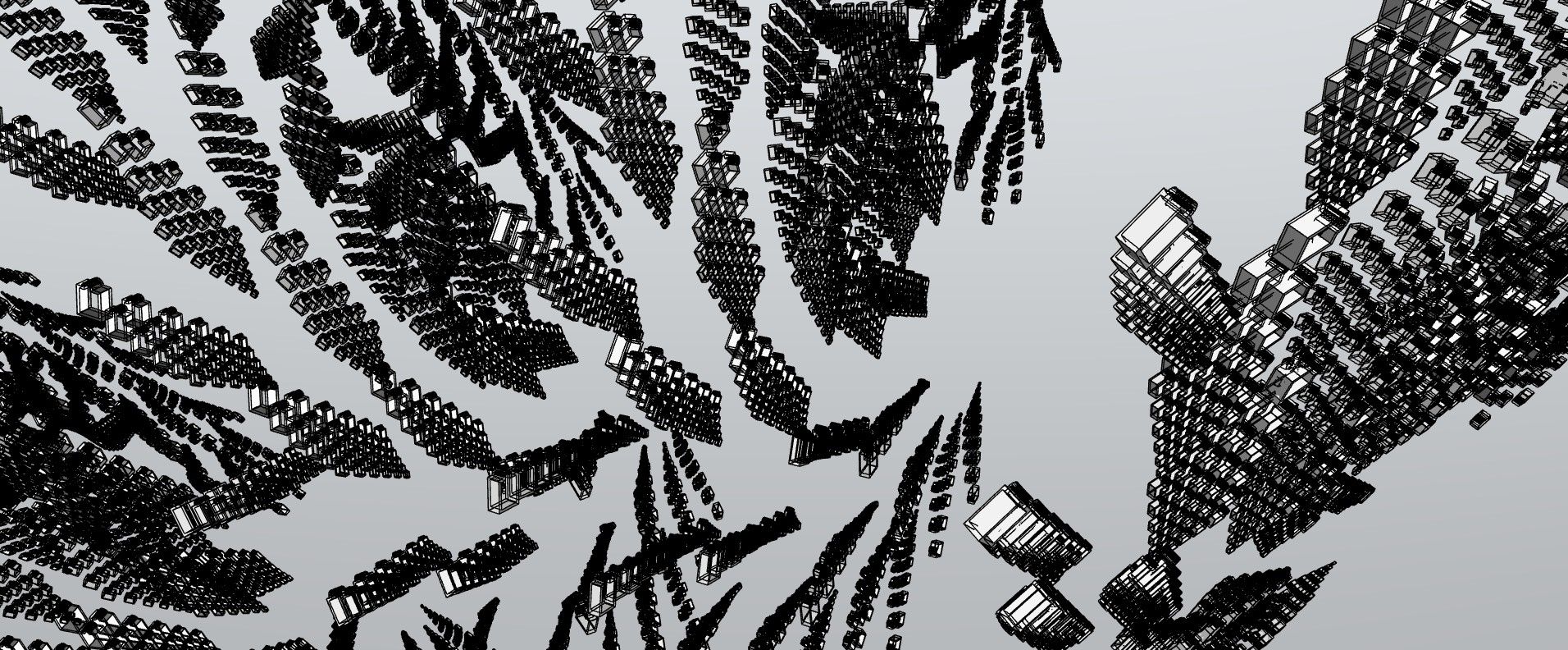
              feuilles.jpg

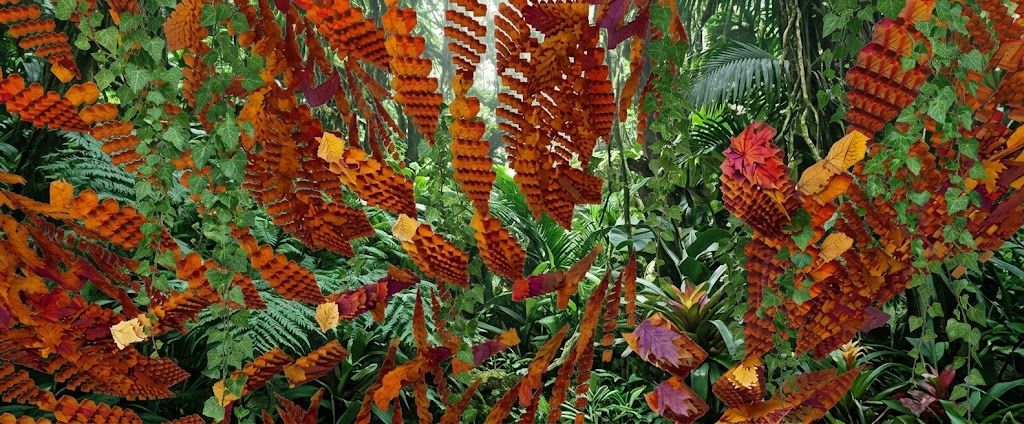
              vegetation.jpg

              Frenchy Pilou
              Is beautiful that please without concept!
              My Little site :)

              1 Reply Last reply
              Reply Quote 0
              • pixelcruncherP
                pixelcruncher Extension Creator
                last edited by

                Modlumi 0.23 is out

                Download it for Windows from https://modlumi.com/download/latest/windows, or open the browser version at https://modlumi.com/app/. If you already run 0.22 on Windows, it will offer you the update. The Mac build of 0.23 will follow later.

                New features

                • Make faces from edges you select. Edges that close a loop without a face, such as imported outlines, can now be filled: select them and choose Edit β†’ Make Faces, also in the right-click menu. If nothing can be filled, Modlumi says why. Thanks @pilou! https://modlumi.com/docs/user-guide/drawing/

                • Extrude edges into walls. The Extrude tool now sweeps a loose edge, a curve or the selected edges into faces, with axis locks and typed distances as for faces. Thanks @pilou for asking, twice! https://modlumi.com/docs/user-guide/shaping/#extrude-edges

                • Divide edges into equal segments. Select edges and choose Edit β†’ Divide to split each into 2 to 1000 equal pieces. Thanks @pilou! https://modlumi.com/docs/user-guide/drawing/#divide-an-edge

                • Scenes remember which layers are visible. @ntxdave, this is the fix for the scenes ignoring your layers. Select a scene, show and hide its layers, and check Save layers in the Scenes panel; Update saves them again later. New scenes save layers right away, but scenes made in 0.22 need that checkbox once. Thanks for the clear steps and the picture! https://modlumi.com/docs/user-guide/navigating/#show-different-things-in-each-scene

                • Assign your own keyboard shortcuts. Window β†’ Keyboard Shortcuts... lists the menu commands and tools, and any without a shortcut can get one with Ctrl or Alt, or a function key. https://modlumi.com/docs/user-guide/keyboard-shortcuts/#your-own-shortcuts

                • Components can face the camera. Check Face camera in Properties for a cut-out such as a scale figure or a tree, and every copy turns toward you as you orbit. SketchUp figures that always face the camera do the same after import. https://modlumi.com/docs/user-guide/groups-and-components/#make-a-component-face-the-camera

                Improvements

                • Draw perpendicular to an edge. Start a line on an edge or guide line, or pass over one first, and Modlumi offers the direction square to it, in 3D too. The line turns magenta, and Shift locks it. Thanks @pilou! https://modlumi.com/docs/user-guide/drawing/#snapping-and-axis-locks

                • Double-click to repeat. After an extrusion, double-click another face with Extrude to extrude it by the same distance (thanks @pilou). After rounding a corner with Arc, double-click another corner to round it with the same radius, as in your rounded rectangle question (thanks @ntxdave).

                • Save images as JPEG. File β†’ Save to Image... now chooses between PNG and JPEG, with a quality slider. Thanks @pilou! https://modlumi.com/docs/user-guide/files/#save-an-image

                • A plain background in the color you choose. View β†’ Environment β†’ Plain fills the view and saved images with exactly the backdrop color, such as white for printing. Thanks @pilou! https://modlumi.com/docs/user-guide/navigating/#environment

                • Measure's tape and the Arc tool's first segment take the color of the axis they follow, like the Line tool. Thanks @pilou!

                • Measure starts parallel guides from guide lines, and the tooltip now says Guide point or Guide line before you click. @pilou, that explains the guide points you got "from a segment": a press on an edge's midpoint starts a guide point. Starting a guide from where two guides cross comes later. https://modlumi.com/docs/user-guide/measuring/#guides

                • SketchUp groups import as groups instead of components.

                Fixes

                • Large STL files import in seconds with Merge coplanar faces. @pilou's armchair of over a million triangles never finished in millimeters or with Merge coplanar faces on; it now takes a few seconds, and merging no longer loses or adds area on curved surfaces. Thanks for the file and for not giving up on it!

                • Tiny faces no longer go missing. Faces only a few micrometers across were dropped, which left black specks all over @pilou's imported chair. Thanks for the screenshot!

                Full release notes: https://modlumi.com/docs/release-notes/

                Thanks for the reports. Keep them coming!

                I'm the developer of Rayscaper: https://rayscaper.com/ - Fast and easy rendering for SketchUp.

                ntxdaveN 2 Replies Last reply
                Reply Quote 0
                • pilouP
                  pilou
                  last edited by pilou

                  @pixelcruncher
                  About the guide lines
                  Colors of axes then // ok !
                  Togle Line / Measure ok but will be better to have Line / Point / Measure
                  Why not a point from a segment ? (only by the corner is not enough !
                  Measures are just tremporary! and we must to see the dimensions on the little box on the right bottom!
                  Not possibility to make new guide lines from intersections of old ones is a big miss! πŸ™‚

                  Frenchy Pilou
                  Is beautiful that please without concept!
                  My Little site :)

                  1 Reply Last reply
                  Reply Quote 0
                  • pilouP
                    pilou
                    last edited by pilou

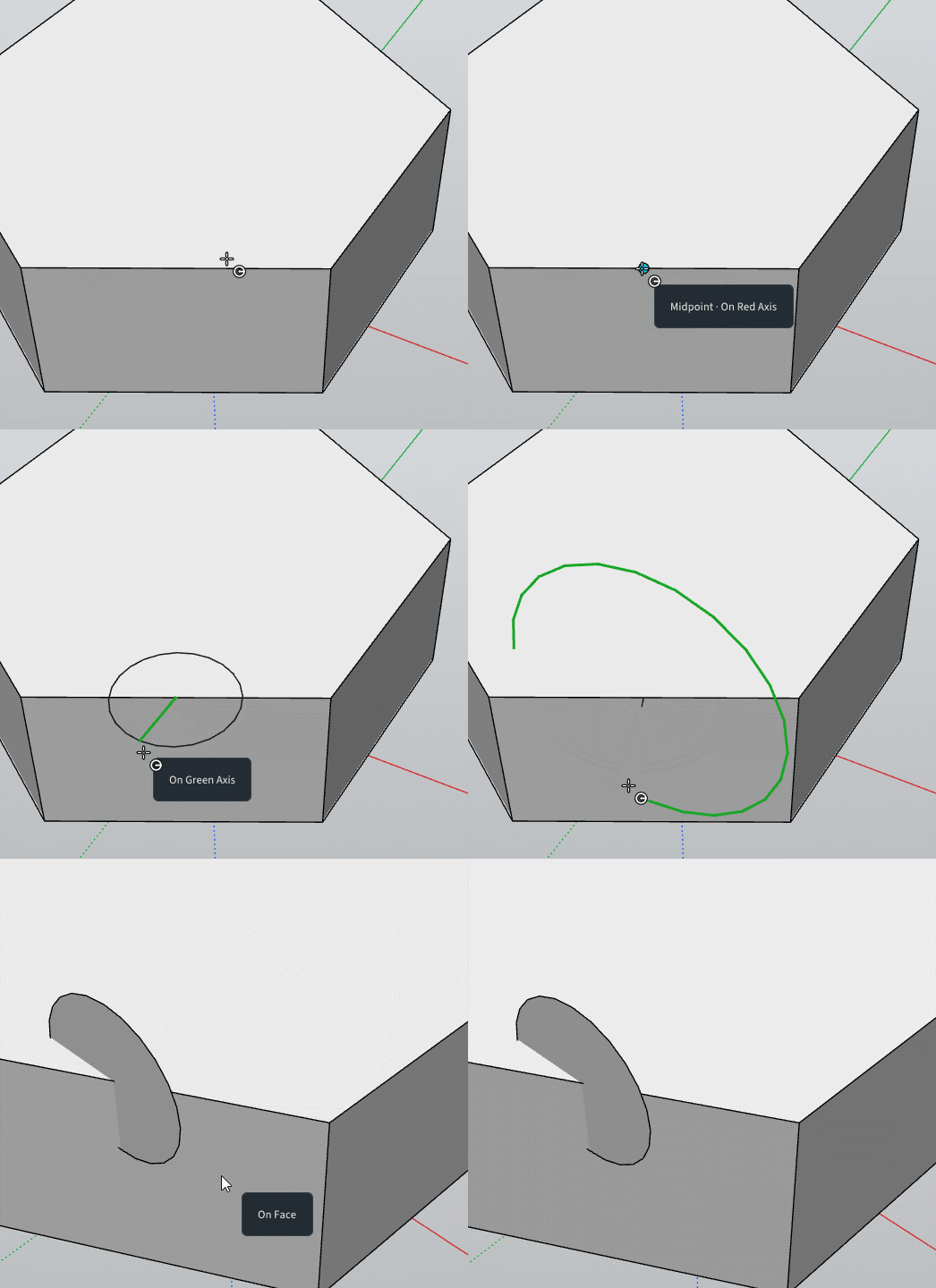
                    We can't make a vertical circle from top edge face of a volume ?
                    Maybe use of a Protractor from a face will be fine ?

                    it's written Arrows block the plane but...
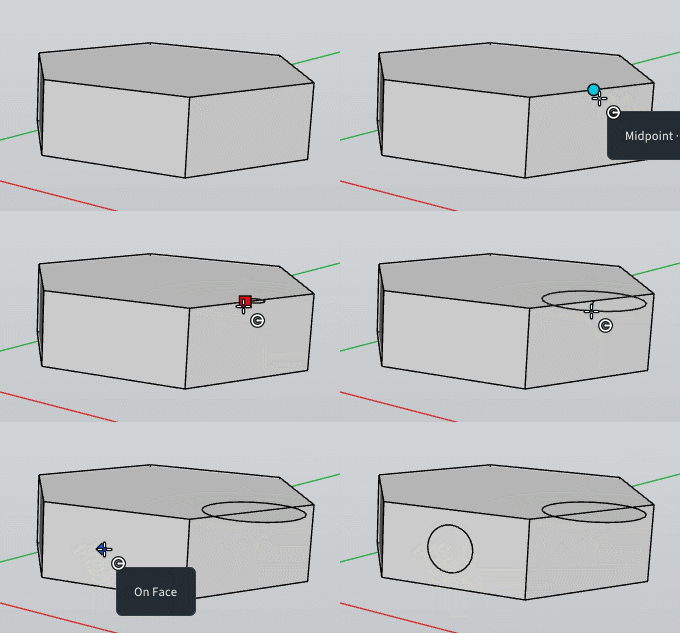
                    Gif_novertica_lcircle.gif

                    !I have found something with the arrows but cicles is not always perpendicular in the case of the polygon is bad oriented! πŸ™‚
                    Sure i can copy move rotate but πŸ™‚

                    GIF_circle_vertical1.gif

                    Frenchy Pilou
                    Is beautiful that please without concept!
                    My Little site :)

                    1 Reply Last reply
                    Reply Quote 0
                    • ntxdaveN
                      ntxdave @pixelcruncher
                      last edited by

                      @pixelcruncher said:

                      Modlumi 0.23 is out

                      Improvements

                      • Double-click to repeat. After an extrusion, double-click another face with Extrude to extrude it by the same distance (thanks @pilou). After rounding a corner with Arc, double-click another corner to round it with the same radius, as in your rounded rectangle question (thanks @ntxdave).

                      I drew a rectangle and then put an arc in one corner. I then moved my mouse to another corner and double-clicked but did not get the arc repeated in the other corner. Maybe I am not doing it correctly. Can someone tell me what I am doing wrong?

                      Press F1...thank me later

                      1 Reply Last reply
                      Reply Quote 0
                      • ntxdaveN
                        ntxdave @pixelcruncher
                        last edited by

                        @pixelcruncher said:

                        Scenes remember which layers are visible. @ntxdave, this is the fix for the scenes ignoring your layers. Select a scene, show and hide its layers, and check Save layers in the Scenes panel; Update saves them again later. New scenes save layers right away, but scenes made in 0.22 need that checkbox once. Thanks for the clear steps and the picture! https://modlumi.com/docs/user-guide/navigating/#show-different-things-in-each-scene

                        Played with this one and it now works exactly as I was trying to get it. πŸ™‚

                        Press F1...thank me later

                        1 Reply Last reply
                        Reply Quote 1
                        • ntxdaveN
                          ntxdave
                          last edited by

                          @pixelcruncher Thanks so much for the updates. I have installed the 0.23 version and am starting to test some of the new features. Here is one I am having a problem with:

                          Double-click to repeat. After an extrusion, double-click another face with Extrude to extrude it by the same distance (thanks @pilou). After rounding a corner with Arc, double-click another corner to round it with the same radius, as in your rounded rectangle question (thanks @ntxdave).

                          Press F1...thank me later

                          1 Reply Last reply
                          Reply Quote 0
                          • pilouP
                            pilou
                            last edited by pilou

                            @ntxdave
                            I am not sure there yet this function!
                            But you can make like in SketchUp :
                            Copy Move your arc
                            Use Scale: take the good Handle and write -1
                            You have your MIrrored arc!

                            Frenchy Pilou
                            Is beautiful that please without concept!
                            My Little site :)

                            ntxdaveN 1 Reply Last reply
                            Reply Quote 0
                            • ntxdaveN
                              ntxdave
                              last edited by

                              I would like to make anoher suggestions:

                              • Since you can use the Play button on the Scenes panel to play the scenes, it would be neat if there was a way to create an animation via the Play button or some other method to create an animation.

                              Press F1...thank me later

                              1 Reply Last reply
                              Reply Quote 0
                              • ntxdaveN
                                ntxdave @pilou
                                last edited by ntxdave

                                @pilou said:

                                @ntxdave
                                I am not sure there yet this function!
                                But you can make like in SketchUp :
                                Copy Move your arc
                                Use Scale: take the good Handle and write -1
                                You have your MIrrored arc!

                                This is where I saw it but I have not been able to get it to work. I assume I am doing something wrong.

                                @pixelcruncher said:

                                Improvements
                                Draw perpendicular to an edge. Start a line on an edge or guide line, or pass over one first, and Modlumi offers the direction square to it, in 3D too. The line turns magenta, and Shift locks it. Thanks @pilou! https://modlumi.com/docs/user-guide/drawing/#snapping-and-axis-locks

                                Press F1...thank me later

                                1 Reply Last reply
                                Reply Quote 0
                                • ntxdaveN
                                  ntxdave
                                  last edited by ntxdave

                                  Some more questions:

                                  • Can you add the ability to upload your Modlumi file when you click on the Feedback button so that the Modlumi staff can see the problem firsthand?

                                  • It is great to be able to play the scenes in your model by clicking the Play button in the Scenes panel. Are there any plans/or would it be possible to export the scenes as an animation? :-

                                  • Are there any plans in the future to combine Modlumi and Rayscaper so that you can render the models you create with Modlumi? πŸ™‚

                                  • One more silly question: @pixelcruncher & @pilou what software you guys use to create the animation/gif files you post in this forum?

                                  Press F1...thank me later

                                  1 Reply Last reply
                                  Reply Quote 0
                                  • pilouP
                                    pilou
                                    last edited by

                                    I use this little free one! πŸ™‚
                                    https://moiscript.weebly.com/gifcam.html

                                    Frenchy Pilou
                                    Is beautiful that please without concept!
                                    My Little site :)

                                    1 Reply Last reply
                                    Reply Quote 0
                                    • pixelcruncherP
                                      pixelcruncher Extension Creator
                                      last edited by

                                      @ntxdave (and others), I'll try to get around answering most questions later. For the GIFs, I'm using https://getsharex.com/ (hat tip to @rich-o-brien).

                                      I'm the developer of Rayscaper: https://rayscaper.com/ - Fast and easy rendering for SketchUp.

                                      1 Reply Last reply
                                      Reply Quote 0
                                      • pilouP
                                        pilou
                                        last edited by pilou

                                        @ntxdave
                                        Maybe like this
                                        Draw a guide line then move it to the rectangular surface
                                        Draw the first "violet" Arc (snap equal corner distance) from the intersection guide line to the top
                                        Draw the left arc
                                        Draw second arc on the right frorm the intersection Guide Line to the top with Double Click
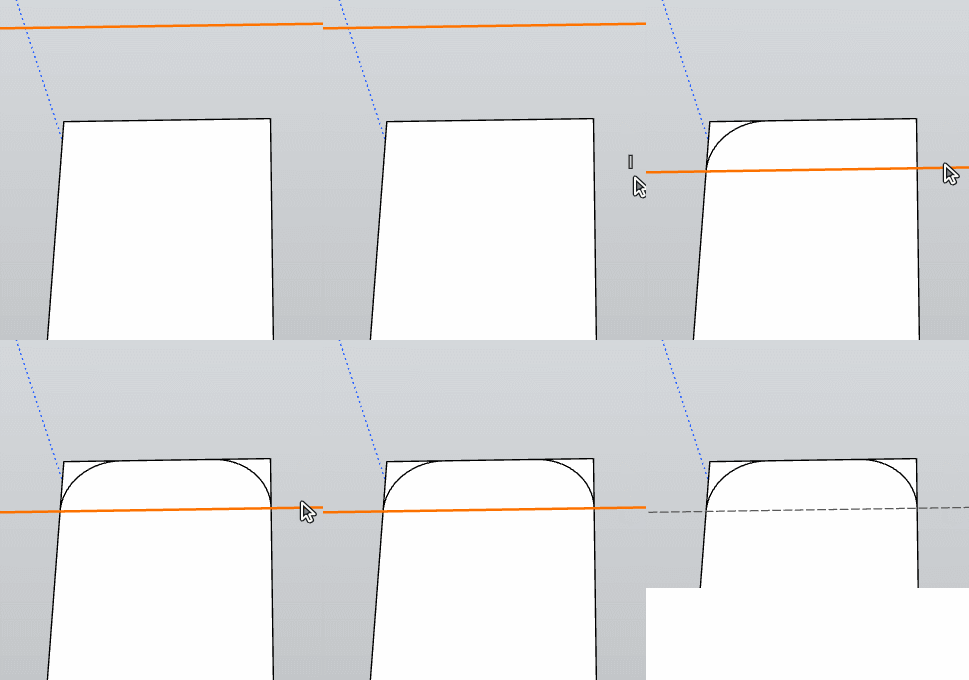
                                        GIF_maybelikethis.gif

                                        Frenchy Pilou
                                        Is beautiful that please without concept!
                                        My Little site :)

                                        ntxdaveN 1 Reply Last reply
                                        Reply Quote 0
                                        • pilouP
                                          pilou
                                          last edited by pilou

                                          Cool we can Move Copy, Rotate, Guide Lines !
                                          Before request draw Guide Line by / between 2 Snaps ! πŸ™‚
                                          You can make that! πŸ™‚ Some yet powerful !
                                          Sure that win 2 seconds (against my little trick but...
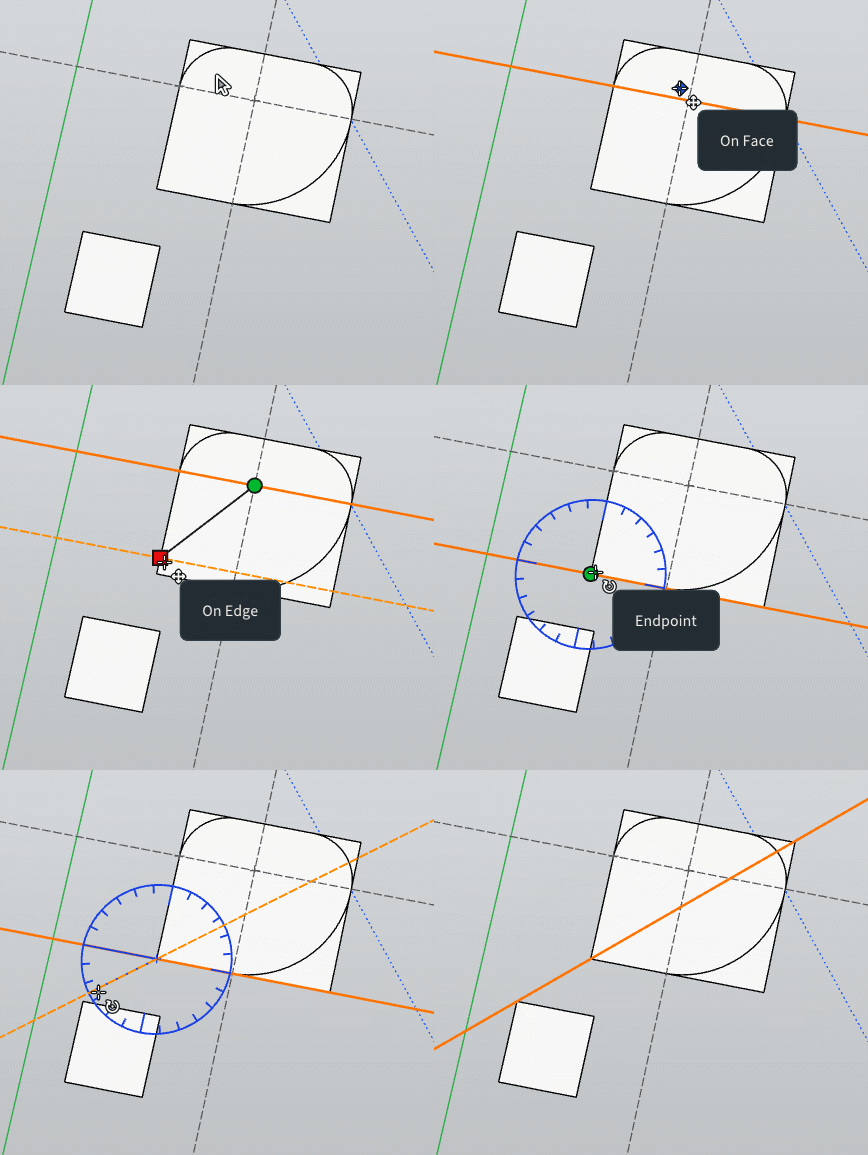
                                          GIF_between_2.gif

                                          Frenchy Pilou
                                          Is beautiful that please without concept!
                                          My Little site :)

                                          1 Reply Last reply
                                          Reply Quote 0
                                          • pilouP
                                            pilou
                                            last edited by pilou

                                            We can have models from the free Solidworks spirit ! Purrametric (File STL linked Bottom post)
                                            https://purrametric.deepmagic.de/
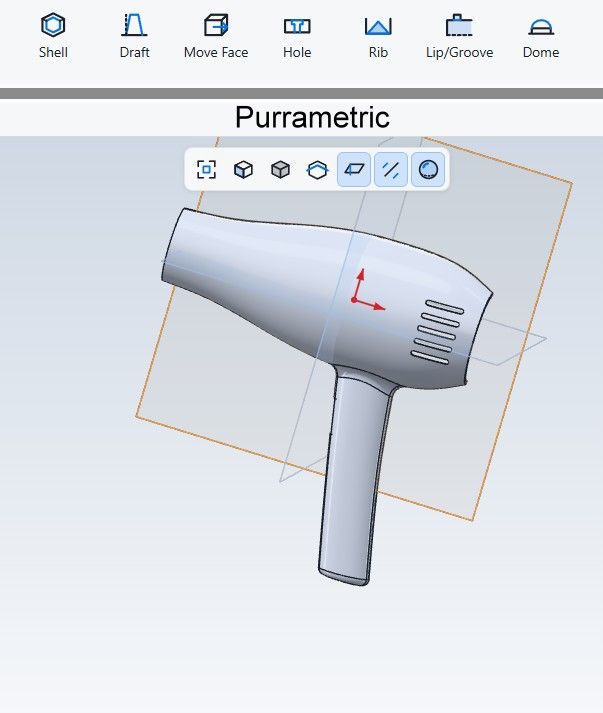
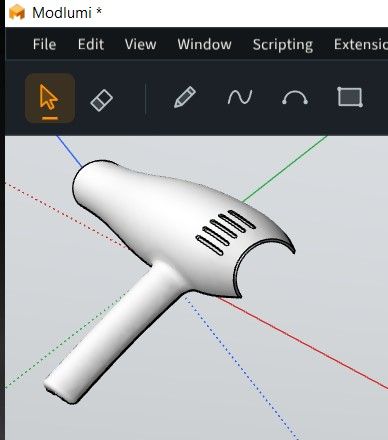
                                            Chaud0.jpg

                                            chaud4.jpg

                                            Gemini
                                            chaud2.jpg

                                            File STL
                                            chaud4.zip

                                            Frenchy Pilou
                                            Is beautiful that please without concept!
                                            My Little site :)

                                            1 Reply Last reply
                                            Reply Quote 1

                                            Hello! It looks like you're interested in this conversation, but you don't have an account yet.

                                            Getting fed up of having to scroll through the same posts each visit? When you register for an account, you'll always come back to exactly where you were before, and choose to be notified of new replies (either via email, or push notification). You'll also be able to save bookmarks and upvote posts to show your appreciation to other community members.

                                            With your input, this post could be even better πŸ’—

                                            Register Login
                                            • 1
                                            • 2
                                            • 3
                                            • 4
                                            • 5
                                            • 15
                                            • 16
                                            • 3 / 16
                                            • First post
                                              Last post
                                            Buy SketchPlus
                                            Buy SUbD
                                            Buy WrapR
                                            Buy eBook
                                            Buy Modelur
                                            Buy Vertex Tools
                                            Buy SketchCuisine
                                            Buy FormFonts

                                            Advertisement