sketchucation logo sketchucation
    • Login
    Oops, your profile's looking a bit empty! To help us tailor your experience, please fill in key details like your SketchUp version, skill level, operating system, and more. Update and save your info on your profile page today!
    Mac User? | Join the Rayscaper Beta for Mac Learn More

    Modlumi - Easy 3D modelling


    Scheduled Pinned Locked Moved Corner Bar
    272 Posts 9 Posters 23.7k Views 7 Watching
    Loading More Posts
    • Oldest to Newest
    • Newest to Oldest
    • Most Votes
    Reply
    • Reply as topic
    Log in to reply
    This topic has been deleted. Only users with topic management privileges can see it.
    • pilouP
      pilou
      last edited by pilou

      What a reactivity!

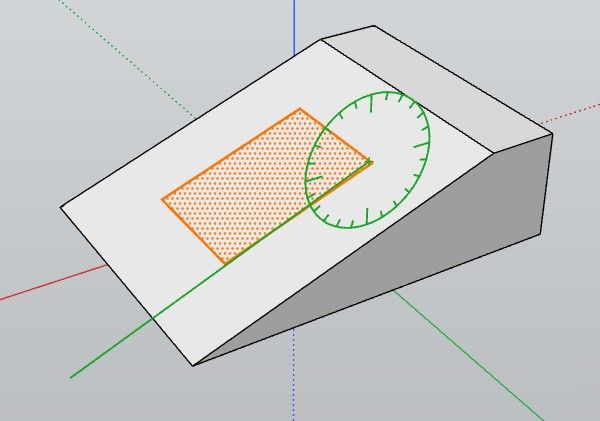
      The copy rotation of an inclined face Offsseted is always problematic!

      Request : Extrude segments!
      Make a face from selected segments (sure i can draw a segment and erase it but...)
      Edit Points
      Subdivision of a volume πŸ™‚

      Follow when you click a snap point as you see the cross green is not on it! 😞
      And the Axe blocked don't work as expected!
      Bug 8.jpg

      Frenchy Pilou
      Is beautiful that please without concept!
      My Little site :)

      1 Reply Last reply
      Reply Quote 0
      • pixelcruncherP
        pixelcruncher Extension Creator
        last edited by

        @pilou Thanks for testing 0.21 so quickly! πŸ™‚

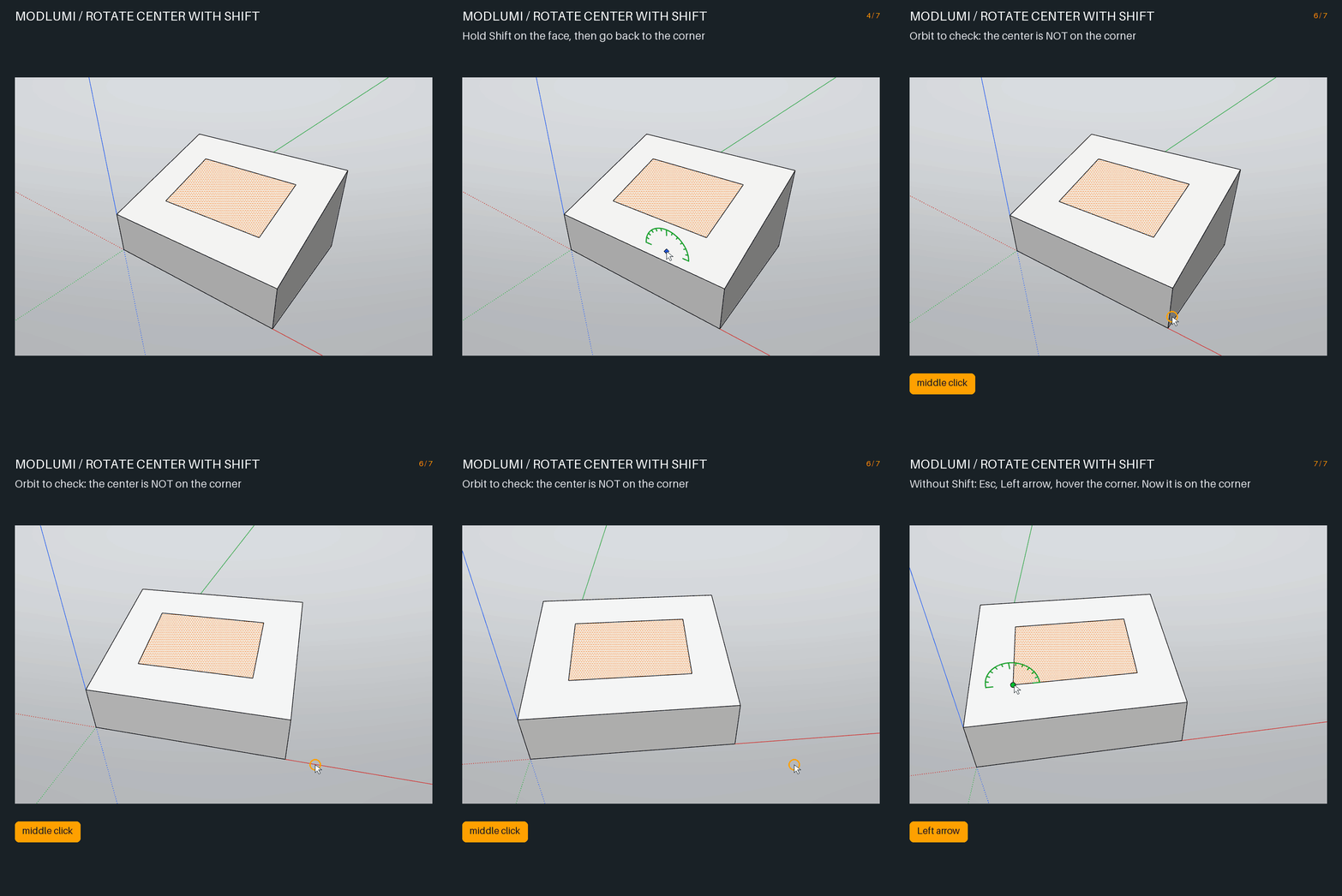
        I think I found the Rotate problem from your last picture, but I want to be sure we are talking about the same thing. Here is what I see:

        1. Select the rectangle and start Rotate (Q).
        2. Lock the green axis with the Left arrow.
        3. Hold Shift, then move to the corner of the rectangle. It shows Endpoint.
        4. Click. The center looks like it is on the corner...
        5. ...but when you orbit, you see that the center is not on the corner. Without Shift, it is on the corner.

        modlumi-rotate-center.gif

        Is this your problem? Two short questions:

        • Do you hold Shift when you click the center? If not, which keys do you press, and in which order?
        • "The locked axis doesn't work as expected": which line did you want to rotate around? Is it the green line in your picture, or an edge of the rectangle?

        A small GIF of your steps would help a lot. πŸ™‚

        Cheers,
        Thomas

        I'm the developer of Rayscaper: https://rayscaper.com/ - Fast and easy rendering for SketchUp.

        1 Reply Last reply
        Reply Quote 0
        • pilouP
          pilou
          last edited by

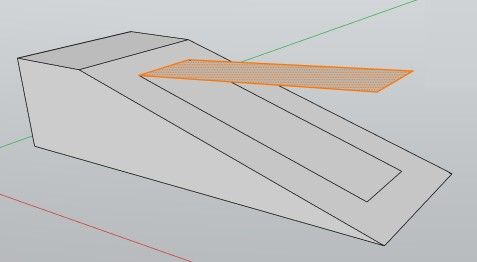
          Ok that was that : i used Shift like in SketchUp for block the plane! πŸ™‚
          Now with your Down Arrow that works like a charm! πŸ™‚ Bravo
          And the Perpendicular works also fine in this case!

          OK.jpg

          Frenchy Pilou
          Is beautiful that please without concept!
          My Little site :)

          1 Reply Last reply
          Reply Quote 0
          • pilouP
            pilou
            last edited by pilou

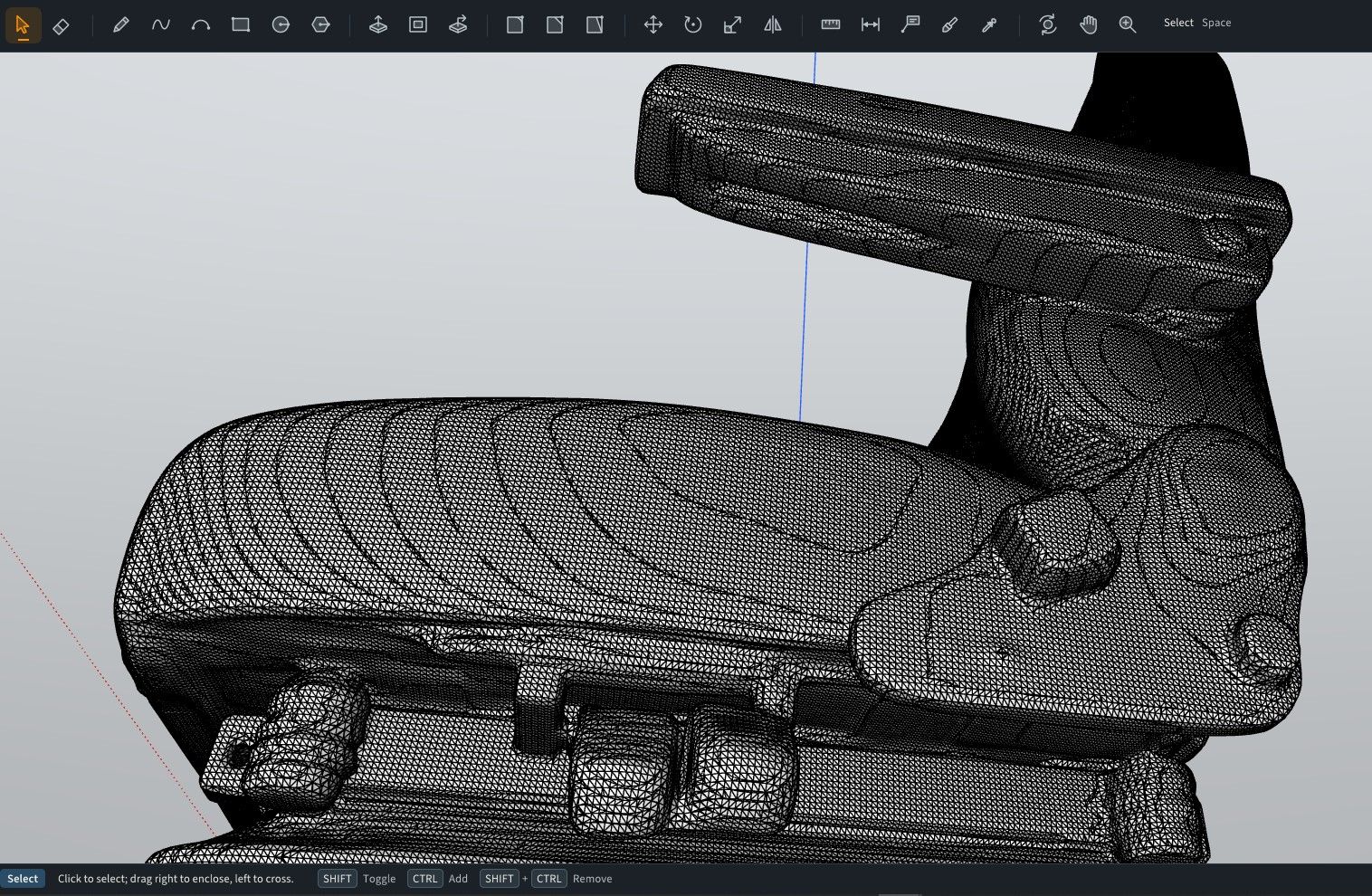
            My STL armchair won't works as you said few seconds... never successed from now...
            Maybe i make an error in the process ?
            I see the logo Preparing your Model but...
            I will try again! πŸ™‚

            Edit No definitly not in mm
            but yes in meters and yes in seconds! πŸ™‚ (with merge not enabled)
            I will test in merging coplanar faces! πŸ™‚ No success in reasonable time!

            Ps It's better for your prog to have "quads" volumes subdivided for import ?

            Not sure it's raisonable to work with this sort of thing! πŸ™‚

            raisonable.jpg

            Frenchy Pilou
            Is beautiful that please without concept!
            My Little site :)

            1 Reply Last reply
            Reply Quote 0
            • pilouP
              pilou
              last edited by pilou

              With your trick of the arrows that works fine! πŸ™‚

              GIF_rotate_face.gif

              car.jpg

              cars1.jpg

              Frenchy Pilou
              Is beautiful that please without concept!
              My Little site :)

              ntxdaveN 1 Reply Last reply
              Reply Quote 0
              • pilouP
                pilou
                last edited by pilou

                Scenes are very cool and works pefectely!

                Request

                Does it possible to have scenes who keep transformations during the time line ?

                A volume is not chamfered during scene 1 to 10, then chamfered 10 to 20 etc...GIF_scene1.gif

                GIF_scene.gif

                Frenchy Pilou
                Is beautiful that please without concept!
                My Little site :)

                1 Reply Last reply
                Reply Quote 0
                • ntxdaveN
                  ntxdave @pilou
                  last edited by ntxdave

                  @pilou said:

                  With your trick of the arrows that works fine! πŸ™‚

                  GIF_rotate_face.gif

                  car.jpg

                  cars1.jpg

                  How do you do stuff like this?

                  Press F1...thank me later

                  1 Reply Last reply
                  Reply Quote 0
                  • chonC
                    chon @pixelcruncher
                    last edited by

                    @pixelcruncher a dit:

                    @chon The installed modlumi.exe is a single file...

                    @pixelcruncher Many thanks.

                    I installed it on a USB key and ran the exe. It works fine but a folder is created in C:\Users\User\AppData\Local, so it is not a pure standalone install.
                    πŸ˜‰

                    SU2019 pro 19.3.253 + VRay 4.00.02 (Next) on Win11-64Bits

                    pixelcruncherP 1 Reply Last reply
                    Reply Quote 0
                    • pixelcruncherP
                      pixelcruncher Extension Creator @chon
                      last edited by

                      @chon Would it help if I would make the app data user configurable, or have the option to start it with --app-data such that you can store the data on USB disk as well?

                      I'm the developer of Rayscaper: https://rayscaper.com/ - Fast and easy rendering for SketchUp.

                      1 Reply Last reply
                      Reply Quote 0
                      • pilouP
                        pilou
                        last edited by

                        @pixelcruncher
                        You have not Save as or Export SKP ?

                        Frenchy Pilou
                        Is beautiful that please without concept!
                        My Little site :)

                        1 Reply Last reply
                        Reply Quote 0
                        • pixelcruncherP
                          pixelcruncher Extension Creator
                          last edited by

                          @pilou

                          I will add "Save As...".

                          I'm not adding SKP export. This is the exact feature that got IngeTrazo in trouble with Trimble: https://github.com/ingelibre/ingetrazo/commit/fb3ceab1656e0b3dcd347e05f794157a8cffb66c - I'm steering clear of that.

                          I'm the developer of Rayscaper: https://rayscaper.com/ - Fast and easy rendering for SketchUp.

                          1 Reply Last reply
                          Reply Quote 0
                          • pilouP
                            pilou
                            last edited by pilou

                            @ntxdave
                            The How To πŸ˜‰
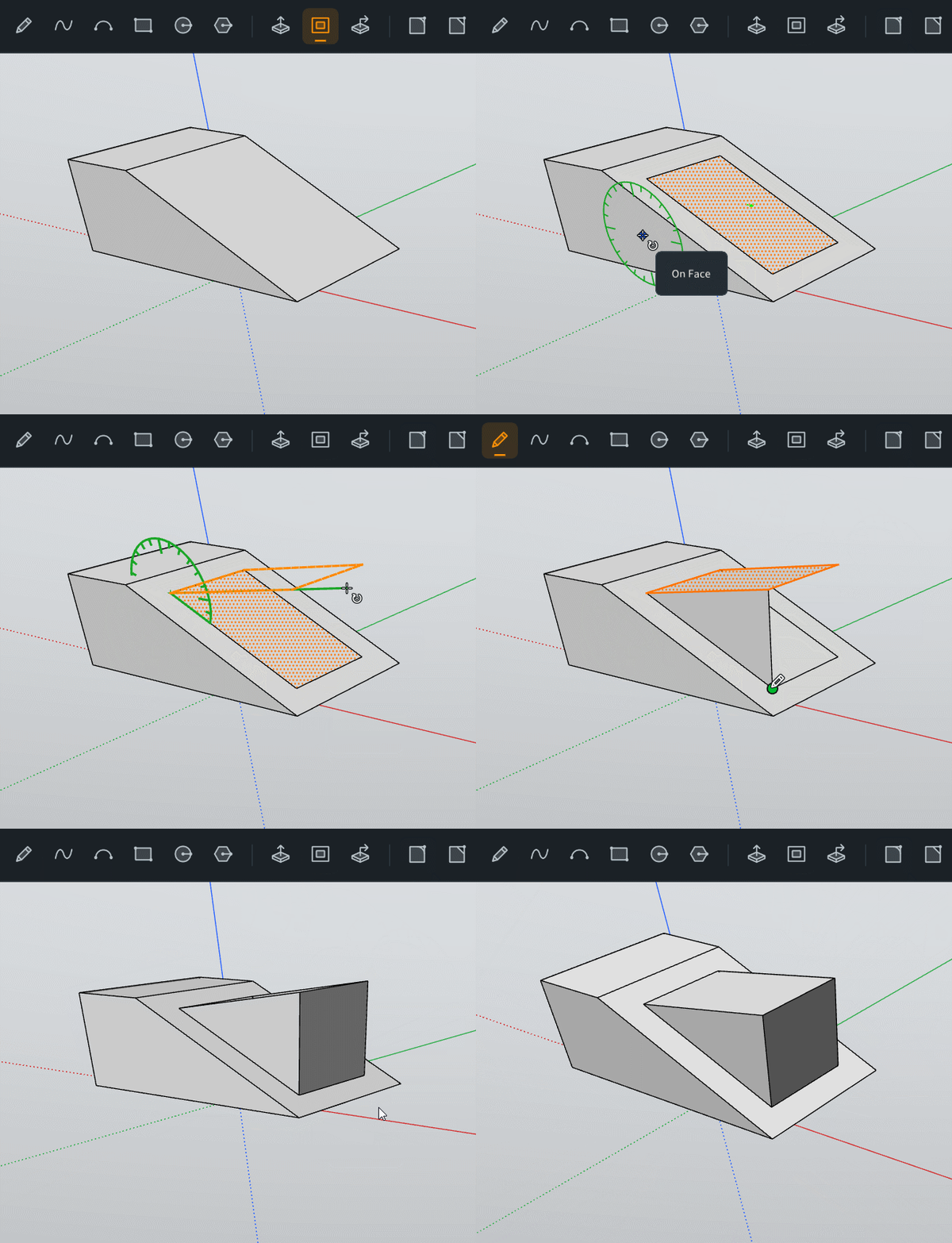
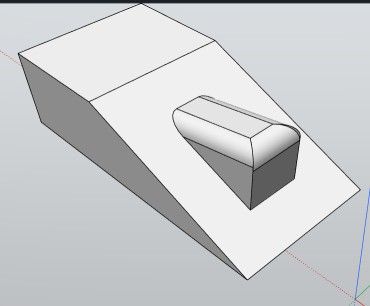
                            Make the module as show on the gif head post above
                            Select the 3 or 5 segments of the little top roof!
                            Apply a Fillet (here 3)
                            truc.jpg

                            Then Maket it as Group or Component

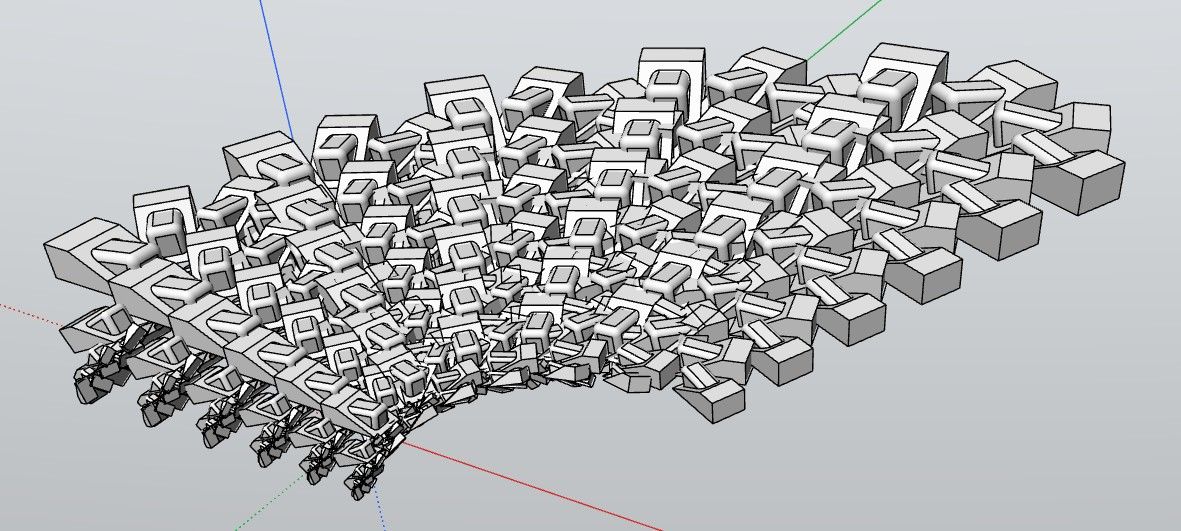
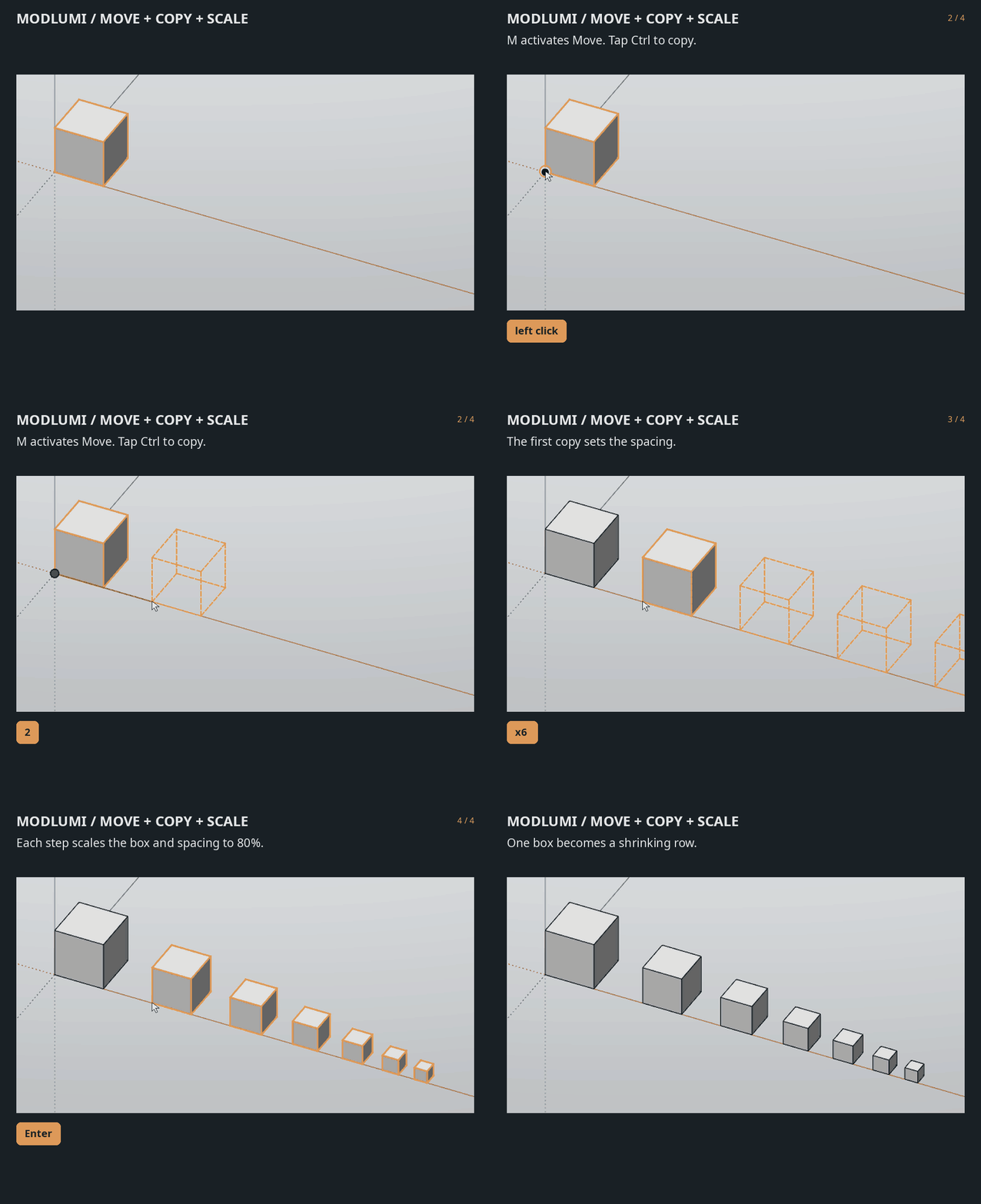
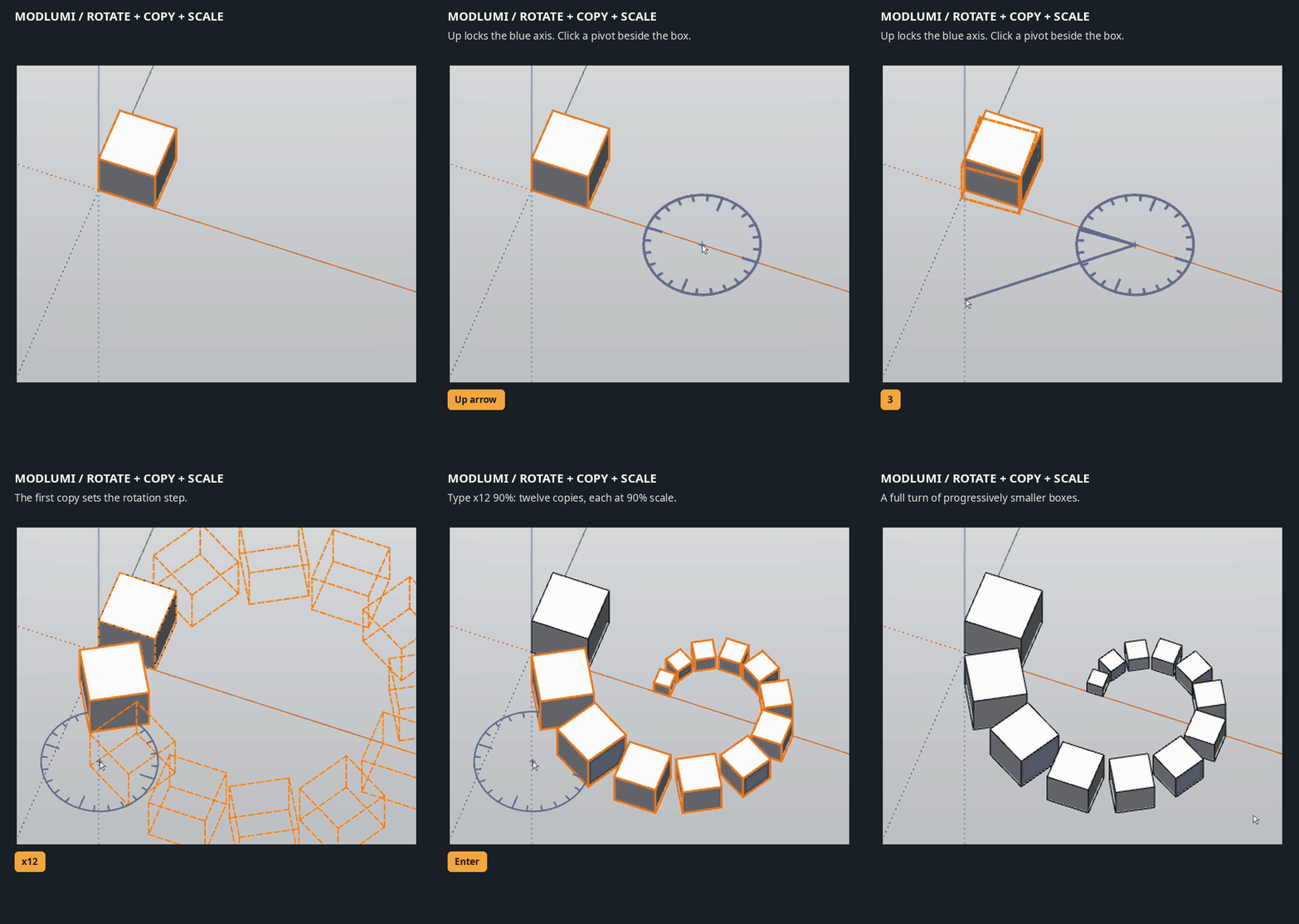
                            And then use as you want the Move Rotation / Copy

                            with the % πŸ˜‰ three or four time
                            (make group apply copy rotation % etc...)

                            Link Preview Image
                            Modlumi - Easy 3D modelling

                            New in Modlumi: copy arrays with progressive scaling You can now combine Move or Rotate with Copy and scaling to create progressively smaller or larger copie...

                            favicon

                            sketchucation (community.sketchucation.com)
                            Link Preview Image

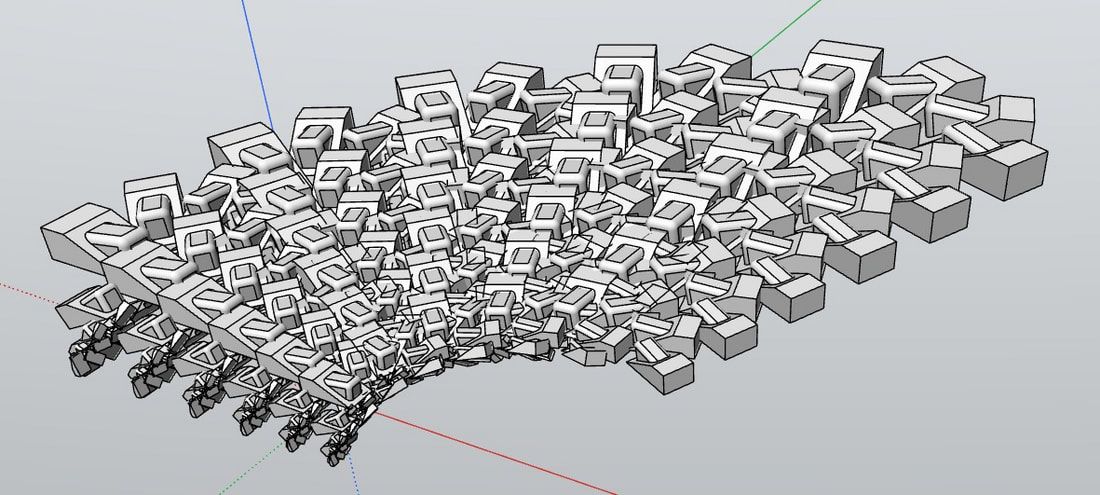
                            Here 5 segments of the little top roof was filletered!
                            747930957.jpg

                            Then take a snaphot or save to image inside Modlumi itself
                            Send the image to Gemini with any prompt you want!

                            Mine was : Effacer les axes, remplacer chaque volume par une carcasse de voiture, et mettre le rΓ©sultat dans la nature

                            "Erase the axes, replace each volume with a car carcass, and place the result in a natural setting."

                            All take less time than me to write write this post! πŸ™‚

                            Frenchy Pilou
                            Is beautiful that please without concept!
                            My Little site :)

                            1 Reply Last reply β™₯
                            Reply Quote 1
                            • pilouP
                              pilou
                              last edited by pilou

                              @pixelcruncher
                              About SKP you right! πŸ™‚ Keep simple!

                              And Dae ?
                              Or the GlTF is sufficient ?

                              Frenchy Pilou
                              Is beautiful that please without concept!
                              My Little site :)

                              1 Reply Last reply
                              Reply Quote 0

                              Hello! It looks like you're interested in this conversation, but you don't have an account yet.

                              Getting fed up of having to scroll through the same posts each visit? When you register for an account, you'll always come back to exactly where you were before, and choose to be notified of new replies (either via email, or push notification). You'll also be able to save bookmarks and upvote posts to show your appreciation to other community members.

                              With your input, this post could be even better πŸ’—

                              Register Login
                              • 1
                              • 2
                              • 3
                              • 4
                              • 5
                              • 13
                              • 14
                              • 2 / 14
                              • First post
                                Last post
                              Buy SketchPlus
                              Buy SUbD
                              Buy WrapR
                              Buy eBook
                              Buy Modelur
                              Buy Vertex Tools
                              Buy SketchCuisine
                              Buy FormFonts

                              Advertisement