Modlumi - Easy 3D modelling



-
@chon The installed modlumi.exe is a single file. I haven't tried it yet, but I think you can copy it to a USB disk, and it will just work.
Cheers,
Thomas -
Modlumi 0.21 is out
Download it for Windows from https://modlumi.com/download/latest/windows, or open the browser version at https://modlumi.com/app/. If you already run 0.20 on Windows, it will offer you the update. The Mac build of 0.21 will follow later.
New features
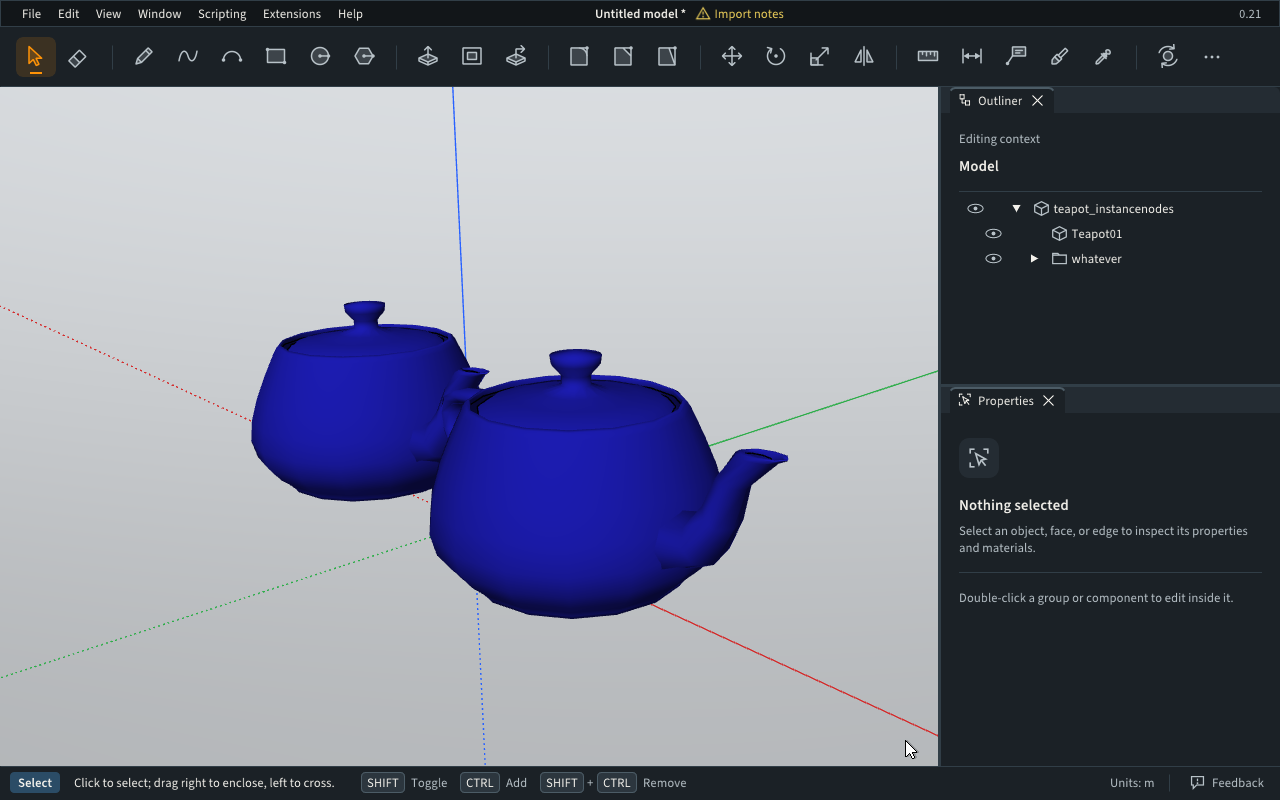
- Import STL, OBJ, PLY, 3DS, glTF, FBX and COLLADA models. Choose File → Import... or drop a file on the window. STL, OBJ, PLY and 3DS files don't say which units they use, so Modlumi asks first. The model arrives as one component with a group for each object in the file, and materials keep their names and colors. Large meshes import quickly: @pilou's armchair of over a million triangles takes seconds now. Thanks for the file! https://modlumi.com/docs/user-guide/files/#other-3d-formats
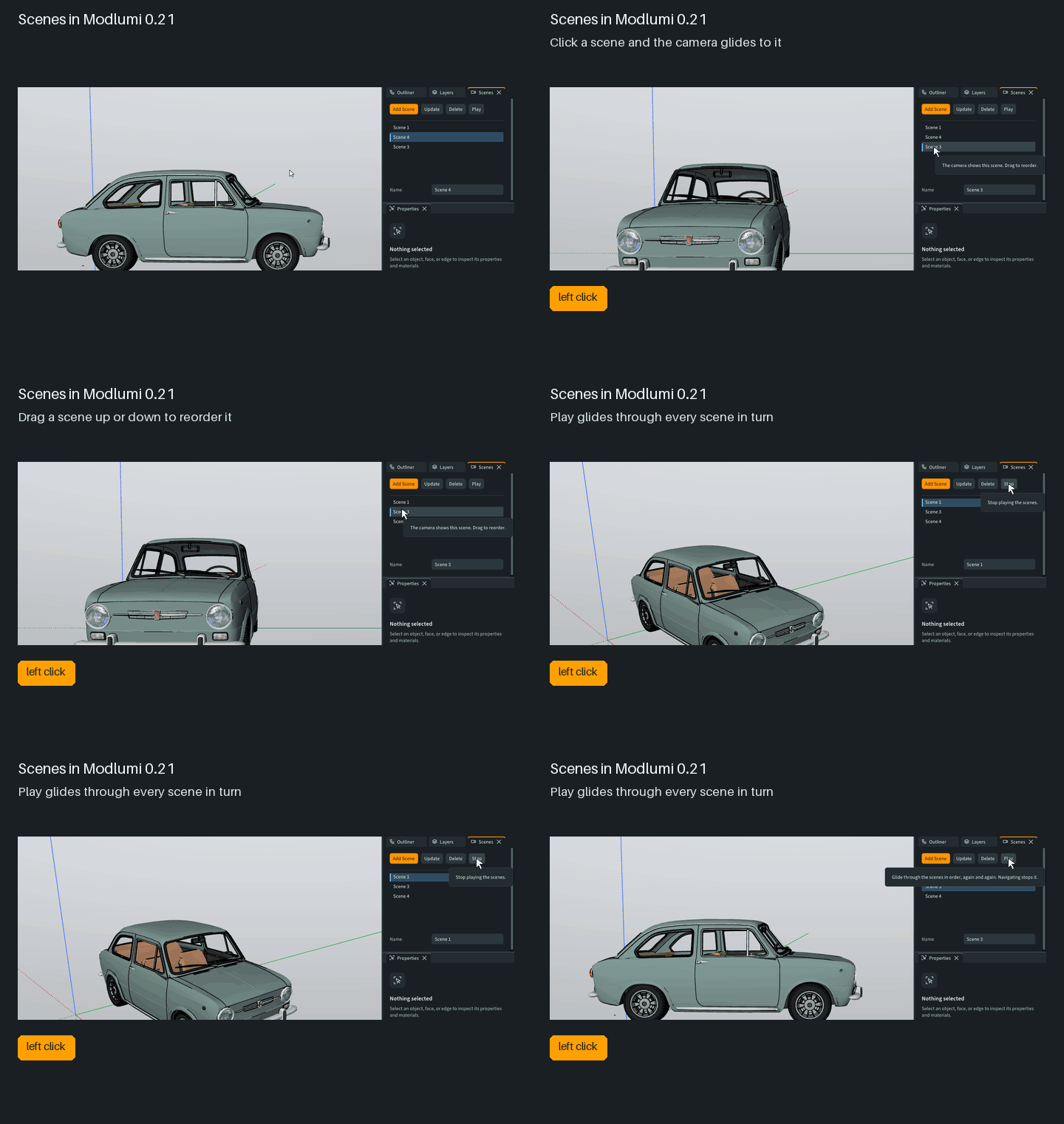
- Reorder scenes, glide between them and play them in turn. Drag a scene up or down the Scenes panel to move it. Clicking a scene glides the camera to it, and Play (also View → Play Scenes) glides through every scene until you stop it. Thanks @pilou and @ntxdave for asking! https://modlumi.com/docs/user-guide/navigating/#scenes
Improvements
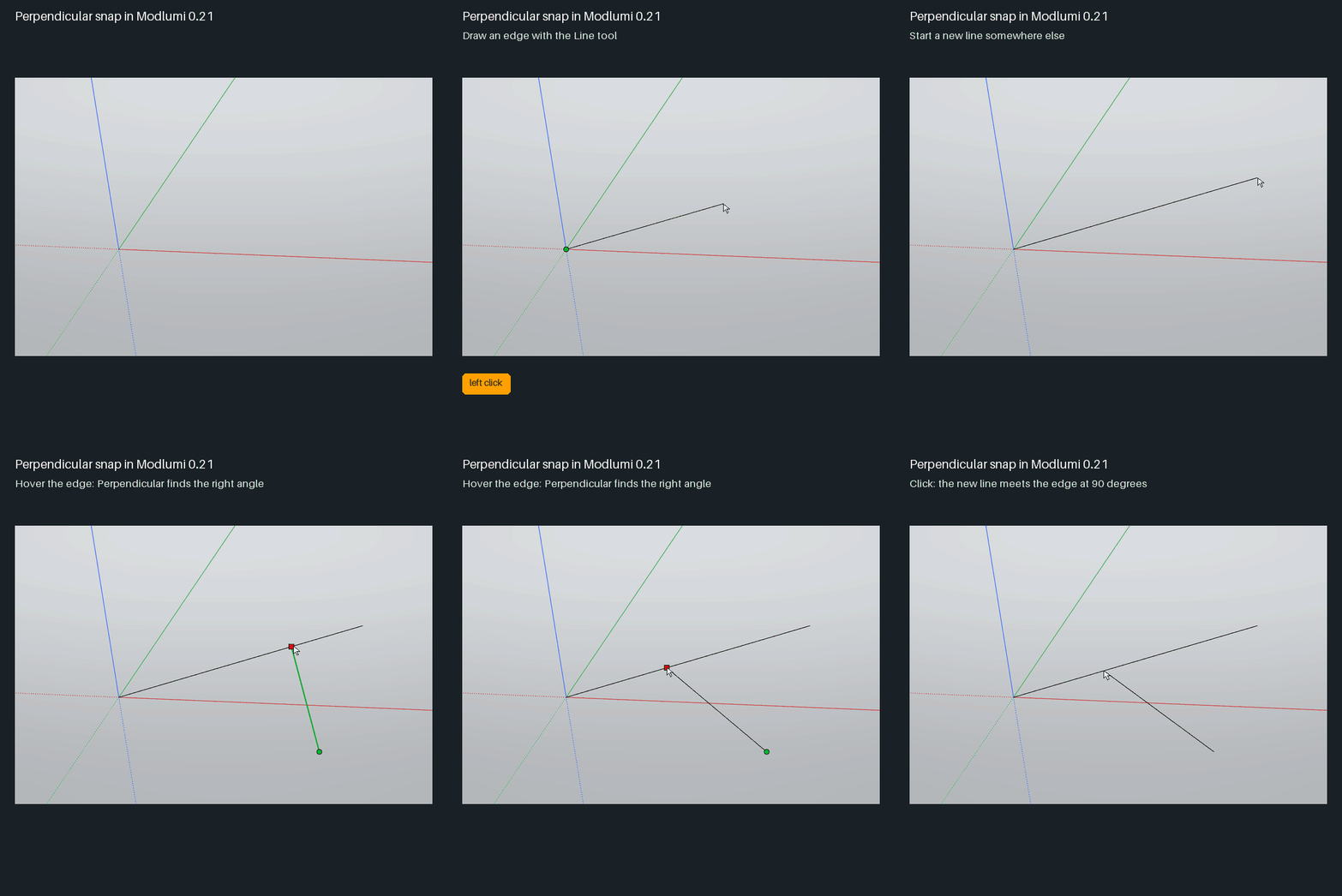
- Perpendicular snap. Once you've clicked a first point, hover an edge or guide line to find Perpendicular, the magenta dot where a line from your first point meets it at a right angle. It works in 3D too. Thanks @pilou! https://modlumi.com/docs/user-guide/drawing/#snapping-and-axis-locks
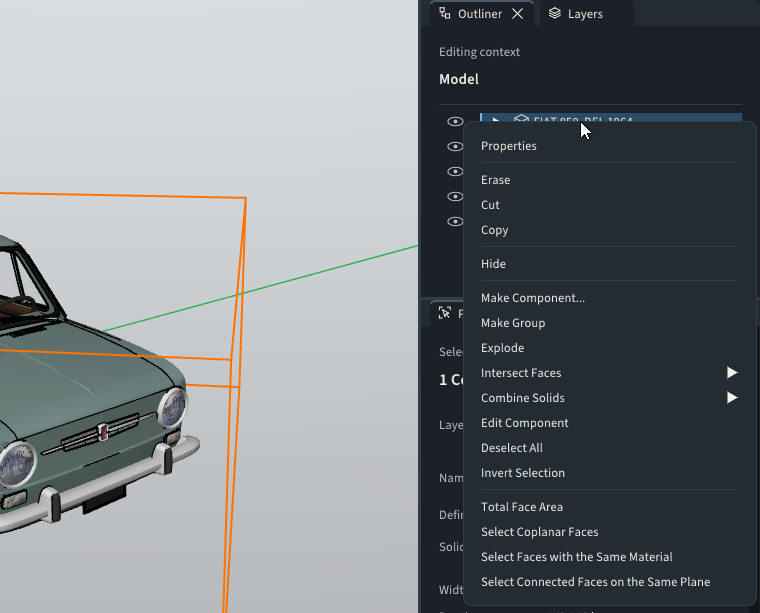
- Right-click a row in the Outliner for the same menu as in the viewport, with Erase, Hide, Explode, Make Component and the rest. Thanks @pilou for the idea!
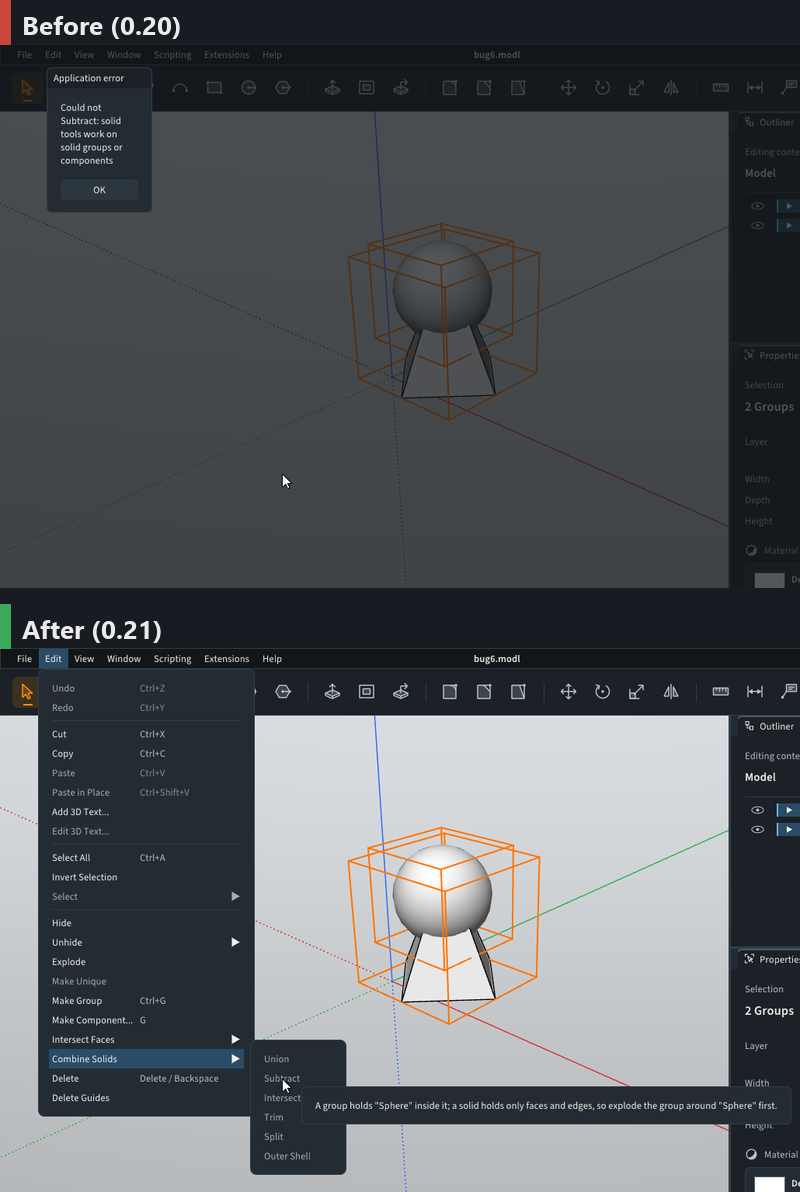
- Combine Solids tells you why a selection isn't a solid. The commands are now disabled for a group or component that isn't a solid, and their tooltip says why. Here's @pilou's sphere and pyramid: the sphere's group only wraps another group, so it needs exploding first.
-
Models with many nested component copies stay responsive. Copies of a component now share their geometry for snapping and selection. @pilou's four levels of ten rotated copies used to freeze Modlumi for minutes; now the view updates in a few seconds and drawing over them stays smooth.
-
Rename materials in the Materials panel. Select a material, type a new name in its Name field and press Enter. Thanks to whoever asked through the feedback form!
-
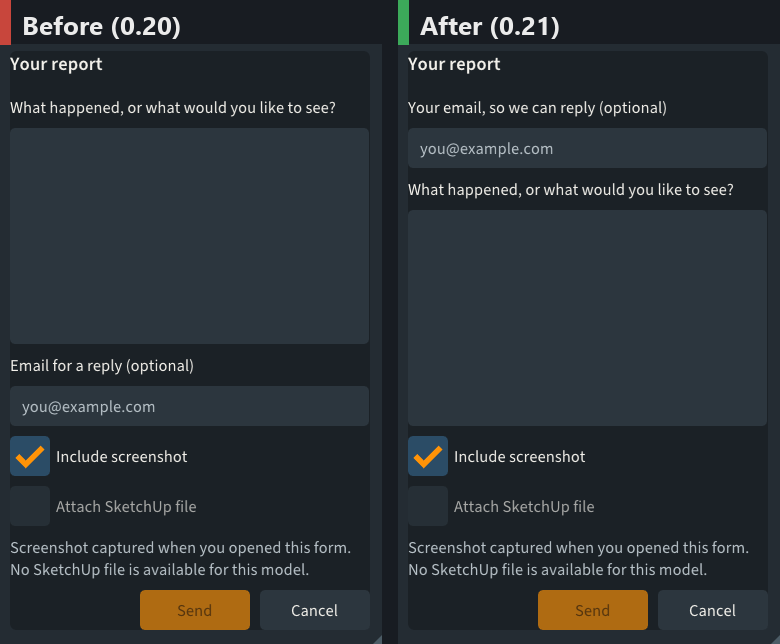
The feedback form asks for your email first and remembers it, so we can actually answer your reports. Thanks @ntxdave for pointing out it was easy to miss!
- For script and plugin writers: addEdges and addCurve no longer make faces when they close a loop, as in SketchUp's Ruby API. Use addFace, or the new entities.findFaces on one of the edges. entities.addInstance places another copy of a component, and JSON.stringify now prints points, vectors, entities and selections. https://modlumi.com/docs/guides/geometry/#drawing-edges
Fixes
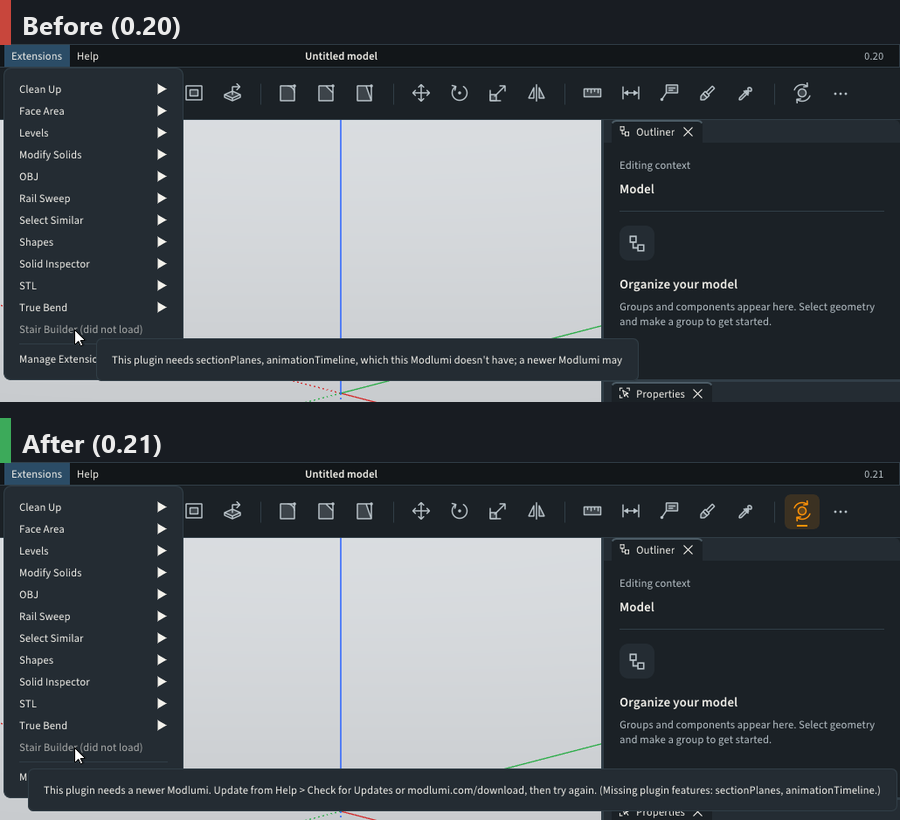
- A plugin that needs a newer Modlumi now says so and tells you where to update, instead of listing internal feature names and stopping mid-sentence. Thanks @Krass!
- Edges draw in the edge color inside painted groups and components. Edges inside a group painted with an image showed as white lines. Thanks to the user who reported it from the app!
- Edges just behind curved surfaces no longer show through on Windows. @Krass, this should help with the edge artifacts you saw on the desktop app; let me know if you still see them.
Full release notes: https://modlumi.com/docs/release-notes/
Thanks for all the reports. Keep them coming!
Cheers,
Thomas -
Tried the version 0.21 and several of the items I reported have been fixed.
-
Being able to move items in the scenes list
-
Fixed the white line/edges when applying material images
-
Being able to edit the name of materials (in particular colors)
I have reported a couple other problems though
-
Can not delete materials from the material list (in my case I accidentally added a material image that I wanted to delete)
-
Can not move text objects (could not edit them either nor can I control the size or color of a text object)
I think the improvements in 0.21 are good. Looking forward to the next set of changes.
-
-
What a reactivity!
The copy rotation of an inclined face Offsseted is always problematic!
Request : Extrude segments!
Make a face from selected segments (sure i can draw a segment and erase it but...)
Edit Points
Subdivision of a volume
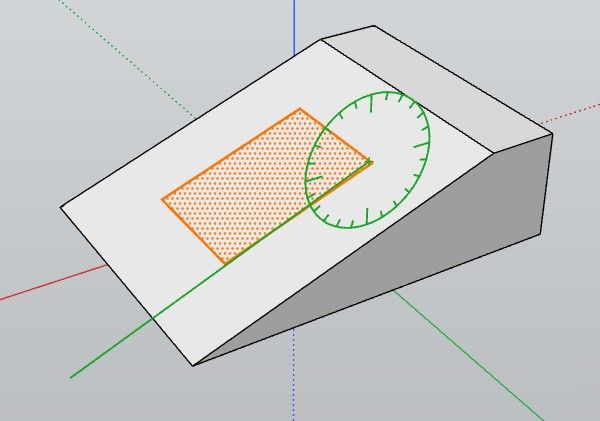
Follow when you click a snap point as you see the cross green is not on it!

And the Axe blocked don't work as expected!
-
@pilou Thanks for testing 0.21 so quickly!
I think I found the Rotate problem from your last picture, but I want to be sure we are talking about the same thing. Here is what I see:
- Select the rectangle and start Rotate (Q).
- Lock the green axis with the Left arrow.
- Hold Shift, then move to the corner of the rectangle. It shows Endpoint.
- Click. The center looks like it is on the corner...
- ...but when you orbit, you see that the center is not on the corner. Without Shift, it is on the corner.
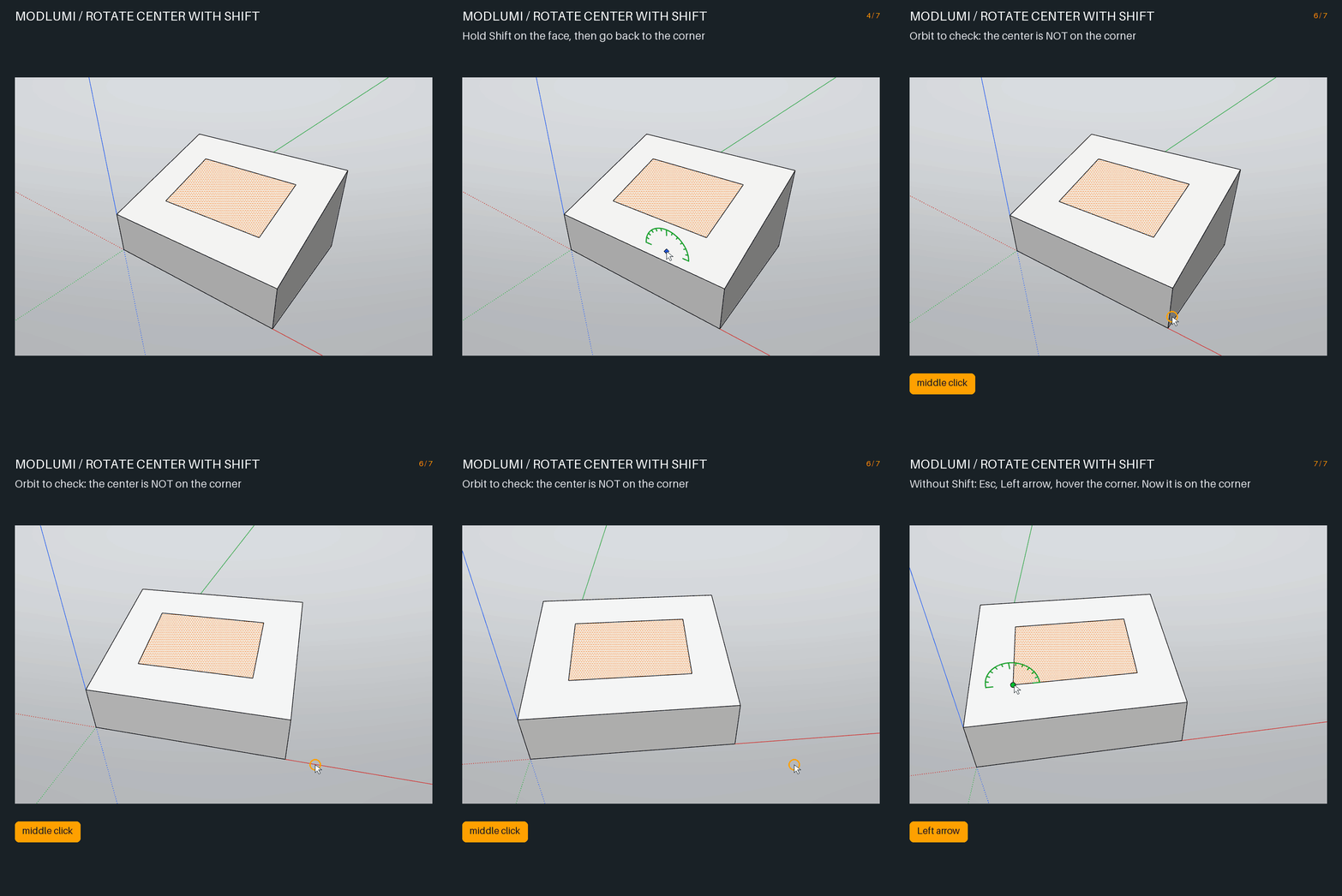
Is this your problem? Two short questions:
- Do you hold Shift when you click the center? If not, which keys do you press, and in which order?
- "The locked axis doesn't work as expected": which line did you want to rotate around? Is it the green line in your picture, or an edge of the rectangle?
A small GIF of your steps would help a lot.
Cheers,
Thomas -
Ok that was that : i used Shift like in SketchUp for block the plane!
Now with your Down Arrow that works like a charm! Bravo
And the Perpendicular works also fine in this case!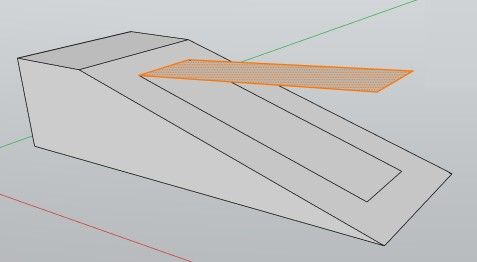
-
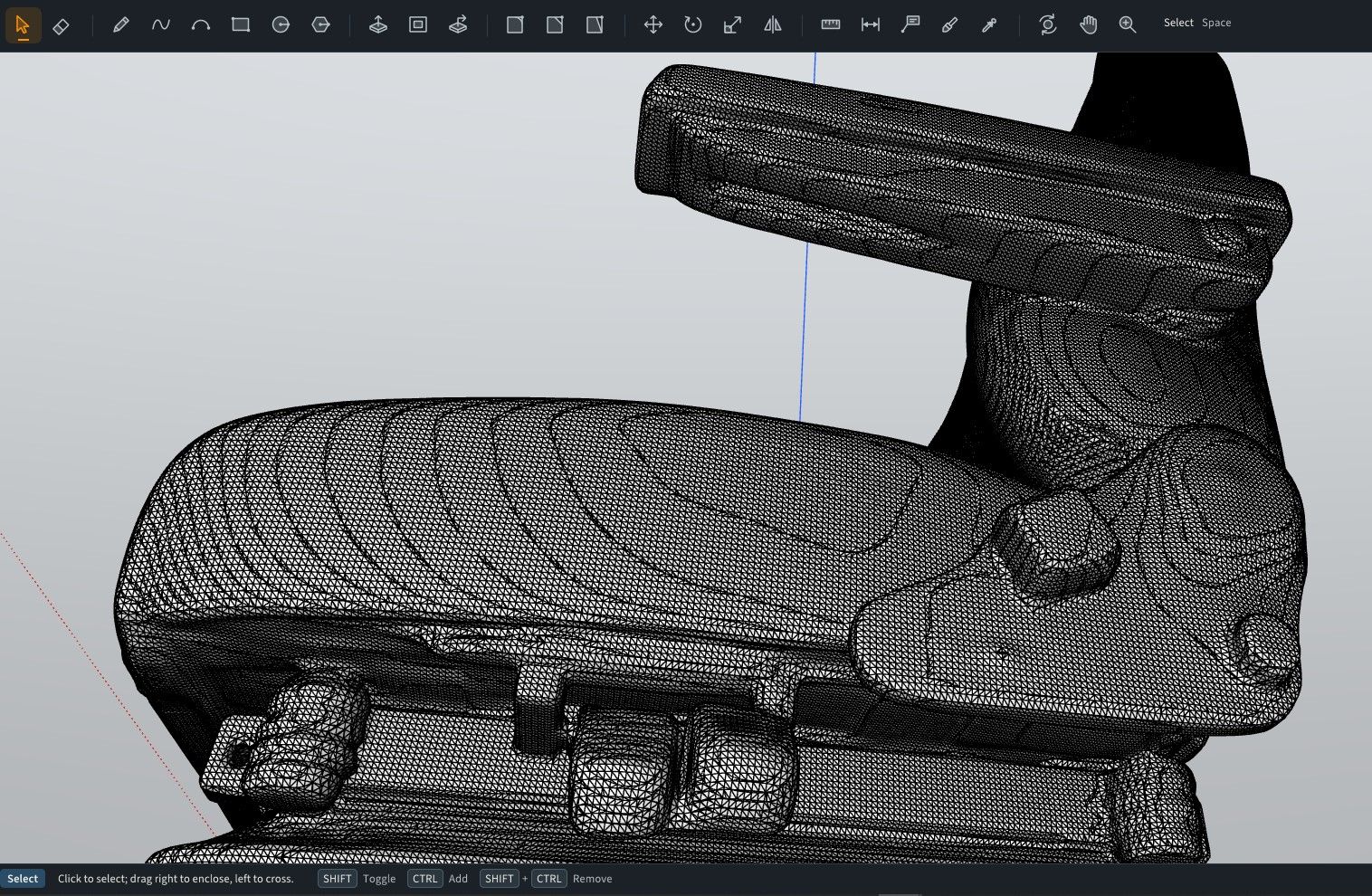
My STL armchair won't works as you said few seconds... never successed from now...
Maybe i make an error in the process ?
I see the logo Preparing your Model but...
I will try again!Edit No definitly not in mm
but yes in meters and yes in seconds! (with merge not enabled)
I will test in merging coplanar faces! No success in reasonable time!Ps It's better for your prog to have "quads" volumes subdivided for import ?
Not sure it's raisonable to work with this sort of thing!
-
With your trick of the arrows that works fine!
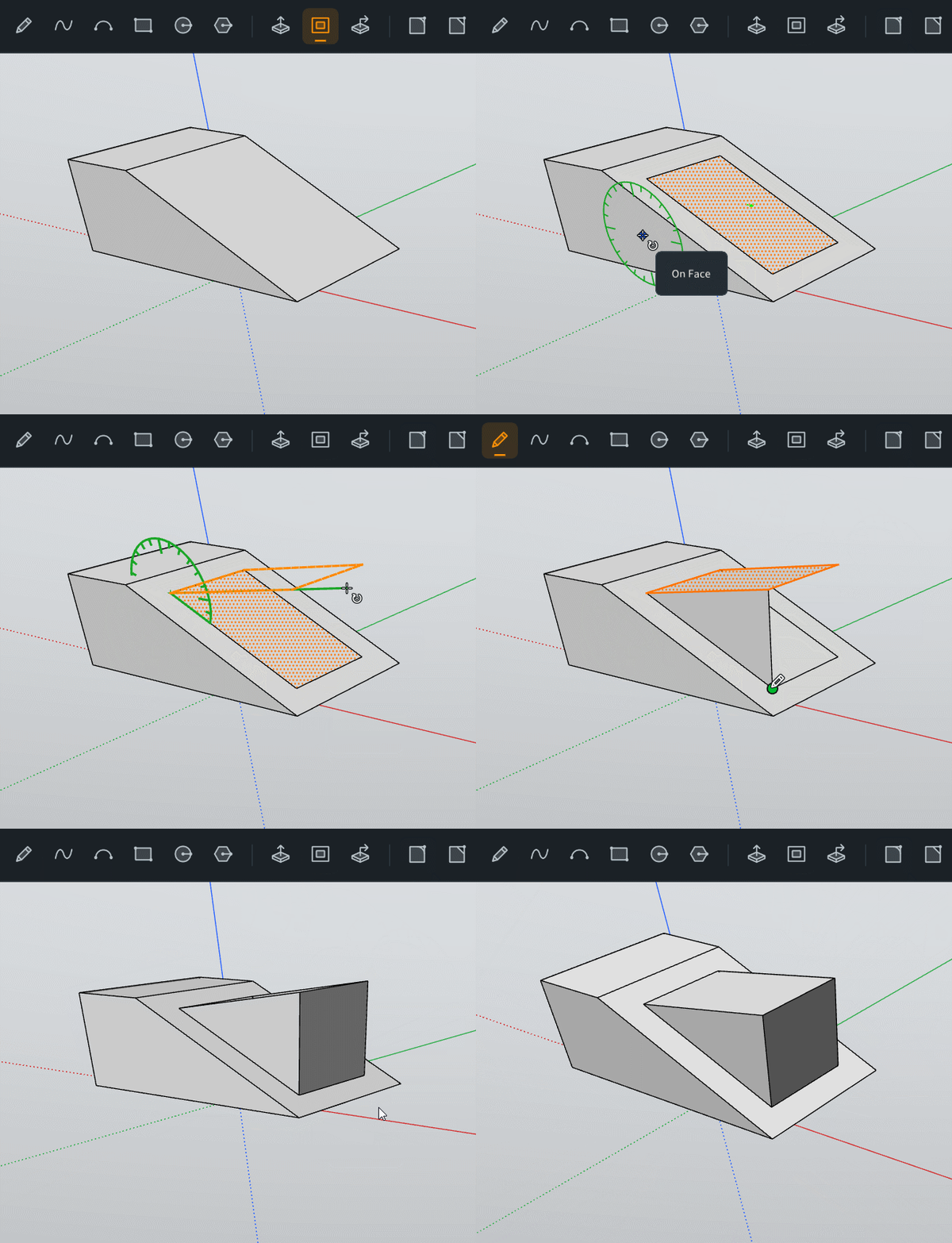
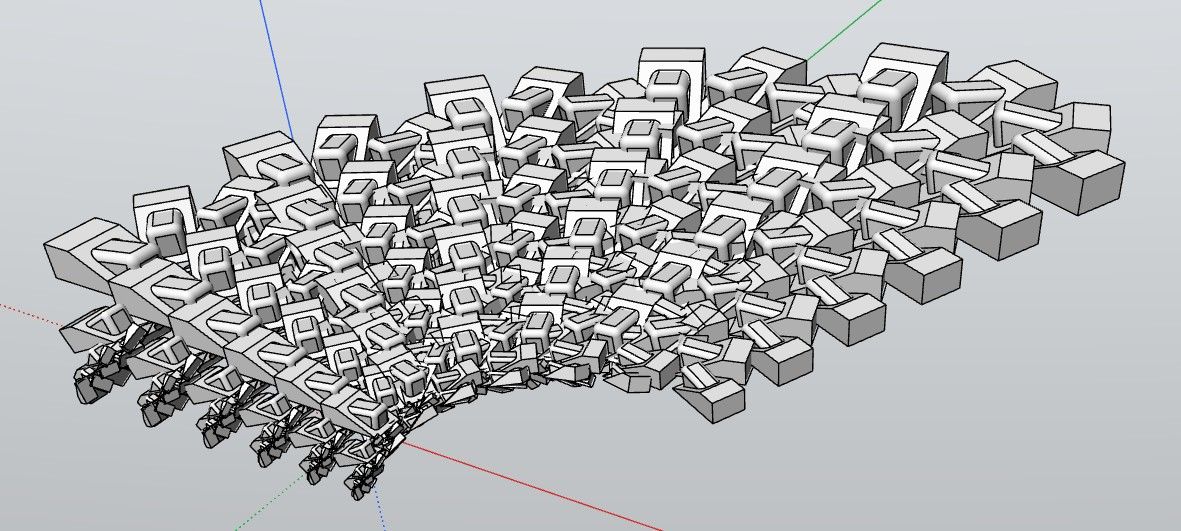
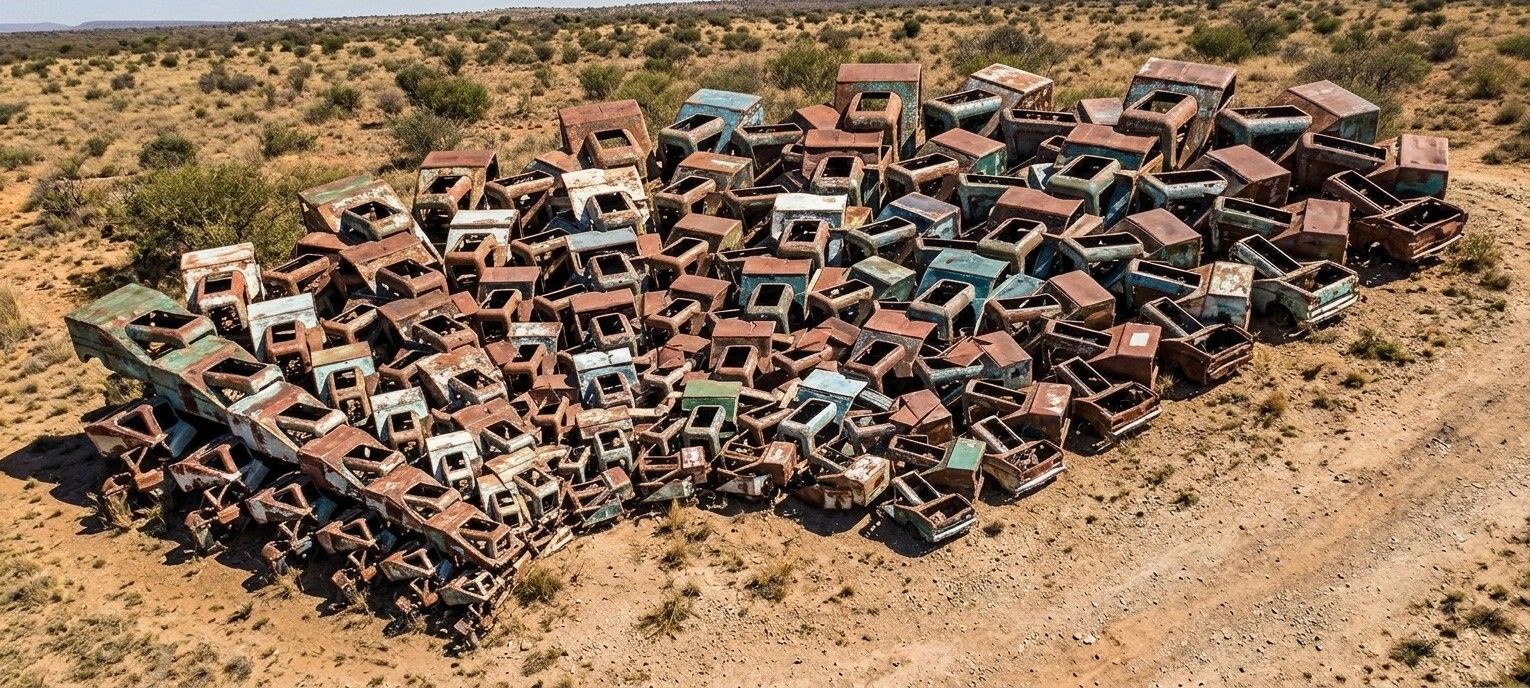
Frenchy Pilou
Is beautiful that please without concept!
My Little site :) -
Scenes are very cool and works pefectely!
Request
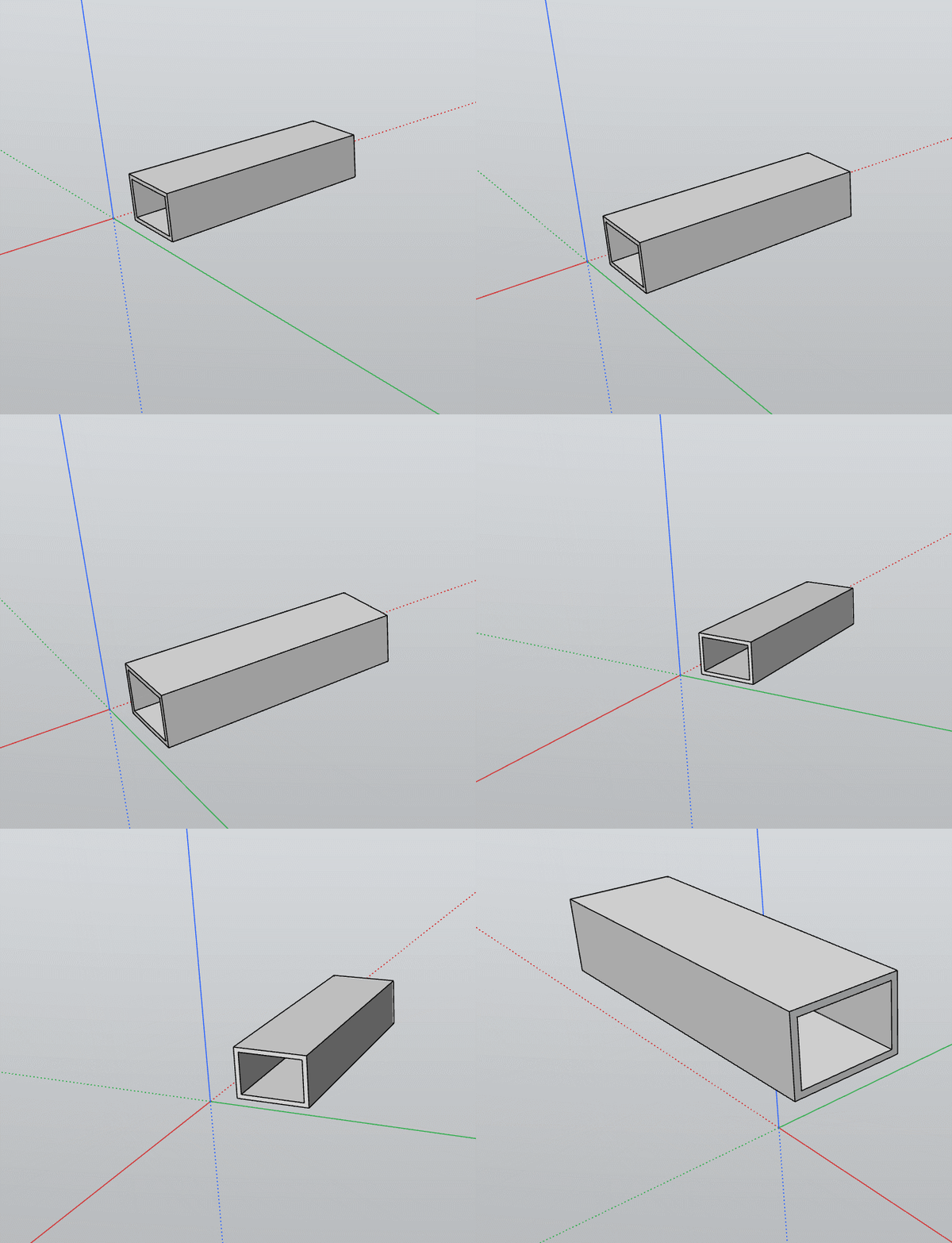
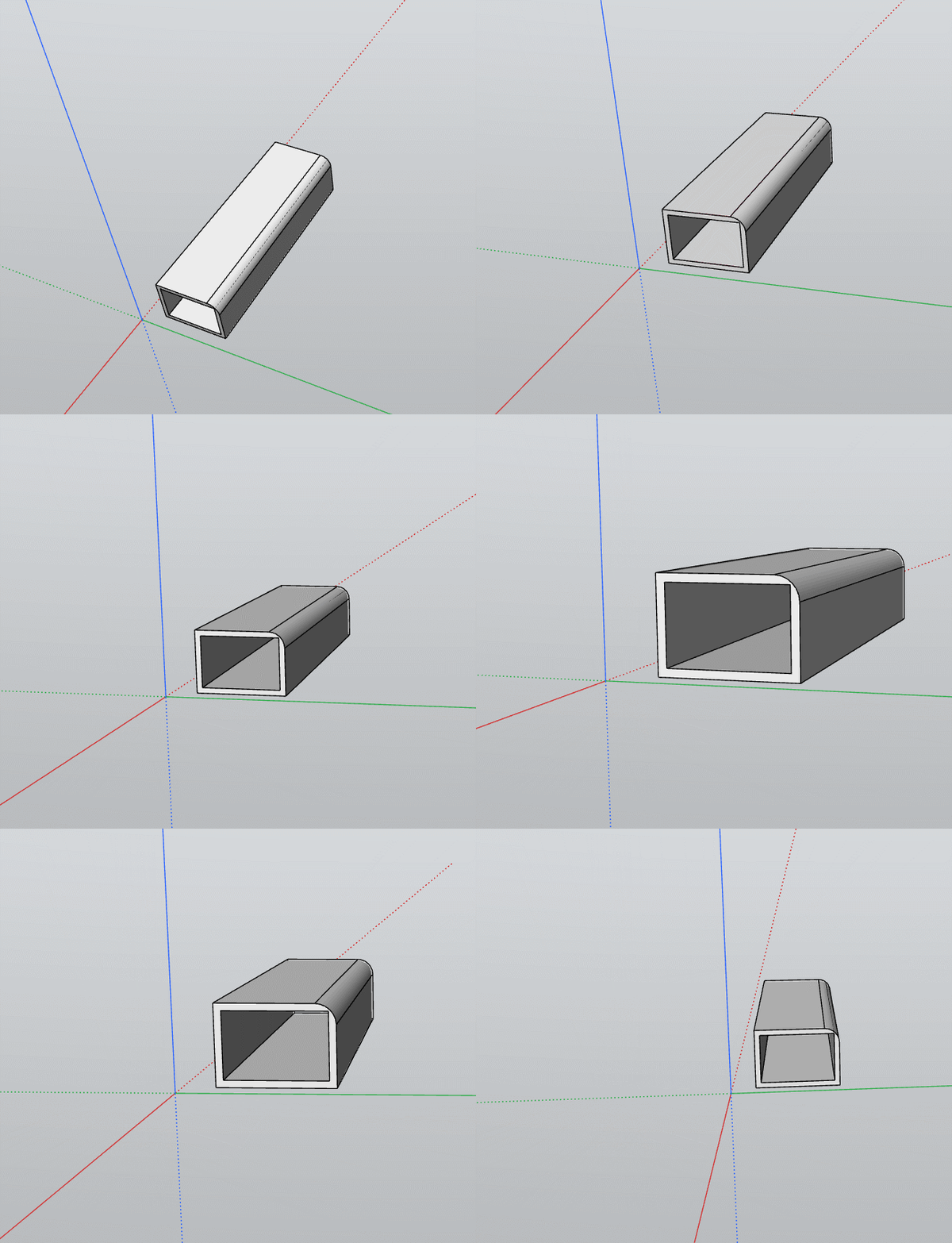
Does it possible to have scenes who keep transformations during the time line ?
A volume is not chamfered during scene 1 to 10, then chamfered 10 to 20 etc...
-



Hello! It looks like you're interested in this conversation, but you don't have an account yet.
Getting fed up of having to scroll through the same posts each visit? When you register for an account, you'll always come back to exactly where you were before, and choose to be notified of new replies (either via email, or push notification). You'll also be able to save bookmarks and upvote posts to show your appreciation to other community members.
With your input, this post could be even better 💗
Register Login


Advertisement