Modlumi - Easy 3D modelling



-
No mysteries!

Because i use intensively the functions Move, Copy, Rotation +CTRL + / *N, Xnumber % --> Make component
Select this new component and repeat the process 3 or 4 times or more with memory available!More detailed :
Take a component(s)
Make only One Move Copy, or Rotate Copy Enter for validate this only copy!
Type x7 50% ---> you will have seven components with Size half at each copy!Be reasonable with the number of the "X"!
Select the result Make a component! ETC...
As it's components it's infinite possible variations!
Like this you can make crazy fractal things or terrific graphics volumes!
AT the end send your copy snap screen to your favorite Ai and ask anything you want!!

All the process takes less 5 minutes!
-
Modlumi 0.19 is out
Download it for Windows from https://modlumi.com/download/latest/windows, or open the browser version at https://modlumi.com/app/. If you already run 0.18 on Windows, it will offer you the update.
New features
-
Save views as scenes and switch between them. The new Scenes panel, beside the Outliner, adds the current view as a scene and shows a scene when you click it. Rename a scene, update it to the current view or delete it there; View → Scenes lists them too. Scenes keep the camera's position, field of view and projection, are saved with the project, and every change can be undone. Thanks @ntxdave and @pilou for asking! The user guide shows how: https://modlumi.com/docs/user-guide/navigating/#scenes
-
Edit 3D text after placing it. Right-click 3D text and choose Edit 3D Text to change its wording, size, depth or font. Every copy updates in one undo step; Make Unique first to change only one. Rebuilding the lettering replaces edits made inside it. Text placed with an earlier version asks for its wording and size once. Thanks @pilou for the idea!
Improvements
-
SketchUp files open with all their scenes. Modlumi showed the view of a SketchUp file's first scene and dropped the scenes themselves. Now every scene arrives, in the order of SketchUp's scene tabs, and the Scenes panel opens. Scenes without a usable camera are skipped and listed in the import notes. The tags a scene hides aren't imported yet.
-
Scripts and plugins can read, add and change scenes. Model.scenes lists them, and addScene, updateScene and removeScene edit them inside an operation: https://modlumi.com/docs/guides/model-and-entities/#scenes
-
Set 3D text in Source Serif 4 or Source Code Pro as well as Source Sans 3. Add 3D Text and Edit 3D Text have a Font list.
-
Faces have one material, which both sides show. Faces had a front and a back material, and an unpainted back showed gray. Painting a face now paints both sides, and Properties shows one Material card. SketchUp faces painted only on their back keep that paint. For plugins, Face.backMaterial, Face.backUvTransform and the backMaterial option of MeshBuilder.addPolygon are gone.
Fixes
- In the browser, choose texture images from your own files. New image material and Replace image opened a file dialog that couldn't reach the files on your computer. They now open the browser's file picker. Thanks @pilou for the report!
Full release notes: https://modlumi.com/docs/release-notes/
Thanks for the reports. Keep them coming!
-
-
Ps with the 0.19 you can make scenes!
(not yet tested!: )Frenchy Pilou
Is beautiful that please without concept!
My Little site :) -
-
@ntxdave
About the description above!
AT the beginning You can of course take a component resesultant itself of a normal Copy / Move rotation! For have more speed a complex volume!
A speedy thing!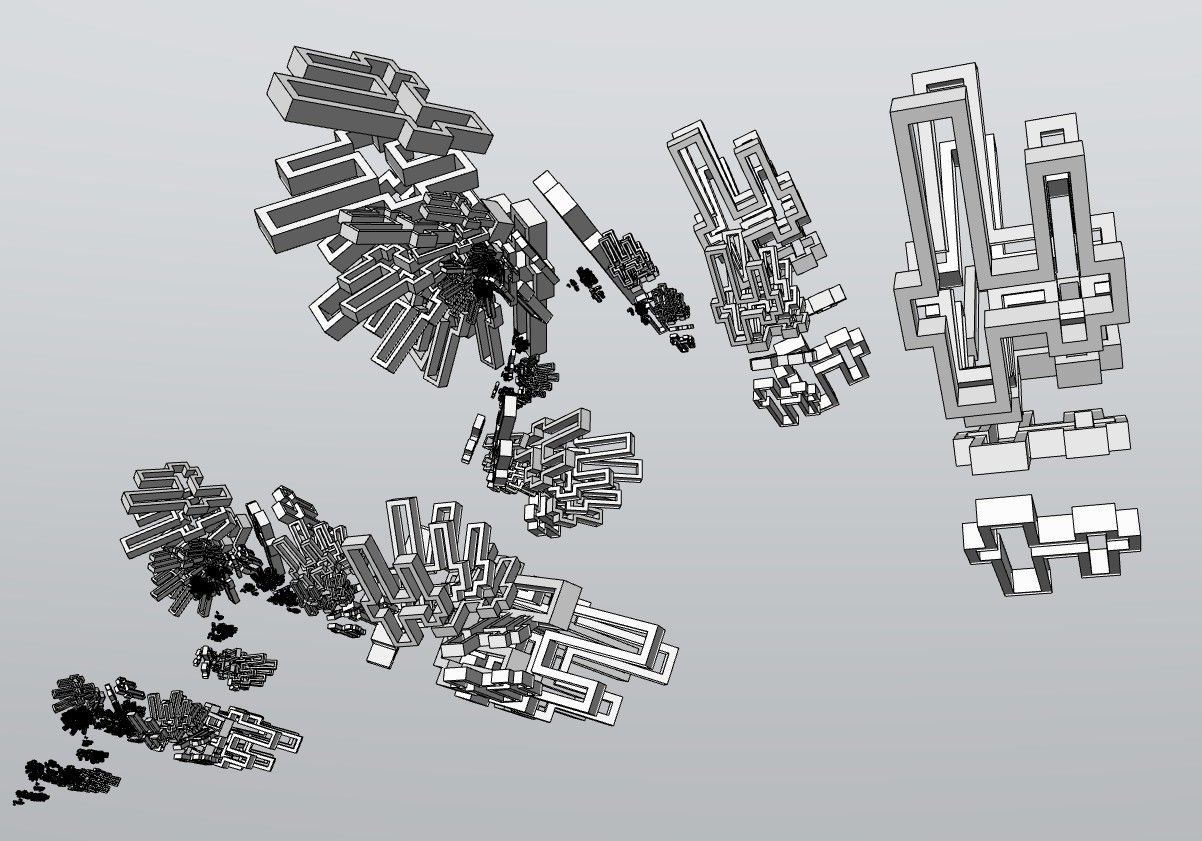


-
etc...
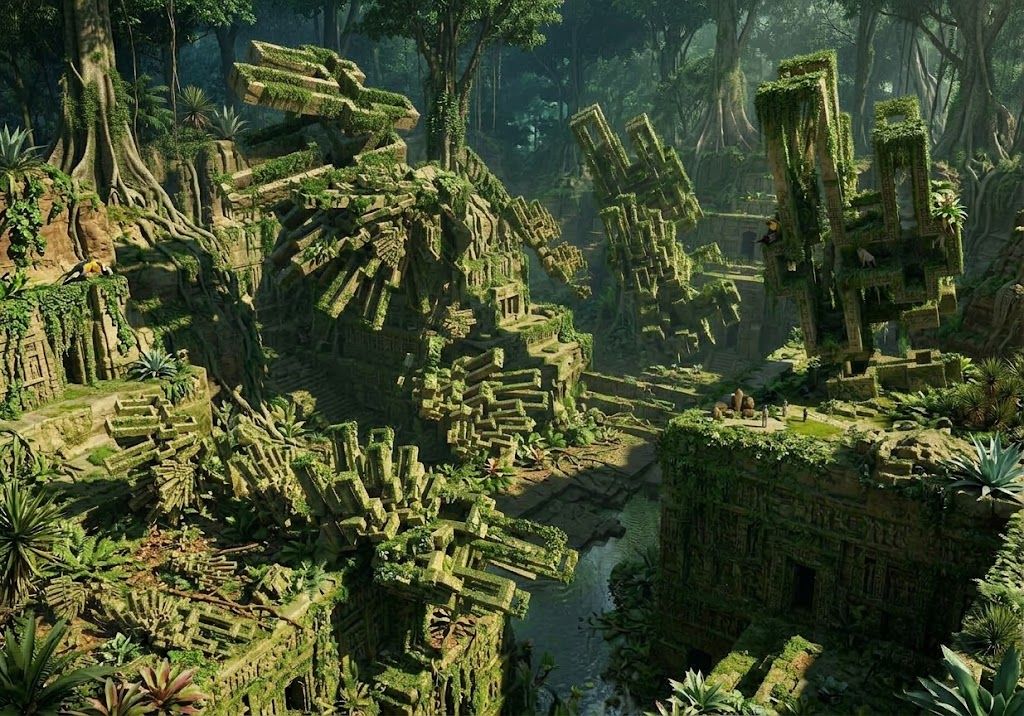
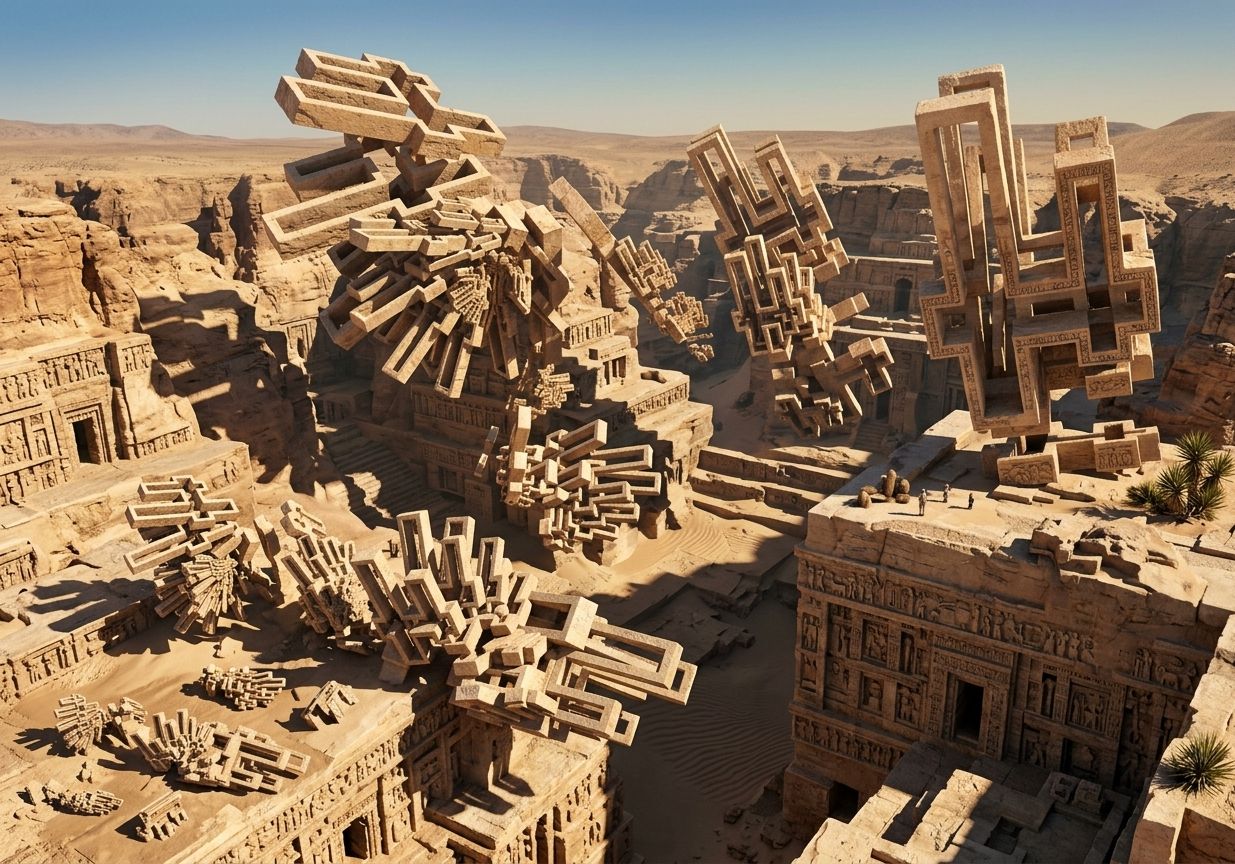
-
No animation between Scenes ?
Excellent the 3D Text edition etc...
Here with the TRue Bend!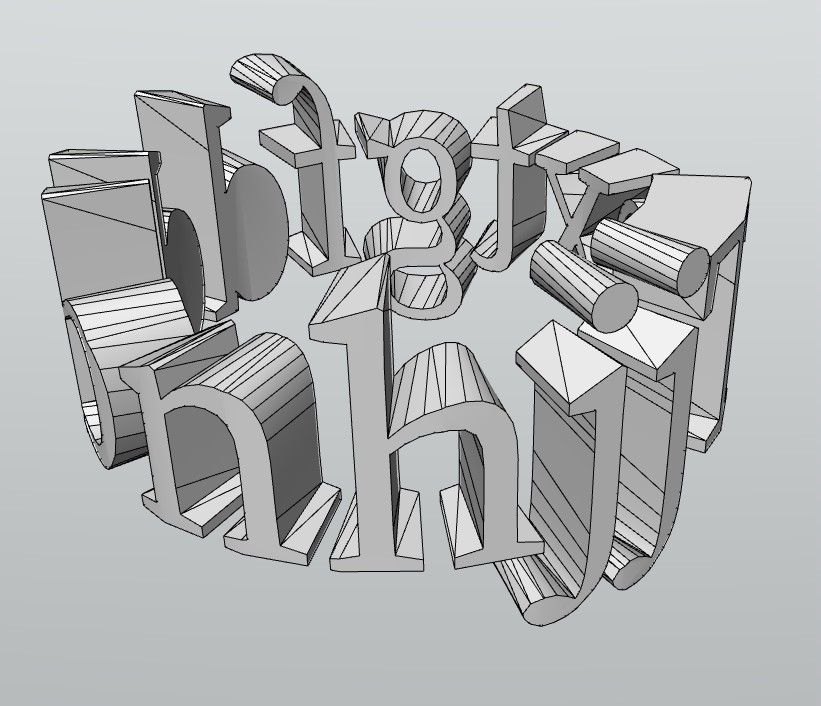
Then inside the free Vizcom (95% of functions are free) a killer one!

VIZCOM
Vizcom : IA Généraliste! (Free / Pro) 800 crédits free /mois Libre adaptation de l' original
Moment Of Inspiration: Ze Zen Nurbs Modeleur ! (moiscript.weebly.com)
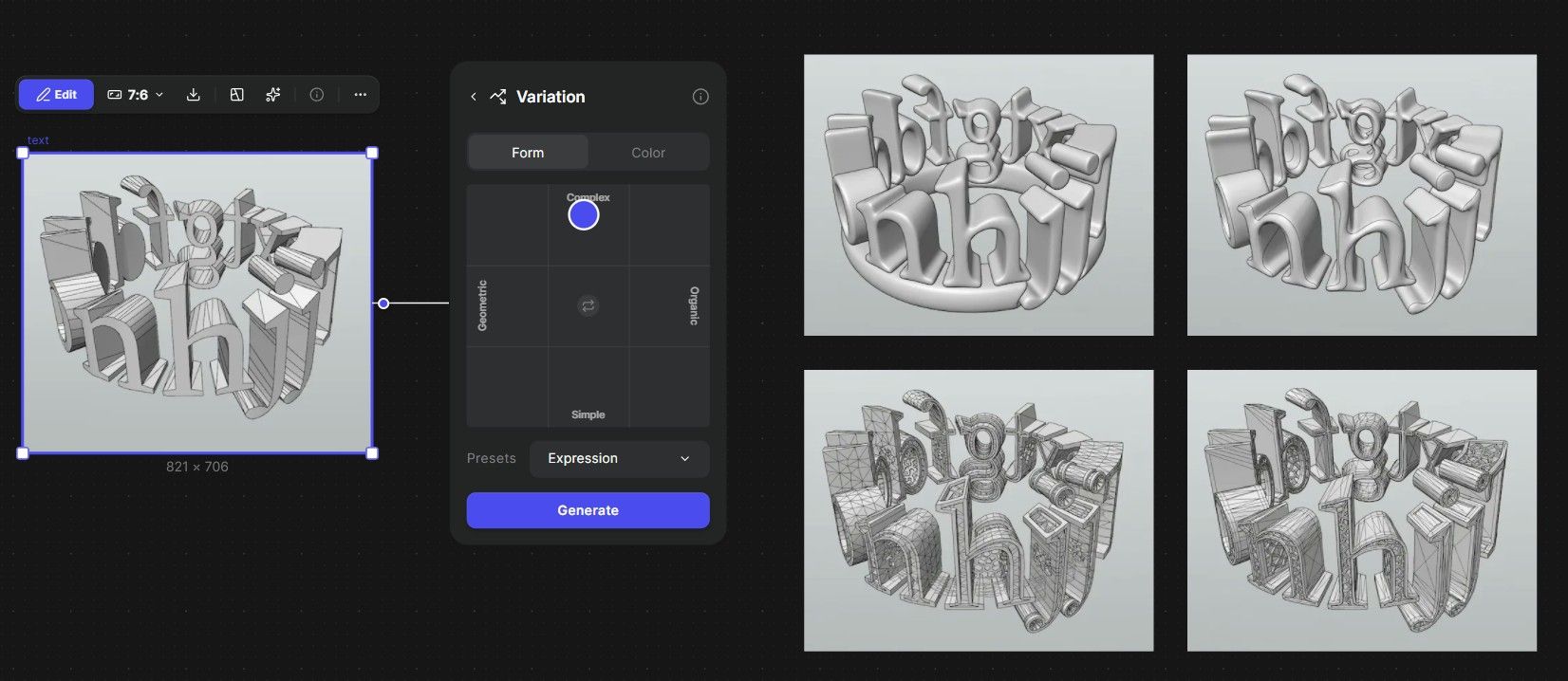

-
I have to ask: I understand creating the 3D text and using True end to shape but,
A. How did you pick the font?
B. How did you apply the materials the way you did (different colors for different letters and the wild/neat textures inside parts of the letters)?BTW:. This is some really interesting results!

-
@ntxdave
ModLumi ...Menu Edition / Add 3D Texte...or Edit 3D Text
Menu Extensions / True BendThen i take a snapshot Screen or Menu File / Save to Image...
When you have image launch free Vizcom and have fun !
The best prog for make Design of anything!You can even import your3d Model ModLumi in OBJ, glb format inside Vizcom!
(against import an image! ) -
Modlumi 0.20 is out
Download it for Windows from https://modlumi.com/download/latest/windows, or open the browser version at https://modlumi.com/app/. If you already run 0.19 on Windows, it will offer you the update.
New features
- Put parts of the model on layers to show and hide them together. Open the Layers panel from Window → Layers to add, rename, recolor, hide and delete layers, and use the Layer field in Properties to move the selection to a layer. Hiding a layer hides everything on it, including whole groups and components, and keeps it from being selected. Geometry on different layers still connects. Layers are saved with the project, and every change can be undone. The user guide shows how: https://modlumi.com/docs/user-guide/layers/
Improvements
-
SketchUp files open with their tags as layers. Each tag arrives as a layer with its color, and tags hidden in SketchUp arrive hidden. Untagged geometry goes on the Default layer.
-
Scripts and plugins can read, add and change layers. Model.layers lists them, addLayer and removeLayer add and remove them inside an operation, and every drawing element has a layer: https://modlumi.com/docs/guides/model-and-entities/#layers
-
Choose the color of the Studio backdrop. View → Environment → Studio Color... picks the color the backdrop's gradient is built around, and Reset to Default brings back the gray. Modlumi remembers the backdrop and its color across sessions.
-
The status bar counts what's selected, such as 3 faces, 12 edges. The count gives way to the tool's guidance when the window is narrow.
-
The Outliner tells groups and components with the same name apart. Rows with the same name are numbered, such as 2 of 5, and a named component shows its definition's name beside it. Hover a row to see whether it's a group or a component.
-
Send feedback from the status bar. The Feedback button moved from the viewport to the right end of the status bar.
Full release notes: https://modlumi.com/docs/release-notes/
Thanks for the reports. Keep them coming!
-
Layers are excellent! Bravo!
Seems to me that have a button "Delete" like Layers in the Ouliner will be very fine for Group or Component!
A button and / or the possibility to erase them on the list of them inside the screen of the Outliner!
Sure you have yet the Right Click / Explode but...better to have 2 different things for make the same following the place where you are!
-
In the Scale function there is not the possibility to resize a side from its middle ?
So make a symetric size in the same time!
I don't refound it!Frenchy Pilou
Is beautiful that please without concept!
My Little site :) -
BUG!
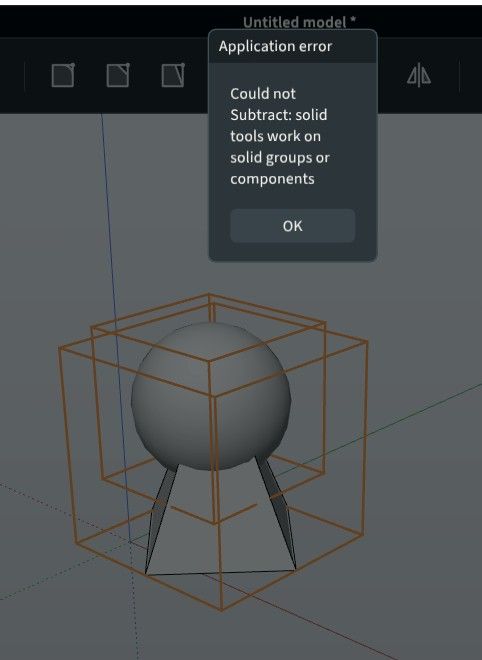
File linked! Of course each are solids or components!
Boolean don't work with these Shapes! -
@Krass could you check whether the edge artifacts from your Mercedes videos still show up in Modlumi 0.20? I tried your C63 model with both 0.13 and 0.20 on my machine and can't reproduce them, so it may depend on the graphics card. If you still see them, could you tell me which GPU and driver version you have? Task Manager › Performance › GPU shows both. Thanks!
I'm the developer of Rayscaper: https://rayscaper.com/ - Fast and easy rendering for SketchUp.
-
@pilou It's there! While scaling, tap Ctrl (Option on Mac) to switch to scaling about the center. Then a side's middle grip moves both sides symmetrically. Tap Ctrl again to go back to the opposite grip. You can tap it before you grab a grip or in the middle of the drag, and the status bar shows "✓ Center" while it's on. A typed value like
2+ Enter keeps it centered.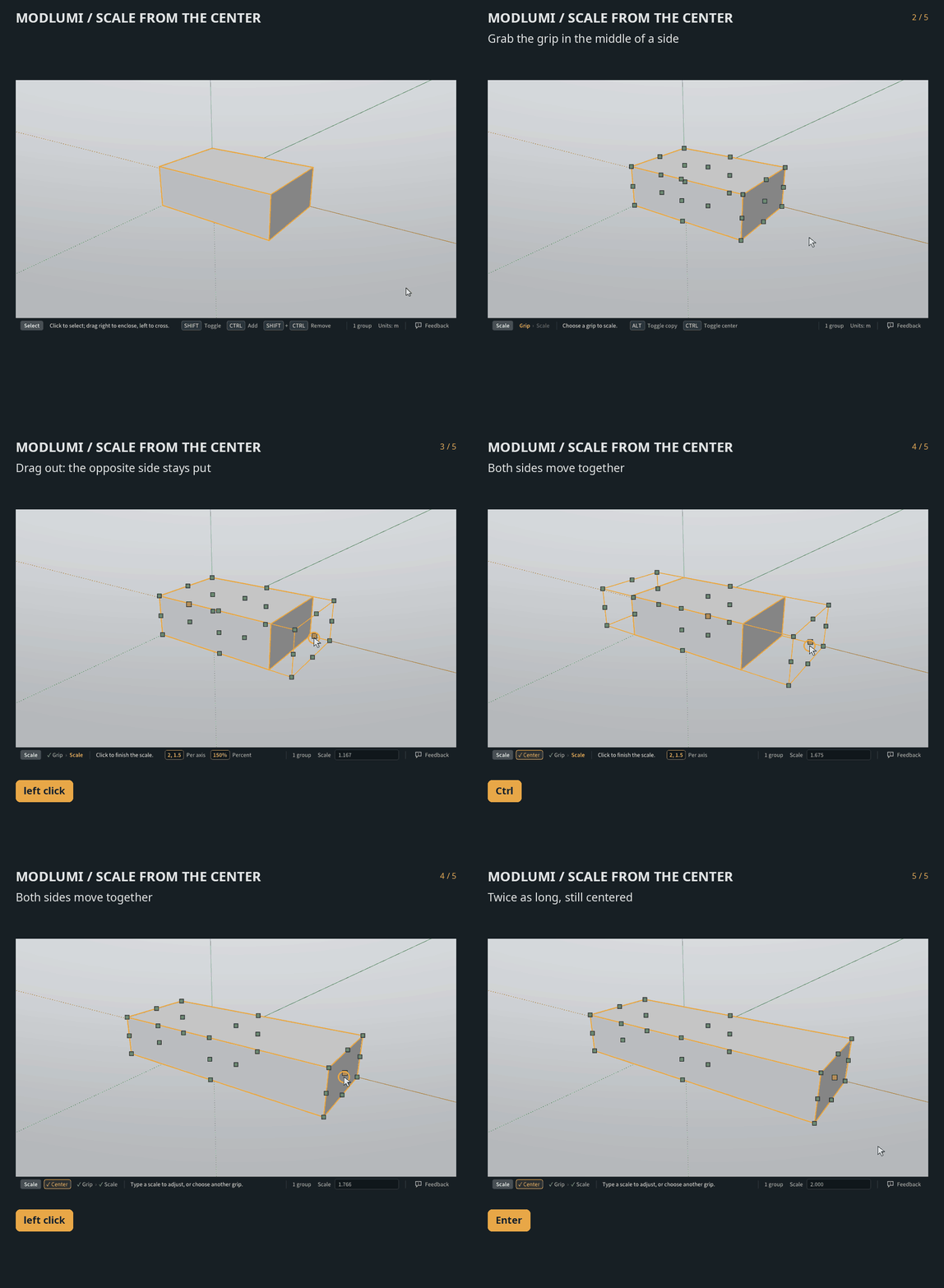
More in the docs: https://modlumi.com/docs/user-guide/transforming/
-
@ntxdave Sorry the update keeps giving you trouble. On my end the update link serves
modlumi-0.20-Setup-x64.execorrectly. My guess is that the browser holds the file back because the installer isn't code-signed yet, and in that state it can show up as an unnamed or "Unconfirmed" download instead of an .exe.Could you post a screenshot of the browser's download list (Ctrl+J) right after downloading, and tell me which browser you use? If you see a "Keep" or "…" option there, try Keep → Keep anyway. Does that give you the .exe?
Meanwhile you can always get the installer straight from https://modlumi.com/download/latest/windows. Thanks for sticking with it!
I'm the developer of Rayscaper: https://rayscaper.com/ - Fast and easy rendering for SketchUp.
-
@pixelcruncher
About Scale : yep that was that ; very cool the number as multiply length!In general we have properties say a box WIdth, Depth,height
Not yet possibilitie to edit numericaly something ? -
This post is deleted! -
@pixelcruncher Is there any way that we could use these items in ModLum:
-
SketchUp materials with the ability to adjust the roughness, shin, and other settings to make more realistic materials.
-
Fonts installed on our Windows or Mac computer
I am sure that others will come up with other ideas like this, but I think ModLumi is coming along fine. I am trying to learn how to use various features and thing you are making good progress. At some point, it also be neat if there was a way to use the Rayscaper features with ModLumi.
One last question: As some point, do you expect to make ModLumi a "paid" product?
OK, one more dumb question: Is it ModLUmi or Modlumi?
-
-
@ntxdave
On the first post it's Modlumi but i write ModLumi because it's more easy to remember it!
And better visual impact!About the Paid product https://community.sketchucation.com/post/1622917



Hello! It looks like you're interested in this conversation, but you don't have an account yet.
Getting fed up of having to scroll through the same posts each visit? When you register for an account, you'll always come back to exactly where you were before, and choose to be notified of new replies (either via email, or push notification). You'll also be able to save bookmarks and upvote posts to show your appreciation to other community members.
With your input, this post could be even better 💗
Register Login


Advertisement