sketchucation logo sketchucation
    • Login
    Oops, your profile's looking a bit empty! To help us tailor your experience, please fill in key details like your SketchUp version, skill level, operating system, and more. Update and save your info on your profile page today!
    ⚠️ Update | Sketchucation Tools 5.0.8 released with licensing improvements and bugfixes Download

    can't fill the base of model

    Scheduled Pinned Locked Moved SketchUp Discussions
    4 Posts 3 Posters 28 Views 3 Watching
    Loading More Posts
    • Oldest to Newest
    • Newest to Oldest
    • Most Votes
    Reply
    • Reply as topic
    Log in to reply
    This topic has been deleted. Only users with topic management privileges can see it.
    • L Offline
      Leggy
      last edited by

      hi ive been working on this model and the base disappeared, I did a slice at 0.2 and intersected it ,but it won't stay . ill try and upload the file. thanks Deanla vista palm trees.skp

      1 Reply Last reply Reply Quote 0
      • J Offline
        Jianming Mo Newcomers
        last edited by

        It could be that your model units are too large. Tiny geometry like 0.2 will break or disappear easily in SketchUp.

        1 Reply Last reply Reply Quote 0
        • J Offline
          Jianming Mo Newcomers
          last edited by

          Try resetting your model scale.

          1 Reply Last reply Reply Quote 0
          • Dave RD Offline
            Dave R
            last edited by

            The model is quite large. You have the palm tree at around 43 KM tall. Modeling with the units set to meters is good for 3D printing but this is probably much larger than it needs to be. That said, there are a lot of "forks" in the bottom edges that create problems for Intersect Faces. I deleted the large face and then started stitching from end point to end point to fill in faces. I did a little cleanup at a few points in order to get faces to form but when I was finished it looked like this.
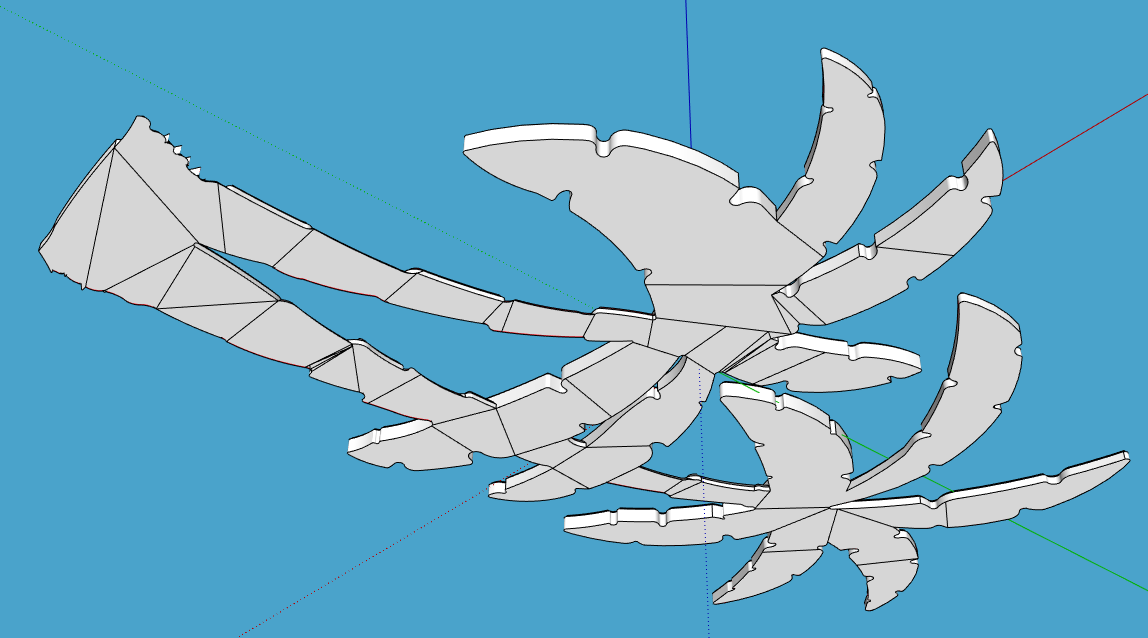
            Screenshot - 9_14_2026 , 10_35_44 AM.png

            I ran CleanUp3 to remove the unneeded edges.
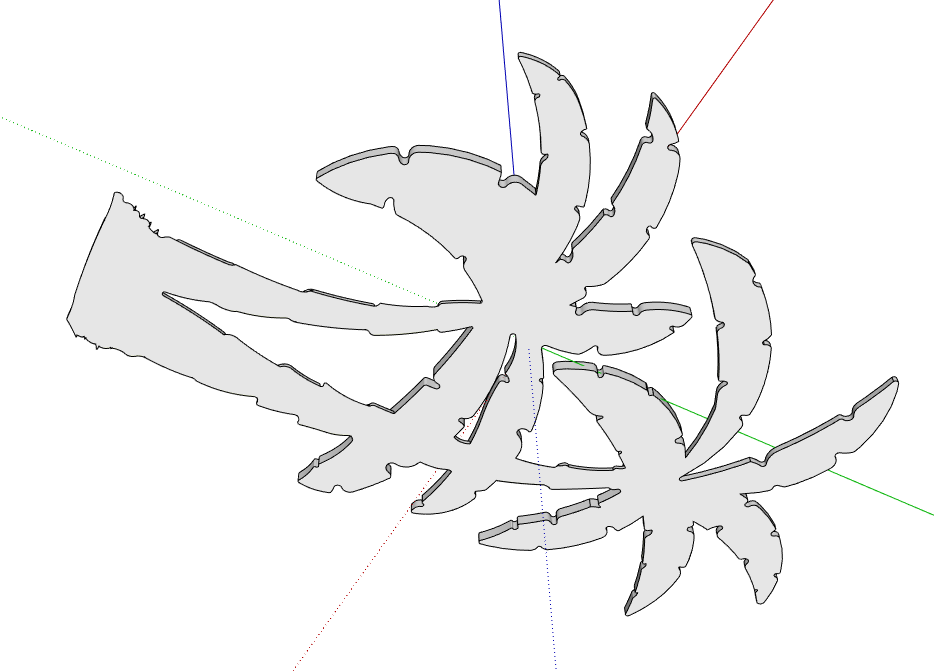
            Screenshot - 9_14_2026 , 10_48_42 AM.png

            There'll be some other cleanup such as internal faces and stray edges to remove. Solid Inspector and Solid Inspector2 along with Solid Solver can help with some of that.

            Etaoin Shrdlu

            %

            (THERE'S NO PLACE LIKE)

            G28 X0.0 Y0.0 Z0.0

            M30

            %

            1 Reply Last reply Reply Quote 0

            Hello! It looks like you're interested in this conversation, but you don't have an account yet.

            Getting fed up of having to scroll through the same posts each visit? When you register for an account, you'll always come back to exactly where you were before, and choose to be notified of new replies (either via email, or push notification). You'll also be able to save bookmarks and upvote posts to show your appreciation to other community members.

            With your input, this post could be even better 💗

            Register Login
            • 1 / 1
            • First post
              Last post
            Buy SketchPlus
            Buy SUbD
            Buy WrapR
            Buy eBook
            Buy Modelur
            Buy Vertex Tools
            Buy SketchCuisine
            Buy FormFonts

            Advertisement